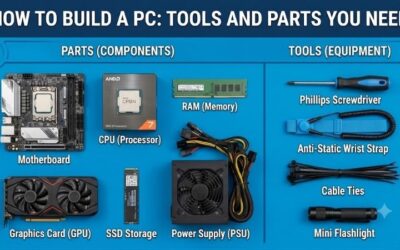
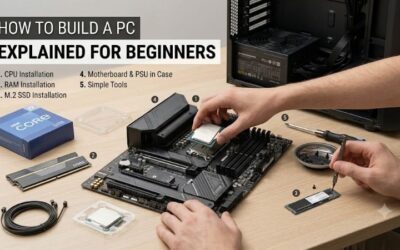
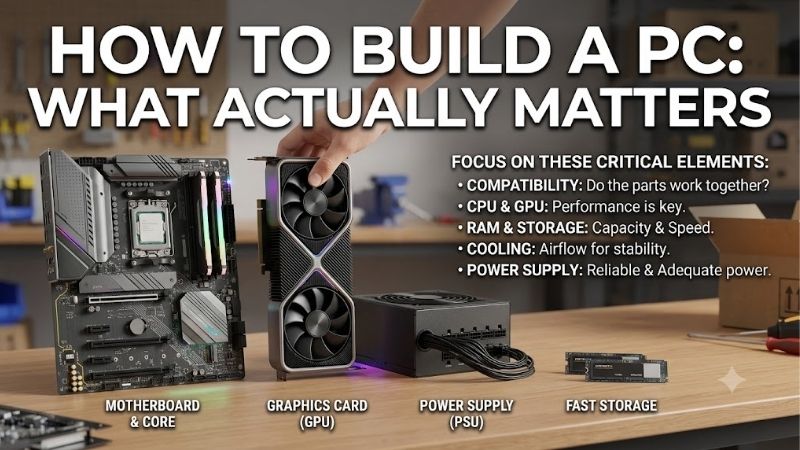
How to build a pc what actually matters starts with spending money where it changes the result. Builders can overpay for motherboards, RGB, or accessories while overlooking CPU-GPU balance, memory, cooling, power delivery, and upgrade room. This guide focuses on the hardware that shapes the finished PC and its real-world performance.
Quick answer: Our top pick in 2026 is the AMD Ryzen 7 9800X3D — our #1 rated choice. See the full ranked comparison, alternatives and buying advice below.
How to Choose PC Components
How to build a pc what actually matters begins with defining the workload. Gaming, streaming, editing, and general work place different demands on hardware, so a smart build starts with usage and budget. From there, balance performance parts with compatibility, power, cooling, and the upgrade path you genuinely expect to use.
CPU-GPU Balance
Start with the workload, then divide the budget around components that create the biggest difference. For gaming, the graphics-card usually deserves the largest performance share, while the CPU must keep pace with the target resolution and frame-rate. A premium motherboard cannot rescue a weak GPU, so put more budget into the parts that render and process the work.
The rule is balance, not symmetry. A high-end-gaming PC can pair a strong CPU with a sensible motherboard and still beat a flashy build that overspends. The RTX 5070 Ti shows where budget can translate into rendering capability, while the Ryzen 7 9800X3D targets CPU-heavy gaming. Put more budget there for gaming.
Memory Capacity And Speed
Memory is less glamorous than CPU or GPU choice, but capacity matters when games, browsers, launchers, and creative apps compete for RAM. A 32GB kit is a starting point for modern-gaming. G.SKILL Flare X5 32GB uses two 16GB modules rated up to DDR5-6000 CL30 with AMD EXPO for compatible AM5 systems, making it a practical capacity target.
Memory speed still needs to match the platform. Rated DDR5-6000 operation depends on hardware and BIOS settings, so check the motherboard QVL. G.SKILL Flare X5 is useful for AM5 builds because its low-profile 33mm design leaves more room around larger CPU coolers. That makes fitment easier under sustained loads in a typical gaming build.
Power Supply Capacity And Connectors
Power-supply selection is about capacity, connector support, quality, and upgrade-headroom rather than wattage alone. The CORSAIR RM850x provides 850W, ATX 3.1 compliance, a native 12V-2×6 connector, fully modular cabling, and a ten-year warranty. That makes the PSU a foundation, not an afterthought, for a serious build with modern components.
Avoid choosing a PSU by adding component wattages and stopping at the total. Transient loads, efficiency, cable compatibility, and upgrades matter. The RM850x gives margin for many performance systems, but a higher-end GPU may justify 1000W. For a first build, its native modern GPU connector is a useful practical advantage during assembly and future upgrades.
Compatibility And Upgrade Path
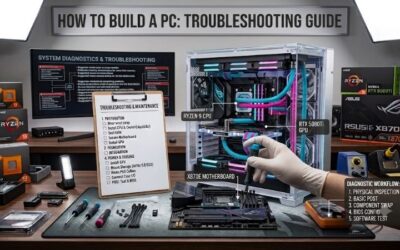
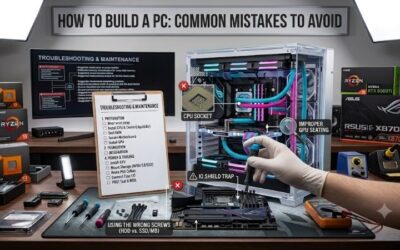
Compatibility is where first-time-builds can quietly fail. The Ryzen 7 9800X3D and G.SKILL Flare X5 use AM5, so the motherboard must support both together. The RTX 5070 Ti adds card-length, slot, and power-requirements, while the PSU must provide the correct modern connector in practice and leave useful room for later upgrades.
Check the motherboard BIOS, memory QVL, case and cooler clearance, and PSU connectors before ordering. These checks cost nothing and can prevent returns or a build that powers on but cannot run correctly. The Ryzen 7 9800X3D, Flare X5, RTX 5070 Ti, and RM850x show why compatibility matters as much as headline specifications.
Top Picks
Top Picks should not be treated as four parts that create a finished-system. They are reference choices for processor performance, graphics performance, usable memory, and dependable power. Compatibility still decides the final parts list, so check each component against the motherboard, case, cooler, and connectors before ordering. The goal is balance, not maximum spending.
| Product | Best For | Key Spec | Watch Out For |
|---|---|---|---|
| AMD Ryzen 7 9800X3D | Best Overall | 8 cores, 16 threads, up to 5.2GHz, 96MB L3, 120W | Requires a separate CPU cooler |
| NVIDIA GeForce RTX 5070 Ti | Best For High-Resolution Gaming | 16GB GDDR7, 256-bit, 300W | High power draw and varying card sizes |
| G.SKILL Flare X5 32GB | Best Value | 2x16GB DDR5-6000 CL30, AMD EXPO | Rated speed requires compatible settings |
| CORSAIR RM850x | Best For Reliable Power | 850W, ATX 3.1, native 12V-2×6, fully modular | 850W may be limiting for future flagship GPUs |
AMD Ryzen 7 9800X3D — Best Overall
For how to build a pc what actually matters, Ryzen 7 9800X3D is the Best Overall choice for gaming-first systems. It has eight Zen 5 cores, 16 threads, 4.7GHz base, up to 5.2GHz boost, 96MB L3 cache, and 120W default TDP. AMD lists AM5 and PCIe 5.0 support for demanding builds.
Its advantage is the large 3D V-Cache, designed around gaming latency and frame-rates. The downside is that no cooler is included, and AMD recommends liquid cooling for optimal performance. Choose it when gaming performance matters more than minimizing platform cost, with a fast-refresh monitor and strong graphics card.
NVIDIA GeForce RTX 5070 Ti — Best For High-Resolution Gaming
For how to build a pc what actually matters, NVIDIA GeForce RTX 5070 Ti is the Best For High-Resolution Gaming pick. It has 16GB GDDR7 on a 256-bit interface, 300W total graphics power, Blackwell architecture, and DLSS 4 support. It targets demanding games where GPU capability controls resolution and visual settings at high settings.
Its advantage is strong graphics headroom without the power demands of NVIDIA’s highest tier. The trade-off is substantial consumption, and NVIDIA recommends 750W system power. Board-partner dimensions vary, so check the exact card against your case before buying, particularly in compact builds with limited clearance space.
G.SKILL Flare X5 32GB — Best Value
For how to build a pc what actually matters, G.SKILL Flare X5 32GB is the Best Value memory pick for an AMD AM5 build. The kit uses two 16GB DDR5 modules rated up to 6000 MT/s at CL30-38-38-96 and 1.35V, with AMD EXPO and Intel XMP profiles on compatible systems. It keeps the platform straightforward for balanced AM5 systems.
Its advantage is 32GB in a dual-channel kit with low-profile 33mm modules. The limitation is that 6000 MT/s uses an overclocked profile rather than default SPD speed, and G.SKILL warns against mixing kits. Check the motherboard-QVL and CPU-support before enabling EXPO for stable operation in your build.
CORSAIR RM850x — Best For Reliable Power
For how to build a pc what actually matters, CORSAIR RM850x is the Best For Reliable Power choice for a first-time build. The model provides 850W, ATX 3.1 compliance, PCIe 5.1 support, a native 12V-2×6 cable, and fully modular cabling. Those features simplify cable selection for a modern performance system with upgrade room.
Its advantage is the mix of capacity, low-noise operation, and long coverage; Corsair lists a ten-year warranty and Zero RPM mode. The limitation is that 850W is not enough for every future flagship GPU. Builders planning a higher-power card should move to the 1000W model instead of relying on minimal headroom for long-term ownership.
Frequently Asked Questions
For builders, how to build a pc what actually matters is less about memorizing every component and more about understanding which specifications affect the result. The core decisions are CPU, GPU, memory, power, cooling, storage, and compatibility. Once those are balanced, cosmetic extras become optional rather than priorities for most new systems.
How Much RAM Do You Need For A First Gaming PC?
Yes, 32GB is a strong starting point for a modern gaming PC. It gives games room alongside browsers, launchers, voice chat, and ordinary background tasks without forcing constant memory pressure. For lighter builds, 16GB can still work, but 32GB is the more comfortable target when the budget allows it during gaming.
More RAM is useful when the workload can use it. A 64GB kit can make sense for video editing, development projects, virtual machines, or demanding content creation, but it does not automatically improve gaming once capacity is sufficient. For gaming, a matched 32GB memory-kit is an efficient baseline for most new systems in most builds.
Does The Motherboard Matter For Gaming Performance?
No, an expensive motherboard does not automatically make a gaming PC faster. The board should provide the socket, memory support, expansion slots, storage connections, networking, and power delivery your parts require. Paying extra makes sense when you need specific connectivity, expansion, or sustained power features rather than prestige or unnecessary features.
Extra motherboard spending can help with future upgrades when you have a reason to use those features. Extra M.2 slots, faster USB, stronger networking, or more robust CPU power delivery can matter. For a straightforward gaming system, prioritize CPU, GPU, and memory before premium board extras that may remain unused overall.
Do You Need Liquid Cooling For A Gaming PC?
No, liquid cooling is not required for most gaming PCs. A properly sized air cooler can handle many processors effectively, while a larger liquid cooler becomes useful for CPUs that sustain higher power or for sustained high-load work too. Cooling should match the processor instead of following a premium-build stereotype or cosmetic expectation.
The practical exception is a high-performance CPU such as the Ryzen 7 9800X3D, where AMD recommends a liquid cooler for optimal performance. Case airflow still matters because the GPU also generates heat. Choose the cooling setup together with the CPU and case so the system has enough intake, exhaust, and radiator space.
How Many Watts Should A First PC Have?
For many gaming systems, 750W to 850W is a sensible range, but the correct number depends on the CPU, GPU, and the specific card recommendation. NVIDIA lists 750W recommended system power for the RTX 5070 Ti, showing why PSU selection should follow the graphics card instead of using a generic wattage rule in practice.
More wattage is not automatically better. A high-quality 850W unit can be smarter than a poorly built higher-wattage PSU, while a future flagship GPU may justify 1000W or beyond. The CORSAIR RM850x fits many performance builds because it adds modern ATX 3.1 and native 12V-2×6 support for current graphics cards.
Final Thoughts
The practical answer is to spend first on performance parts, then protect that investment with compatible memory, adequate cooling, and a quality PSU. A balanced build beats an expensive collection of mismatched components. For how to build a pc what actually matters, ask what your games and workload need most before buying premium extras.
Ready to decide? Our #1 pick for 2026 is the AMD Ryzen 7 9800X3D.
Live price & availability on Amazon.