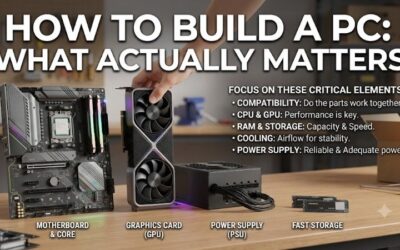
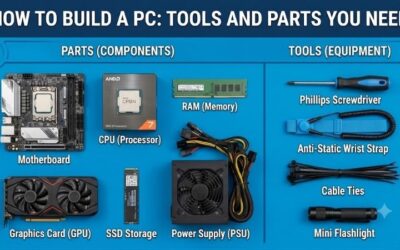
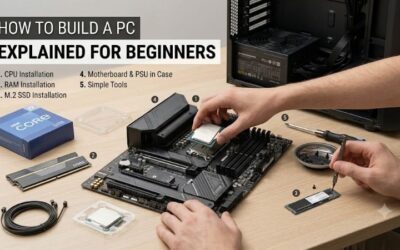
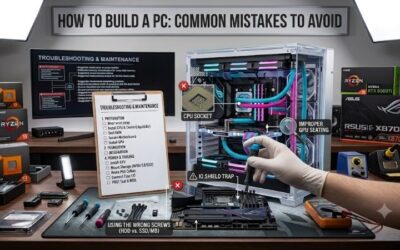
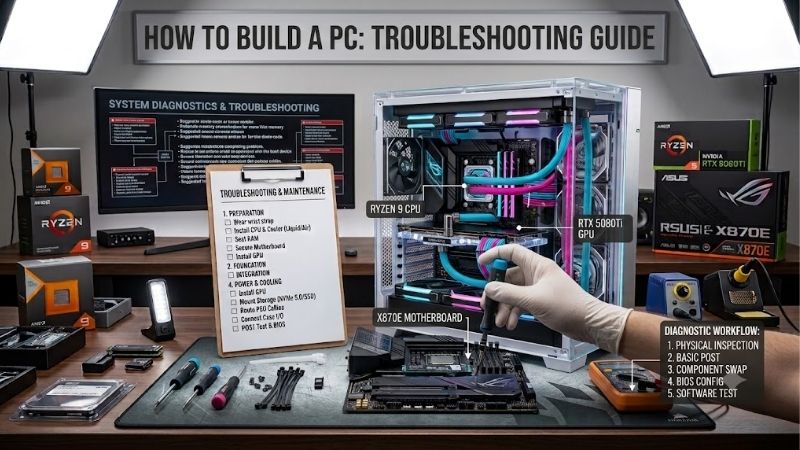
How to build a pc troubleshooting guide searches begin with a silent tower, a blank screen, or repeated restarts. Those symptoms cannot identify defective components. Start with external checks and diagnostic indicators, then isolate the problem. These four tools support that process without encouraging unnecessary replacement purchases.
Quick answer: Our top pick in 2026 is the iFixit Mako Driver Kit — our #1 rated choice. See the full ranked comparison, alternatives and buying advice below.
How to Choose PC Troubleshooting Tools
This how to build a pc troubleshooting guide compares tools for component access, preparing boot media, ESD control, and screening ATX power supplies. Check external power, display connections, and board indicators first. Disconnect mains power before internal adjustments; never open the PSU housing or work on exposed energized circuits.
Driver Fit and Access
Choose a driver that matches your particular fasteners and reaches recessed screws securely. Phillips case and storage sizes can differ, so an oversized tip may damage smaller hardware. Bit variety becomes worthwhile for multiple devices, but adds expense for one build. The iFixit Mako Driver Kit offers useful precision access.
Check clearance around the screw before selecting extensions; flexible shafts help access but reduce direct control. Loosen brackets deliberately and retain their screws, preventing loose metal inside. A standard full-size driver can be easier for chassis screws. Choose the iFixit Mako Driver Kit for small fasteners and restricted access.
Boot Media Requirements
A recovery drive must match an available USB port and provide sufficient capacity for installers or diagnostic images. USB-A is common on desktop rear panels, while advertised interface speed does not establish sustained write performance. For a reusable conventional boot-media carrier, choose the Kingston DataTraveler Exodia 64GB.
Create bootable media on another computer using the provider’s instructions; copying an ISO file alone normally cannot create a bootable drive. Back up existing contents because preparation may erase them. Separate diagnostic media from valuable personal files. Choose the Kingston DataTraveler Exodia 64GB for recovery-media preparation.
ESD Protection Requirements
An ESD strap helps control static discharge during handling; it is not a diagnostic sensor or electrical shock shield. Wrist contact and suitable grounding both matter. An unattached strap provides little benefit, regardless of branding. Choose the iFixit Anti-Static Wrist Strap IF145-071-1 for controlled component handling.
Fit the strap snugly and connect it to an appropriate ESD grounding point or common-point ground following its instructions. Keep component handling within the unplugged workspace above. A coiled lead permits movement but can snag around tools. Choose the iFixit Anti-Static Wrist Strap IF145-071-1 when repeated component handling is expected.
Power Tester Compatibility
Power testers vary in supported connectors and electrical load. A simple ATX screening tool can reveal some supply problems, but cannot recreate a demanding GPU workload. Match the tester to the PSU’s standard motherboard connector; proprietary systems may differ. Choose the StarTech.com PSUTEST20 for compatible 20-pin or 24-pin ATX screening.
A passing result is preliminary, not certification of ripple quality, transient response, or full rated output. Testing should answer specific questions before replacement purchasing. A technician or known-good compatible supply may resolve ambiguity. Choose the StarTech.com PSUTEST20 when basic ATX output screening fits your diagnosis.
Top Picks
The tools in this how to build a pc troubleshooting guide solve different problems rather than competing. Buy the driver for access, the USB drive for recovery media, the strap for ESD control, and the tester for targeted PSU screening. Existing equipment may already cover your needs; purchasing all four is unnecessary.
| Product | Best For | Key Spec | Watch Out For |
|---|---|---|---|
| iFixit Mako Driver Kit | Best Overall | 64 precision bits; 4mm driver | Less comfortable for large chassis screws |
| Kingston DataTraveler Exodia 64GB | Best Value | USB-A; USB 3.2 Gen 1; 64GB | Requires prepared boot media; removable cap |
| iFixit Anti-Static Wrist Strap IF145-071-1 | Component Reseating | Six-foot coiled lead; 1-megohm resistance | Needs correct contact and grounding |
| StarTech.com PSUTEST20 | ATX PSU Screening | 20/24-pin support; 25W load; LED indicator | Cannot certify full-load PSU stability |
iFixit Mako Driver Kit: Best Overall
The iFixit Mako Driver Kit is my best overall selection for practical component access. It includes 64 precision bits, a 4mm aluminum driver, and a flexible extension. Its strength is accommodating varied small electronics fasteners securely. Choose it when component access is difficult with the screwdriver you already own.
In a how to build a pc troubleshooting guide, access matters because seating issues precede deeper testing. The Mako’s limitation is its precision format: large chassis screws can feel less comfortable than a full-size handle. Many specialty bits are unnecessary for desktops. Buy its versatility for broader repairs, not the bit count alone.
Kingston DataTraveler Exodia 64GB: Best Value
The Kingston DataTraveler Exodia 64GB is my best value pick for dedicated bootable recovery media at a competitive price. It uses USB-A and supports USB 3.2 Gen 1, with a protective cap and keyring loop. Its advantage is reusable storage for installers, diagnostic images, or offline networking drivers prepared elsewhere.
For a how to build a pc troubleshooting guide, the Exodia is useful only after the machine reaches firmware or supports recovery. It cannot repair a system with no power. Its drawbacks are a removable cap and unspecified sustained speeds; interface branding does not promise fast writes. Prepare its contents before emergencies.
iFixit Anti-Static Wrist Strap: Best for Reseating
The iFixit Anti-Static Wrist Strap IF145-071-1 is best for repeated component handling. Its adjustable elastic band, coiled six-foot lead, and 1-megohm resistance support a conventional ESD setup. It benefits frequent component handling. This is preventive equipment that helps avoid introducing another fault during diagnosis.
Its role in a how to build a pc troubleshooting guide is unplugged component protection against electrostatic damage, not identifying defective RAM. The limitation is dependence on correct contact and grounding. A loose band or disconnected lead defeats its purpose. It also adds cable clutter, so organize your component workspace.
StarTech.com PSUTEST20: Best for PSU Screening
The StarTech.com PSUTEST20 is best for basic ATX power screening. It supports 20-pin and 24-pin supplies and includes a 25W load with LED indication. Its advantage is defined preliminary testing rather than judging PSU health from fan rotation. It suits builders investigating power delivery following external-connection checks.
In a how to build a pc troubleshooting guide, its limitation is clear: 25W cannot reproduce full-system gaming demands. This legacy tester does not provide complete modern GPU power assessment. Follow its instructions for connections, with mains removed during connection changes. Check availability before choosing this purchase.
Frequently Asked Questions
Questions about a how to build a pc troubleshooting guide distinguish no power, failed initialization, absent display output, and operating-system failure. These are different stages, and each changes relevant evidence. Record the symptom and adjustments before purchasing replacements. The following answers provide starting points.
Why Does My PC Not Turn On?
No response to the power button calls for power-path checks. Verify the outlet, power-strip switch, PSU rear switch, and external mains cable. With mains disconnected, inspect main motherboard power, required CPU power, and front-panel switch positioning against the manual. A misplaced case-switch connector can mimic failed hardware.
If there is a burning smell, damage, or repeated protection trips, stop testing and obtain qualified help. Never substitute modular cables from another PSU without confirmed compatibility. A supply with a zero-RPM mode may leave its fan stationary normally. Fan motion alone provides weak evidence for failure or correct operation.
Why Do Fans Spin Without a Display?
Spinning fans with no picture do not establish graphics-card failure. Confirm the monitor’s selected input and display cable, then check which video output you are using. Motherboard HDMI requires a processor with working integrated graphics and suitable configuration. A dedicated GPU needs its own display connection and required power.
After those checks, use board indicators and try one memory module in its recommended slot. Reseat or change components only while unplugged. Initial DDR5 training may delay display output, so follow its documented wait period. A RAM indicator identifies a troubleshooting area, not necessarily a defective memory stick.
Why Does My PC Restart?
Random restarts require observing their timing before blaming the PSU. Return overclocking and memory profiles to defaults, inspect temperatures, and record idle versus load failures. Verify CPU cooling and fan or pump operation. Stop stress testing if cooling is malfunctioning or temperatures exceed manufacturer limits.
If defaults improve stability, retest memory configuration before replacing hardware. If problems persist, compare workload behavior and drivers, then investigate individual subsystems. A basic PSU tester cannot rule out load-related supply failure. Preserve crash information and component details for manufacturer support.
Why Does My PC Report No Boot Device?
A boot-device error often means the system initialized but cannot find boot media. Check whether firmware detects the SSD before changing operating-system settings. If storage is absent, inspect its installation while unplugged. If present, review the expected boot entry and whether an operating system was actually installed.
Use your prepared installer or recovery environment when storage is detected but startup fails. Avoid formatting or reinstalling before protecting important data and assessing consequences. Changing firmware storage modes indiscriminately can prevent existing installations from booting. Document the original settings before configuration changes.
Final Thoughts
Use this how to build a pc troubleshooting guide to select tools around evidence. Choose Mako for access, Exodia for recovery media, the iFixit strap for component handling, or PSUTEST20 for limited ATX screening. Begin with free checks, isolate one variable, and replace hardware only when the diagnostic evidence supports replacement.
Ready to decide? Our #1 pick for 2026 is the iFixit Mako Driver Kit.
Live price & availability on Amazon.