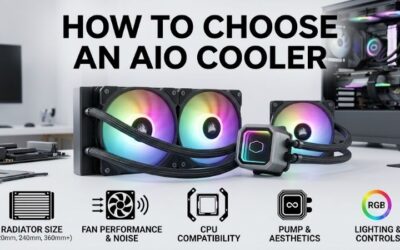
Is an aio cooler worth it in 2026? The answer depends on your current cooling limitations. Yes, when sustained CPU workloads, acceptable noise, or case layout justify the expense; often no when competent air cooling already handles gaming. Follow manufacturer mounting and wiring guidance, and evaluate upgrades against specific needs.
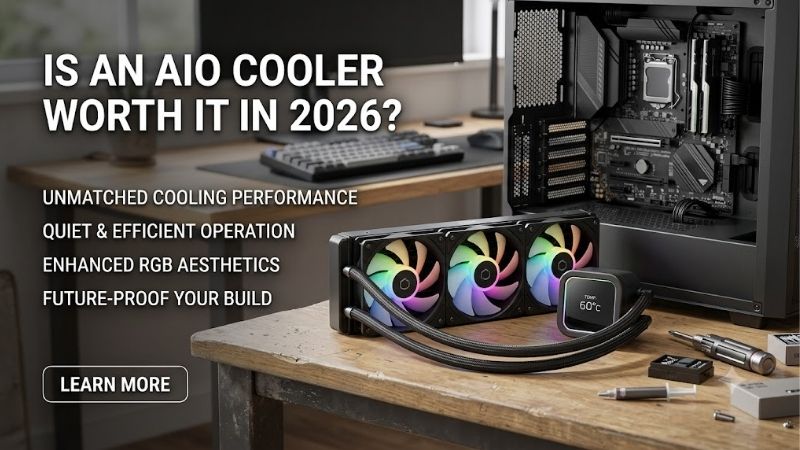
How to Choose an AIO Cooler
This review answers “is an aio cooler worth it in 2026” by weighing cooling benefits against compatibility and ownership costs. Four real 360mm models illustrate different priorities, from plain cooling hardware to connected RGB and an LCD. Their specifications show which features solve practical problems and which primarily change appearance.
Assess CPU Cooling Needs
Start with sustained processor power and performance under representative workloads, instead of assuming flagship branding requires liquid cooling. Gaming and long rendering sessions can differ thermally. A cooler upgrade earns its place when it resolves sustained throttling or unacceptable noise after basic airflow checks.
Cooling capacity also depends on fan settings, cold-plate contact, and room temperature, so radiator dimensions cannot establish universal superiority. Compare independent tests at equivalent noise and power levels before expecting improvements. For a hardware-focused upgrade with generous clearance, consider ARCTIC Liquid Freezer III Pro 360.
Check Radiator Fit
A nominal 360mm cooler requires space for a radiator longer than 360mm, plus fans and mounting hardware. Compare manufacturer dimensions against motherboard heatsinks, memory, and graphics-card clearance. A case listing compatible fan positions may still leave insufficient thickness for a complete radiator-and-fan installation.
Before asking “is an aio cooler worth it in 2026”, establish whether compatibility avoids an unnecessary case replacement. ARCTIC’s thick radiator requires clearance that thinner assemblies avoid. For a compatible chassis where reduced radiator thickness matters, consider Corsair iCUE LINK TITAN 360 RX RGB with its 27mm radiator.
Compare Ownership Costs
AIO ownership includes pump operation, connections, and eventual replacement, while an air cooler usually simplifies fan replacement. Neither type guarantees silence or unlimited service life. Check the exact model’s warranty, retailer support, and socket hardware instead of treating premium packaging as proof of longevity.
An LCD or proprietary controller adds functionality but introduces configuration requirements and replacement expenses. Those extras deserve a separate budget from cooling itself. For a lower-cost 360mm option using conventional PWM radiator fans, consider Thermalright Frozen Edge 360 BLACK when its price undercuts comparable alternatives.
Separate Appearance From Performance
Visual features can be worthwhile purchases if you deliberately value them and can see the computer during use. An LCD displays readings or custom artwork, while coordinated lighting ties visible components together. Neither feature increases radiator surface area, so separate aesthetic preferences from expectations of lower operating temperatures.
Internal USB availability and software preferences become relevant with display-equipped cooling. Check those requirements alongside physical pump-cap clearance before checkout, especially around crowded motherboard components. For a visible desktop where screen customization is your priority, consider NZXT Kraken Elite 360 (2024).
Performance and Pros and Cons
The question “is an aio cooler worth it in 2026” has design-specific answers. This section assesses features and limitations without claiming laboratory rankings. ARCTIC emphasizes cooling hardware, Thermalright limits unnecessary extras, Corsair coordinates compatible components, and NZXT makes the pump display a deliberate centerpiece.
| Product | Radiator Specification | Included Fans | Controls and Features |
|---|---|---|---|
| ARCTIC Liquid Freezer III Pro 360 | 398 × 120 × 38mm; minimum 63mm assembly clearance | Three P12 Pro fans; 600–3000 RPM | PWM controls; integrated VRM fan; six-year warranty. |
| Thermalright Frozen Edge 360 BLACK | 360mm format; aluminum radiator | Three 120mm TL-B12 PWM fans; up to 2150 RPM | Conventional fan connections; published five-year warranty. |
| Corsair iCUE LINK TITAN 360 RX RGB | 396 × 120 × 27mm | RX RGB fans; 300–2100 RPM | LINK connectivity; iCUE control; six-year warranty. |
| NZXT Kraken Elite 360 (2024) | 401 × 120 × 27mm | Three F120P fans in RL-KN36E-B2 | 2.72-inch IPS LCD; 640 × 640 resolution; CAM customization. |
ARCTIC Liquid Freezer III Pro 360: Best Overall
ARCTIC Liquid Freezer III Pro 360 is the Best Overall starting point for compatible systems prioritizing cooling headroom. Its 398 by 120 by 38mm radiator accompanies three P12 Pro fans specified from 600 to 3000 RPM. An integrated VRM fan also supplies airflow near motherboard power components, providing functional differentiation.
The drawback is demanding clearance: ARCTIC specifies at least 63mm for the assembly, and oversized motherboard SSD heatsinks can interfere near the pump. Intel installation includes a contact-frame procedure requiring attention. If your question is “is an aio cooler worth it in 2026”, verify these limits before choosing this model.
Thermalright Frozen Edge 360 BLACK: Best Value
Thermalright Frozen Edge 360 BLACK is Best Value when competitively priced below alternatives. Its three 120mm TL-B12 PWM fans are specified up to 2150 RPM, and Thermalright publishes a five-year warranty. Conventional fan connections support motherboard control, appealing to buyers who want a cooling purchase without ecosystem commitments.
The tradeoff is reduced customization against premium alternatives: no NZXT-style LCD and no Corsair LINK component coordination. Published fan ratings also cannot prove quiet operation in your enclosure. Its value depends on the actual price gap, supplied socket brackets, and seller support rather than assumed universal thermal superiority.
Corsair iCUE LINK TITAN 360 RX RGB: Best For Corsair Builds
Corsair iCUE LINK TITAN 360 RX RGB is Best For Existing Corsair Builds using compatible LINK components. Its radiator measures 396 by 120 by 27mm, with RX RGB fans specified from 300 to 2100 RPM. Coordinated lighting and digital control suit builders who want the cooler to work within a planned system without fragmented configuration workflows.
The disadvantage is proprietary connectivity: ordinary replacement fans cannot simply join a LINK chain. Configuration through iCUE also creates a software commitment that a basic PWM setup avoids. When evaluating “is an aio cooler worth it in 2026”, count ecosystem convenience as a benefit only if you intend to use it with compatible components.
NZXT Kraken Elite 360 (2024): Best For LCD Showcases
NZXT Kraken Elite 360 (2024) is Best For LCD Showcase Builds. The selected RL-KN36E-B2 version includes three non-RGB F120P fans and a 2.72-inch IPS display with 640 by 640 resolution. Its 401 by 120 by 27mm radiator supplies the 360mm format, while NZXT CAM supports personalized custom artwork and monitoring displays.
The disadvantage is spending on screen functionality without guaranteed cooling advantages. Internal USB and SATA connections also add installation requirements, and display customization uses CAM. Verify the generation and SKU carefully: similarly named Kraken products can include different fans and screens, altering purchase specifications.
Frequently Asked Questions
Readers asking “is an aio cooler worth it in 2026” usually want to know whether gaming improves, whether smaller radiators are enough, how maintenance works, and when replacement becomes necessary. These answers connect the purchase with measurable requirements, so a cooler upgrade does not become an expensive substitute for diagnosis.
Will an AIO Improve Gaming?
Usually no, an AIO doesn’t noticeably improve gaming performance when the CPU already maintains its intended performance without thermal throttling. In that situation, the graphics card or game engine may remain the limiting factor. Lower temperatures can be useful, but a cooler reading alone does not establish measurable gaming improvements.
If repeated thermal throttling reduces clocks, suitable cooling can restore intended performance. Check sustained clock behavior and thermal-limit indicators during representative play. A poorly mounted existing cooler or blocked intake may need correction before purchasing replacement hardware that cannot solve restricted case airflow.
Do You Need a 360mm Radiator?
No, you do not need a 360mm radiator because the system is expensive. A capable 240mm or 280mm AIO, or a suitable air cooler, can be sufficient for many gaming workloads. Larger radiators offer additional heat-exchange area, but actual benefits depend on processor demand, airflow, and acceptable fan speeds during sustained CPU workloads.
When deciding “is an aio cooler worth it in 2026”, match radiator size to workload and clearance. A workstation sustaining heavy all-core loads deserves different consideration from a gaming-only desktop. If these four 360mm models don’t fit, investigate smaller alternatives without forcing an incompatible installation in cramped chassis.
Do AIOs Need Refilling?
No, ordinary sealed AIOs do not require routine coolant refilling. Dust removal from radiator fins and fans remains necessary, with the computer powered off and disconnected before cleaning. Opening a sealed loop without manufacturer authorization can create leakage problems or affect coverage, so follow the maintenance instructions.
Mounting orientation also affects ownership: keep the pump below the loop’s highest point and follow the model’s instructions, including external-pump designs. Avoid kinked hoses or stretched connections. For a front radiator, downward-facing tubes can be preferable where feasible, but compatibility matters more than copied layouts.
When Should You Replace an AIO?
AIOs have no universal replacement interval. Service life varies with the model, operating conditions, and component wear, and warranty duration does not guarantee failure timing. Investigate persistent pump noise, rising temperatures under unchanged workloads, or repeated thermal throttling rather than replacing functional hardware prematurely.
Visible leakage requires shutdown and manufacturer or retailer support, not an improvised repair inside a powered computer. Keep proof of purchase and model identification for a warranty claim. If continued operation matters for work, consider replacement availability rather than assuming warranty service eliminates downtime.
Final Thoughts
The answer to “is an aio cooler worth it in 2026” is yes when it solves specific cooling, layout, or visual requirements at an acceptable cost. Choose ARCTIC for hardware, Thermalright for value, Corsair for LINK integration, or NZXT for an LCD. Keep a capable air cooler when it already meets your needs, and spend only on practical benefits.