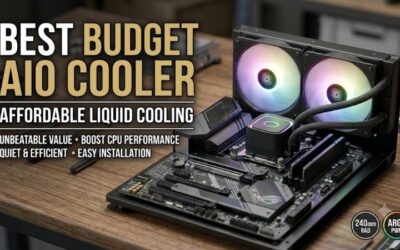
Best aio cooler for a budget build purchases become confusing when advertised savings conceal a poor case fit, extra wiring, or weak support. A 240mm model can make sense, but liquid cooling shouldn’t compromise graphics-card spending. Choose around your CPU’s workload and available space, then follow manufacturer installation instructions.
How to Choose a Budget AIO Cooler
This guide compares the best aio cooler for a budget build across four 240mm options, covering overall features, value, RGB styling, and restrained appearance. It explains pre-purchase compatibility and control differences, helping you select compatible hardware without unnecessary accessory expenses or avoidable installation compromises.
Check Radiator Clearance
A case listing 240mm support does not guarantee adequate radiator-and-fan clearance. Check thickness, motherboard heatsinks, RAM, and mounting location together. Front installation also reduces graphics-card clearance. Measure usable space before ordering any components rather than relying exclusively on fan-mount compatibility.
ARCTIC’s 38mm radiator needs more clearance than the thinner alternatives here, so it suits cases with generous mounting space. For tighter overhead clearance, a shallower assembly offers more flexibility without case replacement. For a conventional mounting footprint, consider Cooler Master MasterLiquid 240L Core ARGB and its 27.2mm radiator.
Verify Socket Hardware
Socket compatibility concerns the exact mounting hardware, beyond generic Intel or AMD branding. Check the cooler’s supported sockets and brackets supplied with your specific retail package. Model revisions and older inventory can differ, so verify the purchased unit rather than transferring compatibility claims from a similar product.
The best aio cooler for a budget build should avoid unexpected mounting expenses during assembly. ARCTIC’s Intel installation uses an included contact frame, introducing installation complexity. For a supported system with acceptable installation requirements, choose ARCTIC Liquid Freezer III 240 for its integrated features.
Match Cooling to CPU Load
Sustained processor consumption outweighs a broad cooler TDP claim. A gaming workload and a long rendering session impose different thermal demands. Compare cooling reviews at relevant power levels and similar noise targets, because a result achieved with maximum fan speeds might prove unpleasant during everyday operation.
All four picks use two 120mm radiator fans, without maximum speed establishing cooling efficiency or acoustic quality. Avoid comparing manufacturers’ dBA figures without equivalent measurement methods. For inexpensive liquid cooling with adjustable radiator fans, consider Thermalright Frozen Notte 240 BLACK ARGB when competitively priced.
Plan Connections and Total Cost
Fan PWM control and lighting control are separate functions, and pump wiring introduces additional connection requirements. Check the motherboard’s header count and the cooler’s instructions before installation. When lighting is included, a three-pin 5V ARGB connector mustn’t connect to a four-pin 12V RGB header; the electrical standards differ.
RGB can suit a visible build, but a controller or adapter can erase initial savings. Compare total purchase expenses alongside warranty terms and the retailer’s return policy. If you want a restrained setup without addressable lighting to manage, choose ID-COOLING FROSTFLOW X 240, subject to verified socket compatibility and availability.
Top Picks
The best aio cooler for a budget build depends on fit and current pricing, so these recommendations separate design strengths rather than claim universal thermal superiority. ARCTIC offers useful extras, Thermalright targets value, Cooler Master suits an RGB build, and ID-COOLING provides a simpler visual alternative without additional LCD costs.
| Product | Best For | Key Spec | Watch Out For |
|---|---|---|---|
| ARCTIC Liquid Freezer III 240 | Best Overall | 240mm format; 38mm-thick radiator; 60mm VRM fan; six-year warranty | Thick radiator requires generous clearance; Intel contact-frame installation needs care. |
| Thermalright Frozen Notte 240 BLACK ARGB | Best Value when competitively priced | Two 120mm TL-E12B-S PWM fans; up to 2000 RPM; ARGB | Lighting adds wiring and control requirements. |
| Cooler Master MasterLiquid 240L Core ARGB | Best For RGB Builds | 277 × 119.6 × 27.2mm radiator; two 120mm ARGB fans; three-year warranty | Shorter published warranty than the ARCTIC pick. |
| ID-COOLING FROSTFLOW X 240 | Best For Builds Without ARGB | 276 × 120 × 27mm radiator; two 120mm PWM fans; 700–1800 RPM | Published socket list does not include LGA1851. |
ARCTIC Liquid Freezer III 240: Best Overall
ARCTIC Liquid Freezer III 240 earns Best Overall for compatible systems with sufficient radiator clearance. Its 38mm-thick radiator and included 60mm VRM fan distinguish it from simpler 240mm designs. The VRM fan adds airflow around motherboard power components, while integrated cable routing simplifies installation aesthetics.
The main drawback is physical compatibility: that thicker radiator can interfere with motherboard heatsinks in cramped enclosures. Intel mounting also requires careful contact-frame installation. For the best aio cooler for a budget build, ARCTIC is attractive when it fits and stays affordable, without compromising physical compatibility.
Thermalright Frozen Notte 240 BLACK ARGB: Best Value
Thermalright Frozen Notte 240 BLACK ARGB earns Best Value when competitively priced below alternatives. The 240mm design includes two 120mm TL-E12B-S PWM fans, specified up to 2000 RPM, plus addressable lighting. That provides coordinated cooling and lighting without separate decorative accessory purchases for a visible case interior.
The compromise is additional wiring complexity: lighting connections require compatible control hardware, alongside pump and fan power. Its rated fan speed does not guarantee quieter operation than competing models. Buy it for complete-kit affordability, then confirm the exact revision and included accessories before committing to the purchase.
Cooler Master MasterLiquid 240L Core ARGB: Best For RGB Builds
Cooler Master MasterLiquid 240L Core ARGB is Best For RGB Builds that need a conventional radiator profile. Its radiator measures 277 by 119.6 by 27.2mm, and its two 120mm PWM fans operate across a specified 650–1750 RPM range. Addressable fans and an illuminated pump provide matching lighting without purchasing an additional display.
The disadvantage is shorter warranty coverage: Cooler Master lists three years for this model, compared with six years for Liquid Freezer III. That distinction matters at comparable prices. When the best aio cooler for a budget build must complement case lighting, choose this model for fit and appearance without assuming thermal superiority.
ID-COOLING FROSTFLOW X 240: Best For Builds Without ARGB
ID-COOLING FROSTFLOW X 240 is Best For Builds Without ARGB. Its radiator measures 276 by 120 by 27mm, with two 120mm PWM fans specified from 700 to 1800 RPM. The restrained design avoids addressable-lighting synchronization, simplifying assembly for restrained systems without additional controller purchases or cross-component color coordination.
Its published compatibility includes AM4, AM5, and LGA1700, but does not list LGA1851, requiring newer Intel buyers to verify mounting compatibility. Its simpler appearance also offers fewer customization options. Choose it when the exact socket is supported and its price rewards avoiding unnecessary decorative features.
Frequently Asked Questions
Questions about the best aio cooler for a budget build usually concern liquid-cooling necessity, 240mm suitability, radiator placement, and long-term upkeep. These answers help determine whether the purchase fits your workload and ownership expectations before purchasing a sealed liquid-cooling system for your next gaming desktop.
Does a Budget Gaming PC Need an AIO?
No, a budget gaming PC doesn’t automatically require an AIO. A capable air cooler can handle many mainstream processors while avoiding pump noise and simplifying fan replacement. An AIO becomes more appealing when case layout, sustained CPU load, or socket-area accessibility justifies the additional expense and components.
With graphics-limited gaming performance, spending more on liquid cooling may not actually improve frame rates. Compare a suitable air cooler before budgeting, and keep the AIO for specific requirements. Liquid cooling is a design choice, not proof that an otherwise inexpensive computer has become faster or better balanced.
Is a 240mm AIO Enough?
Yes, a 240mm AIO can be sufficient for many mainstream gaming processors with sensible power limits. It is not a guarantee for every high-power CPU during all-core workloads. Ambient temperature, case airflow, fan settings, and processor configuration influence sustained performance and acoustic acceptability during gaming or rendering sessions.
When comparing the best aio cooler for a budget build, prioritize processor-relevant testing rather than relying on a claimed wattage ceiling. A processor with acceptable gaming temperatures can run hotter during rendering. If acceptable results require excessive fan speed, consider power tuning or a different cooling arrangement before purchase.
Should the Radiator Go on Top or in Front?
Neither mounting position is universally superior. Top exhaust can remove CPU heat without directly warming graphics-card intake, while front intake gives the radiator cooler outside air. The tradeoff is that front-mounted cooling can warm the air reaching downstream components, so the preferred layout depends on case airflow and workload.
Follow the manufacturer’s orientation guidance and keep the pump below the loop’s highest point; some coolers place the pump away from the CPU block. Avoid layouts that trap air at the pump. For a front radiator, downward-facing tubes can be preferable when tubing permits, but never kink or stretch hoses to force that orientation.
Do AIO Coolers Need Refilling?
No, ordinary sealed AIO coolers do not require routine coolant refilling. They are sold as closed systems, and opening one without manufacturer authorization can create leakage problems or affect coverage. Regular upkeep mainly involves removing dust from fans and radiator fins, with the computer powered off and disconnected before cleaning.
Watch for persistent new pump noise, rising temperatures under the same workload, or visible fluid around fittings. Stop using a cooler that leaks, and pursue support instead of improvising powered-system repairs. Retain proof of purchase and model identification, because warranty handling and replacement options vary by seller.
Final Thoughts
The best aio cooler for a budget build earns its place through fit, features, and total cost. Choose ARCTIC for integrated extras, Thermalright for value, Cooler Master for RGB styling, or ID-COOLING for a restrained setup. Verify socket hardware and clearance, then reserve funds for components directly affecting gaming performance.