Ddr5 ram specs that actually matter can feel overwhelming when upgrading your desktop. With manufacturers boasting extreme frequencies and complex timing numbers, buyers easily overpay for performance they never notice. We break down memory latency, transfer rates, and profile compatibility to help you select the ideal kit today.
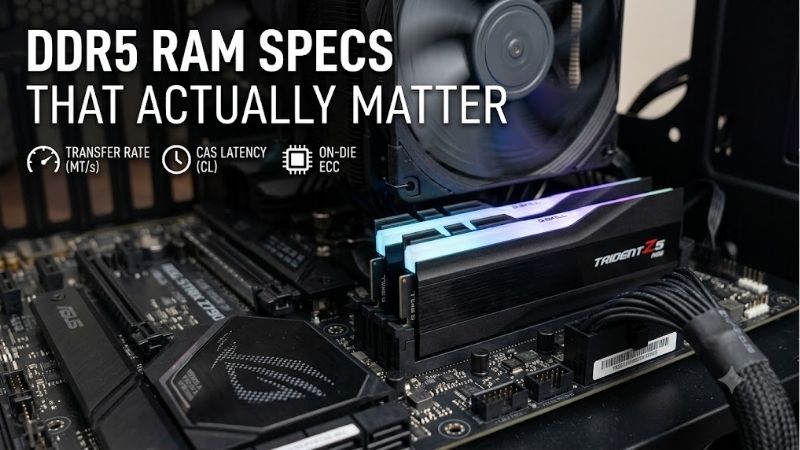
How to Choose the Right DDR5 RAM Specs That Actually Matter
Evaluating memory options requires looking past marketing hype to focus on practical real-world performance gains. Understanding ddr5 ram specs that actually matter prevents spending extra cash on negligible frame rates. Focus on how frequency, latency, and system compatibility interact during gaming or workloads.
Transfer Speed and Clock Frequency
RAM frequency measures how many data cycles your memory completes per second, expressed in MT/s. Modern PC platforms handle high clock speeds with ease, but going beyond 6000 MT/s often yields diminishing returns. Stick to sweet-spot speeds to ensure rock-solid stability without overspending on expensive motherboard setups.
When picking transfer speed MT/s, verify what your processor natively supports to avoid boot issues. AMD Ryzen 7000 and 9000 series chips run best around 6000 MT/s, while Intel 13th and 14th gen chips can stretch higher. Matching your platform sweet spot ensures smooth performance without manual tuning headaches.
CAS Latency and Memory Timings
CAS latency indicates the delay in clock cycles between sending a command and receiving data. Lower numbers mean quicker response times, which translates to smoother frame rates in high-refresh gaming. Balancing speed and latency is crucial because low latency at low frequency still underperforms.
Evaluating secondary memory timings alongside primary latencies gives a clearer picture of responsiveness. A kit rated at 6000MHz CL30 delivers significantly better real-world latency than a CL40 kit at the same frequency. Prioritize lower CL ratings when choosing between two kits operating at identical speeds.
Overclocking Profiles and System Compatibility
Enabling Intel XMP profiles or AMD EXPO support allows your memory to run at advertised speeds with one BIOS click. Without these profiles, your RAM defaults to baseline JEDEC speeds, wasting performance potential. Always confirm your motherboard vendor lists the specific kit on its QVL chart.
On-module PMIC voltage regulation manages power directly on the DDR5 stick rather than relying on motherboard circuitry. Proper power delivery keeps high-speed kits stable under heavy gaming or rendering workloads. Ensure your PC case provides good airflow around the RAM modules during heavy usage.
Top Picks
Selecting the best memory kit depends on your specific budget, build aesthetics, and target workloads. Understanding ddr5 ram specs that actually matter makes it easier to select a reliable, high-performing kit. Here are five outstanding Amazon offerings verified for exceptional speed, quality, and user value.
| Product Model | Speed & Latency | Best Suited For | Key Feature Highlight |
| G.Skill Trident Z5 RGB | 6000MHz CL30 | Enthusiast Gaming | Low Latency & Vibrant RGB |
| Corsair Vengeance DDR5 | 6000MHz CL30 | Low-Profile Rigs | Sleek & iCUE Integration |
| Crucial 32GB DDR5 | 5600MHz CL46 | Workstations | Native JEDEC Plug-and-Play |
| TEAMGROUP T-Force Delta | 6000MHz CL30 | Aesthetic Builds | 120° Wide Lighting Bar |
| Kingston Fury Beast | 6000MHz CL36 | Balanced Rigs | Compact Heat Spreader |
G.Skill Trident Z5 RGB DDR5 6000MHz CL30
The G.Skill Trident Z5 RGB is tailored for gamers seeking peak speed and tight latencies. Featuring SK Hynix ICs, this kit runs effortlessly at 6000MHz CL30 with full AMD EXPO support and Intel profile compatibility. Its premium aluminum heat spreader keeps temperatures low while delivering striking customizable RGB lighting.
The taller height demands checking your CPU cooler heat spreader clearance before purchasing tall air tower fans. However, its unmatched gaming stability and top-tier silicon quality make it a standout choice for high-end builds. It delivers maximum frame rates for enthusiasts who refuse to compromise on latency.
Corsair Vengeance DDR5 6000MHz CL30
Corsair Vengeance DDR5 caters to builders wanting clean, understated designs paired with enthusiast-grade speed. Running at 6000MHz CL30, this dual-channel DDR5 kit integrates seamlessly with Corsair iCUE software for real-time monitoring. It provides rock-solid performance for creative editing and heavy multi-tasking.
While it lacks flashy illumination, its compact design easily clears giant dual-tower air coolers. Paying close attention to ddr5 ram specs that actually matter proves that this subtle kit delivers equal punch to flashier RGB modules. It remains a reliable pick for stealthy, high-performance desktop rigs.
Crucial 32GB DDR5 5600MHz Desktop Memory
Crucial offers an unpretentious kit ideal for workstation setups and system builders who prioritize stability. Running at native 5600MHz speeds with JEDEC standards, it delivers ample DDR5 capacity without requiring manual BIOS profile configuration. It is built using original Micron die chips for long-term operational reliability.
Higher default latencies mean slightly lower peak gaming frame rates compared to tuned overclocked kits. Nonetheless, its universal compatibility and modest pricing make it a smart choice for general users and office workstations. You get stable next-gen speed without paying extra for decorative heat spreaders.
TEAMGROUP T-Force Delta RGB DDR5 6000MHz
TEAMGROUP T-Force Delta RGB combines eye-catching 120-degree wide-angle lighting with aggressive high-speed performance. Optimized for modern gaming platforms, it supports both EXPO and Intel XMP profiles for effortless single-click setup. The reinforced aluminum heat spreader efficiently dissipates thermal output during long gaming sessions.
Its aggressive top light bar adds physical height that might interfere with restrictive small-form-factor cases. Despite that minor fitting consideration, its tight timing response and vibrant aesthetic yield exceptional overall value. Knowing ddr5 ram specs that actually matter confirms this kit balances style and speed.
Kingston Fury Beast DDR5 6000MHz CL36
Kingston Fury Beast DDR5 is engineered for users wanting reliable high-speed memory with automatic Plug N Play functionality. It features an aggressive low-profile heat sink designed to manage thermal loads efficiently without blocking CPU coolers. It provides smooth frame pacing across demanding modern game titles.
While the CL36 timing is slightly looser than CL30 alternatives, performance in real-world application benchmarks remains fast. Assessing ddr5 ram specs that actually matter highlights this kit as a balanced middle ground between cost and performance. It stands as a dependable upgrade for any modern build.
Frequently Asked Questions
Navigating memory standards raises technical questions about compatibility, system architecture, and real-world gains. Understanding ddr5 ram specs that actually matter ensures you spend money wisely on components that enhance actual usage. Here are straightforward answers to common questions buyers face today.
Is 6000MHz the best speed for DDR5 RAM?
For current PC platforms, 6000MHz is widely considered the sweet spot for balance and stability. AMD Ryzen processors in particular perform optimally at this speed due to internal Infinity Fabric clock ratios. Going beyond this frequency often introduces system instability or requires manual voltage tweaking.
Intel systems can handle higher frequencies up to 7200MHz, but gaming gains remain modest compared to the price increase. Choosing a 6000MHz kit with low latency gives ideal responsiveness for most users. It offers the best compromise between price, thermal efficiency, and plug-and-play ease.
Does CAS latency matter as much as speed?
Yes, CAS latency significantly affects overall responsiveness, especially when gaming at high frame rates. High clock speeds paired with loose latency numbers can result in performance similar to slower, tightly-timed kits. Looking at both parameters gives an accurate assessment of real-world speed.
A kit running at 6000MHz CL30 executes commands faster than a 6000MHz CL40 kit. Knowing ddr5 ram specs that actually matter prevents buying fast frequency kits compromised by poor timings. Prioritizing lower latency ensures smoother frame times and snappier application responsiveness.
Can I mix different DDR5 RAM kits together?
Mixing different memory kits, even from the same manufacturer, is strongly discouraged on DDR5 platforms. DDR5 operates at much tighter electrical tolerances and higher frequencies than older generations. Combining mismatched kits frequently causes boot failures or system crashes under load.
To ensure stable operation, purchase a single multi-stick kit packaged directly from the factory. Factory-matched kits undergo rigorous testing to ensure identical ICs and power controllers function together seamlessly. This simple choice saves hours of troubleshooting unstable system configurations.
Do I need 32GB or 64GB of DDR5 RAM?
For gaming and everyday productivity, a 32GB kit is currently the sweet spot for modern desktop PCs. Most modern AAA games use between 16GB and 24GB of memory under heavy settings. Having 32GB leaves plenty of headroom for background software, web browser tabs, and gaming recorded sessions.
Upgrading to 64GB makes sense if you edit 4K video, render 3D animation, or run multiple virtual machines simultaneously. For pure gaming rigs, investing extra money into faster GPU performance yields far higher benefits than unneeded memory capacity. Choose capacity based on your heaviest daily tasks.
Final Thoughts
Focusing on ddr5 ram specs that actually matter allows you to build a fast, stable PC without wasting money on marketing hype. Prioritize a 6000MHz speed rating with low CAS latency to maximize system responsiveness. Pair your kit with proper platform profile support to enjoy flawless performance right out of the box.