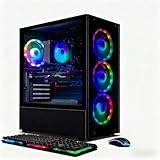
- Top Pick: STGAubron Gaming PC Desktop,Core I7,RX 580 8G,16G RAM,512G SSD
- Best Value: Dell Gaming Tower Desktop PC – Intel Core i5-7500 7th Gen 3.4GHz – 16GB DDR4 RAM – 256GB SSD – GeForce GT 1030 – RGB Keyboard & Mouse – WiFi – Windows 11 Pro – Gaming Computer (Renewed)
- Premium Choice: YAWYORE Gaming PC Desktop Computer AMD R5 5600GT 16GB 1TB NVMe Towers WiFi
Shopping for a gaming PC under $500 in 2026 means navigating a market crowded with vague spec sheets, recycled office towers wearing RGB fans, and listings that quietly swap a decent GPU for integrated graphics. The hard truth is that at this price you are almost always buying either a refurbished business desktop with a budget graphics card dropped in, or a small-brand prebuilt assembled from previous-generation parts. Neither is inherently bad — plenty of them play modern titles perfectly well at 1080p — but the gap between the best and worst options in this bracket is enormous.
This guide cuts through that noise. We have focused on machines that pair a genuinely capable discrete GPU with enough RAM and fast NVMe or SATA SSD storage to avoid bottlenecks, and we flag which builds are realistically sub-$500 versus which ones drift above it depending on configuration and seller. Below you will find our top picks, a practical buying checklist, honest reviews of each system, and answers to the questions budget buyers ask most.
As an Amazon Associate we earn from qualifying purchases at no extra cost to you. Product prices and availability are accurate as of the date shown and are subject to change.




⚡ Save on Your Next PC — Amazon Prime
Prime members get fast free shipping on the systems above, plus early access to Prime Day & Black Friday PC deals. New members get a 30-day free trial.
Watch: Best Gaming PC Under $500 — Video Review
How to Choose Gaming PC Under $500
- Prioritise the GPU above all else: At this budget the graphics card determines almost everything about your frame rates. An RX 580 8GB or RTX 2060 will comfortably handle 1080p gaming, while a GT 1030 is really an entry-level display adapter and will struggle badly in anything demanding.
- Treat 16GB RAM as the baseline: Modern titles routinely allocate 10–12GB of system memory, and Windows plus a browser eats the rest. Anything advertised with 8GB should be discounted unless you plan to upgrade immediately.
- Insist on SSD storage, and check the type: A 512GB SSD is workable; a 1TB NVMe drive is considerably better given modern install sizes. Avoid any sub-$500 machine still shipping a mechanical hard drive as its only storage.
- Understand what “Renewed” actually means: Refurbished units are the single biggest source of value in this bracket, but the CPU generation matters. A 7th-gen Core i5 is serviceable for esports titles and older games, yet it will hold back a stronger GPU in newer, CPU-heavy releases.
- Budget for the hidden extras: Many sub-$500 towers arrive without a monitor, and bundled keyboards and mice are usually disposable. Factor in roughly $80–$150 for a decent 1080p display if you do not already own one, and keep an eye on power supply headroom if you intend to upgrade the GPU later.
The Best Picks Reviewed
STGAubron Core i7 with RX 580 8GB
This is the most balanced package on the list for the money, pairing a Core i7 with an RX 580 8GB — a card that still delivers dependable 1080p performance in most current titles at medium settings. The 16GB of RAM and 512GB SSD mean it works well out of the box with no immediate upgrades required.
STGAubron Ryzen 5 2600 with RTX 2060 6GB
The RTX 2060 is the strongest realistic GPU you will find near this price point, adding hardware ray tracing and DLSS support that meaningfully extends the machine’s useful life. The Ryzen 5 2600 is showing its age in CPU-bound games, but for pure 1080p gaming value this configuration is difficult to beat.
YAWYORE Ryzen 5 5600GT
Relying on the 5600GT’s integrated Radeon graphics, this build is best understood as an excellent esports and light-gaming machine rather than a AAA gaming rig. The generous 1TB NVMe drive and 16GB of RAM make it a strong platform to add a discrete GPU to later, which is exactly how we would approach it.
Dell Gaming Tower (Renewed)
A well-built refurbished chassis with 16GB of DDR4, a 256GB SSD and Windows 11 Pro included, which is genuine value at this price. The GT 1030 is the weak link and limits you to older or less demanding titles, so treat this as a solid, upgradeable foundation rather than a finished gaming PC.
suevery Prebuilt Gaming Desktop
A straightforward entry-level tower that covers the basics competently for casual and older-title gaming without pretending to be more than it is. Check the exact GPU and storage configuration before ordering, as small-brand listings in this bracket vary between batches.
Frequently Asked Questions
Can a $500 gaming PC really run modern games?
Yes, at 1080p with medium settings in most cases. Machines built around an RX 580 or RTX 2060 will handle the majority of 2026 releases playably, though you should expect to lower settings in the most demanding new titles and rely on upscaling where available.
Is a renewed or refurbished PC safe to buy?
Generally yes, provided you buy from a seller offering a clear return window and warranty. Refurbished business towers are typically well-built and lightly used, and they represent the most cost-effective way to get a capable chassis, power supply and licensed copy of Windows.
Should I buy a prebuilt or build my own at this budget?
Under $500, prebuilts usually win. Small-brand builders source used and surplus components at prices individual buyers cannot access, and once you add a Windows licence to a self-built machine, the DIY route rarely comes out ahead at this price.
What should I upgrade first?
The graphics card, in almost every case, followed by storage capacity. Before buying a new GPU, confirm your power supply wattage and available connectors — many budget prebuilts ship with limited headroom that restricts your upgrade options.
Final Thoughts
If you want the strongest all-round gaming performance for the money, the STGAubron Ryzen 5 2600 with RTX 2060 is our top recommendation, with the STGAubron Core i7 and RX 580 8GB a close and often cheaper alternative that delivers very similar 1080p results. Buyers who prioritise storage, a modern platform and a clear upgrade path should look instead at the YAWYORE Ryzen 5 5600GT, which offers the best foundation to grow into once you can add a discrete graphics card.