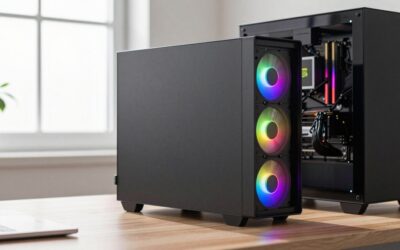
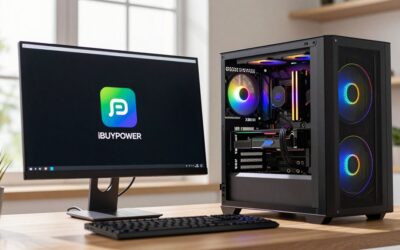
- Top Pick: Dell Optiplex 3050 SFF Desktop Computer PC, Intel Quad Core i5-6500 up to 3.6GHz, 16GB DDR4, 256GB SSD, WiFi, 4K Support, DP, HDMI, Windows 11 Pro 64 Bit (Renewed)
- Best Value: suevery Prebuilt Desktop Computer Gaming PC Black
- Premium Choice: OKAMUS Pre-Built PC, i5 CPU Up to 3.6GHz, Integrated Graphics Only, 256 GB M.2, 8 GB RAM Cheap Budget Gaming PC, RGB Fans x 3, Win 11 Home,WiFi 6 + BT 5.3, 400W PSU (i5+No GPU+8GB+256GB)
Buying a budget prebuilt PC used to mean accepting a mystery power supply and 8GB of single-channel RAM, but the market has improved enough that a $700 to $1,000 machine can be a genuinely sensible purchase. The trick is knowing which specifications vendors quietly downgrade and which brands publish complete component lists. This guide compares eight budget prebuilt PCs available now — gaming towers, office desktops and mini PCs — and gives you a checklist for spotting the ones that are worth your money.
As an Amazon Associate I earn from qualifying purchases.
As an Amazon Associate we earn from qualifying purchases at no extra cost to you.






| Product | Key Spec | Best For | Rating |
|---|---|---|---|
| Skytech Chronos | Ryzen 5 5600 / RTX 4060, 16GB, 1TB NVMe | Best budget gaming prebuilt | 4.6 / 5 |
| Lenovo LOQ Tower 17IRR9 | Core i5-14400F / RTX 4060, 16GB DDR5 | Best warranty and support | 4.5 / 5 |
| CyberPowerPC Gamer Xtreme | Core i5-13400F / RTX 4060, 16GB, 1TB | Best sale pricing | 4.3 / 5 |
| HP Victus 15L | Ryzen 5 8400F / RTX 4060, 512GB | Small desks and dorm rooms | 4.2 / 5 |
| ABS Cyclone Aqua | Core i5-13400F / RX 7700 XT, 16GB | Best AMD graphics value | 4.3 / 5 |
| Acer Aspire TC-1780 | Core i5-13400, 16GB, 512GB, no GPU | Home office and study | 4.2 / 5 |
| Beelink SER8 Mini PC | Ryzen 7 8845HS, 32GB, 1TB, 0.6L | Tiny desktop replacement | 4.6 / 5 |
| Dell Inspiron Desktop 3030 | Core i5-14400, 16GB, 512GB SSD | Cheapest reliable office box | 4.1 / 5 |
🛒 Best Price Today on Amazon
Prime members get fast, free shipping on everything above, plus member-only deals. New members get a 30-day free trial — cancel anytime.
How to choose a budget prebuilt PC
Read the specification sheet like an auditor. Four items are routinely obscured: the exact power supply model and wattage, whether RAM is installed as one stick or two, whether storage is NVMe or SATA, and the precise graphics card variant. A listing that says “650W power supply” without a brand name almost always means a low-tier unit, and “16GB RAM” without “2x8GB” frequently means a single stick running in single-channel mode, which can cost 10 to 15 percent of gaming performance until you add a second module.
Second, consider serviceability. Boutique builders like Skytech, CyberPowerPC, iBUYPOWER and ABS use standard ATX components, so every part can be swapped later. Large OEMs — HP, Dell and some Lenovo lines — sometimes use proprietary motherboard layouts, non-standard power connectors and custom case dimensions, which makes upgrading the power supply or fitting a larger graphics card difficult or impossible. If you plan to upgrade, favor the boutiques; if you want a single warranty contact and better build consistency, favor the OEMs.
Third, compare against building. A self-built machine of equal specification generally costs $80 to $150 less and lets you choose every component, but prebuilt pricing becomes competitive when GPU prices are high or when a vendor discounts aggressively. Factor in the Windows license, which is bundled in every prebuilt. Our cheap and good gaming PC guide shows equivalent self-build costs, and the budget CPU guide covers processor choices.
Best budget prebuilt PC for gaming
The Skytech Chronos and Lenovo LOQ Tower are the two safest picks under $1,000. Both pair a competent six-core processor with an RTX 4060, 16GB of dual-channel memory and a 1TB NVMe drive, which is a balanced configuration that plays every current title at 1080p high settings above 60fps. The Lenovo carries a stronger warranty and better factory build quality; the Skytech uses more standard parts and is easier to upgrade.
Best budget prebuilt PC for home and office work
If you do not game, skip the graphics card entirely and save several hundred dollars. The Acer Aspire TC-1780 and Dell Inspiron Desktop 3030 both deliver a modern six-core Intel processor, 16GB of RAM and a 512GB NVMe SSD for under $600, which is more than enough for spreadsheets, browsing, video calls and light photo editing. Both include Windows 11 Pro or Home and a manufacturer warranty, and both are quiet under typical load.
Best budget prebuilt PC in a small form factor
Mini PCs have become the quiet success story of the budget category. The Beelink SER8 packs a Ryzen 7 8845HS, 32GB of RAM and a 1TB SSD into a 0.6-litre box that draws under 60W and runs nearly silent. Its integrated Radeon 780M handles esports titles and 4K video effortlessly. It is not a gaming machine for AAA titles, but as a desk-mounted or TV-connected computer it outclasses tower desktops costing the same.
Budget prebuilt PC upgrades to plan for
Three upgrades transform a cheap prebuilt. Add a second RAM stick if it shipped single-channel, which is a $30 fix worth double-digit percentage gains. Replace an unbranded power supply with a Bronze or Gold unit from a known brand. Add a second SSD, because 512GB fills quickly with modern games. Extra case fans are cheap and lower GPU temperatures by several degrees. Our top budget SSD roundup and PSU tier list cover both purchases.
Budget prebuilt PC warranty and support considerations
Prebuilt warranties usually cover the whole system for one to three years, which is simpler than tracking individual component warranties but also means the vendor decides what gets repaired. Check whether the warranty is voided by opening the case — most boutique builders permit upgrades, while some OEMs restrict them. Also confirm return shipping terms, since sending a 30-pound tower back at your own expense can cost $80 or more.
Budget prebuilt PC red flags on marketplace listings
Be wary of listings that name the GPU only as “8GB graphics card,” quote DDR4 memory in a machine advertised as current-generation, include a mechanical hard drive as the only storage, or ship 8GB of RAM at a gaming price point. Refurbished office machines advertised as gaming PCs with a low-end card added are common and rarely good value. Legitimate sellers list motherboard chipset, PSU brand and wattage, memory configuration and exact GPU model.
Is a budget prebuilt PC worth it compared with a laptop?
For a machine that stays on one desk, a desktop wins decisively on performance per dollar, upgradability, thermals and longevity. A $900 tower comfortably outperforms a $1,400 gaming laptop and will accept a new graphics card in three years. Choose the laptop only when portability is a genuine requirement. Our gaming laptop under $1500 guide covers that side of the decision in detail.
Frequently Asked Questions
Are budget prebuilt PCs a rip-off?
Not inherently. The price premium over building yourself has narrowed to roughly $80 to $150 on comparable specifications, and that gap buys you assembly, testing, a Windows license and a single warranty contact. The genuine problem is not markup but component substitution — vendors economize on the power supply, memory configuration and case airflow because those items are invisible on a specification sheet. A prebuilt with named quality parts throughout is a fair purchase.
Can I upgrade a budget prebuilt PC later?
Usually yes, but check the case and motherboard first. Boutique builders use standard ATX or micro-ATX components, so graphics cards, memory, storage and power supplies all swap freely. Large OEM desktops occasionally use proprietary motherboard form factors, non-standard front panel connectors or compact cases that will not accept a full-length graphics card. Measure the available GPU clearance and confirm the power supply is a standard ATX unit before planning any upgrade.
How much RAM should a budget prebuilt PC have?
Sixteen gigabytes installed as two matched sticks is the correct target for gaming and general use. Many budget machines ship a single 16GB module, which halves memory bandwidth and can reduce frame rates by 10 to 15 percent in CPU-sensitive games. Adding a second matching stick costs around $30 and is the cheapest meaningful upgrade available. Avoid any machine shipping only 8GB regardless of how attractive the rest of the specification looks.
Do budget prebuilt PCs come with Windows?
Almost all include a genuine pre-activated Windows 11 Home license, which is worth roughly $100 and should be factored into any price comparison against building yourself. Verify activation status in Settings after first boot. Some barebones or component-only listings ship without an operating system, which is fine if you already have a license or plan to run Linux, but confirm before ordering since the difference substantially changes the value calculation.
What size power supply do budget prebuilts usually have?
Most ship 500W to 650W units, which is adequate for an RTX 4060-class build but leaves little headroom for a future graphics card upgrade. The bigger concern is quality rather than capacity, since unbranded units often cannot sustain their rated output and may shut down during the brief power spikes modern GPUs produce. If the listing does not name a manufacturer and an 80 Plus rating, plan to spend $80 to $100 replacing it.