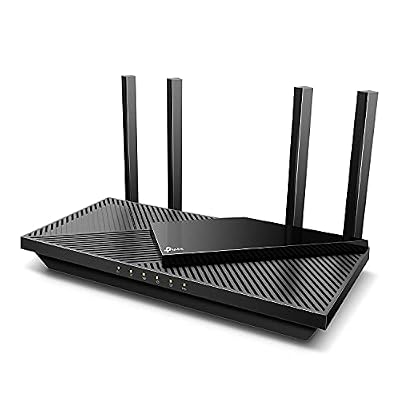
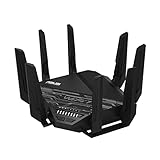
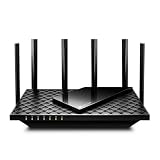
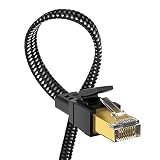
- Top Pick: TP-Link AX5400 WiFi 6 Router (Archer AX73)- Dual Band Gigabit Wireless Internet Router for Streaming, Long Range Coverage
- Best Value: TP-Link Dual-Band AX3000 Wi-Fi 6 Router Archer AX55 | Wireless Gigabit Internet Router for Home | EasyMesh Compatible | VPN Clients & Server | HomeShield, OFDMA, MU-MIMO | USB 3.0 | Secure by Design
- Premium Choice: TP-Link AX1800 WiFi 6 Router (Archer AX21 V5) – Dual Band Wireless Internet, Gigabit, Easy Mesh, Works with Alexa – A Certified for Humans Device, Free Expert Support
T-Mobile Home Internet is a fantastic value, but its bundled gateway isn’t built for gamers or large homes. Pairing it with a dedicated router, or a compatible standalone unit, gives you stronger Wi-Fi, better coverage, and the advanced controls that the stock gateway lacks, cutting the dead zones and lag that plague many 5G home setups.
- Watch: Best Router For Tmobile Home Internet — Video Review
- How to Choose a Router for T-Mobile Home Internet
- The Best Routers for T-Mobile Home Internet Reviewed
- What to Look For Behind a T-Mobile Gateway
- Which One Should You Buy?
- Common Mistakes When Buying a Router for T-Mobile Home Internet
- Related Guides
- Frequently Asked Questions
- Final Thoughts
- Related Articles
This roundup covers the best routers to improve T-Mobile Home Internet in 2026, from powerful Wi-Fi 6 workhorses to specialized gear, explaining how to get the most from your 5G connection.


As an Amazon Associate we earn from qualifying purchases at no extra cost to you.



🎮 Get More From Your Setup — Free
Prime Gaming gives you free PC games every month, in-game loot, and a free Twitch channel sub — plus fast free shipping on all the gear above. New members get a 30-day free trial.
Watch: Best Router For Tmobile Home Internet — Video Review
How to Choose a Router for T-Mobile Home Internet
- Compatibility: Confirm the router works in access-point or bridge mode with your T-Mobile gateway, or supports a SIM directly if going all-in-one.
- Wi-Fi standard: Wi-Fi 6 offers a strong balance of speed and value for most homes; ensure your devices can take advantage.
- Coverage and range: Match the router’s rated range to your home size, and consider mesh if you have dead zones.
- Ethernet ports: Gigabit ports let you wire a gaming PC or console for the lowest, most stable latency.
- Features: QoS, guest networks, parental controls, and mesh support add real everyday value.
The Best Routers for T-Mobile Home Internet Reviewed
TP-Link Archer AX73 (AX5400)
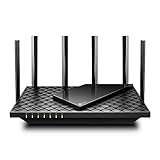
The top all-rounder, the Archer AX73 delivers AX5400 dual-band Wi-Fi 6 with long-range coverage and gigabit ports, making it excellent for streaming and gaming across a larger home. Run it in access-point mode behind your T-Mobile gateway and enjoy far stronger, more configurable Wi-Fi than the stock unit provides.
TP-Link Archer AX55 (AX3000)
A superb value pick, the Archer AX55 offers AX3000 Wi-Fi 6 with EasyMesh support, VPN capability, and HomeShield security. Its gigabit ports and solid coverage make it a smart, affordable upgrade that pairs cleanly with T-Mobile Home Internet for a busy household.
TP-Link Archer AX21 (AX1800)
For smaller homes and tighter budgets, the Archer AX21 provides dependable AX1800 dual-band Wi-Fi 6 with easy mesh support and Alexa compatibility. It’s a straightforward, reliable way to extend and strengthen your T-Mobile Wi-Fi without overspending.
TP-Link Archer A54 (AC1200)
The budget option, the Archer A54 delivers AC1200 dual-band Wi-Fi with EasyMesh support, guest networking, and parental controls. It won’t match the Wi-Fi 6 models on speed, but for a small apartment it’s an inexpensive way to add better control behind the gateway.
Wiflyer WG3526 4G LTE Router
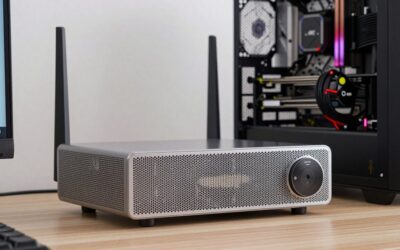
For a different approach, the Wiflyer WG3526 is an all-in-one AC1200 router with a SIM slot and detachable high-gain antennas, useful in scenarios where you want a standalone cellular router. It’s a niche pick, but its metal case and antenna array can help in signal-challenged locations.
What to Look For Behind a T-Mobile Gateway
The Gateway Stays in the Chain
T-Mobile requires its own gateway to terminate the 5G connection, and a separate router sits behind it. The carrier states that its gateways do not offer a bridge mode or NAT changes, so a downstream router cannot remove those limits. Plug the router’s WAN port into a gateway LAN port and both devices route traffic, which creates double NAT. Switching the router to access-point mode avoids it, and turning off the gateway’s own Wi-Fi in the T-Life app prevents two competing networks.
Wired Ports Set the Ceiling
The Archer A54 has 10/100 Fast Ethernet ports on both LAN and WAN sides, so a wired PC is capped near 100Mbps no matter how quick the 5G link is. Every other TP-Link pick here, the AX21, AX55 and AX73, uses gigabit ports. On the other end, the 2.5G port on the ASUS GT-AX11000 and the NETGEAR RS200 cannot exceed the speed of the gateway’s gigabit LAN port it plugs into, so the extra speed does not help this setup.
Match the Wi-Fi Generation to Your Devices
A Wi-Fi 7 router such as the Nighthawk RS200 only pays off if phones and laptops also support Wi-Fi 7. Wi-Fi 6 devices connect to it at Wi-Fi 6 speeds. Most households get the same everyday result from an AX3000 or AX5400 router, with the AX55 and AX73 offering EasyMesh support for adding a second unit later.
Signal Quality Matters More Than Router Power
Home Internet speed depends on the cellular signal reaching the gateway. A faster router distributes whatever arrives and cannot create more. If speeds are inconsistent, moving the gateway to a window or adding an external 4×4 antenna, like the Waveform QuadMini listed in this roundup, tackles the real bottleneck.
A Simple Setup Order
- Connect the router’s WAN port, or its uplink port in access-point mode, to a LAN port on the gateway.
- Set the router to access-point mode in its admin page before attaching other devices.
- Turn off the gateway’s Wi-Fi in the T-Life app once the new network is working.
- Run a wired speed test from the gateway and again through the router to confirm the router is not the limit.
Which One Should You Buy?
| If you… | Choose… |
|---|---|
| Have a larger home and a wired gaming PC or console | TP-Link Archer AX73 |
| Want strong value for a busy household and a mesh option | TP-Link Archer AX55 |
| Live in a small home or apartment | TP-Link Archer AX21 |
| Only need basic Wi-Fi and have no wired devices that need speed | TP-Link Archer A54 |
| Own several Wi-Fi 7 devices and want a newer standard | NETGEAR Nighthawk RS200 |
| Want deep gaming controls and tri-band capacity for many devices | ASUS ROG Rapture GT-AX11000 |
| Travel and need a pocket router for hotels or an RV | GL.iNet GL-SFT1200 (Opal) |
| Weak signal is the problem, not Wi-Fi coverage | An external antenna such as the Waveform QuadMini |
Common Mistakes When Buying a Router for T-Mobile Home Internet
- Expecting the router to replace the gateway. It cannot, because the gateway handles the cellular connection.
- Leaving both Wi-Fi networks on. Devices can cling to the weaker one, so disable the gateway radio or give each network a distinct name.
- Ignoring Ethernet speed. A fast router with 10/100 ports wastes a wired connection.
- Paying for features the gateway blocks. Port forwarding and NAT tweaks configured on the router still sit behind the gateway’s restrictions.
- Buying a standalone cellular router without checking the plan. The SIM-slot Wiflyer unit only helps if your carrier plan allows service in third-party devices.
Related Guides
- Best Ethernet For Gaming (2026)
- ASUS Rt be96u Router (2026)
- Wi-Fi 7 Router Tri Band (2026)
- Router For Streaming (2026)
Frequently Asked Questions
Can I use my own router with T-Mobile Home Internet?
Yes. The most common approach is to connect your own router to the T-Mobile gateway via Ethernet and run it in access-point mode, which gives you stronger Wi-Fi and better controls while the gateway handles the 5G connection.
Will a better router reduce gaming lag?
It can help with local Wi-Fi stability and coverage, reducing the dead zones and congestion that cause lag inside your home. Wiring your gaming device to a gigabit port on a router like the Archer AX73 gives the most consistent, low-latency connection.
Do I need Wi-Fi 6 for T-Mobile Home Internet?
Not strictly, but Wi-Fi 6 models like the Archer AX55 and AX73 handle more devices efficiently and offer better range, which matters in busy homes. If your devices support Wi-Fi 6, it’s a worthwhile upgrade over older standards.
Should I use mesh instead of a single router?
If you have a larger home with dead zones, a mesh system or EasyMesh-compatible routers like the Archer models can blanket the space more evenly. For smaller homes, a single strong router such as the AX73 is usually sufficient.
Final Thoughts
Upgrading the Wi-Fi behind your T-Mobile gateway makes a real difference. The TP-Link Archer AX73 is the best all-round pick for coverage and performance, while the Archer AX55 offers outstanding value for most homes. Run your chosen router in access-point mode, wire your gaming rig to a gigabit port, and your T-Mobile Home Internet will feel dramatically more capable.