
Gaming laptops generate serious heat, and when temperatures climb, performance drops through thermal throttling. A quality cooling pad is one of the cheapest, most effective upgrades you can make, boosting airflow to keep your machine running cooler, quieter, and faster during demanding sessions. It also makes long play more comfortable.
We compared a range of laptop cooling pads from slim portable models to powerful multi-fan stands to find the best options for 2026. Below are our top picks and a guide to choosing the right cooler for your setup.


As an Amazon Associate we earn from qualifying purchases at no extra cost to you.





🎮 Get More From Your Setup — Free
Prime Gaming gives you free PC games every month, in-game loot, and a free Twitch channel sub — plus fast free shipping on all the gear above. New members get a 30-day free trial.
Watch: Best Cooling Pad For Laptop Gaming — Video Review
How to Choose a Laptop Cooling Pad
- Fan configuration: More fans and higher airflow generally mean better cooling, though placement matters as much as fan count.
- Size compatibility: Match the pad to your laptop’s screen size, whether it’s a 15.6-inch or larger 17-inch machine.
- Adjustable height: Ergonomic tilt options improve typing comfort and posture during long sessions.
- Noise level: Quieter fans keep your setup pleasant; check reviews if silence matters to you.
- Extras: USB pass-through ports, RGB lighting, and phone stands add convenience and style.
The Best Laptop Cooling Pads Reviewed
ICE COOREL Gaming Cooling Pad
With eight cooling fans, six adjustable heights, RGB lighting, and dual USB ports, this pad delivers powerful, customizable cooling for 15 to 17.3-inch gaming laptops.
llano V12 Gaming Cooling Pad
A dedicated gaming cooler and stand designed for high heat output, offering strong airflow to keep demanding laptops running cool during intense sessions.
Kootek Laptop Cooling Pad
Featuring five quiet fans and support for 12 to 17-inch laptops, the Kootek balances effective cooling with low noise and a comfortable adjustable stand.
havit HV-F2056
A slim, portable, USB-powered pad with three fans for 15.6 to 17-inch laptops. It’s an affordable, travel-friendly choice for everyday cooling.
Razer Laptop Cooling Pad
An intelligent, adaptive cooler with smart fan control that adjusts to your laptop’s temperature, offering premium performance and a sleek design.
Related Guides
- What Gaming Laptop Last The Longest On A Battery
- Best Laptop With Long Battery Life (2026)
- Cheap OLED Gaming Laptop (2026)
- MacBook Air Vs Surface Laptop: Full Comparison (2026)
Frequently Asked Questions
Do cooling pads actually work?
Yes. They improve airflow around the laptop, reducing temperatures and helping prevent thermal throttling, which keeps performance more consistent.
How many fans do I need?
Fan count matters less than airflow and placement. Multi-fan pads help with hotter gaming laptops, but a well-designed dual or triple-fan model can suffice.
Will a cooling pad reduce fan noise?
By keeping your laptop cooler, its internal fans may run slower and quieter. Just choose a pad with quiet fans of its own.
Does the pad need external power?
Most draw power via USB from the laptop itself, though some include pass-through ports so you don’t lose a USB connection.
Final Thoughts
The ICE COOREL is our top pick for its powerful cooling and adjustable design. Choose the Kootek for quiet, versatile performance, or the havit HV-F2056 if you want an affordable, portable option.
Top picks from this guide
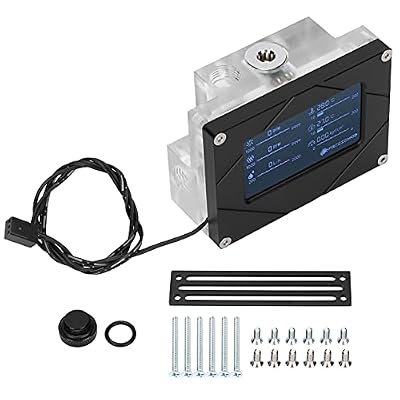 YoidesuMultifunctional Intelligent Digital Screen Display CPU Indicator, Water Cooling System…
 HUMNJEODLaptop CPU Cooling Fan Compatible with HP ProBook 450 G6…ChillCoreChillCore Laptop Cooling Pad, RGB Lights Laptop Cooler 9 Fans…
 havithavit HV-F2056 Laptop Cooling Pad for 15.6-17 Inch Laptops, Black…








