Gaming laptops used to force a choice between power and portability. Not anymore. A new wave of thin-and-light machines packs genuine RTX performance into chassis you can carry all day, so you can frag on campus and commute without a shoulder ache. The key is finding the models that stay cool and quiet despite their slim builds.
- Best Lightweight Gaming Laptop of 2026: Top Picks at a Glance
- Watch: Best Gaming Lightweight Laptop — Video Review
- What Counts as a Lightweight Gaming Laptop?
- Which Specs Matter Most in a Thin Gaming Laptop
- How We Chose the Best Lightweight Gaming Laptops
- Which Lightweight Gaming Laptop Should You Buy?
- How to Choose a Lightweight Gaming Laptop
- The Best Lightweight Gaming Laptops Reviewed
- Related Guides
- Lightweight Gaming Laptop Questions Answered
- Frequently Asked Questions
- Final Thoughts
- Best Lightweight Gaming Laptops by Budget and Use Case
- Three Thin Premium Options for 2026
- More Lightweight Gaming Laptops Worth Considering
- More Lightweight Gaming Laptop Questions
- Related Articles
We researched the best lightweight gaming laptops of 2026, balancing weight, thermals, and frame rates. Here is what to prioritize and which portable machines deliver real gaming muscle without the bulk.
Prime
Editor's Pick
Updated October 2026 – The best lightweight gaming laptop of 2026 for most players is the ASUS ROG Zephyrus G14, which pairs an RTX 5060 with a 14-inch OLED screen in the lightest body here. For more GPU power in a slim 16-inch chassis, choose the MSI Stealth A16 AI+ with its RTX 5070 Ti. For a lower price, the ASUS TUF Gaming A14 and Lenovo Legion 5 Gen 10 are the value picks.
Best Lightweight Gaming Laptop of 2026: Top Picks at a Glance
| Laptop | Screen | GPU | Best for |
|---|---|---|---|
| ASUS ROG Zephyrus G14 | 14-inch 2.8K OLED 120Hz | RTX 5060 | Best overall |
| MSI Stealth A16 AI+ | 16-inch QHD+ OLED 240Hz | RTX 5070 Ti | Most performance |
| HP Omen Transcend 14 | 14-inch 3K OLED 120Hz | RTX 5070 | Premium 14-inch |
| Acer Predator Helios Neo 14 AI | 14.5-inch WQXGA 165Hz | RTX 5060 | Portable value |
| Razer Blade 14 | 14-inch 3K OLED 120Hz | RTX 5060 | Thin and light with OLED |
| ASUS TUF Gaming A14 | 14-inch WQXGA 165Hz | RTX 4060 | Durable 14-inch |
| Lenovo Legion 5 Gen 10 | 15.3-inch WUXGA 165Hz | RTX 5060 | Entry point for RTX 5060 |
| ASUS ROG Strix G16 | 16-inch FHD+ 165Hz | RTX 5060 | Larger screen, stronger cooling |
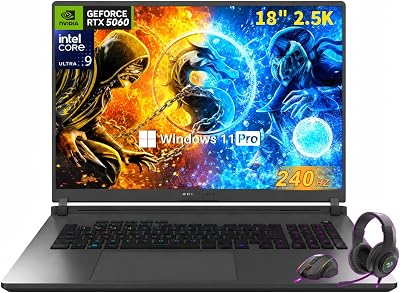
ASUS ROG Strix G18 18" Gaming Laptop | Intel Ultra 9 275HX (Up to 5.4 GHz) | NVIDIA GeForce RTX 5060 8GB GDDR7 | 32 GB DDR5 RAM | 1 TB SSD | 2.5K 240Hz/3ms Nebula Display | Wi-Fi 7 | Windows 11 Pro


ASUS ROG Strix G16 (2025) Gaming Laptop, 16” FHD+ 16:10 165Hz/3ms, NVIDIA® GeForce RTX™ 5060, Intel® Core™ i7 Processor 14650HX, 16GB DDR5, 1TB Gen 4 SSD, Wi-Fi 7, Windows 11 Home, G615JMR-AS74
Included for '13 Best Gaming Lightweight Laptops' as a representative home product in this roundup; selection reflects the product set returned for this topic.
View on Amazon
HP Omen Transcend 14 Gaming AI Laptop 14" 3k OLED 120Hz (100% DCI-P3, HDR 500nits) Intel 16-core Ultra 9 285H 32GB RAM 1TB SSD GeForce RTX 5070 (798 AI Tops) RGB Backlit Thunderbolt Win11Pro ICP Acc
Included for '13 Best Gaming Lightweight Laptops' as a representative home product in this roundup; selection reflects the product set returned for this topic.
View on Amazon
ASUS TUF Gaming A14 Copilot+ PC Gaming Laptop, 14” WQXGA 16:10 165Hz Display, AMD Ryzen™ AI 9 HX 370, NVIDIA® GeForce RTX™ 4060, 16GB LPDDR5X, 1TB PCIe® Gen 4.0 SSD, Wi-Fi 6E, Windows 11, FA401WV-WB94
Included for '13 Best Gaming Lightweight Laptops' as a representative home product in this roundup; selection reflects the product set returned for this topic.
View on Amazon
Alienware 16 Aurora Gaming Laptop, RTX 5050, Intel Core 7 240H | WQXGA 120Hz Display, 16GB DDR5 RAM, 1TB SSD, NVIDIA GeForce, Wi‑Fi 7, Windows 11 Home, Blue
Included for '13 Best Gaming Lightweight Laptops' as a representative home product in this roundup; selection reflects the product set returned for this topic.
View on Amazon
FUNYET 2026 Gaming Laptop, 15.6 Inch Laptop Computer Window 11 Pro, 24GB RAM 1TB SSD, AMD Ryzen 7 6800H(up to 4.7GHz), 2-Year Warranty, FHD 1920 * 1080, Backlit Keyboard for Gaming, Video Editing
Included for '13 Best Gaming Lightweight Laptops' because the listing lists an explicit depth/thickness, which is the attribute this article compares.
View on Amazon
Lenovo Legion 5i – Gaming Laptop - Intel® Core™ i7-14700HX - 15" 2.5K WQXGA PureSight OLED Display–165Hz Refresh Rate–NVIDIA® GeForce RTX™ 5070 – 16 GB Memory – 1 TB Storage – 3 Months of PC GamePass
Included for '13 Best Gaming Lightweight Laptops' as a representative home product in this roundup; selection reflects the product set returned for this topic.
View on Amazon🎮 Get More From Your Setup — Free
Prime Gaming gives you free PC games every month, in-game loot, and a free Twitch channel sub — plus fast free shipping on all the gear above. New members get a 30-day free trial.
Watch: Best Gaming Lightweight Laptop — Video Review
What Counts as a Lightweight Gaming Laptop?
A lightweight gaming laptop is a machine with a dedicated RTX GPU that you can carry daily without noticing the load. Weight is the first filter, and the thresholds below are a practical way to sort the market.
- Under 3.5 lb: ultra-portable 13-inch and 14-inch designs such as the ASUS ROG Zephyrus G14 and ASUS ROG Flow Z13. Expect RTX 5060-class graphics at best and tighter power limits.
- 3.5 to 4.5 lb: the sweet spot. 14-inch and slim 16-inch models like the HP Omen Transcend 14 and MSI Stealth A16 AI+ fit RTX 5070-class parts with workable cooling.
- 4.5 to 5.5 lb: mainstream 15-inch and 16-inch laptops such as the ASUS ROG Strix G16 and Lenovo Legion 5 Gen 10. They are heavier but usually hold higher clocks for longer.
- Above 5.5 lb: desktop-replacement territory. Machines such as 18-inch gaming laptops belong in a different guide, so we left them out.
Always confirm the exact weight on the maker page for the configuration you buy, because OLED panels, larger batteries and bigger power bricks change the number you carry.
Which Specs Matter Most in a Thin Gaming Laptop
- GPU wattage, not just the name: two laptops can both say RTX 5060 and perform differently if one runs the GPU at a lower power limit. Thin 14-inch designs often cap lower than 16-inch ones.
- 16GB RAM minimum: 32GB helps if you stream or keep many apps open. Check whether memory is soldered, because several thin models do not allow upgrades.
- 1TB SSD: modern games routinely exceed 100GB, and 512GB fills fast.
- Display type: OLED looks excellent and has near-instant response, while a 165Hz IPS panel is easier on the budget. A 16:10 aspect ratio gives extra vertical room for browsing and creative work.
- Charging: USB-C charging lets you leave the large brick at home for light use, although full gaming still needs the main adapter.
How We Chose the Best Lightweight Gaming Laptops
This ranking is research-based. We compared manufacturer specifications, published documentation, listing details and recurring buyer feedback, then filtered for four things.
- Dedicated GPU: every pick except the ASUS ROG Flow Z13 has an RTX 4050 to RTX 5070 Ti class graphics card.
- Portable footprint: 13-inch to 16-inch screens, with 14-inch models favored for carry weight.
- Current configurations: we favored 2025 and 2026 models and flagged older RTX 40-series parts where they appear.
- Clear specifications: branded laptops with full CPU, GPU, memory and display details on the listing.
We do not claim benchmark results, and we do not rank by synthetic scores.
Which Lightweight Gaming Laptop Should You Buy?
- You carry it every day: choose the ASUS ROG Zephyrus G14 or the HP Omen Transcend 14, both 14-inch OLED designs.
- You want maximum frame rates in a slim body: choose the MSI Stealth A16 AI+ with its RTX 5070 Ti.
- You are on a tight budget: choose the ASUS TUF Gaming A14, the Lenovo Legion 5 Gen 10 or the ASUS TUF Gaming A16.
- You also edit video or photos: choose the Gigabyte AERO X16 or the MSI Stealth 14 AI Studio.
- You travel often and want a tablet: choose the ASUS ROG Flow Z13.
Whichever you pick, put the laptop on a hard surface while gaming, keep the vents clear and update the BIOS and GPU drivers, because thin chassis are sensitive to airflow.
How to Choose a Lightweight Gaming Laptop
- Weight vs performance: Thinner laptops trade some cooling headroom, so check sustained clocks alongside the spec sheet.
- GPU efficiency: Modern RTX 40 and 50 series laptop GPUs offer strong performance per watt, ideal for slim designs.
- Display: A high-refresh FHD+ or WQXGA panel keeps games smooth and sharp on the move.
- Battery and charging: Look for solid battery life and USB-C charging for true portability.
- Thermals: Effective cooling matters most in thin laptops, so read reviews for throttling behavior.
The Best Lightweight Gaming Laptops Reviewed
ASUS ROG Zephyrus G14
The Zephyrus G14 pairs a Ryzen 9 270 with an RTX 5060 and a 14-inch 2.8K OLED panel at 120Hz. It is the most portable pick here, so it suits students and travelers who still want modern RTX performance.
ASUS ROG Strix G16
This ROG Strix pairs an RTX 5060 with a Core i7 14650HX, a 165Hz panel, and Wi-Fi 7 in a manageable frame. It delivers serious performance without excessive weight.
MSI Stealth A16 AI+
The Stealth A16 AI+ packs a Ryzen 9 HX 370, an RTX 5070 Ti and a 16-inch 240Hz QHD+ OLED display into a slim body. It is the performance leader here.
Alienware 16 Aurora
Alienware’s slim 16-inch Aurora pairs an RTX 5050 with a Core 7 240H for balanced portable gaming. Its premium build and design stand out in this group.
Gaming Laptop Ryzen 7 H255
This value option offers a Ryzen 7 H255, 24GB DDR5, and a 512GB SSD in a light chassis. It is a budget-friendly pick for lighter gaming and everyday portability.
Related Guides
- Best Mini Computer For Gaming (2026)
- Best Lan Cable For Gaming (2026)
- 5080 Pre Built PC (2026)
- Best Gaming Prime Day Deals (2026)
- Best Gaming Emulator (2026)
Lightweight Gaming Laptop Questions Answered
What is the best lightweight gaming laptop of 2026?
The ASUS ROG Zephyrus G14 is the best all-round lightweight gaming laptop of 2026 on our list. It combines an RTX 5060 with a 14-inch OLED display at roughly 3.3 lb. If you want more GPU power in a slim 16-inch body, the MSI Stealth A16 AI+ with an RTX 5070 Ti is the stronger choice.
How much should a lightweight gaming laptop weigh?
Under 4.5 lb is a good target for daily carrying, and under 3.5 lb is truly ultra-portable. Past roughly 5.5 lb you are in desktop-replacement territory, where cooling improves but portability suffers.
Is a 14-inch gaming laptop powerful enough?
Yes for most players. A 14-inch model with an RTX 5060 or RTX 5070 handles current titles at high settings at 1080p and 1440p, especially with upscaling. The tradeoff is lower sustained power and louder fans than a 16-inch machine.
Is OLED worth it on a thin gaming laptop?
OLED gives richer color and near-instant response, which suits single-player games and media. A 165Hz IPS panel is a better match for competitive shooters on a tighter budget, and burn-in risk is a reason some buyers avoid static HUD-heavy sessions on OLED.
RTX 5060 or RTX 5070 for a thin laptop?
An RTX 5060 is enough for 1080p and light 1440p, and it keeps weight and cost down. Step up to an RTX 5070 or RTX 5070 Ti if you play at 1440p with high settings or want headroom for the next few years.
Can I charge a gaming laptop over USB-C?
Many thin models accept USB-C charging for browsing and light use, but gaming at full power normally needs the included high-wattage adapter. Check the maker page for charging wattage before you rely on a small travel charger.
Frequently Asked Questions
Do thin gaming laptops overheat?
Well-designed models manage heat effectively, but slim chassis have less cooling headroom than thick ones. Check reviews for sustained performance.
Can a lightweight laptop run AAA games?
Yes, models with an RTX 5060 or higher handle demanding titles at high settings, especially with upscaling.
How much does portability cost in performance?
Thin laptops may throttle slightly under long loads, but the best ones deliver near-desktop-replacement frame rates.
Is battery life good on these?
Battery life is improving, and USB-C charging makes topping up easy, though gaming still drains batteries quickly.
Final Thoughts
The ASUS ROG Zephyrus G14 is our top balance of power and portability, while the MSI Stealth A16 AI+ leads on raw performance. Buyers who prefer a larger 16-inch screen with stronger cooling should consider the ASUS ROG Strix G16.
Best Lightweight Gaming Laptops by Budget and Use Case
Best Under $1,500
The ASUS TUF Gaming A14 and MSI Stealth 14 AI Studio both land around this tier, and the Alienware 16 Aurora with an RTX 5050 sits near it.
- ASUS TUF Gaming A14 · Ryzen AI 9 HX 370 · RTX 4060 · 14″ WQXGA 165Hz · 16GB LPDDR5X · 1TB SSD
- MSI Stealth 14 AI Studio · Core Ultra 7 155H · RTX 4060 · 14″ FHD+ 165Hz · 16GB DDR5 · 1TB SSD
- Alienware 16 Aurora · Core 7 240H · RTX 5050 · 16-inch slim chassis
Best From $1,500 to $2,000
This is where RTX 5060 and RTX 5070 machines in thin bodies cluster, and it is the best value range for most buyers.
- Acer Predator Helios Neo 14 AI · Core Ultra 7 255H · RTX 5060 · 14.5″ WQXGA 165Hz G-SYNC · 16GB · 1TB SSD
- Lenovo Legion 5 Gen 10 · Ryzen 7 260 · RTX 5060 · 15.3″ WUXGA 165Hz · 16GB DDR5 · 512GB SSD
- Gigabyte AERO X16 · Ryzen AI 7 350 · RTX 5070 · 16″ 2560×1600 165Hz · 32GB DDR5 · 1TB SSD
- ASUS ROG Strix G16 · Core i7-14650HX · RTX 5060 · 16″ FHD+ 165Hz · 16GB DDR5 · 1TB SSD
Best Premium Lightweight Gaming Laptop
- ASUS ROG Zephyrus G14 · Ryzen 9 270 · RTX 5060 · 14″ 2.8K OLED 120Hz · 16GB · 1TB SSD
- HP Omen Transcend 14 · Core Ultra 9 285H · RTX 5070 · 14″ 3K OLED 120Hz · 32GB · 1TB SSD
- MSI Stealth A16 AI+ · Ryzen 9 HX 370 · RTX 5070 Ti · 16″ QHD+ OLED 240Hz · 32GB DDR5 · 2TB SSD
Best for Students and Commuters
The ASUS ROG Zephyrus G14 is our pick because the 14-inch screen fits a lecture-hall desk and the OLED panel doubles as a good display for coursework. The Acer Predator Helios Neo 14 AI is the cheaper alternative with a taller 16:10 panel.
Best for Travel and Tablet-Style Use
The ASUS ROG Flow Z13, described below, is a 13-inch 2-in-1 with a detachable keyboard and the only machine here that works as a tablet. It trades upgradeability and cooling headroom for size.
Three Thin Premium Options for 2026
These three laptops add a Razer 14-inch option, a larger OLED Zephyrus and a top-end Razer 16-inch model for buyers who want more than the mainstream picks above.
Razer Blade 14 – Best Thin 14-Inch With OLED

Razer Blade 14 (2025) Gaming Laptop, RTX 5060, 16GB DDR5 RAM, 1TB, Black | AMD Ryzen AI 9 365, 3K 120Hz OLED Display, Thin & Lightweight, Chroma RGB, Windows
Included for '13 Best Gaming Lightweight Laptops' as a representative home product in this roundup; selection reflects the product set returned for this topic.
View on AmazonThe Razer Blade 14 pairs an RTX 5060 with a 3K 120Hz OLED display in a thin chassis and competes directly with the ASUS ROG Zephyrus G14 and HP Omen Transcend 14.
- AMD Ryzen AI 9 365
- NVIDIA GeForce RTX 5060
- 14-inch 3K 120Hz OLED
- 16GB DDR5 RAM and 1TB SSD
- Chroma RGB keyboard
Pros: thin and light build, OLED color, strong GPU class for its size. Cons: premium price tier, only 16GB of RAM, 120Hz cap. Skip it if you want a lower price or a 165Hz screen.
ASUS ROG Zephyrus G16 – Best Slim 16-Inch OLED

ASUS ROG Zephyrus G16 16" 2.5K OLED 240Hz Gaming Laptop, Intel Core Ultra 9 285H, RTX5070, 16GB LPDDR5X 1TB SSD, Wi-Fi7, Backlit KB, Win11, Thunderbolt4, Eclipse Gray, w/USB Hub, W/GaLiMu
Included for '13 Best Gaming Lightweight Laptops' as a representative home product in this roundup; selection reflects the product set returned for this topic.
View on AmazonThe ASUS ROG Zephyrus G16 moves up from the Zephyrus G14 to a 16-inch OLED screen and an RTX 5070, and suits players who want a bigger display without moving to a bulky chassis.
- Intel Core Ultra 9 285H
- NVIDIA GeForce RTX 5070
- 16-inch 2.5K OLED 240Hz
- 16GB LPDDR5X RAM and 1TB SSD
- Wi-Fi 7 and Thunderbolt 4
Pros: 240Hz OLED panel, RTX 5070 class graphics, fast Wi-Fi 7. Cons: premium price, heavier than the 14-inch models, soldered memory. Skip it if weight is your top priority.
Razer Blade 16 – Best Top-End Thin Gaming Laptop

Razer Blade 16 (2026) Thin Gaming Laptop, RTX 5070 Ti, 32GB DDR5, 1TB | Intel Ultra 9 386H, 16" QHD+ 240Hz 0.2ms OLED Display, 32GB DDR5, 1TB SSD, Wi-Fi 7, TB5, Windows 11, PC for Gaming & Creating
Included for '13 Best Gaming Lightweight Laptops' as a representative home product in this roundup; selection reflects the product set returned for this topic.
View on AmazonThe 2026 Razer Blade 16 is the highest-end laptop in this guide, with an RTX 5070 Ti, 32GB of RAM and a 16-inch QHD+ 240Hz OLED panel in a thin body.
- Intel Ultra 9 386H
- NVIDIA GeForce RTX 5070 Ti
- 16-inch QHD+ 240Hz OLED
- 32GB DDR5 RAM and 1TB SSD
- Wi-Fi 7 and Thunderbolt 5
Pros: the fastest display and GPU class here, 32GB of RAM, Thunderbolt 5. Cons: the highest price tier in the guide, heavier than the 14-inch models. Skip it if you are on a budget or prioritize the lightest weight.
More Lightweight Gaming Laptops Worth Considering
Acer Predator Helios Neo 14 AI – Best for Portable Value
This 14.5-inch machine combines a Core Ultra 7 255H with an RTX 5060 and a WQXGA G-SYNC panel at 165Hz. It suits players who want a thin gaming laptop without paying for OLED. Pros: strong GPU class for its size, sharp 16:10 display, 1TB SSD. Cons: 16GB RAM leaves little headroom, and fans can get loud under sustained load. Skip it if you need a numpad or a large 16-inch screen.
HP Omen Transcend 14 – Best Premium 14-Inch
The Omen Transcend 14 uses a Core Ultra 9 285H, an RTX 5070 and a 14-inch 3K OLED panel at 120Hz with 32GB of RAM. Published specs put it near 3.6 lb, which is notable for an RTX 5070 machine. Pros: OLED color, light for its GPU class, Thunderbolt connectivity. Cons: premium pricing and a 120Hz cap that trails 165Hz competitors. Skip it if you play fast esports titles and prioritize refresh rate over color.
MSI Stealth 14 AI Studio – Best for Creators Who Also Game
The Stealth 14 AI Studio pairs a Core Ultra 7 155H with an RTX 4060, 16GB of DDR5 and a 14-inch FHD+ 165Hz display. It suits students who edit video and play on weekends. Pros: compact body, 1TB SSD, balanced CPU for productivity. Cons: previous-generation RTX 4060 rather than RTX 50-series, and a modest screen resolution. Skip it if you want the newest GPU architecture.
ASUS TUF Gaming A14 – Best Durable 14-Inch
The TUF Gaming A14 uses a Ryzen AI 9 HX 370, an RTX 4060 and a 14-inch WQXGA 165Hz display with 16GB of LPDDR5X memory. It is built to a durability standard that suits daily carrying. Pros: efficient Ryzen platform, sharp 165Hz screen, an efficient CPU. Cons: soldered memory, and an RTX 4060 that trails newer 50-series parts. Skip it if you plan to upgrade RAM later.
Gigabyte AERO X16 – Best Creator and Gamer Hybrid
The AERO X16 combines a Ryzen AI 7 350, an RTX 5070 and a 16-inch 2560×1600 165Hz panel with 32GB of DDR5. It suits people who do color-sensitive work and gaming on one machine. Pros: RTX 5070 class graphics, 32GB RAM, restrained styling. Cons: less aggressive cooling hardware than gaming-first chassis. Skip it if you want a loud, RGB-heavy gaming aesthetic.
Lenovo Legion 5 Gen 10 – Best Entry Point for RTX 5060
The Legion 5 Gen 10 gives you a Ryzen 7 260, an RTX 5060 and a 15.3-inch WUXGA 165Hz display. It suits first-time gaming laptop buyers who want solid cooling at a lower cost. Pros: a full-size cooling design, high refresh rate, a sensible price tier. Cons: only 512GB of storage in this configuration and a heavier body than the 14-inch picks. Skip it if weight is your top priority.
ASUS ROG Flow Z13 – Best Ultra-Portable 2-in-1
The Flow Z13 is a 13-inch touchscreen gaming 2-in-1 that detaches from its keyboard. It suits travelers who want a tablet and a capable gaming machine in one bag. The listing shows:
- AMD Ryzen AI MAX 390 processor with RDNA 3.5 integrated graphics
- 13-inch ROG Nebula 16:10 display, 2.5K, 180Hz
- 32GB LPDDR5X 8000MHz memory
- 1TB PCIe Gen 4 SSD
- Wi-Fi 7 and Windows 11 Home
Pros: lightest and smallest option here, strong integrated graphics for its size, fast 180Hz screen, quick memory. Cons: no dedicated RTX GPU, soldered memory and storage, and lower sustained power than a clamshell laptop. Skip it if you want the best frame rates in AAA games or need a full-size keyboard deck.
ASUS TUF Gaming A16 – Best Budget Step Up in Size

ASUS TUF Gaming A16 Laptop: AMD Ryzen 7 7445HS, 16" Full HD+ 145Hz Display, NVIDIA GeForce RTX 4050, 16GB DDR5 RAM, 512GB SSD, Backlit Keyboard, Windows 11 Pro
Included for '13 Best Gaming Lightweight Laptops' as a representative home product in this roundup; selection reflects the product set returned for this topic.
View on AmazonThe TUF Gaming A16 is the budget choice for players who accept a larger body. It suits first-year students on a tight budget. The listing shows:
- AMD Ryzen 7 7445HS processor
- NVIDIA GeForce RTX 4050 graphics
- 16-inch Full HD+ display at 145Hz
- 16GB DDR5 RAM and 512GB SSD
- Backlit keyboard and Windows 11
Pros: low cost of entry, large 16-inch screen, durable styling. Cons: entry-level RTX 4050, a 512GB drive that fills quickly, and more weight than the 14-inch models. Skip it if you want OLED or a current-generation RTX 50-series GPU.
Lenovo Legion 5a – Best OLED Value in a 15-Inch
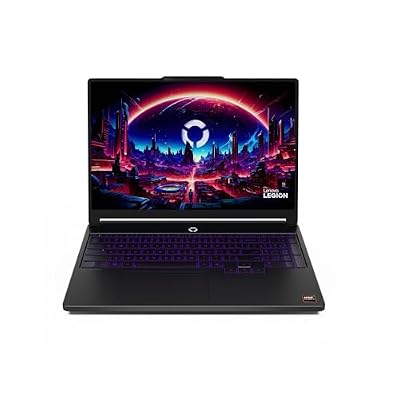
Lenovo Legion 5a - 2026 - Gaming Laptop - NVIDIA GeForce RTX 5060-15.3" OLED WQXGA Display - 165Hz Refresh Rate - Ryzen 7 250-32GB Memory - 1TB Storage - Eclipse Black
Included for '13 Best Gaming Lightweight Laptops' as a representative home product in this roundup; selection reflects the product set returned for this topic.
View on AmazonThe Legion 5a is a 2026 model with a 15.3-inch OLED WQXGA 165Hz display. It suits players who want OLED color and 32GB of memory without moving to a premium 14-inch machine. The listing shows:
- AMD Ryzen 7 250 processor
- NVIDIA GeForce RTX 5060 graphics
- 15.3-inch OLED WQXGA display, 165Hz
- 32GB memory and 1TB storage
Pros: OLED panel, RTX 5060 class graphics, generous 32GB RAM. Cons: mid-weight rather than truly light, and priced above the standard Legion 5 Gen 10. Skip it if you want a body under 4 lb.
More Lightweight Gaming Laptop Questions
What is the lightest gaming laptop with an RTX GPU?
The 14-inch models are the lightest: the ASUS ROG Zephyrus G14, Razer Blade 14 and HP Omen Transcend 14 all pair an RTX 5060 or RTX 5070 with a 14-inch OLED. The ASUS ROG Flow Z13 is smaller still but uses integrated graphics.
Razer Blade 14 or ASUS ROG Zephyrus G14?
Both use an RTX 5060 and a 120Hz OLED panel. Choose the Razer Blade 14 for its aluminum design and Chroma keyboard, and the ASUS ROG Zephyrus G14 for its higher-wattage tuning and wider range of configurations. Compare the exact configuration and weight on each maker page.
14-inch or 16-inch for a lightweight gaming laptop?
Pick 14-inch if you carry the laptop daily and want the lowest weight. Pick 16-inch, such as the ASUS ROG Zephyrus G16 or MSI Stealth A16 AI+, if you want a bigger screen and stronger cooling.
Is 16GB of RAM enough for a gaming laptop?
For most games, yes. Choose 32GB, as on the HP Omen Transcend 14 and Gigabyte AERO X16, if you stream, edit video or keep many apps open, and check whether the memory is soldered.
Do I need Thunderbolt on a lightweight gaming laptop?
Only if you plan to use an external GPU dock or fast external drives. Thunderbolt 4 on the ASUS ROG Zephyrus G16 and Thunderbolt 5 on the Razer Blade 16 add that option, while most gaming use works fine without it.