- Top Pick: Dell 24 Monitor – SE2426H – 23.8-inch FHD (1920×1080) 144Hz 1ms Display, in-Plane Switching (IPS) Technology, AMD FreeSync™, TÜV 3-Star 2X HDMI, Tilt
- Best Value: Dell 24 240Hz Gaming Monitor – SE2426HG – 23.8-inch FHD (1920×1080) 240Hz Display, in-Plane Switching (IPS) Technology, AMD FreeSync™ Premium, TÜV 3-Star, 2X HDMI, DisplayPort 1.4, Tilt
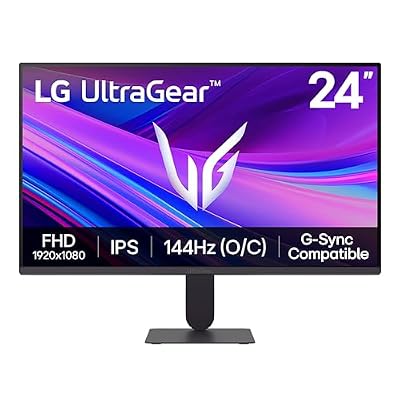
- Premium Choice: LG 24G411A-B 24-inch Ultragear Full HD (1920 x 1080) IPS Gaming Monitor, 144Hz (O/C), 1ms MBR, NVIDIA G-Sync Compatible, AMD FreeSync, HDR10, HDMI, DisplayPort, Slim Stand, Black
Shopping for a 24-inch IPS gaming monitor in 2026 means wading through a sea of near-identical spec sheets—144Hz here, FreeSync there, and vague promises of “crisp visuals” that don’t tell you much about how a display actually performs in fast-paced games or everyday use. Panel type, refresh rate, and response time all interact in ways that aren’t obvious from a product listing, and picking the wrong combination can leave you with motion blur, poor color accuracy, or a monitor that simply feels sluggish next to your GPU’s capabilities.
This guide breaks down six of the top 24-inch IPS gaming monitors available right now, covering everything from budget-friendly office-and-gaming hybrids to high-refresh-rate competitive displays. We’ll explain what actually matters when choosing one, review the standout models in detail, and answer the questions buyers ask most often before checking out.



As an Amazon Associate we earn from qualifying purchases at no extra cost to you.







🎮 Get More From Your Setup — Free
Prime Gaming gives you free PC games every month, in-game loot, and a free Twitch channel sub — plus fast free shipping on all the gear above. New members get a 30-day free trial.
Watch: Best 24 Inch Ips Gaming Monitor — Video Review
How to Choose a 24 Inch IPS Gaming Monitor (2026)
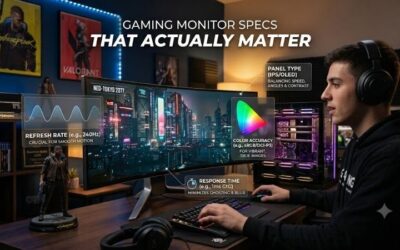
- Refresh rate: 144Hz is the sweet spot for most gamers, but competitive players may want to look at 240Hz options for a noticeable edge in fast-paced titles.
- Response time: Look for 1ms (MPRT) or similarly fast ratings to minimize ghosting and motion blur during quick camera movements or fast-scrolling action.
- Adaptive sync compatibility: Confirm FreeSync or G-Sync Compatible support matches your GPU brand to eliminate screen tearing without sacrificing frame rate.
- Connectivity: Prioritize monitors with both HDMI and DisplayPort inputs so you can connect a console and PC, or take advantage of higher bandwidth for higher refresh rates.
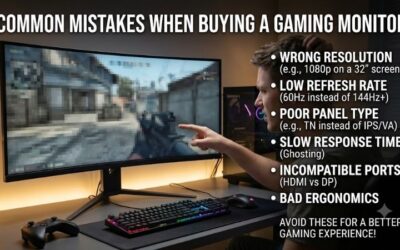
- Stand and ergonomics: Tilt-only stands keep costs down, but if you want height or swivel adjustment, check the stand specs before buying since many budget IPS monitors skip this.
The Best 24 Inch IPS Gaming Monitor (2026)s Reviewed
Dell SE2426H
A dependable all-rounder with 144Hz refresh and 1ms response time, the SE2426H delivers smooth FreeSync gameplay and accurate IPS color at a price that makes it easy to recommend for budget-conscious gamers.
Dell SE2426HG
Stepping up to 240Hz with FreeSync Premium, this model is built for competitive shooters and fast-paced esports titles where every extra frame counts, without straying far from the SE2426H’s affordable footprint.
LG 24G411A-B UltraGear
LG’s UltraGear brings 144Hz with overclocking headroom, 1ms MBR, and NVIDIA G-Sync Compatible certification alongside FreeSync, making it a versatile pick for gamers running either AMD or Nvidia graphics cards.
Samsung S30GD Essential
A no-frills IPS monitor that trades high refresh rates for consistent color and clarity, the S30GD suits gamers who split time between casual play and everyday productivity work.
MSI PRO MP243L E14
With a 144Hz panel, HDR-ready visuals, and a slim 4-side bezel design, the MP243L blends gaming performance with an office-friendly aesthetic, plus the flexibility of VESA mounting.
Related Guides
- Best Multiple Monitor Setup (2026)
- Best 4K Gaming Monitor For Xbox Series X (2026)
- Best Aoc Gaming Monitor Best Settings (2026)
- Folding Monitor (2026)
Frequently Asked Questions
Is a 24-inch IPS monitor good for gaming?
Yes—IPS panels offer better color accuracy and wider viewing angles than VA or TN alternatives, and modern 24-inch IPS gaming monitors now reach 144Hz to 240Hz refresh rates, closing the response-time gap that once favored TN panels.
What’s the difference between FreeSync and G-Sync Compatible?
FreeSync is AMD’s adaptive sync technology, while G-Sync Compatible indicates Nvidia has validated a FreeSync monitor to work reliably with Nvidia GPUs, so check which certification matches your graphics card before buying.
Do I need 240Hz, or is 144Hz enough?
144Hz is more than sufficient for the vast majority of gamers and offers a dramatic upgrade over 60Hz; 240Hz mainly benefits competitive players in fast shooters who can consistently push high frame rates on capable hardware.
Can these monitors handle console gaming too?
Most of these monitors include HDMI ports compatible with current-gen consoles, though you’ll want to confirm HDMI bandwidth supports your console’s max refresh rate and resolution combination for the smoothest experience.
Final Thoughts
For most gamers, the Dell SE2426H offers the best balance of price and performance, while the Dell SE2426HG is the clear upgrade pick for competitive players chasing 240Hz, and the LG 24G411A-B UltraGear stands out as the most versatile choice for mixed AMD and Nvidia setups.