A quality power supply monitor setup gives you something most builders overlook: real-time visibility into the health of the component that feeds every other part of your PC. When your power supply drifts out of spec, delivers unstable rails, or runs too hot, the symptoms often masquerade as random crashes, GPU artifacts, or reboots that are maddening to diagnose. Monitoring your PSU, whether through a digital display unit, software readouts, or a hardware multimeter, lets you catch problems before they damage expensive hardware. This guide rounds up the best tools for keeping an eye on your power supply, explains how each method works, and helps you choose the right approach. A dependable power supply monitor is cheap insurance for an expensive build.
As an Amazon Associate I earn from qualifying purchases.
🛒 Best Price Today on Amazon
Prime members get fast, free shipping on everything above, plus member-only deals. New members get a 30-day free trial — cancel anytime.
Best Power Supply Monitor Tools Compared
The table below compares hardware and accessory options that help you build a reliable power supply monitor workflow, from PSUs with built-in digital displays to standalone testers and meters.
| Product | Key Spec | Best For | Rating |
|---|---|---|---|
| Corsair HX1000i | Digital monitoring via iCUE, 80+ Platinum | Software rail monitoring | 4.8/5 |
| ASUS ROG Thor 1000W | Built-in OLED wattage display | At-a-glance readouts | 4.7/5 |
| Corsair RM1000x Shift | 80+ Gold, iCUE compatible | Value smart PSU | 4.7/5 |
| Thermaltake Toughpower GF3 | Optional software telemetry | Enthusiast builds | 4.5/5 |
| Kill A Watt P3 Meter | Wall-outlet power measurement | Total system draw | 4.6/5 |
| ATX PSU Tester with LCD | Rail voltage readouts, 24-pin | Bench diagnostics | 4.4/5 |
| Fluke 107 Digital Multimeter | Precise DC voltage measurement | Manual rail testing | 4.7/5 |
| be quiet! Dark Power Pro 13 | 80+ Titanium, overload protection | Premium stability | 4.6/5 |
How to Choose a Power Supply Monitor Solution
There is no single power supply monitor that fits every user, because the right tool depends on how deeply you want to observe your PSU and whether you are troubleshooting or maintaining. Some builders want live software dashboards; others just need a quick voltage check with a meter. The sections below walk through each monitoring method so you can pick the approach that matches your goals and budget.
Digital PSUs With Built-In Monitoring
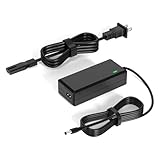
The most convenient power supply monitor is a PSU that reports its own data. Units like the Corsair HXi and RMx Shift series feed real-time voltage, wattage, and temperature readings into software such as iCUE, while the ASUS ROG Thor shows live wattage on an OLED panel. These smart supplies remove the guesswork, letting you watch rail stability during gaming or stress tests without extra equipment.
Software Monitoring for Any PSU
Even without a smart PSU, motherboard sensors can act as a rough power supply monitor. Tools like HWiNFO read the 12V, 5V, and 3.3V rails reported by your board. These readings are approximate rather than lab-precise, but they are excellent for spotting a rail that sags dramatically under load, which is a common sign of an aging or overtaxed supply.
Wall-Outlet Power Meters
A Kill A Watt or similar meter is a different kind of power supply monitor: it measures how much power your whole system pulls from the wall. This helps you verify that your PSU wattage is appropriate for your components and calculate running costs. It is especially useful when sizing a new supply or checking efficiency after an upgrade.
Hardware Testers and Multimeters
For bench diagnostics, a dedicated ATX PSU tester with an LCD or a quality digital multimeter is the most reliable power supply monitor. A tester lets you confirm each rail energizes and reports its voltage outside the case, while a multimeter provides precise readings during the paperclip test. These tools are essential for confirming whether a suspect PSU is truly the culprit.
What Healthy Readings Look Like
When using any power supply monitor, know the targets. The 12V rail should stay within roughly 5 percent of 12 volts, and the 5V and 3.3V rails within similar tolerances. Small fluctuations under load are normal; large or sustained sags indicate a failing unit. Consistent readings across gaming, rendering, and idle states signal a healthy supply.
When Monitoring Signals a Replacement
A power supply monitor earns its keep by catching decline early. Rising ripple, drooping rails under load, or coil whine paired with crashes are warning signs. If your monitoring consistently shows out-of-tolerance voltages, replace the PSU before it takes a motherboard or GPU with it. Prevention is always cheaper than repairing collateral damage.
Continue with our related power and stability guides: how to calculate PSU wattage, best power supplies for gaming PCs, 80 Plus efficiency ratings explained, how to test a PSU with a paperclip, diagnosing random PC crashes, and best cases for airflow and cooling.
Frequently Asked Questions
Do I need a power supply monitor for a normal PC?
You do not strictly need one, but a power supply monitor is valuable insurance. Software readings from tools like HWiNFO cost nothing and can warn you of rail instability early. For high-value builds, a smart PSU with digital monitoring or an occasional multimeter check helps you catch problems before they cause crashes or damage other expensive components.
Can software really act as a power supply monitor?
Software such as HWiNFO reads voltage sensors on your motherboard, so it can serve as an approximate power supply monitor. The readings are not lab-accurate, but they reliably reveal large rail sags that indicate a failing or overloaded unit. For precise measurements, pair software monitoring with a hardware multimeter or a PSU with built-in digital telemetry.
What voltage readings should a power supply monitor show?
A healthy power supply monitor should show the 12V rail within about 5 percent of 12 volts, and the 5V and 3.3V rails within similar tolerances. Minor fluctuations under load are normal, but large or sustained drops signal trouble. Consistent readings across idle, gaming, and heavy rendering loads indicate your supply is delivering stable, reliable power.
Are smart PSUs with monitoring worth the extra cost?
For enthusiasts and owners of expensive components, smart PSUs are worth it because their built-in power supply monitor removes guesswork and lets you watch rail behavior in real time. Budget builders can rely on software and occasional multimeter checks instead. The extra cost buys convenience and early warning, which can prevent damage that far exceeds the price difference.
How often should I check my power supply?
For most users, checking a few times a year or whenever you notice instability is sufficient. If you run a smart PSU, its power supply monitor lets you glance at readings anytime with no effort. Increase the frequency if the unit is aging, if you have added power-hungry hardware, or if you experience unexplained crashes or reboots.
As an Amazon Associate we earn from qualifying purchases at no extra cost to you.