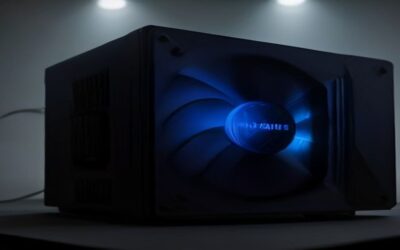
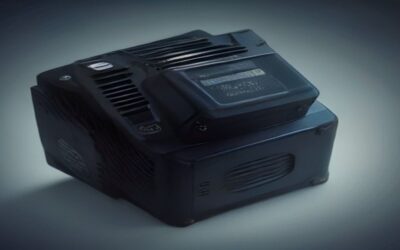
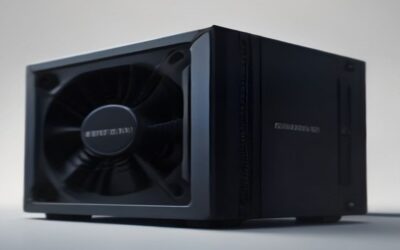
- Top Pick: CORSAIR RM750e ATX 3.1 PCIe 5.1 Ready 750W Power Supply – Black
- Best Value: Thermaltake Smart 500W 80+ White Certified PSU, Continuous Power with 120mm Ultra Quiet Cooling Fan, ATX 12V V2.3/EPS 12V Active PFC Power Supply PS-SPD-0500NPCWUS-W
- Premium Choice: MSI MAG A750GL PCIE5, Fully Modular Compact Gaming 750W Power Supply, 80+ Gold, ATX 3.1 & PCIe 5.1 Ready, Native Dual-Color 12V-2×6 Cable, 10 Year Warranty
The power supply is the one component that can damage everything else when it fails, and it is also the component budget builders most often treat as an afterthought. The best power supply units in 2026 combine an ATX 3.1 specification, a native 12V-2×6 connector, tight voltage regulation under transient load, and a warranty of ten years or more. This guide compares eight units across every wattage tier, from a quiet 650W Gold for a mid-range build to a 1300W Titanium for a flagship GPU, and explains exactly how much power your system needs.
As an Amazon Associate I earn from qualifying purchases.
As an Amazon Associate we earn from qualifying purchases at no extra cost to you.






| Product | Key Spec | Best For | Rating |
|---|---|---|---|
| Corsair RM850x (2024) | 850W, 80+ Gold, ATX 3.1, 10yr warranty | Best overall power supply | 4.8 / 5 |
| Seasonic Prime TX-1300 | 1300W, 80+ Titanium, 12yr warranty | Flagship GPU builds | 4.9 / 5 |
| Seasonic Focus GX-750 | 750W, 80+ Gold, fully modular | Best mid-range unit | 4.8 / 5 |
| be quiet! Dark Power 13 1000W | 1000W, 80+ Titanium, near-silent fan | Quietest high-wattage unit | 4.7 / 5 |
| Corsair SF750 Platinum | 750W SFX, 80+ Platinum | Small form factor builds | 4.7 / 5 |
| MSI MPG A1000G PCIE5 | 1000W, 80+ Gold, ATX 3.0 | Best value at high wattage | 4.5 / 5 |
| Cooler Master MWE Gold 650 V2 | 650W, 80+ Gold, semi-modular | Budget mid-range builds | 4.4 / 5 |
| Corsair CX650M | 650W, 80+ Bronze, semi-modular | Entry builds and office PCs | 4.2 / 5 |
🛒 Best Price Today on Amazon
Prime members get fast, free shipping on everything above, plus member-only deals. New members get a 30-day free trial — cancel anytime.
How to choose a power supply unit
Start with wattage, but calculate it properly rather than guessing. Take your graphics card’s rated board power, add roughly 150W for the processor, drives, fans and motherboard, then add about 30 percent headroom. That yields 550W to 650W for an RTX 4060 build, 750W for an RTX 4070, 850W for an RTX 4080-class card, and 1000W or more for the top end. The headroom is not wasted — modern GPUs draw brief transient spikes far above their rated power, and units without margin interpret those spikes as faults and shut the system down.
Efficiency rating comes next, but understand its limits. 80 Plus Bronze, Gold, Platinum and Titanium certify only how much wall power reaches your components at 20, 50 and 100 percent load. They say nothing about voltage ripple, protection circuitry or capacitor quality. Gold is the practical sweet spot; Platinum and Titanium cost considerably more for a few percentage points and are worth it mainly in machines that run heavy loads for many hours daily.
Then check modularity, connectors and warranty. Fully modular cabling makes building far easier and improves airflow. An ATX 3.1 unit with a native 12V-2×6 cable avoids adapter daisy chains for current graphics cards. Warranty length is the most honest quality signal available: manufacturers offer ten to twelve years only on platforms they trust. Our PSU tier list ranks platforms by teardown quality, and the cheap and good gaming PC guide shows what each build tier actually requires.
Best power supply units for mid-range gaming builds
For an RTX 4060, 4070 or RX 7800 XT paired with a six or eight-core processor, a 750W Gold unit is ideal. The Seasonic Focus GX-750 and Corsair RM750x both deliver excellent regulation, zero-RPM fan modes that keep them silent at desktop loads, and ten-year warranties. Either costs $110 to $130 and will comfortably outlast two or three GPU upgrades, which makes the price per year of service trivially low.
Best power supply units for high-end and flagship systems
Flagship graphics cards produce the largest transient spikes in consumer computing, and this is where platform quality genuinely matters. The Seasonic Prime TX-1300 and be quiet! Dark Power 13 both hold voltage rock-steady through those spikes and run cool enough that the fan rarely spins above a whisper. The MSI MPG A1000G is the value alternative, delivering 1000W of ATX 3.0 capability for considerably less money with slightly looser regulation.
Best power supply units for small form factor builds
SFX and SFX-L units let you fit a full-power system into a case under 15 litres. The Corsair SF750 Platinum remains the reference, packing 750W into a 100mm square unit with excellent efficiency and a quiet fan curve. Verify your case supports SFX or SFX-L specifically, and note that these units cost roughly 40 percent more per watt than ATX equivalents because the engineering is harder.
Best power supply units on a budget
Under $90 the Cooler Master MWE Gold 650 V2 and Corsair CX650M are the sensible floor. Both come from established brands with real protection circuitry, semi-modular cabling and five-year warranties. They are not as quiet or as tightly regulated as premium units, but they will not damage your system. Below this price you enter the territory of unrated units with inflated wattage claims, which is not a saving worth making on a machine holding a $400 graphics card. See our budget prebuilt PC guide for how vendors economize here.
Do the best power supply units need ATX 3.1?
If you are buying a current-generation graphics card, yes. ATX 3.1 requires the unit to tolerate 200 percent transient load spikes without shutting down and includes a native 12V-2×6 connector, which eliminates the adapter cables associated with earlier connection problems. Owners of older cards using standard eight-pin PCIe connectors can safely keep a good ATX 2.x unit, but buying ATX 3.1 now means one fewer thing to replace at your next upgrade.
How long do the best power supply units last?
A high-quality unit typically lasts eight to twelve years, limited mainly by electrolytic capacitor degradation, which accelerates with heat. A supply mounted with its intake facing a ventilated case floor runs cooler and lasts longer. Cheap units with 85-degree-rated capacitors instead of 105-degree parts often become unstable within three to five years, showing up as crashes under load that people misdiagnose as memory or driver faults for months.
Which power supply units should you avoid?
Avoid unbranded units, anything with a two-year or three-year warranty, supplies quoting high wattage at implausibly low prices, and older group-regulated designs that lack independent voltage rails. Also avoid daisy-chaining a single PCIe cable across two connectors on a high-draw graphics card; use separate cables. For the rest of the build, our budget CPU guide, top budget SSD roundup and best SSD brand comparison cover the components that pair with these units.
Frequently Asked Questions
How many watts do I actually need for my PC?
Add your graphics card’s rated board power to approximately 150 watts for the processor, storage, fans and motherboard, then add roughly 30 percent for transient headroom and future upgrades. That produces 550 to 650 watts for entry gaming builds, 750 watts for mid-range systems, and 850 to 1000 watts for high-end configurations. Buying substantially beyond that wastes money and puts the unit into a less efficient part of its load curve during normal desktop use.
Is a fully modular power supply worth the extra cost?
For most builders, yes. Fully modular cabling means you install only the cables your system actually uses, which dramatically reduces clutter behind the motherboard tray, improves airflow, and makes future component changes much easier. It also lets you buy custom-length or sleeved cables later. Semi-modular units, which hardwire only the essential motherboard and CPU cables, capture most of the benefit for less money and are a reasonable compromise on tight budgets.
Can I reuse my old power supply in a new build?
Sometimes, but check three things. First, age: a unit older than seven or eight years has degraded capacitors regardless of how it appears to behave. Second, capacity: an older 600W unit may not handle a modern graphics card’s transient spikes even if average draw fits. Third, connectors: current cards may require a 12V-2×6 cable your old unit cannot provide natively. When in doubt, replacing the supply is cheap insurance for expensive components.
Does a higher wattage power supply use more electricity?
No. A power supply delivers only the power your components request, so a 1000W unit in a system drawing 300W consumes roughly the same from the wall as a 650W unit in the same system. The nuance is efficiency curves: units are most efficient around 40 to 60 percent load, so a wildly oversized supply running at 15 percent load is slightly less efficient. The difference amounts to a few dollars per year.
What protections should a good power supply have?
Look for over-voltage, under-voltage, over-current, over-power, over-temperature and short-circuit protection, all of which reputable manufacturers list in the specifications. These circuits shut the unit down before out-of-spec electricity reaches your motherboard, drives or graphics card. Cheap supplies frequently omit over-current and over-temperature protection to save a few dollars per unit, which is precisely why they occasionally damage other components when they fail rather than simply switching off.