
- Top Pick: YEREADW USB C Tester Power Meter, 4-30V 0-12A Type-C PD Tester Digital Multimeter, Voltage and Current Tester Meter Voltmeter, Power Bank Capacity USB Cable Charger Detector (KWS-2303C)
- Best Value: DROK Digital Multimeter DC 8-100V 20A Voltage Amperage Power Energy Meter, DC Volt Amp Tester Gauge Monitor LCD Digital Display with Built-in Shunt
- Premium Choice: Diymore USB C Power Meter Testers,USB C Tester Power Tester Color Screen,Multimeter Tester,Three Screens Switch to Display Current,Voltage,CPU Temperature,Voltage Meter,DC4-30V/0-12A
If you have ever wondered whether your laptop charger is actually delivering the wattage it promises, a laptop power meter is the tiny tool that ends the guessing. These inline USB-C and DC testers sit between your charger and device, reading voltage, current, and total power draw in real time so you can verify fast-charging, hunt down a weak cable, or check a power bank’s true capacity.
Modern laptops negotiate charging over USB-C Power Delivery, and a good meter shows you exactly which PD profile your machine locked onto. Below we break down what to look for and how the leading models, from budget KWS testers to the enthusiast-grade FNIRSI FNB58, actually perform.
As an Amazon Associate we earn from qualifying purchases at no extra cost to you.


🎮 Get More From Your Setup — Free
Prime Gaming gives you free PC games every month, in-game loot, and a free Twitch channel sub — plus fast free shipping on all the gear above. New members get a 30-day free trial.
Watch: Laptop Power Meter — Video Review
Design & Build
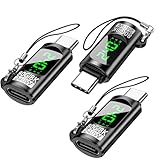
Most of these meters share a compact pass-through design with a color LCD and USB-C in/out, plus legacy USB-A on some units. The YEREADW KWS-2303C and YOJOCK 360W tester are near-identical bright-screen units that feel light but tidy, ideal for tucking into a bag. The Diymore three-screen model adds switchable readouts including CPU temperature reporting, while the Eversame PD3.1 meter builds in a sturdier housing rated for higher voltage. The DROK unit is the outlier: it is a panel-mount DC 8-100V meter with a built-in shunt, meant for bench or solar wiring rather than pocket use. The FNIRSI FNB58 is the premium pick, with a larger display and an E-marker cable reader baked in.
Performance
Accuracy is the whole point, and the higher-end meters shine here. The FNB58 reads up to 28V/7A and can trigger PD/QC handshakes so you can confirm your laptop is pulling the full 100W it should. The Eversame PD3.1 meter supports the newest PD2.0/3.0/PPS and QC2.0/3.0/FCP protocols, making it the most future-proof for verifying fast charging. Budget KWS-based testers like the YEREADW and YOJOCK are accurate enough for everyday checks and power-bank capacity logging, though they lack trigger functions. The DROK shines in fixed 20A DC monitoring where its shunt gives stable amperage readings.
Pros & Cons
- Instant diagnostics: See real voltage, current, and watts to catch weak chargers or cables.
- Capacity testing: Log mAh/Wh to learn a power bank’s true output.
- Protocol verification: Better meters confirm PD, QC, and PPS handshakes.
- Portable: Pass-through USB-C designs are small enough to keep in your kit.
- Learning curve: Multi-screen menus can be fiddly at first.
- Feature gaps: Cheaper units skip trigger and E-marker reading.
Alternatives to Consider
If you only need occasional spot checks, the YEREADW or YOJOCK KWS-2303C testers cover the basics for the least money. For anyone diagnosing charging problems seriously, the FNIRSI FNB58 is worth the premium thanks to its trigger modes and cable E-marker reader. Bench and DIY users powering projects from a DC supply should look at the DROK panel meter instead, since it is built for permanent installation rather than USB pass-through.
Related Guides
- Best Cheap Laptop For Gaming in 2026
- Extra Screen For Laptop (2026)
- Gaming Laptop Companies Guide
- Best 2 In One Laptop in 2026
Frequently Asked Questions
Will a USB-C power meter slow my charging?
No. Quality pass-through meters are rated for full PD current and simply report the values as power flows through, with negligible loss.
Can it tell me why my laptop charges slowly?
Yes. By showing the negotiated voltage and amperage, a meter reveals whether the fault is your charger, cable, or the laptop capping its own input.
What’s the benefit of an E-marker reader like on the FNB58?
It reads the chip inside USB-C cables to confirm their rated current, so you can identify cables limiting you to 60W instead of 100W.
Do I need the high-voltage DROK meter?
Only if you are monitoring a DC power supply, battery bank, or solar setup. For laptop and USB charging, a USB-C pass-through meter is the right tool.
Verdict
A laptop power meter is a small investment that pays off the first time it exposes a failing cable or a charger that never delivered full wattage. For most readers the FNIRSI FNB58 is the standout all-rounder, the Eversame PD3.1 is the protocol-coverage champion, and the KWS-2303C testers from YEREADW or YOJOCK handle everyday checks affordably.










