
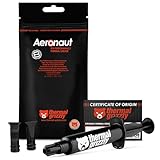
- Top Pick: Thermal Grizzly Aeronaut 7.8 Gram/3ml – High Performance Thermal Paste
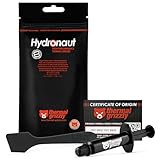
- Best Value: Thermal Grizzly – Hydronaut – 1 Gram – Conductive Thermal Paste
- Premium Choice: TUMMASTER D-9 (incl. Spatula,2g/4g Box) Ultimate Performance Thermal Paste for Computer Manufacturing, Ideal for IC/Processor/CPU/GPU/All Coolers (2/4 Grams) (4, Grams)
Knowing the ideal CPU temperature is one of the most useful things a PC builder can learn, because heat directly affects performance, stability, and the long-term health of your processor. Whether you are gaming, rendering video, or just browsing the web, your CPU cycles through very different thermal states throughout the day. This guide explains exactly what temperatures are healthy, what pushes into danger, and how to keep your chip running cool.
As an Amazon Associate I earn from qualifying purchases.
As an Amazon Associate we earn from qualifying purchases at no extra cost to you.


🛒 Best Price Today on Amazon
Prime members get fast, free shipping on everything above, plus member-only deals. New members get a 30-day free trial — cancel anytime.
What Is the Ideal CPU Temperature?
The ideal CPU temperature at idle is roughly 30-45 degrees Celsius, and under sustained gaming or productivity loads a healthy range is 60-80 degrees Celsius. Modern Intel and AMD desktop processors are designed to run safely up to around 90-100 degrees Celsius, at which point they throttle to protect themselves, but you never want to live near that ceiling. If your CPU sits comfortably below 80 degrees under load, your cooling is doing its job. Brief spikes into the mid-80s during heavy multi-core work are normal and not a cause for alarm, especially on high-core-count chips like the Ryzen 9 and Core i9 families.
Ambient room temperature, case airflow, cooler quality, and thermal paste all influence where your processor lands within these ranges. A well-built system with a capable air or liquid cooler should hold the ideal CPU temperature under load without effort. If you are consistently seeing 90 degrees or more, it is worth investigating your cooling setup and airflow before assuming the chip is faulty.
Best Coolers to Hit the Ideal CPU Temperature
| Product | Best For | Standout Feature | Rating |
|---|---|---|---|
| Noctua NH-D15 Air Cooler | Silent high-end air cooling | Dual-tower six-heatpipe design | 4.9/5 |
| ARCTIC Liquid Freezer III 360 | Overclocked flagship CPUs | Efficient 360mm radiator and VRM fan | 4.8/5 |
| Thermalright Peerless Assassin 120 | Budget builds | Flagship performance at low cost | 4.8/5 |
| Corsair iCUE H150i Elite | RGB liquid cooling | Software-controlled pump and fans | 4.7/5 |
| be quiet! Dark Rock Pro 5 | Near-silent operation | Ultra-quiet fan tuning | 4.7/5 |
How Air Coolers Maintain Ideal CPU Temperature
Air coolers use heatpipes to move heat from the CPU into a large fin stack, where fans dissipate it into your case. A quality dual-tower cooler like the Noctua NH-D15 can rival many liquid coolers while remaining maintenance-free for a decade. For most builders chasing the ideal CPU temperature without the complexity of a pump, a strong air cooler paired with good case fan placement is the most reliable choice. Air cooling also has no risk of leaks and tends to hold value across multiple upgrades.
When Liquid Cooling Helps Reach Ideal CPU Temperature
All-in-one (AIO) liquid coolers shine on hot, high-wattage processors such as overclocked Core i9 or Ryzen 9 chips. A 360mm radiator has far more surface area than most air coolers, giving you thermal headroom during long rendering sessions. If you plan to push voltage or run a small case with limited height clearance, liquid cooling can be the difference between the ideal CPU temperature and constant throttling. Just budget for occasional pump replacement over the years, and pair the cooler with a capable power supply.
Thermal Paste and the Ideal CPU Temperature
Thermal paste fills microscopic gaps between the CPU lid and cooler base, and old or poorly applied paste can add 5-15 degrees. Reapplying a quality paste every few years, or when you remove your cooler, keeps heat transfer efficient. A pea-sized dot in the center is usually enough for modern chips. If your temperatures crept up over time without any hardware change, dried paste is a common and cheap culprit worth checking before you shop for a whole new CPU upgrade.
Case Airflow and Ideal CPU Temperature
Even the best cooler struggles inside a stuffy case. Aim for a balanced airflow setup with intake fans at the front and exhaust at the rear and top. Removing dust filters for cleaning every few months prevents heat buildup that quietly pushes you away from the ideal CPU temperature. A tidy build with good cable management and a well-ventilated PC case lets your cooler perform to its full potential.
Monitoring the Ideal CPU Temperature
To confirm you are hitting the ideal CPU temperature, use free monitoring software such as HWiNFO, Core Temp, or your motherboard vendor’s utility. Run a stress test or a demanding game for 15-20 minutes and watch the peak values. If you stay under 85 degrees, your system is well cooled. Anything consistently above 90 suggests you should revisit paste, airflow, or your cooler. Pairing good monitoring with a reliable motherboard that reports accurate sensor data gives you the clearest picture of your thermal health.
Frequently Asked Questions
Is 70 degrees a good CPU temperature under load?
Yes, 70 degrees Celsius under a gaming or productivity load is a perfectly healthy CPU temperature. It sits comfortably within the ideal range and leaves plenty of headroom before your processor would begin thermal throttling, so there is no need to worry or change your cooling setup at that level.
What is the ideal idle CPU temperature?
At idle, most desktop CPUs should rest between 30 and 45 degrees Celsius, depending on room temperature and case airflow. If your processor idles above 50 degrees consistently, it may indicate weak cooling, dried thermal paste, or background tasks keeping the chip busier than you expect.
Can high CPU temperatures damage my processor?
Modern processors protect themselves by throttling and eventually shutting down before permanent damage occurs, so a single hot session rarely harms them. However, running near maximum temperatures constantly for years can accelerate wear, so keeping within the ideal CPU temperature range is the safest long-term practice for your hardware.
Does room temperature affect ideal CPU temperature?
Yes, ambient room temperature has a direct effect because your cooler can only cool the CPU relative to the surrounding air. A hot room can raise CPU temperatures by 5-10 degrees, so builders in warm climates should invest in stronger cooling and better airflow to stay within the ideal range.









