
Chasing the optimal CPU temperature is a goal shared by builders who want the best possible balance of performance, noise, and hardware longevity. While there is no single magic number, there is a well-defined range that keeps your processor boosting hard while staying comfortably clear of thermal limits. This guide explains what optimal really means and how to achieve it in a real-world build.
As an Amazon Associate I earn from qualifying purchases.
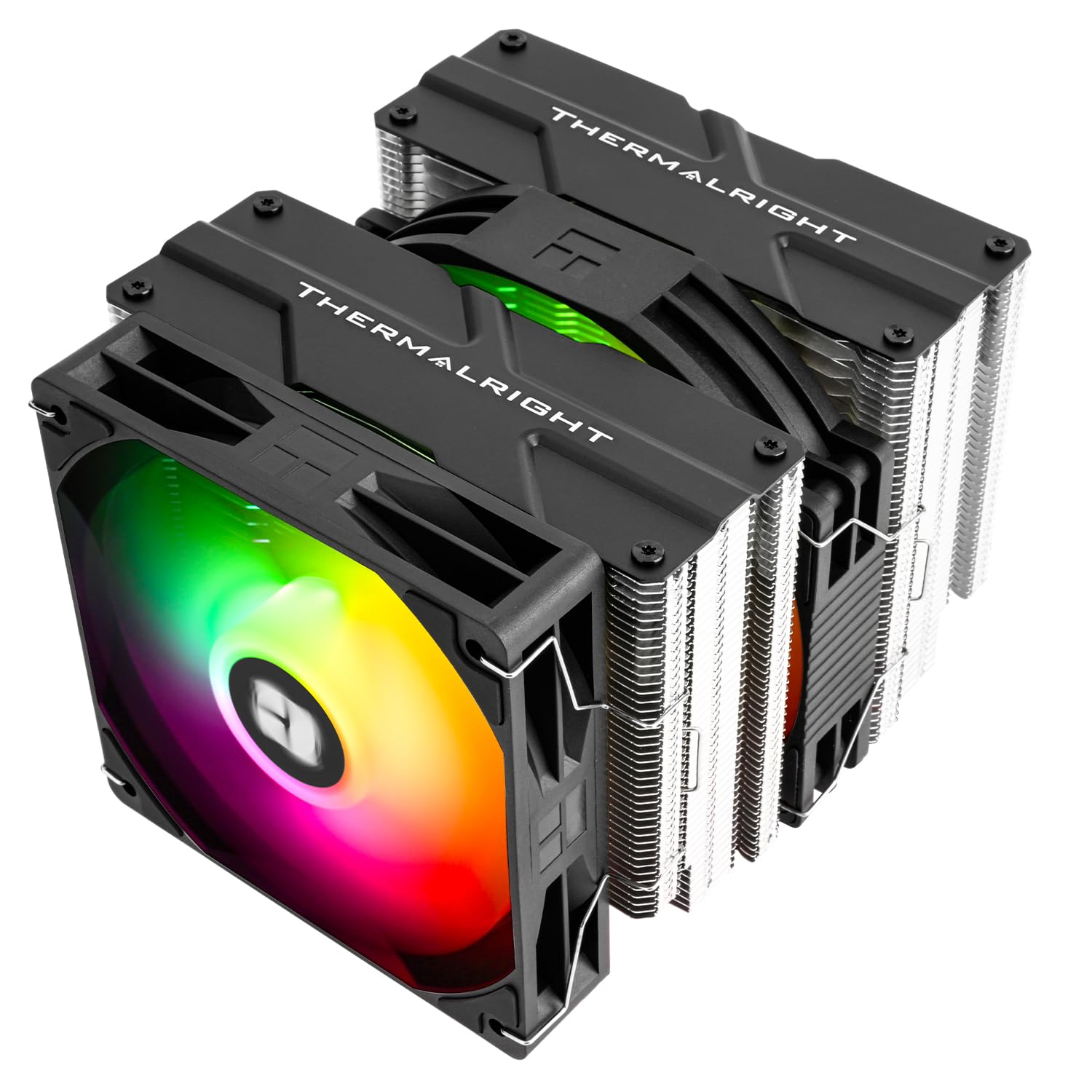

Quick answer: Our top pick in 2026 is the Noctua NH-D15 Air Cooler — our #1 rated choice. See the full ranked comparison, alternatives and buying advice below.
What Is the Optimal CPU Temperature?
The optimal CPU temperature is not a fixed point but a healthy band that changes with workload. At idle, the optimal range is 30 to 45 degrees Celsius, confirming that your cooler easily handles resting heat. During gaming and mixed use, the optimal CPU temperature sits between 60 and 75 degrees, which keeps boost clocks high while leaving generous thermal headroom. Under heavy all-core rendering, staying below 85 degrees is the optimal target, and modern chips remain perfectly safe up to their 95 to 100 degree throttling ceiling. The reason 60 to 75 is considered optimal under load rather than as low as possible is that chasing single-digit temperatures often means running fans loud enough to be distracting for negligible benefit. Optimal, therefore, means cool enough to sustain full performance quietly, not the absolute lowest number your cooler can achieve. That balance is what separates a well-tuned system from an over-engineered one.
Coolers That Achieve Optimal CPU Temperature
Reaching the optimal CPU temperature depends on pairing an appropriate cooler with your processor and case. A cooler with headroom lets you run fans slower and quieter while still holding temperatures in the optimal band. The table below compares coolers that consistently deliver optimal thermals across a range of budgets and build philosophies.
| Product | Best For | Standout Feature | Rating |
|---|---|---|---|
| Noctua NH-D15 Air Cooler | Optimal silent air cooling | Massive dual-tower heatsink runs fans slow | 4.9/5 |
| ARCTIC Liquid Freezer III 360 | Optimal high-load cooling | Thick radiator sustains low temps quietly | 4.8/5 |
| Thermalright Peerless Assassin 120 | Optimal value builds | Near-flagship cooling at a budget price | 4.8/5 |
| be quiet! Dark Rock Pro 5 | Optimal acoustics | Whisper-quiet under heavy load | 4.7/5 |
| Corsair iCUE H150i Elite AIO | Optimal liquid tuning | Granular fan and pump control via software | 4.7/5 |
Tuning Fan Curves for the Optimal CPU Temperature
A big part of hitting optimal thermals is configuring your fan curves rather than leaving them on default. A gentle ramp keeps the system quiet during light tasks and spins fans up only when temperatures rise, striking the optimal balance between noise and cooling. Aggressive curves cool a few degrees more but at a real acoustic cost. Our case airflow fundamentals article pairs well with fan tuning for the best results.
Why Optimal Is Not the Lowest Possible Temperature
It is tempting to assume colder is always better, but the optimal CPU temperature accounts for noise and diminishing returns. Dropping from 70 to 60 degrees might require doubling fan speed for a change that has no practical benefit to performance or lifespan. Understanding this helps you avoid over-cooling. Our normal CPU temp reference puts these numbers in everyday context.
Undervolting to Reach Optimal Thermals
Undervolting is one of the most effective tools for reaching the optimal CPU temperature. By reducing voltage while maintaining clock speeds, you cut heat output at the source, often dropping load temperatures by five to ten degrees with no performance loss. This lets fans run slower and quieter. Combine undervolting with a solid power supply from our best PSU for gaming roundup for a clean, efficient platform.
Maintaining Optimal CPU Temperature Over Time
Optimal thermals are not a one-time achievement. Dust builds up on heatsinks and filters, gradually raising temperatures, while thermal paste dries and loses effectiveness. Cleaning every few months and reapplying quality paste every few years keeps your system in the optimal band. For a complete strategy, read our what should a CPU temp be guide alongside our average CPU heat comparison.
Frequently Asked Questions
What is the optimal CPU temperature for gaming?
The optimal CPU temperature for gaming is between 60 and 75 degrees Celsius. This range keeps boost clocks high and performance consistent while leaving a comfortable margin below thermal limits, all without forcing fans to run distractingly loud. If your processor settles in this band during gaming, you have achieved an excellent balance of speed, quiet, and longevity.
Is a lower CPU temperature always better?
Not necessarily. While cooler generally protects hardware, chasing the absolute lowest temperature often requires running fans at high, noisy speeds for negligible performance benefit. The optimal CPU temperature balances effective cooling with acceptable noise. Once your processor sits comfortably below its throttling threshold, pushing for lower numbers usually offers diminishing returns rather than meaningful improvements.
What is the optimal CPU temperature at idle?
At idle, the optimal CPU temperature is 30 to 45 degrees Celsius. Readings in this band confirm your cooler, thermal paste, and airflow are all working correctly with no background processes overloading the chip. If idle temperatures climb above 50 degrees, investigate rogue software, reapply paste, or improve ventilation to restore optimal resting conditions.
How do I lower my CPU to the optimal temperature?
To reach the optimal CPU temperature, start by tuning fan curves for a balance of noise and cooling, then ensure your case has proper intake and exhaust airflow. Reapplying fresh thermal paste and undervolting through the BIOS can each shave several degrees. Together these steps bring most systems comfortably into the optimal thermal range without excessive fan noise.
Ready to decide? Our #1 pick for 2026 is the Noctua NH-D15 Air Cooler.
Live price & availability on Amazon.
Top picks from this guide
ARCTICARCTIC MX-4 (4 g) - Premium Performance Thermal Paste for…$5 \xc2\xb7 99/100 ALSEYEALSEYE M120D Plus CPU Cooler with Temperature Display, Dual ARGB…$68 \xc2\xb7 98/100
 THERMALRLGHTThermalrlght Peerless Assassin 120 Digital Black CPU Cooler, Double 120mm…$41 \xc2\xb7 98/100
 ThermalGrizzlyThermal Grizzly - PhaseSheet PTM (50x40mm)- High Performance Thermal pad…$14 \xc2\xb7 97/100
