
A white gaming setup should look cohesive without forcing you to compromise on motion clarity, resolution, or everyday usability. If you are shopping for a 144hz gaming monitor white, the best choice depends on your graphics card, favorite games, desk space, and budget. The models below offer refresh rates from 180Hz to 540Hz at their primary gaming resolutions, with options for competitive shooters, immersive single-player games, and premium white PC builds.
- Quick verdict: Which white gaming monitor should you choose?
- Quick comparison of the best white gaming monitors
- How we selected these white gaming monitors
- Best overall: ASUS ROG Strix XG27ACG-W
- Best compact option: Pixio PX248 Wave
- Best for competitive Full HD gaming: Pixio PX279 Wave
- Best dual-mode option: ASUS ROG Strix XG27UCG-W Gen2
- Best premium OLED: MSI MAG 272QPW QD-OLED X28
- Best feature-rich OLED: ViewSonic XG272-2K-OLED
- Best extreme-refresh option: Acer Nitro XV273U F5wmiipprx
- How to choose a 144hz gaming monitor white for your setup
- Frequently asked questions
- Final verdict: Pick the white monitor that fits your games
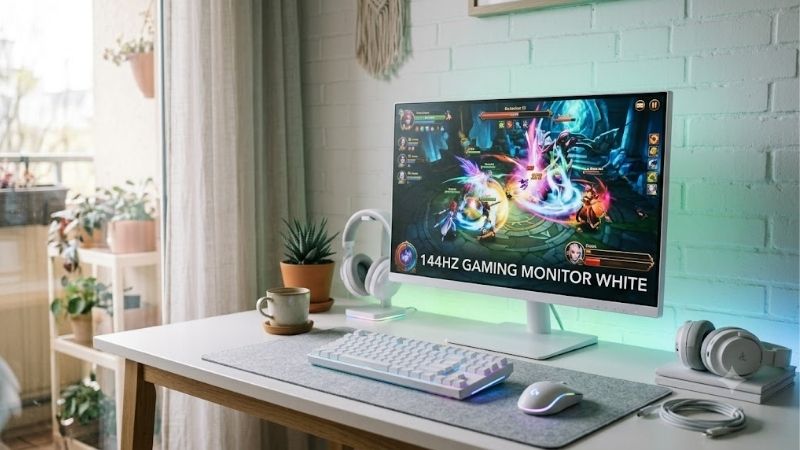
Quick verdict: Which white gaming monitor should you choose?
For most PC gamers, the ASUS ROG Strix XG27ACG-W is the most balanced starting point. Its 27-inch, 1440p Fast IPS panel runs at up to 180Hz, providing a sensible combination of sharpness, motion smoothness, and useful connectivity. It is particularly suitable for players who alternate between competitive games, visually demanding adventures, and everyday desktop work. ASUS lists DisplayPort, HDMI, and USB-C connectivity, although the maximum refresh rate depends on the input used.
The other models make sense for more specific needs. The Pixio PX248 Wave suits smaller desks and players who prefer a compact Full HD screen. The PX279 Wave prioritizes higher refresh rates on a larger 27-inch display. ASUS’s ROG Strix XG27UCG-W Gen2 switches between 4K high-refresh gaming and an extremely fast Full HD mode, while MSI and ViewSonic offer premium OLED alternatives.
For players who want unusually high refresh rates without giving up 1440p resolution, the Acer Nitro XV273U F5wmiipprx deserves attention. Its advertised 540Hz QHD mode targets a much narrower audience than a conventional 180Hz monitor, but it offers a compelling alternative for competitive players with sufficiently powerful hardware.
The important distinction is that a higher refresh-rate specification is not automatically a better purchase. Resolution, panel performance, connectivity, ergonomics, and the frame rates your PC can sustain all affect the actual experience.
Quick comparison of the best white gaming monitors
The following table summarizes the strongest use cases for seven qualifying models. Refresh rates refer to documented manufacturer specifications unless an alternate mode is explicitly identified. These are specification-based recommendations, not the results of comparative laboratory testing.
| Monitor | Best suited for | Resolution and refresh rate | Panel | Main drawback |
|---|---|---|---|---|
| ASUS ROG Strix XG27ACG-W | Best overall balance | 1440p, 180Hz | Fast IPS | Limited LCD contrast; HDMI tops out at 144Hz |
| Pixio PX248 Wave | Compact gaming setup | 1080p, 200Hz | Fast IPS | Limited stand adjustment |
| Pixio PX279 Wave | Competitive Full HD gaming | 1080p, 240Hz | Fast IPS | Lower pixel density at 27 inches |
| ASUS ROG Strix XG27UCG-W Gen2 | Flexible dual-mode gaming | 4K at 162Hz or 1080p at 485Hz | Fast IPS | Each refresh-rate mode has different resolution priorities |
| MSI MAG 272QPW QD-OLED X28 | Premium OLED gaming | 1440p, 280Hz | QD-OLED | OLED care requirements and premium pricing |
| ViewSonic XG272-2K-OLED | Feature-rich OLED setup | 1440p, 240Hz | OLED | Older design and potentially high cost |
| Acer Nitro XV273U F5wmiipprx | Extreme competitive refresh rates | 1440p, 540Hz | IPS | Expensive specialist performance; limited USB connectivity |
The specifications are supported by the respective manufacturers, including ASUS, Pixio, MSI, ViewSonic, and Acer.
How we selected these white gaming monitors
The selection prioritizes monitors with a documented white finish, an advertised refresh rate above 144Hz in at least one relevant gaming mode, and specifications that suit a recognizable category of PC gamer.
Manufacturer documentation establishes the displayed resolution, panel type, refresh rate, connections, and advertised features. Those details can confirm that a product belongs on this list, but they do not prove that every monitor delivers equivalent response times, motion clarity, HDR performance, or color accuracy.
Independent reviews are particularly useful when a feature needs context. Tom’s Hardware reviewed the Acer Nitro XV273U F5 and ViewSonic XG272-2K-OLED, while PCWorld also examined the ViewSonic model. These reviews provide additional evidence about real-world strengths and limitations, although their measurements should not be treated as directly comparable when testing procedures and review dates differ.
The rankings below therefore reflect intended use, documented specifications, and available independent review findings. No unverified FPS results, input-lag measurements, or hands-on claims are used to manufacture a winner.
Best overall: ASUS ROG Strix XG27ACG-W
The ASUS ROG Strix XG27ACG-W is the safest all-around recommendation for a white gaming PC because it combines 1440p resolution, a useful refresh rate, and a practical collection of display connections.
Its 27-inch Fast IPS panel has a native resolution of 2560 × 1440 and a maximum refresh rate of 180Hz. ASUS lists a 1ms gray-to-gray response time, typical brightness of 400 nits, and a typical contrast ratio of 1,000:1. The monitor also supports Adaptive-Sync and includes DisplayPort 1.4, HDMI 2.0, and USB-C with DisplayPort Alt Mode.
That combination works well for games such as competitive shooters, action adventures, racing titles, and strategy games. The 1440p resolution produces more detailed images than 1080p at the same screen size, while 180Hz provides additional motion headroom over a conventional 144Hz display.
Connectivity requires some attention. ASUS lists support for up to 180Hz through DisplayPort and USB-C, but HDMI is limited to 144Hz. USB-C power delivery is only 7.5W, so the connection is not a replacement for the charger on most gaming laptops.
The LCD panel is another compromise. Its contrast specifications do not promise the near-black performance available from OLED, and an HDR label alone cannot guarantee convincing highlights or deep shadow detail.
Buy if: You want a versatile white 1440p monitor for gaming, work, and everyday use.
Skip if: You specifically want OLED contrast, 4K resolution, or refresh rates above 240Hz.
Best compact option: Pixio PX248 Wave
The Pixio PX248 Wave is a sensible choice for a smaller desk, a compact white gaming station, or a player who prefers a 24-inch-class screen for competitive games.
The monitor uses a 23.8-inch Full HD Fast IPS panel with a 1920 × 1080 resolution and a 200Hz refresh rate. Pixio specifies a 1ms gray-to-gray response time, up to 300 nits of brightness, and Adaptive-Sync support. Its connections include DisplayPort 1.4, HDMI 2.0, and a headphone jack. The manufacturer also lists integrated speakers and VESA mounting support.
The key advantage is the relationship between screen size and resolution. Full HD is a practical resolution for a compact display, and the smaller screen helps keep individual pixels less conspicuous than they would be on a 27-inch Full HD monitor viewed at the same distance.
The 200Hz refresh rate is also sufficient for a responsive competitive experience when the PC can deliver a high frame rate. There is little reason to pay for an extreme-refresh model if your hardware or preferred games cannot make useful use of it.
The main compromises are ergonomics and resolution. Pixio lists tilt adjustment rather than a fully adjustable stand, so a monitor riser or VESA arm may be useful. Full HD also provides less desktop workspace than 1440p, particularly when multiple applications are open.
Buy if: You need a relatively compact white display for esports, everyday use, and a clean desk layout.
Skip if: You want 27-inch-class screen space, 1440p detail, or extensive built-in stand adjustments.
Best for competitive Full HD gaming: Pixio PX279 Wave
The Pixio PX279 Wave is aimed at players who prefer a 27-inch screen and a 240Hz refresh rate without moving to an expensive OLED setup.
It uses a 27-inch Full HD Fast IPS panel with a 1920 × 1080 resolution, a maximum refresh rate of 240Hz, and a manufacturer-listed 1ms gray-to-gray response time. Pixio also advertises Adaptive-Sync support. The white finish makes it a natural candidate for a coordinated build, especially when paired with a white PC case, keyboard, and mouse.
The appeal is straightforward. At 240Hz, the display can present more frequent updates than a 144Hz monitor, which can make fast camera movement and tracking targets feel smoother when a game and graphics card deliver enough frames.
However, 27 inches is a relatively large screen for Full HD. At this size, the pixel density is lower than that of a 24-inch Full HD display or a 27-inch 1440p monitor. Text edges and fine in-game details may therefore look less crisp, particularly at close viewing distances.
The same trade-off matters outside gaming. If you regularly read small text, edit photographs, or keep several windows open, 1440p may be the better long-term choice. A higher refresh rate cannot compensate for a resolution that does not suit your daily workload.
Buy if: You prioritize fast-paced Full HD gaming and prefer a larger display.
Skip if: Fine text clarity and desktop workspace matter more than the additional refresh-rate headroom.
Best dual-mode option: ASUS ROG Strix XG27UCG-W Gen2
The ASUS ROG Strix XG27UCG-W Gen2 is the most flexible choice for players who want one monitor to accommodate two different kinds of gaming.
ASUS lists a 27-inch Fast IPS panel with a 3840 × 2160 resolution and a maximum refresh rate of 162Hz in UHD mode. In Full HD mode, the monitor supports refresh rates up to 485Hz. Its connections include DisplayPort 1.4, HDMI 2.1, and USB-C with DisplayPort Alt Mode.
The two modes serve different purposes. The 4K setting prioritizes fine detail in visually demanding single-player games, while Full HD mode is aimed at competitive titles where high frame rates and responsive movement are more important than pixel density.
This flexibility is useful if your gaming habits are varied. You can play story-driven games at a sharper resolution and switch to a high-refresh competitive mode when appropriate, rather than buying two separate displays.
There is an important limitation: the 485Hz figure does not mean the monitor runs at 485Hz in 4K. You must choose the appropriate display mode, connect through a compatible input, and configure the settings in your system. The monitor also lacks integrated speakers, according to ASUS’s specifications.
The graphics card matters as well. Driving demanding games at 4K requires substantially more GPU performance than rendering the same games at 1080p, especially when high image settings are involved.
Buy if: You want one white monitor for detailed 4K gaming and extremely high-refresh competitive play.
Skip if: You mainly play one kind of game or would rather have a simpler, less specialized display.
Best premium OLED: MSI MAG 272QPW QD-OLED X28
The MSI MAG 272QPW QD-OLED X28 is the premium choice for buyers who prioritize rich contrast, fast pixel transitions, and a high refresh rate in a white gaming display.
MSI specifies a 26.5-inch QD-OLED panel with a 2560 × 1440 resolution, a 280Hz refresh rate, and a 0.03ms gray-to-gray response-time rating. The monitor also supports DisplayHDR True Black 400, VESA ClearMR 15000, Adaptive-Sync features, and HDMI 2.1 connectivity. MSI advertises a three-year OLED warranty that includes burn-in coverage for this model.
OLED technology changes the visual experience because individual pixels can switch off to produce black. This provides a strong advantage in dark scenes, nighttime environments, and games with high-contrast imagery. The 280Hz refresh rate also suits fast competitive titles, while 1440p keeps the image detailed on a roughly 27-inch screen.
The trade-off is cost and maintenance. OLED panels can be affected by image retention or burn-in, particularly when static interface elements remain visible for long periods. Modern OLED care features reduce risk, but buyers should understand the panel technology rather than assuming the monitor needs no special consideration.
HDR branding also needs context. A certification is evidence of a tested capability, not proof that every game will look dramatically better. The overall HDR experience depends on the content, brightness behavior, tone mapping, and the viewer’s environment.
Buy if: You want a premium white OLED monitor for immersive games and fast competitive play.
Skip if: You prefer a lower-cost IPS display or mainly need a monitor for prolonged static desktop work.
Best feature-rich OLED: ViewSonic XG272-2K-OLED
The ViewSonic XG272-2K-OLED is another premium option for buyers who want white styling, high-refresh OLED performance, and flexible connections.
ViewSonic documents a 27-inch-class OLED panel with a 2560 × 1440 resolution and a 240Hz refresh rate. The listed features include HDR10 support, variable-refresh-rate technology, HDMI 2.1, USB-C, integrated speakers, and an ergonomic stand with height, swivel, tilt, and pivot adjustments.
The stand and connectivity are meaningful practical advantages. If your PC and laptop share the same monitor, USB-C can help simplify the connection, although you should verify the power delivery requirements of the specific laptop before expecting one cable to do everything.
Independent reviews provide useful context. PCWorld praised the monitor’s design, connectivity, and overall SDR and HDR image quality, while noting its price, limited USB-C power delivery, and HDR shortcomings compared with some alternatives. Tom’s Hardware also found strong brightness and motion performance. These reviews support considering the monitor, but they do not establish that it is the best-value OLED purchase at current prices.
Because the model has been on the market for some time, its current price and availability deserve particular attention. A discounted older model may be attractive, but a premium price becomes harder to justify when newer panels offer comparable or improved specifications.
Buy if: You value OLED image quality, a flexible stand, and broad connectivity in a white setup.
Skip if: You prioritize the newest panel generation or find a comparable OLED monitor for significantly less.
Best extreme-refresh option: Acer Nitro XV273U F5wmiipprx
The Acer Nitro XV273U F5wmiipprx targets competitive players who want exceptionally high refresh rates without giving up QHD resolution.
Acer lists a 27-inch white IPS monitor with a 2560 × 1440 maximum resolution and a 540Hz refresh rate. Its specifications include AMD FreeSync Premium, 600-nit peak brightness, 95% DCI-P3 color coverage, two HDMI 2.1 ports, and two DisplayPort 1.4 ports.
The high refresh rate is its defining feature. It provides more headroom for systems that can sustain extremely high frame rates in competitive titles, although the benefit depends on the game, the GPU, the CPU, and the player’s ability to perceive and use the added motion information.
Tom’s Hardware reviewed the Nitro XV273U F5 and highlighted its motion handling and distinctive high-refresh capabilities. The review also describes an optional 1,000Hz mode at 1280 × 720 resolution. That mode is a separate trade-off, not a 1,000Hz QHD setting.
The price and hardware requirements are the main barriers. This is a specialist display, and most casual players will not benefit enough from its peak refresh rate to justify paying a significant premium over a 180Hz or 240Hz monitor. Acer’s listed connections are useful, but the reviewed model does not provide the USB hub flexibility that some productivity-focused users may expect.
Buy if: You play highly competitive games, have capable hardware, and specifically value extreme refresh rates.
Skip if: You play mostly single-player games or would benefit more from higher resolution, better ergonomics, or lower cost.
How to choose a 144hz gaming monitor white for your setup
Match resolution to your GPU
Resolution determines how many pixels your graphics card must render. Full HD at 1920 × 1080 is generally the least demanding of the resolutions in this roundup, while 2560 × 1440 offers a useful increase in detail for a 27-inch monitor. 4K provides further sharpness but demands more GPU performance at comparable settings.
For a balanced gaming build, 1440p at 180Hz or 240Hz can be a sensible target. If you have a more modest GPU, a Full HD model may make better use of your hardware. A high-refresh monitor cannot create additional rendered frames when your PC is unable to deliver them.
Choose the panel technology carefully
Fast IPS is a practical choice for versatile gaming because it combines high refresh rates with broad viewing angles and good general-purpose image quality. It is often the easier choice for mixed gaming, web browsing, and productivity.
OLED and QD-OLED offer a different advantage: strong contrast and fast pixel transitions. These panels can make dark environments and high-contrast scenes more convincing, but they typically cost more and require consideration of burn-in risk.
Avoid treating advertised response-time numbers as directly comparable proof of real-world performance. Manufacturer specifications and independent measurements are different kinds of evidence.
Understand refresh rate and frame rate
A 144Hz monitor can refresh up to 144 times per second, while a 240Hz monitor can refresh up to 240 times per second. Higher refresh rates can improve motion presentation when the game produces enough frames, but they do not automatically improve aim, reaction time, or game performance.
Variable refresh rate can help synchronize the monitor with a fluctuating frame rate and reduce tearing. Before buying, verify which inputs support the advertised refresh rate and any relevant adaptive-sync features.
Check ports, stand, and desk space
Connection requirements are easy to overlook. Some monitors achieve their highest refresh rate only through a specific DisplayPort or HDMI mode. Check the manufacturer’s specifications and your graphics card’s output capabilities before assuming every input behaves identically.
Also measure the available desk depth, stand footprint, and monitor width. A VESA-compatible arm can help with positioning, but the arm must support the monitor’s weight and mounting pattern. If you’re building an all-white setup, remember that the rear housing, stand, cable color, and accessories can differ from the front bezel.
Consider the complete ownership cost
Monitor pricing varies with sales, inventory, and retailer conditions. Compare the exact model rather than assuming two monitors with similar names or specifications are equivalent.
Include any additional expense for a monitor arm, suitable display cable, speakers, or a graphics card upgrade. A cheaper display that already meets your needs can be a better purchase than an extreme-refresh model that requires a substantial system upgrade.
Frequently asked questions
Is a 144hz gaming monitor white good for competitive gaming?
Yes. A white monitor with a refresh rate of 144Hz or higher can provide smooth motion for competitive games. The right choice depends on your target frame rate, preferred resolution, and ability to sustain that performance. A 180Hz monitor is already a meaningful high-refresh option; 240Hz or higher is more specialized.
Should I buy a white 1080p or 1440p gaming monitor?
Choose 1080p when affordability, compact screen size, or easier high frame rates are the priority. Choose 1440p when you want more detail and desktop workspace, especially on a 27-inch screen. The better option depends on your GPU and the games you play.
Is OLED worth it for a white gaming setup?
OLED is worth considering if deep blacks, strong contrast, and fast pixel transitions are high priorities. IPS remains attractive for buyers who prefer a conventional LCD and want to avoid OLED-specific burn-in considerations. Compare current prices, warranty coverage, and the monitor’s intended workload before deciding.
Do I need a 240Hz or 540Hz monitor?
Not necessarily. Many gamers will be well served by 180Hz or 240Hz, depending on the system and games. Extremely high refresh rates are best reserved for players whose hardware and competitive use cases justify the additional expense. A higher refresh specification is not a substitute for suitable resolution or strong overall image quality.
Can a white gaming monitor work with a PS5 or Xbox?
Yes, provided the monitor supports the console’s output modes and has compatible connections. However, a monitor’s 240Hz or 540Hz rating does not mean a console will output games at those rates. Check the supported resolution, refresh rate, HDMI features, and variable-refresh-rate compatibility for the exact monitor and console combination.
Final verdict: Pick the white monitor that fits your games
The ASUS ROG Strix XG27ACG-W is the strongest general-purpose recommendation for a white gaming PC because it combines 1440p resolution, a 180Hz refresh rate, and practical connectivity. The Pixio PX248 Wave is a better fit for a compact Full HD setup, while the ASUS ROG Strix XG27UCG-W Gen2 is worth considering when you genuinely need both a 4K mode and an extremely fast Full HD mode.
For premium visuals, the MSI MAG 272QPW QD-OLED X28 and ViewSonic XG272-2K-OLED offer OLED alternatives. The Acer Nitro XV273U F5wmiipprx is the specialist choice for extreme-refresh competitive gaming.
Ultimately, choose based on the resolution your GPU can drive, the refresh rate your games can use, and the features you will notice every day. The best white gaming monitor is the one that improves the experience you actually want, rather than the one with the largest number on its specification sheet.









