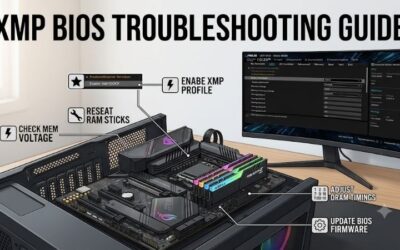
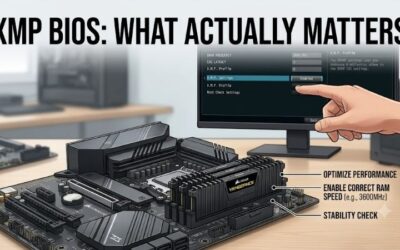
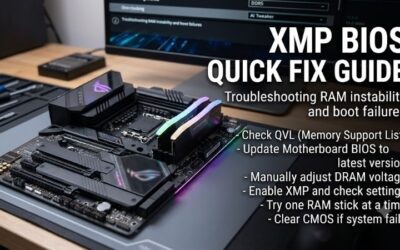
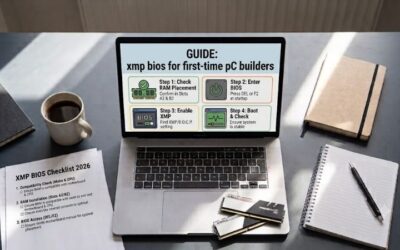
XMP BIOS checklist 2026 addresses RAM booting below advertised speed or crashing after profile activation. Confirm your exact kit, motherboard support, and slot layout before changing settings. Treat XMP as overclocking, retain a recovery plan, and prioritize error-free operation over headline speed. Back up important files first.
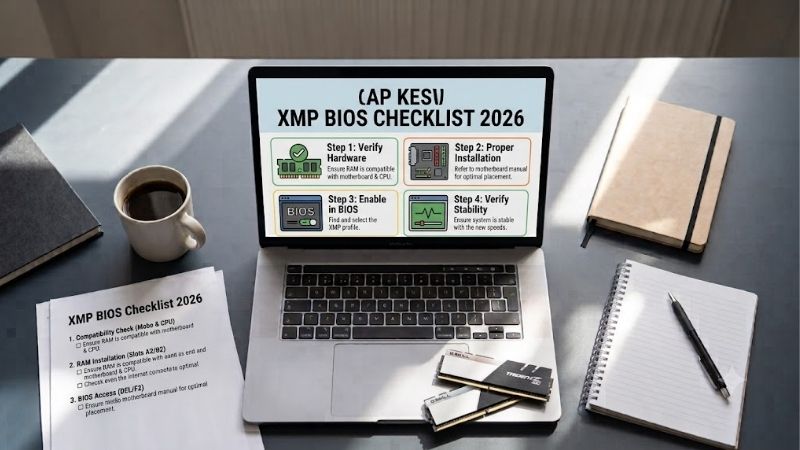
How to Choose XMP-Compatible RAM
This xmp bios checklist 2026 compares four desktop memory kits, each with a matched pair, alongside BIOS preparation. Choices cover balanced Intel DDR5, an existing DDR4 system, higher-rate DDR5, and dual-profile flexibility. The goal is a compatible purchase and verified configuration, without assuming universal profile compatibility.
Match Memory Generation and Profile Support
DDR4 and DDR5 are different memory generations, not interchangeable upgrades. Your motherboard determines which fits, despite similar board names and shared processor sockets. Check its exact model and memory specifications before shopping. XMP support also depends on firmware; a locked OEM computer may restrict profile controls.
Intel-oriented DDR5 kits typically offer XMP, while AMD systems may provide EXPO or vendor-specific XMP menus. Verify exact SKUs, including module-label suffixes, rather than family names. For documented dual-profile support, choose Kingston FURY Beast DDR5-6000 32GB, whose KF560C30BBEK2-32 specification lists XMP 3.0 and AMD EXPO.
Compare Validated Speeds, Timings, and Voltage
A useful xmp bios checklist 2026 treats the memory compatibility list as evidence without guaranteeing stability. Search the motherboard’s QVL for exact kits and module counts. The CPU’s memory controller and BIOS version also affect attainable rates. An unlisted kit lacks validation evidence without necessarily being incompatible.
Higher transfer rates and lower CAS timings belong together, instead of comparing CL across generations. CAS is measured in clock cycles. Profile voltage also matters; copying another kit’s settings is inappropriate. Choose Corsair Vengeance DDR5-6000 32GB for its 6000MT/s CL30 profile when your Intel platform supports it.
Select Capacity as One Matched Kit
Prioritize workload capacity before maximizing transfer rate. All four selections provide 32GB through two 16GB modules, a practical gaming and multitasking configuration. Two modules leave expansion room on four-slot boards, but later expansion can increase controller load and alter profile stability. Leave capacity for background apps.
Purchase one matched kit instead of combining separate pairs, despite identical branding and advertised specifications. Follow the motherboard manual’s recommended two-module slots, often A2 and B2 on four-slot boards. For an existing DDR4 build needing 32GB without motherboard replacement, choose Corsair Vengeance LPX DDR4-3200 32GB.
Check Cooler Clearance Before Buying
Module height matters when tower coolers or front fans overhang memory slots. Measure the available space and account for cooler geometry. A low-profile kit reduces interference, while decorative lighting can consume clearance without improving profile compatibility or memory performance. Raising a fan may exceed case limits.
Clearance does not excuse choosing unsustainable transfer rates. If 6400MT/s lacks validation, prioritize compatibility despite suitable dimensions. For a supported Intel DDR5 build with restricted clearance, choose G.SKILL Ripjaws S5 DDR5-6400 32GB, whose documented 33mm height helps avoid cooler interference.
Top Picks
The selections in this xmp bios checklist 2026 are recommendations conditional on published specifications and platform fit, without claiming detailed research. DDR4 and DDR5 options serve different motherboards. Compare exact part numbers before ordering, because similarly named kits can differ in timings, voltages, and profiles.
| Product | Best For | Key Spec | Watch Out For |
|---|---|---|---|
| Corsair Vengeance DDR5-6000 32GB | Best Overall for Supported Intel DDR5 Builds | CMK32GX5M2B6000C30; 2×16GB; CL30; 1.40V | Check exact motherboard and CPU support |
| Corsair Vengeance LPX DDR4-3200 32GB | Best Value for Existing DDR4 Systems | CMK32GX4M2E3200C16; 2×16GB; CL16; 1.35V | Cannot fit DDR5 motherboards |
| G.SKILL Ripjaws S5 DDR5-6400 32GB | Best For Higher-Rate Intel DDR5 Builds | F5-6400J3239G16GX2-RS5K; CL32; 1.40V; 33mm | 6400MT/s depends on platform capability |
| Kingston FURY Beast DDR5-6000 32GB | Best For Dual-Profile Flexibility | KF560C30BBEK2-32; CL30; 1.40V; XMP and EXPO | Similar product codes may have different profiles |
Corsair Vengeance DDR5-6000 32GB: Best Overall
Corsair Vengeance DDR5-6000 32GB, part CMK32GX5M2B6000C30, suits compatible Intel DDR5 builds seeking balanced settings. Corsair specifies two 16GB modules, 6000MT/s, CL30, and 1.40V. Its documented capacity, transfer rate, and timing simplify comparisons, while exact part identification assists motherboard validation.
Its drawback is that the published profile targets Intel platforms and cannot ensure universal motherboard compatibility. It also boots at lower standard JEDEC defaults before activation. In this xmp bios checklist 2026, this is the shortlist candidate when validation matches, rather than universal plug-and-play performance.
Corsair Vengeance LPX DDR4-3200 32GB: Best Value
Corsair Vengeance LPX DDR4-3200 32GB, part CMK32GX4M2E3200C16, serves retained DDR4 motherboards. Its two 16GB modules carry a 3200MT/s CL16 profile at 1.35V with XMP 2.0 support. The practical advantage is increasing capacity without a motherboard replacement for DDR5, while its low-profile design suits crowded builds.
The limitation is platform lifespan: this DDR4 kit cannot transfer into a DDR5-only upgrade. Its value therefore depends on retaining your compatible board, without claiming superior bandwidth or universally lower prices. Compare checkout costs against your upgrade plan, and avoid assuming CL16 alone establishes superior performance over DDR5.
G.SKILL Ripjaws S5 DDR5-6400 32GB: Best For Higher-Rate Intel Builds
G.SKILL Ripjaws S5 DDR5-6400 32GB, part F5-6400J3239G16GX2-RS5K, targets supported Intel platforms seeking higher transfer rates. Its two 16GB modules specify XMP 3.0, 6400MT/s, timings of 32-39-39-102, and 1.40V. A 33mm height helps avoid clearance problems beneath processor coolers. This kit has no built-in RGB lighting.
The trade-off is greater reliance on motherboard and CPU capability. 6000MT/s compatibility does not automatically validate 6400MT/s, and application gains vary. GPU-bound games may gain little. In this xmp bios checklist 2026, choose this kit only when compatibility evidence and your workload justify the higher-rate target over alternatives.
Kingston FURY Beast DDR5-6000 32GB: Best For Dual-Profile Flexibility
Kingston FURY Beast DDR5-6000 32GB, part KF560C30BBEK2-32, suits buyers wanting documented Intel XMP and AMD EXPO profiles. Its two 16GB modules specify 6000MT/s CL30-36-36 at 1.40V. Its advantage is profile flexibility, plus a documented factory-stored secondary 5600MT/s profile at 1.25V alongside the headline performance target.
Its limitation is that dual-profile support cannot guarantee cross-platform compatibility. Exact SKU matching is essential because similar Beast variants differ in specifications. Pick it for documented flexibility, subject to target-board validation. A lower stored profile offers flexibility but still needs stability testing.
Frequently Asked Questions
The practical questions in an xmp bios checklist 2026 cover activation, recovery, frequency readings, and reliability. A successful startup does not establish memory-test reliability. Record your original firmware settings before experimenting, change configurations individually, and investigate errors instead of dismissing them.
How Do I Enable XMP in BIOS?
Enter firmware using its documented startup key, commonly Delete or F2, then locate its memory-profile control. Select the kit’s standard supported XMP profile, review the displayed speed, timings, and voltage, and save changes. Menu names vary, so follow the exact board manual rather than assuming universal controls or numbering.
If the option is absent, inspect stored profile information and motherboard documentation. Some OEM systems restrict memory tuning, while AMD menus may show EXPO or another profile label. Begin without vendor-specific enhanced or tweaked settings, which can change parameters beyond stored profiles and complicate diagnosis.
What Should I Do if XMP Causes a Black Screen?
Allow the motherboard’s documented memory-training period first, since post-change initialization may take longer than routine startup. If training fails, restore defaults using manufacturer recovery instructions. When CMOS clearing is required, follow the board’s power-disconnection instructions without shorting unidentified pins.
After recovery, verify default stability before retrying profiles. Check seating and module compatibility, and review firmware release notes for memory-related fixes. In this xmp bios checklist 2026, reducing the target rate is preferable to unverified voltage increases. Persistent errors at defaults warrant investigating hardware.
Why Does Monitoring Software Show Half My RAM Speed?
Some hardware-monitoring utilities display the memory clock instead of effective DDR transfer rates. A reading near 3000MHz can correspond to DDR5-6000 because DDR transfers data twice per clock cycle. Confirm the utility’s measurement labels before assuming the profile failed; MHz and MT/s describe different quantities in this context.
Other tools display effective transfer speed directly, so compare equivalent readings against firmware settings. Default settings may genuinely run below the advertised XMP rate, especially following recovery. Check the active configuration again after BIOS updates, because firmware maintenance can restore defaults or change available profiles.
Is XMP Guaranteed Stable and Safe on Every Compatible PC?
No, XMP is memory overclocking, and advertised settings cannot guarantee stability across motherboard and CPU combinations. Manufacturer validation narrows uncertainty without replacing system testing. Check warranty terms as well: operation outside processor specifications may affect coverage despite separate memory warranty coverage.
Run a reputable memory test and exercise your normal games or productivity applications before important work. Investigate errors, crashes, or corrupted output instead of dismissing them. Avoid manual voltage increases during basic configuration; stable defaults remain preferable to an unreliable overclock. Test cold boots as well.
Final Thoughts
Use this xmp bios checklist 2026 to match generation, SKU, validation, slots, and cooler clearance before profile activation. Choose Vengeance for validated Intel DDR5, LPX for retained DDR4, Ripjaws S5 for validated higher rates, or Beast for dual profiles. Confirm settings and test stability; keep defaults when overclocking proves unreliable.