
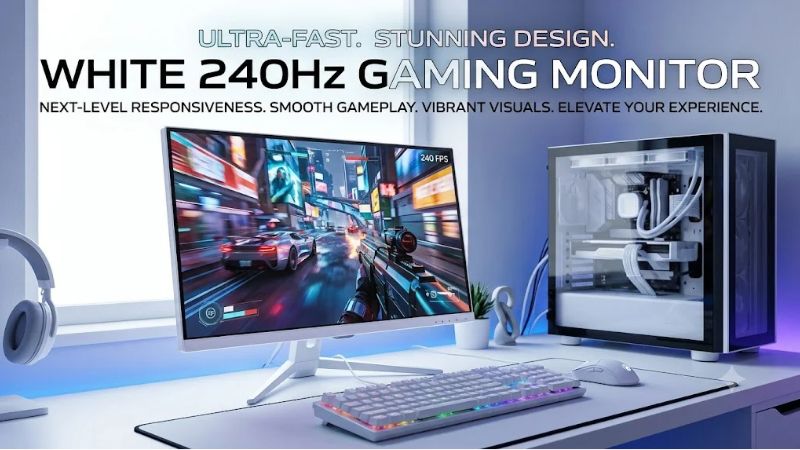
A white 240hz gaming monitor can complete a clean gaming desk while delivering the fast refresh rates needed for competitive PC gaming. However, the right monitor depends on more than its color. A 1080p IPS display may suit a frame-rate-focused esports setup, while a 1440p OLED screen offers sharper images, deeper blacks, and different ownership considerations. Among the strongest candidates are the MSI MAG 274QRFW X32 for high-refresh QHD gaming, the ASRock PGO27QSA-W for exactly 240Hz OLED, and the Pixio PX279 Wave for straightforward Full HD competitive gaming.
Quick verdict: Which white 240Hz gaming monitor should you buy?
For most buyers who want high refresh rates without sacrificing everyday screen clarity, a 27-inch QHD monitor is the most versatile starting point. Full HD remains attractive for competitive players who prioritize reaching high frame rates, while OLED offers a distinct advantage in pixel response and black levels.
The recommendations below cover seven white-finish monitors. Five operate at exactly 240Hz; two are faster alternatives included for buyers who treat 240Hz as a minimum rather than an exact requirement.
| Monitor | Best suited for | Resolution | Refresh rate | Main trade-off |
|---|---|---|---|---|
| MSI MAG 274QRFW X32 | High-refresh QHD IPS gaming | 1440p | 320Hz | Conventional IPS contrast |
| ASRock PGO27QSA-W | Exact-240Hz QD-OLED | 1440p | 240Hz | OLED wear considerations |
| GIGABYTE MO27Q2A ICE | Faster QD-OLED alternative | 1440p | 280Hz | OLED care and limited USB-C power |
| ViewSonic XG272-2K-OLED | OLED with flexible connections | 1440p | 240Hz | OLED cost and static-image considerations |
| Pixio PX279 Wave | Simple Full HD esports setup | 1080p | 240Hz | Low pixel density at 27 inches |
| ASRock PG27FFS2E-W | Full HD with ergonomic stand | 1080p | 240Hz | Less detailed image than QHD |
| Westinghouse WC27RX6250UW | Curved VA gaming | 1080p | 240Hz | Fixed-height stand and possible VA smearing |
These selections reflect manufacturer-documented specifications rather than a controlled laboratory comparison. Actual response performance, prices, and availability can differ between models and sellers.
How we selected the monitors
We focused on three eligibility requirements: a manufacturer-documented white exterior, a refresh rate of at least 240Hz, and specifications relevant to PC gaming.
Resolution was an important differentiator because it determines how much graphical work a PC must complete for each frame. A Full HD screen draws about 2.07 million pixels per frame; QHD increases that to about 3.69 million. Higher resolution generally improves sharpness at a given screen size, but it can reduce achievable frame rates.
Panel technology also shaped the shortlist. IPS monitors provide conventional LCD characteristics, while QD-OLED and OLED screens offer self-emissive pixels and exceptionally deep black levels. VA displays can offer stronger native contrast than typical IPS alternatives, although dark-pixel transitions can become a concern.
We considered mounting compatibility, stand flexibility, synchronization support, and connection options where documented. Manufacturer response-time claims were not treated as independent evidence of real-world input latency.
Importantly, white color options were checked against specific product variants rather than assuming that a black model was also available in white.
Best white 240Hz gaming monitors reviewed
MSI MAG 274QRFW X32 — Best overall QHD IPS alternative
The MSI MAG 274QRFW X32 combines the versatility of QHD resolution with a 320Hz refresh rate, making it attractive to gamers who want both desktop clarity and competitive speed.
Its 27-inch Rapid IPS panel has a native resolution of 2560 × 1440. At this size, the display provides approximately 109 pixels per inch, a substantial improvement over the approximately 82 pixels per inch of a 27-inch Full HD screen.
That extra density benefits text, desktop icons, and detailed game environments. It is especially useful for users who work on the same screen they use for gaming.
The manufacturer documents AMD FreeSync Premium, NVIDIA G-SYNC Compatible support, and an adaptive-refresh range of 48–320Hz. The maximum refresh rate is supported at QHD through its specified DisplayPort and HDMI connections.
The ergonomic stand adds flexibility through height, swivel, pivot, and tilt adjustments. Users who share a desk between gaming and productivity may find these features more useful than an additional cosmetic accessory.
The main weakness comes from its standard IPS backlight architecture. Its documented static contrast ratio is 1000:1, so dark scenes will not achieve the same pixel-level black control as OLED. DisplayHDR 400 support should not be confused with high-end HDR capabilities.
The published 0.5ms minimum GtG specification is also not a verified average response time across all transitions.
Buy if: You want a white QHD monitor with high refresh-rate headroom, practical ergonomics, and conventional LCD ownership.
Skip if: You mainly value OLED contrast or your PC cannot take advantage of frame rates beyond 240 FPS.
The MSI is a strong candidate for users seeking one monitor for competitive gaming and daily desktop use.
ASRock Phantom Gaming PGO27QSA-W — Best exact-240Hz QD-OLED
The ASRock Phantom Gaming PGO27QSA-W is a particularly relevant option for buyers who want precisely 240Hz instead of paying attention to higher advertised refresh rates.
It uses a 27-inch QD-OLED panel with 2560 × 1440 resolution. The manufacturer specifies 240Hz operation, a 0.03ms GtG response-time claim, and 99% DCI-P3 color-space coverage.
QD-OLED combines self-emissive OLED pixels with quantum-dot color conversion. Unlike a conventional LCD, its individual pixels can switch off to produce black, avoiding the backlight glow associated with many IPS displays.
The result can be excellent perceived contrast in dark game environments. Fast pixel transitions can also improve motion clarity, though total system responsiveness still depends on input processing and frame delivery.
ASRock includes FreeSync Premium support and lists two HDMI 2.1 TMDS ports alongside two DisplayPort 1.4 connections. The distinction between HDMI signaling modes matters: buyers should verify the supported timing combinations rather than assuming every HDMI 2.1-labeled input offers the same bandwidth.
The stand supports height, pivot, swivel, and tilt adjustments, making it more adaptable than monitors with tilt-only stands.
Its limitations are those of OLED technology. Long periods of static interface content may contribute to uneven pixel wear. Buyers should examine the model’s applicable warranty and protection functions.
Buy if: You want QHD image sharpness, deep OLED blacks, and a true 240Hz specification in a white design.
Skip if: You frequently display persistent static applications for many hours or prefer an LCD.
ASRock confirms the PGO27QSA-W model and its technical characteristics, although sales availability varies by region.
GIGABYTE MO27Q2A ICE — Best faster QD-OLED alternative
The GIGABYTE MO27Q2A ICE offers a slightly different proposition: QHD OLED gaming with a refresh ceiling above 240Hz.
Its 27-inch QD-OLED panel operates at up to 280Hz and provides 2560 × 1440 resolution. GIGABYTE documents 99% DCI-P3 coverage, factory calibration with a specified Delta E below 2, and DisplayHDR True Black 400 certification.
These characteristics make the monitor relevant to buyers who enjoy visually rich games as well as high-speed competitive titles.
The display’s quoted peak HDR brightness of 1,000 nits applies to a small 3% screen area. Its documented full-screen SDR brightness is much lower, illustrating why brightness claims must be interpreted in context.
Connectivity includes two full-bandwidth HDMI 2.1 ports, DisplayPort 1.4, and USB-C with DisplayPort Alternate Mode. USB-C power delivery is limited to 18W, so users should not assume it can replace a gaming laptop’s normal power adapter.
Integrated speakers and a USB hub provide additional convenience.
The 280Hz refresh rate reduces the interval between refresh opportunities to approximately 3.57 milliseconds, compared with 4.17 milliseconds at 240Hz. The difference is measurable mathematically, but its practical benefit depends on frame rates and motion performance.
GIGABYTE also includes OLED maintenance features intended to reduce uneven wear.
Buy if: You want QHD OLED image quality and additional refresh headroom beyond 240Hz.
Skip if: You need substantial USB-C laptop charging or mainly use static desktop applications.
The MO27Q2A ICE is worth considering against the ASRock OLED model, with the final decision depending on connections, availability, and actual seller pricing.
ViewSonic XG272-2K-OLED — Best for connectivity and flexibility
The ViewSonic XG272-2K-OLED combines 240Hz OLED gaming with a design that accommodates different gaming and computing devices.
It features a 27-inch 2560 × 1440 OLED panel in a white housing with RGB lighting. The display supports NVIDIA G-SYNC Compatible and AMD FreeSync Premium functionality.
Unlike the GIGABYTE QD-OLED model, this ViewSonic uses a different OLED panel approach, so buyers should not assume identical color, subpixel, brightness, or text-rendering behavior simply because both are OLED.
The XG272-2K-OLED emphasizes motion performance, including a blur-reduction feature that has received Blur Busters Verified certification. Such a feature may offer advantages in supported modes, although compatibility with adaptive sync and brightness can vary by configuration.
Connectivity includes HDMI 2.1, DisplayPort, USB-C, and a USB hub. This makes it useful for users managing a desktop PC, laptop, and console at the same workstation.
Its stand supports height, tilt, swivel, and pivot adjustments. This matters because the most comfortable monitor position depends on chair height, viewing distance, and the user’s actual desk arrangement.
ViewSonic also identifies a firmware advisory concerning products purchased during April and May 2024. Owners of potentially affected units should contact the company for the appropriate update.
Buy if: You want a white 1440p OLED monitor with exact 240Hz operation, flexible connections, and adjustable positioning.
Skip if: You do not need the additional ports or prefer the ownership characteristics of IPS.
The model is documented on ViewSonic’s US product page, although current retail availability should be confirmed before ordering.
Pixio PX279 Wave — Best simple Full HD gaming option
The Pixio PX279 Wave targets gamers who want a clearly white monitor with 240Hz operation and minimal complexity.
Its 27-inch Fast IPS panel provides 1920 × 1080 resolution. This places far less pixel-rendering demand on the GPU than QHD, making the display appealing to users who prioritize frame rates.
Pixio documents Adaptive Sync, a 1ms GtG response-time specification, and connections that support the advertised 240Hz mode.
The monitor belongs to Pixio’s Wave collection, which also offers matching accessories. This is useful for buyers concerned about coordinating a white PC case, monitor arm, desk mat, and cables.
The main compromise is sharpness. On a 27-inch screen, Full HD pixels are comparatively large, so text and fine interface details can look less refined than on a QHD monitor of the same size.
Its included stand offers tilt adjustment but no height adjustment, swivel, or pivot. Users seeking flexible screen positioning may need a compatible monitor arm. Pixio documents 75 × 75mm mounting and a supplied adapter for 100 × 100mm mounting.
The PX279 Wave also includes basic integrated speakers, although buyers seeking better audio quality may prefer separate speakers or a headset.
Buy if: You prioritize 240Hz Full HD gameplay, a white finish, and a straightforward monitor setup.
Skip if: You need sharper desktop text or extensive ergonomic adjustment without accessories.
The manufacturer’s US store documents the white variant and specifications.
ASRock Phantom Gaming PG27FFS2E-W — Best Full HD monitor for ergonomic adjustment
The ASRock PG27FFS2E-W provides an alternative to the Pixio PX279 Wave for buyers who want Full HD gaming with greater positioning flexibility.
This 27-inch IPS monitor offers 1920 × 1080 resolution at 240Hz. ASRock lists AMD FreeSync Premium support, 99% sRGB coverage, and a manufacturer-advertised 1ms MPRT figure.
Unlike GtG measurements, MPRT describes perceived motion-picture response under particular conditions. It should not be compared directly with GtG numbers as though the two metrics represent identical tests.
One of the monitor’s clearest strengths is its ergonomic stand. ASRock documents height, tilt, pivot, and swivel adjustments, including extensive swivel positioning. This may reduce the need for an aftermarket arm.
The display includes two HDMI 2.1 ports, DisplayPort 1.2, a headphone output, and two 2W speakers. Users should confirm the maximum supported refresh mode for their chosen input and computer.
The white finish and three-sided borderless design also make the model visually suitable for a minimalist setup.
Its biggest limitation remains the 27-inch Full HD format. Buyers who frequently read small text, manage several application windows, or work with detailed imagery may prefer QHD.
There is also an availability consideration. ASRock states that this model may not be distributed worldwide, so US buyers should verify regional sellers and support.
Buy if: You want a white 240Hz IPS display with a highly adjustable stand.
Skip if: You prioritize QHD sharpness or require guaranteed availability from a specific US retailer.
Compared with the Pixio, this ASRock’s strongest documented distinction is ergonomic flexibility rather than a proven motion-performance advantage.
Westinghouse WC27RX6250UW — Best curved white 240Hz option
The Westinghouse WC27RX6250UW is a distinctive choice for gamers who prefer a curved screen instead of the flat IPS and OLED displays in this roundup.
Its 27-inch VA panel offers 1920 × 1080 resolution, a 1500R curvature, and a 240Hz refresh rate. The manufacturer specifies a 4000:1 static contrast ratio, 350-nit brightness, and a 1ms MPRT response-time claim.
VA technology typically offers higher native contrast than conventional IPS displays. This may improve the perceived depth of darker scenes without requiring OLED technology.
However, VA panels vary substantially in dark-level pixel response. Some may exhibit smearing behind moving objects, especially in high-contrast scenes. Without independent measurements of this exact monitor, its 240Hz maximum does not establish that motion will appear as clean as on the faster-performing IPS or OLED alternatives.
The Westinghouse includes two HDMI ports, DisplayPort, a headphone connection, and integrated speakers. The stand has fixed height, but the monitor supports 100 × 100mm VESA mounting.
The 1500R curvature is a matter of personal preference. It may feel immersive in some games, yet users working with straight design lines or multiple flat screens might prefer a conventional panel.
Buy if: You want a white curved monitor with strong specified VA contrast and 240Hz operation.
Skip if: You prioritize independent motion-performance evidence, adjustable stand height, or QHD resolution.
The model is explicitly identified by Westinghouse as WC27RX6250UW, helping distinguish it from other 27-inch curved models.
Buying guide: How to choose a white 240Hz gaming monitor
Match resolution to your graphics card
Your PC must render frames before the monitor can display them. A higher refresh rate cannot compensate for hardware that consistently produces low frame rates.
Full HD is useful for competitive players who prioritize the lowest practical rendering workload. QHD provides substantially greater image detail and is generally a stronger fit for a 27-inch mixed-use display.
Consider independent benchmarks for your actual GPU and preferred games. Performance in Counter-Strike 2 or Valorant, for example, should not be assumed to represent performance in demanding single-player games with ray tracing enabled.
A powerful GPU may justify QHD at 240Hz or higher. A modest graphics card can still drive such a display, but maintaining very high FPS may require reduced graphics settings.
Understand the difference between 240Hz, 280Hz, and 320Hz
Higher refresh rates reduce the time between display updates, but the returns become progressively smaller.
| Refresh rate | Refresh interval |
|---|---|
| 144Hz | 6.94 ms |
| 165Hz | 6.06 ms |
| 240Hz | 4.17 ms |
| 280Hz | 3.57 ms |
| 320Hz | 3.13 ms |
Moving from 240Hz to 320Hz reduces the refresh interval by about 1.04 milliseconds. Whether that difference matters depends on the player’s needs, frame-rate consistency, and panel behavior.
Refresh interval is not the same as input latency. A monitor can have a high refresh rate while still experiencing processing delays or pixel-response problems.
For many buyers, a well-performing 240Hz QHD display will be more useful than a higher-refresh Full HD screen with visibly lower sharpness.
Choose between OLED and IPS for your workload
OLED monitors provide exceptionally deep blacks because individual pixels produce their own light. Their rapid pixel transitions can also deliver excellent motion clarity.
However, extended static content creates the possibility of uneven pixel wear. Manufacturer protection features can reduce risk but do not eliminate it completely.
IPS monitors use backlights and avoid OLED’s specific burn-in mechanism. They are generally practical for prolonged desktop use, although native contrast is often lower.
Consider how often you display taskbars, spreadsheets, editing interfaces, game HUDs, or other persistent elements. A monitor primarily used for varied gaming may have different ideal characteristics from one displaying static work software throughout the day.
Evaluate ports, mounting, and stand flexibility
Check whether the manufacturer supports the desired resolution and refresh rate over your intended input. Do not assume every HDMI 2.1 connection provides identical bandwidth.
USB-C connections also vary. Some carry video, some offer substantial laptop charging, and others supply only limited power.
For mounting, check VESA hole spacing and supported weight. A white monitor arm may improve desk aesthetics, but it must support the monitor safely.
Stand adjustment matters as well. Height, swivel, and pivot functionality can make a significant difference in desks shared between work and gaming.
Avoid confusing advertised response times with tested motion clarity
Manufacturer specifications such as 0.03ms GtG, 0.5ms GtG, and 1ms MPRT are not directly interchangeable.
GtG concerns transitions between pixel states, while MPRT reflects a different measure of moving-image persistence.
Real motion clarity also depends on overshoot, overdrive settings, refresh rate, strobing behavior, and frame consistency.
For a final purchase decision, prioritize independent testing conducted on the exact model rather than assuming the smallest advertised number establishes the best performance.
Frequently asked questions
Is a 240Hz white gaming monitor worth upgrading to from 144Hz?
It can be worthwhile for competitive players whose PCs consistently deliver high frame rates. The difference is less dramatic than upgrading from 60Hz to 144Hz, so evaluate other improvements such as resolution and motion clarity before replacing an otherwise good monitor.
Can I use a 240Hz monitor for office work?
Yes. High refresh rates can make pointer movement and scrolling appear smoother, but office productivity does not require 240Hz. Screen sharpness, ergonomic adjustments, and readable text are generally more important.
Is 1080p enough for a 27-inch 240Hz display?
It can be sufficient for competitive gaming, particularly when viewed from farther away. However, its lower pixel density makes text and fine details less sharp than on a 27-inch QHD screen.
Does a 240Hz monitor require 240 FPS?
No. A monitor can display lower frame rates, and compatible adaptive synchronization may reduce tearing and stuttering. Reaching frame rates near 240 FPS makes fuller use of its maximum refresh capability.
Can a PS5 or Xbox Series X use 240Hz?
These consoles can connect to compatible high-refresh monitors, but their supported gaming output does not exceed 120Hz. Check each monitor’s specific HDMI timing and console compatibility before purchasing.
Are white gaming monitors harder to maintain?
White plastic surfaces may show dust, marks, or discoloration differently from darker finishes. Cleaning requirements depend on the housing material and manufacturer guidance. Avoid harsh chemicals and abrasive cloths.
Final verdict
For buyers prioritizing QHD clarity and exceptionally high refresh rates, the MSI MAG 274QRFW X32 is a strong IPS choice. Its adjustable stand and 320Hz specification provide flexibility beyond the baseline 240Hz requirement.
The ASRock PGO27QSA-W stands out when exactly 240Hz QD-OLED is preferred, while the GIGABYTE MO27Q2A ICE adds a higher 280Hz ceiling. The ViewSonic XG272-2K-OLED is particularly relevant to buyers who need versatile connectivity.
For straightforward competitive Full HD gaming, compare the Pixio PX279 Wave and ASRock PG27FFS2E-W. If a curved VA screen is a priority, the Westinghouse WC27RX6250UW offers a different display experience.
The best purchase depends on matching panel technology, resolution, ergonomics, and actual game performance. A white finish completes the appearance, but compatibility and display quality should determine the final choice.









