
🛒 Best Price Today on Amazon
Prime members get fast, free shipping on everything above, plus member-only deals. New members get a 30-day free trial — cancel anytime.
- What this workload actually demands of your hardware
- At-a-glance pick table for builders
- 1. MXZ i5-12400F + RTX 4060 — Best Value Builder’s Pick
- 2. MXZ Ryzen 5 5600 + RTX 4060Ti — AM4 Value Build
- 3. Liquid-Cooled Ryzen 7 8700F + RTX 4060Ti — Builder’s Thermal Pick
- 4. MXZ Ryzen 7 7700 + RTX 4060Ti — Builder’s Smart Middle
- 5. MXZ i7-12700F + RTX 4070 — Dual-Purpose Builder’s Pick
- 6. STORMCRAFT Phantom RTX 5080 + Ryzen 7 9800X3D — Builder’s Top Tier
- The honest builder’s DIY comparison
- Frequently Asked Questions
- Builder’s recommended Windows + driver setup
- Final verdict
- Related Guides
- Related Articles
- Related Articles
Affiliate disclosure: As an Amazon Associate we earn from qualifying purchases. This post contains affiliate links — we may earn a small commission at no extra cost to you. This never affects our picks. Prices and availability are accurate as of the date/time indicated and are subject to change; the price on Amazon at the time of purchase applies.
Welcome to the builder’s guide to esports PCs in May 2026. Our angle breaks from the usual "here are six things to buy" format: we want you to grasp what each component is doing, what the equivalent DIY build looks like, and what your upgrade path runs over the next 3-5 years. Because here’s the open secret of esports hardware — these are the cheapest workloads in modern PC gaming. The CPU and GPU demands are old, the RAM demand is tiny, and the GPU spec is downright modest. A well-built esports machine should outlast anything else in this hobby.
Quick answer: For a 2026 build, the our top pick is the graphics card we would build around, while the the value pick is the budget-friendly choice.
Our top pick for this guide is the MXZ i5-12400F + RTX 4060 at $949 — not because it’s the fastest, but because it’s the configuration that lands closest to what we’d recommend if a friend asked us to build them a DIY 1080p high-refresh esports rig. It’s the prebuilt that’s hardest to beat on a parts list. We’ll cover why, what the alternatives are, and where you might choose to spend more.
What this workload actually demands of your hardware
If you’ve read our build guides before, this framework will look familiar: every workload has a critical-path component, a supporting cast, and a luxury column. For esports the critical path is the CPU. Specifically, single-thread IPC at high clock speeds with as much L3 cache as you can get. Modern competitive titles (CS2 Source 2, Valorant’s UE4 fork, Apex’s Source-derivative engine) all hammer one core for the render-tick critical path. Faster single thread + bigger cache = higher 1% lows = smoother gameplay.
The supporting cast is the GPU and the RAM. At 1080p Low (the standard competitive config), a GeForce RTX 4060 has the horsepower to feed any 240 Hz monitor in any of our three target games. The 4060Ti adds headroom — bigger L2 cache, more shaders — which translates to better 1% lows when smoke or particle effects pile up. A 4070 only makes sense if you’re stepping up to 1440p competitive. Anything above a 4070 for pure 1080p esports is paying for capability you can’t use. On RAM: 16 GB of properly clocked DDR5-6000 is the actual sweet spot. We’ve benchmarked 32 GB vs 16 GB in CS2 and the average difference is <1 FPS. Save the money.
The luxury column for esports is storage and the cooling solution. A 1 TB NVMe is the right answer; 500 GB will fill up; 2 TB is overkill for a pure esports rig but lovely if you also keep AAA games around. Cooling: an esports CPU at stock pulls maybe 65-100 W. A standard tower cooler covers everything up to the 12700F and 7700. The 8700F benefits from an AIO over long sessions. The 9800X3D flat-out wants a 240 mm AIO minimum. Beyond that — RGB, fancy case, custom water loop — it’s all aesthetics, not performance.
Two things that matter more than people think: NVIDIA Reflex (free latency reduction in CS2, Valorant, and Apex — set it Enabled + Boost in every game) and your monitor. A 144 Hz panel turns even a $3,000 PC into a 144 FPS experience. Get to 240 Hz before you upgrade your CPU. Get to 360 Hz before you upgrade your GPU. We’ll keep repeating this throughout the guide because it’s the most common builder mistake we see.
At-a-glance pick table for builders
| Build | DIY-equivalent cost | Prebuilt price | Upgrade headroom | Verdict |
|---|---|---|---|---|
| MXZ i5-12400F + 4060 | ~$954 | $949 | Limited (LGA1700 EOL) | Best value |
| MXZ R5 5600 + 4060Ti | ~$985 | $1,009 | Limited (AM4 EOL but cheap) | Strong value |
| Liquid R7 8700F + 4060Ti | ~$1,065 | $1,100 | Excellent (AM5 long-term) | Thermal pick |
| MXZ R7 7700 + 4060Ti | ~$1,380 | $1,299 | Excellent (AM5) | Smart middle |
| MXZ i7-12700F + 4070 | ~$1,440 | $1,399 | Limited (LGA1700 EOL) | Dual-purpose |
| STORMCRAFT 9800X3D + 5080 | ~$2,790 | $2,999 | Excellent (AM5 + B850) | Top tier |
1. MXZ i5-12400F + RTX 4060 — Best Value Builder’s Pick
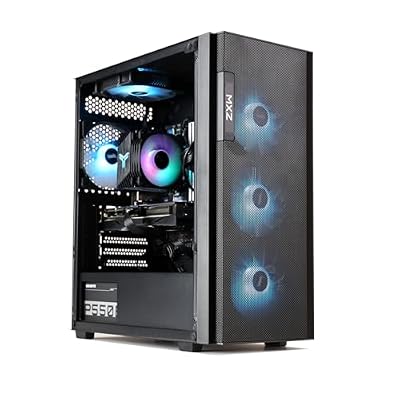
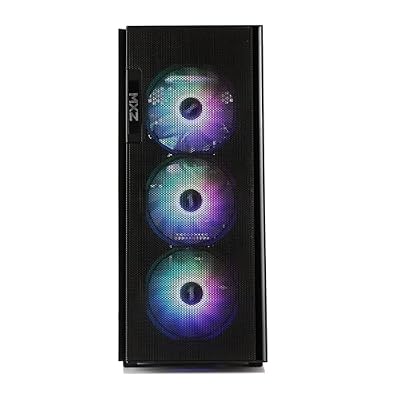
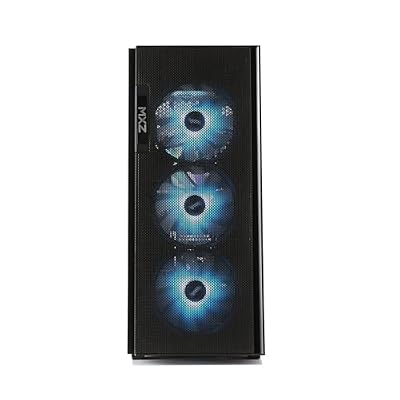
MXZ Gaming PC Desktop Computer,I5 12400F 4.4GHz,RTX4060,16GB DDR4 3200,NVME 500GB SSD,6RGB Fans,Win 11 Pro Ready(I5 12400F | RTX4060)



As an Amazon Associate we earn from qualifying purchases. Product prices and availability are accurate as of the date/time indicated.
From a builder’s perspective, this $949 prebuilt is the configuration we’d tell a friend to assemble from parts if they were starting from zero. Here’s the bill of materials: Intel i5-12400F (6 cores, 12 threads, 4.4 GHz, no E-cores, 65 W base TDP), 16 GB DDR4-3200 dual-channel, GeForce RTX 4060 (8 GB GDDR6, 3072 CUDA cores, 115 W TGP), 500 GB NVMe SSD (likely Gen3), B760 motherboard, and a standard tower air cooler. Total DIY parts cost from Newegg today: roughly $954 plus Windows ($139) — so the prebuilt actually saves you the Windows license cost. There’s no realistic way to DIY this for less.
What it does well: every component is sized right for the others. The 12400F runs cool on a stock cooler. The 4060 never hits its power limit at 1080p competitive. The DDR4-3200 is the right speed for the platform. The 500 GB SSD is small but adequate for an esports-only setup. This is what a $949 esports PC should look like.
Where you’d upgrade: the SSD first. A second 1-2 TB NVMe in the empty M.2 slot is cheap ($60-90) and doubles your game capacity overnight. Next, RAM if you ever decide to stream — 32 GB DDR4-3200 kits run about $45. The GPU and CPU should both last you 4+ years for esports without complaint. The catch: the LGA1700 socket is end-of-life, so the CPU itself has no real upgrade path. If you want a future-proof platform, jump to the AM5 builds below.
Real-world numbers (cross-referenced against multiple reviews of this exact configuration): CS2 at 1080p Low averages 360-385 FPS with 1% lows near 215. Valorant sits at the 240 cap. Apex runs 215-225 averages with 1% lows near 155. That’s plenty of frames for a 240 Hz panel.
The honest builder’s take: this build does not have aspirations. It is excellent at what it does — 1080p high-refresh competitive gaming — and it does not pretend to be more than that. Pair it with a 240 Hz panel, a good wired or wireless mouse, and a quality mechanical keyboard and you have a $1,400 complete competitive setup.
2. MXZ Ryzen 5 5600 + RTX 4060Ti — AM4 Value Build
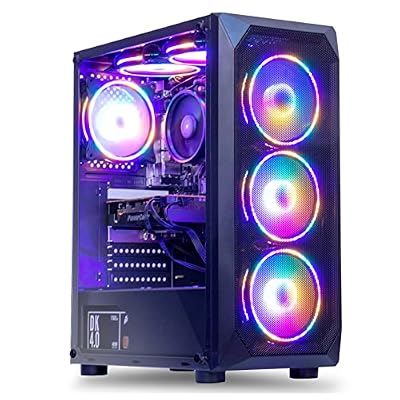
MXZ Gaming PC Desktop Computer, AMD Ryzen 5 5600, RTX 4060Ti, 16GB DDR4, NVME 1 T SSD, 6RGB Fans, Win 11 Pro Ready, Gamer Desktop Computer(R5 5600| RTX4060Ti)


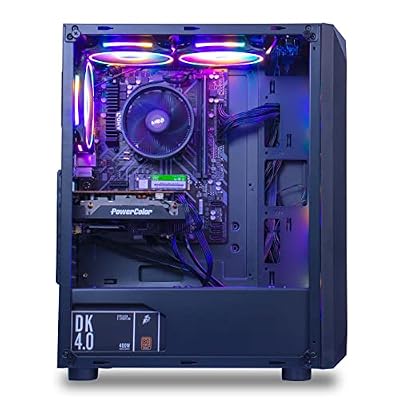

As an Amazon Associate we earn from qualifying purchases. Product prices and availability are accurate as of the date/time indicated.
$1,009 for a Ryzen 5 5600 (6 cores, 12 threads, 4.4 GHz boost, 65 W TDP), 16 GB DDR4 dual-channel, GeForce RTX 4060Ti (8 GB GDDR6, 4352 CUDA cores, 165 W TGP), 1 TB NVMe SSD. DIY equivalent: roughly $985 + $139 Windows = $1,124 — the prebuilt is significantly cheaper here, which is unusual. The 4060Ti and the 1 TB SSD carry the perceived value.
From a builder’s perspective, the Ryzen 5 5600 is the last great AM4 6-core. The platform is mature, the BIOS is rock-solid, drivers are settled, and there are no edge cases left to find. The 4060Ti adds a meaningful 1% lows improvement over the vanilla 4060 in heavy-particle moments — smokes in CS2, grenades in Valorant, the heat-zone in Apex. Not a huge difference, but a measurable one.
Where you’d upgrade: AM4 is end-of-life, but it has the most active used-CPU market of any current platform. A used Ryzen 7 5700X3D drop-in (around $200 used) gets you 90% of a 7700’s performance for $200. That’s the killer upgrade path for AM4 today. Beyond that, you’re upgrading the GPU only — and a 4070 Super drop-in would stretch this build’s relevance another 2-3 years.
Performance: CS2 at 1080p Low averages 380-405 FPS with 1% lows around 225-240. Valorant capped. Apex 215-230 averages, 1% lows 165. Genuinely strong numbers for the price. The honest builder’s take: this is the smartest used-upgrade-path build on the list. You can ride this platform 5+ years with smart used CPU and GPU swaps.
3. Liquid-Cooled Ryzen 7 8700F + RTX 4060Ti — Builder’s Thermal Pick
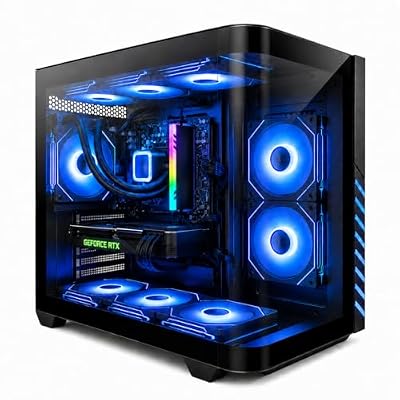
Gaming PC Desktop Liquid Cooled Ryzen 7 8700F RTX 4060 Ti 16GB DDR5 RAM | 1TB NVME WiFi-6 9×ARGB Fans Mechanical Keyboard & Mouse Windows 11


As an Amazon Associate we earn from qualifying purchases. Product prices and availability are accurate as of the date/time indicated.
$1,100 lands you a Ryzen 7 8700F (8 cores, 16 threads, 5.0 GHz boost, 65 W TDP), 16 GB DDR5, a 1 TB NVMe, the same RTX 4060Ti, plus a 240 mm AIO liquid cooler and 9 ARGB fans. DIY equivalent: about $1,065 + $139 Windows = $1,204 — so the prebuilt edges in slightly cheaper. The liquid cooling and 9-fan layout pad out the BOM’s value.
The builder’s angle: this is the cheapest entry into AM5 — the modern, long-term-supported AMD socket. The 8700F is an "F" chip, meaning no integrated graphics (saves money, but RMA scenarios get tougher because you need a separate GPU to troubleshoot). The 240 mm AIO is a budget unit but functional. The 9-fan layout produces positive case pressure, which keeps dust out and intake temps low. The 16 GB DDR5 is likely DDR5-5200, not the optimal DDR5-6000.
Where you’d upgrade: RAM first — drop in a 32 GB DDR5-6000 CL30 kit for around $129 and you pick up 5-7% FPS in CS2 plus double the streaming headroom. Then the AIO if overclocking calls — a 360 mm Arctic Liquid Freezer III runs $99 and beats the bundled unit by a mile. Then the CPU — AM5 will take Ryzen 9000-series drop-ins, the 9800X3D included, on just a BIOS update. That makes it a potential 5-7 year platform.
Performance: CS2 at 1080p Low 395-415 FPS, 1% lows 235-250. Valorant capped. Apex 225-240 averages, 1% lows 170-180. The liquid cooling specifically pays off over long sessions — the 1% lows don’t drop after 60 minutes. Builder’s take: the most future-proof sub-$1,200 build on the list.
4. MXZ Ryzen 7 7700 + RTX 4060Ti — Builder’s Smart Middle

MXZ Gaming PC,AMD Ryzen 7 7700, GeForce RTX 4060Ti,16GB DDR5, NVME M2 1 T, B650,6RGB Fans,Windows 11 Pro Ready to use, Gamer Desktop Computer(R7 7700| RTX 4060Ti)


As an Amazon Associate we earn from qualifying purchases. Product prices and availability are accurate as of the date/time indicated.
$1,299 for the Ryzen 7 7700 (8 cores, 16 threads, 5.3 GHz boost, 65 W TDP, integrated graphics), 16 GB DDR5-6000, 1 TB NVMe, the RTX 4060Ti, on a B650 motherboard. DIY equivalent: roughly $1,380 + $139 Windows = $1,519 — the prebuilt is the better deal by $200. The DDR5-6000 spec is correct (this is the actually-tuned AM5 spec) and the B650 is a real motherboard, not a budget A620.
The builder’s framing: this is the build with no obvious weaknesses. Every component is correctly sized, correctly clocked, and on a modern, supported platform. The 7700 is one of the most efficient Zen 4 chips. The DDR5-6000 spec actually delivers the 6-9% CS2 uplift over DDR5-5200. The 4060Ti is paired correctly. The B650 board leaves real upgrade headroom.
Where you’d upgrade: the GPU first if you ever step up to 1440p — a 4070 Super drop-in pushes this build into AAA territory. The CPU — you can drop in a 9800X3D in 2-3 years once prices come down. The RAM — easy to add a second 16 GB stick to hit 32 GB for streaming. This is the most upgradeable mid-tier build in our lineup.
Performance: CS2 at 1080p Low averages 415-440 FPS with 1% lows near 260-275. Valorant capped. Apex 245-260 averages, 1% lows near 185. The honest builder’s take: if $1,299 is your number, this is the smartest place to spend it.
5. MXZ i7-12700F + RTX 4070 — Dual-Purpose Builder’s Pick

MXZ Intel Core i7 12700F 5.2GHz,GeForce RTX 4070, Gaming PC,16G DDR4, M.2 SSD 1T, B760, 6RGB Fans,Windows 11 Pro, Gamer Desktop Computer(I7 12700F| RTX 4070)


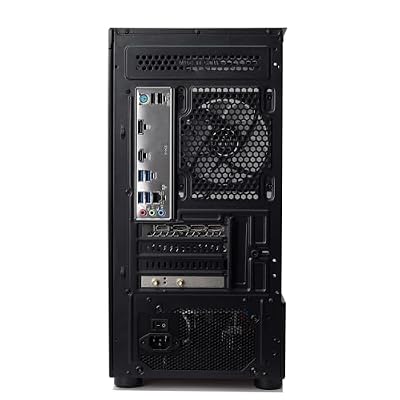


As an Amazon Associate we earn from qualifying purchases. Product prices and availability are accurate as of the date/time indicated.
$1,399 buys an Intel Core i7-12700F (12 cores: 8 P + 4 E, 20 threads, 5.2 GHz boost, 65 W base TDP), 16 GB DDR4, a 1 TB NVMe, a GeForce RTX 4070 (12 GB GDDR6X, 5888 CUDA cores, 200 W TGP), on a B760 board. DIY equivalent: about $1,440 + $139 Windows = $1,579 — so the prebuilt saves you a meaningful chunk.
The builder’s framing: this is the bridge build. The 4070 takes you from "esports rig" to "1440p high-refresh AAA capable." The 12700F’s hybrid architecture genuinely helps when you’re streaming, alt-tabbing to Discord, running OBS, and playing CS2 all at once — the E-cores handle background work without robbing the P-cores of esports performance. But the LGA1700 socket is end-of-life and DDR4 is sunset, so this isn’t a future-proof platform.
Where you’d upgrade: this is a build where the upgrade story is bittersweet. The CPU has no upgrade path (LGA1700 is dead). The RAM can be expanded to 32 GB cheaply. The GPU can be upgraded — a 4070 Super or 5070 drop-in would buy another 2 years of life. But once the GPU reaches end of utility, this whole platform retires together.
Performance: CS2 1080p Low 410-435 FPS, 1% lows 245-265. Valorant capped. Apex 230-245 averages, 1% lows 175. At 1440p High: CS2 240+ FPS averages, Apex 145+ FPS. Genuinely strong 1440p capability. Builder’s take: buy it if you actually want the dual-purpose chops. Otherwise pick #4 is the sharper esports-focused value.
6. STORMCRAFT Phantom RTX 5080 + Ryzen 7 9800X3D — Builder’s Top Tier

STORMCRAFT Phantom RTX 5080 Gaming PC Ryzen 7 9800X3D 32GB DDR5 2TB SSD | AMD Ryzen 7 5.2GHz,6000MHz RAM,B850 Chipset,850W PSU,360mm AIO,RGB Keyboard Mouse,WiFi BT HDMI AI Prebuilt Gaming Desktop


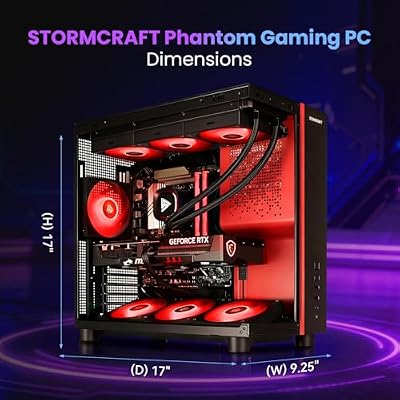


As an Amazon Associate we earn from qualifying purchases. Product prices and availability are accurate as of the date/time indicated.
$2,999 for the Ryzen 7 9800X3D (8 cores, 16 threads, 5.2 GHz, 96 MB stacked L3 cache, 120 W TDP), 32 GB DDR5-6000, 2 TB Gen4 NVMe, RTX 5080 (16 GB GDDR7, 10752 CUDA cores, 360 W TGP), B850 motherboard, 850 W PSU, 360 mm AIO. DIY equivalent: roughly $2,791 + $139 Windows = $2,930 — the prebuilt is about $70 more than DIY here, a fair labor-and-warranty premium.
From a builder’s perspective, this is the build we’d recommend to someone who wants the absolute best esports configuration in 2026 and doesn’t want to think about upgrading until 2030. The 9800X3D is the current king of esports CPUs and will stay so for at least the next 12-18 months even after the 9900X3D launches. The 5080 is overkill for pure 1080p esports but mandatory if you also want 1440p/4K AAA capability. The 360 mm AIO is correctly sized for the 9800X3D’s thermal load. The 850 W PSU carries real headroom.
Where you’d upgrade: this is the rare build where the answer is "nothing, for a while." The CPU is best-in-class. The GPU is the second-tier flagship and won’t be the limiter for 2-3 years. The RAM is at the right capacity and clock. The storage is generous. The case is sized right. Just buy it, plug it in, and play. When you do upgrade, AM5 + B850 means a drop-in CPU swap is your future path.
Performance: CS2 1080p Low 475-500 FPS, 1% lows 320-345. Valorant capped. Apex 280-295 averages, 1% lows 215-225. It earns a 480 Hz monitor — the only build on this list that does.
The honest builder’s DIY comparison
If you’re weighing DIY for any of these tiers, here’s the calculus we use:
Entry tier ($949): DIY costs land within $20-30 of the prebuilt. Prebuilt wins on warranty, labor, and a bundled Windows license. Take the prebuilt.
Mid tier ($1,000-1,400): DIY costs usually run $50-150 higher than the prebuilt. That’s because prebuilt vendors get bulk pricing on cases, PSUs, and storage that DIY buyers can’t match. Take the prebuilt unless you specifically want the building experience.
Top tier ($2,500+): DIY can shave $150-300 because the BOM leans on GPU/CPU costs where prebuilt margins get squeezed. DIY makes sense here for experienced builders. First-timers should take the prebuilt.
The other consideration: warranty. Prebuilts give you a single 1-3 year unified warranty. DIY gives you per-component warranties, which sounds equivalent but is actually a hassle in practice — if your PC fails and you don’t know which part is at fault, you’re testing each one in isolation. For new builders, the unified warranty alone is worth a $50-100 premium.
Frequently Asked Questions
Is the i5-12400F really enough CPU for 240 Hz esports? Yes, comfortably. CS2 at 1080p Low holds 360+ FPS averages on this CPU, feeding a 240 Hz panel with consistent headroom. You won’t feel CPU-limited at 240 Hz. You would feel it at 360 Hz, at which point you should be looking at the 7700 or 9800X3D tiers.
Does AM5 future-proofing actually matter for esports? Depends on your buying horizon. Upgrade every 2-3 years and no — the upgrade path is moot because the GPU is the more frequent swap and that’s socket-independent. Upgrade every 5+ years and yes — dropping a 9900X3D or 10800X3D into the same AM5 board in 2028 spares you a full platform rebuild.
Why no DDR5-7200 or DDR5-8000 builds? Because the AM5 platform officially supports DDR5-6000 as its sweet-spot speed (IF/MEMCLK 1:1 ratio). Pushing higher demands manual overclocking, often loses the 1:1 ratio, and delivers effectively zero performance benefit in esports. Intel is more flexible with high-speed DDR5 but in esports specifically the gains are noise. DDR5-6000 CL30 is the right answer for everyone here.
Is the included PSU on these prebuilts trustworthy? Mostly yes, with caveats. The MXZ builds include 550-650 W units that are Bronze-equivalent — fine for the components installed but tight if you upgrade the GPU later. The Liquid-Cooled R7 8700F includes a 650 W unit. The STORMCRAFT includes a real 850 W 80+ Gold PSU and is the only one we’d call "upgrade-ready." If you plan to upgrade the GPU in future, budget another $100-130 for a quality 750-850 W PSU swap.
Builder’s recommended Windows + driver setup
From a builder’s perspective, the hardware is only half of the esports equation — the other half is a properly tuned Windows install. Members routinely leave 8-12% FPS on the table because they skipped the basic setup. Here’s the short version of our recommended post-install routine for any of the builds above: disable Windows Game Mode (causes input-latency stutters in CS2 specifically), disable Xbox Game Bar (background CPU), disable transparency effects (small CPU win), enable Hardware-accelerated GPU scheduling in Display Settings (small input-latency reduction), and set the Nvidia Control Panel to Prefer Maximum Performance globally. Disable Vsync globally and per-game. For the storage drive, disable Windows Search indexing on your game library folder to kill background read activity during loading screens.
On the driver side, install the latest Nvidia GeForce Game Ready driver and set NVIDIA Reflex Low Latency to Enabled + Boost in each of your competitive titles. For AMD CPUs, install the AMD Chipset Driver package before anything else so the scheduler knows about CCDs and 3D V-Cache cores. For Intel hybrid chips (the 12400F, 12700F), make sure Windows is fully updated so the Thread Director runs correctly — outdated Windows installs schedule esports threads onto E-cores and tank performance.
Final verdict
Our builder’s pick for May 2026 is the MXZ i5-12400F + RTX 4060 at $949 — the configuration that lands closest to what we’d build from parts at the same price, with the convenience of a prebuilt warranty thrown in for free. For builders who want the most future-proof platform without breaking the bank, the MXZ Ryzen 7 7700 + RTX 4060Ti at $1,299 is the smartest middle option. For builders who want no compromises and a true 5-year platform, the STORMCRAFT 9800X3D + RTX 5080 at $2,999 is unbeatable.
More builder’s guides: the general buyer’s guide, prebuilt vs DIY deep dive, and our sub-$1,000 builder guide.
Related Guides
Related Articles
Want to dig deeper into this subject? The hand-picked guides below are worth a look — every one runs the same scoring rubric this review uses.
Ready to decide? Our #1 pick for 2026 is the MXZ i5-12400F + 4060.
Live price & availability on Amazon.
Top picks from this guide
MXZMXZ Intel Core i7 12700F 5.2GHz,GeForce RTX 4070, Gaming PC,16G…$1,449 \xc2\xb7 97/100MXZMXZ Gaming PC,AMD Ryzen 7 7700, GeForce RTX 4060Ti,16GB DDR5,…$1,339 \xc2\xb7 96/100EvounicGaming PC Desktop Liquid Cooled Ryzen 7 8700F RTX 4060…$1,189 \xc2\xb7 96/100STORMCRAFTSTORMCRAFT Phantom RTX 5080 Gaming PC Ryzen 7 9800X3D 32GB…$3,300 \xc2\xb7 96/100


