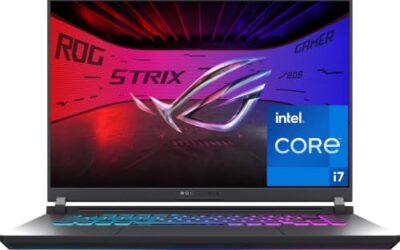
- Top Pick: Lenovo Yoga Pro 9i 16" Laptop, Intel Core Ultra 9-285H, NVIDIA GeForce RTX 5060, 3.2K Tandem OLED 120Hz Touchscreen Display, 32GB RAM, 1TB SSD, Wi-Fi 7, Thunderbolt, Win 11 Home, w/1TB Portable HDD
- Best Value: Lenovo Yoga Pro 9i 16" Laptop, Intel Core Ultra 9-285H, NVIDIA GeForce RTX 5060, 3.2K Tandem OLED 120Hz Touchscreen Display, 32GB RAM, 2TB SSD, Wi-Fi 7, Thunderbolt, Win 11 Home, w/1TB Portable HDD
- Premium Choice: Lenovo 2026 Yoga 9i 2-in-1 Aura Edition with 14” Touch OLED 1100-Nits 120Hz
The Lenovo Yoga Pro 9i 16 is Lenovo’s statement creator laptop, and its headline feature is that gorgeous 3.2K tandem OLED touchscreen running at 120Hz. Pair that display with an Intel Core Ultra 9 processor and NVIDIA RTX graphics, and you have a machine built for creative professionals who want color-accurate visuals, real GPU muscle, and a premium touch experience in one package. It is a laptop that aims squarely at the high end.
- Watch: Lenovo Yoga Pro 9i 16 3.2 K Touchscreen Laptop — Video Review
- Design & Build
- Performance
- Pros & Cons
- Alternatives to Consider
- Step-by-Step: Matching a Yoga Pro 9i 16 Configuration to Your Work
- Which Configuration Fits Which Job
- Common Mistakes
- Troubleshooting
- Related Guides
- Frequently Asked Questions
- Verdict
- Related Articles
- Related Guides
This review examines the Yoga Pro 9i 16 across its various configurations, from RTX 5060 and 5050 GPUs to storage options up to 4TB. Here is whether this premium creator laptop earns its price.
As an Amazon Associate we earn from qualifying purchases at no extra cost to you.


🎮 Get More From Your Setup — Free
Prime Gaming gives you free PC games every month, in-game loot, and a free Twitch channel sub — plus fast free shipping on all the gear above. New members get a 30-day free trial.
Watch: Lenovo Yoga Pro 9i 16 3.2 K Touchscreen Laptop — Video Review
Design & Build
The Yoga Pro 9i 16 is a substantial, well-built 16-inch laptop with the premium metal chassis you expect at this tier. The star is the display: a 3.2K tandem OLED touchscreen at 120Hz, with peak brightness figures around 1,100 nits on the higher configurations, delivering deep blacks, vivid color, and smooth motion that creators will love. The touchscreen adds flexibility for sketching and direct interaction, and Thunderbolt connectivity and Wi-Fi 7 keep it thoroughly modern. This is not an ultraportable, but it balances its size with a genuinely premium look and feel worthy of the price.
Performance
Under the hood, the Intel Core Ultra 9-285H is a powerful multi-core processor that handles demanding creative workloads, from video editing to 3D work, with ease. Configurations pair it with NVIDIA GeForce RTX 5060 or RTX 5050 graphics, adding real GPU acceleration for rendering, AI tasks, and light gaming. Memory sits at 32GB of fast RAM across configurations, with SSD options ranging from 1TB up to 4TB for creators handling large files. The combination of the Ultra 9, RTX graphics, and that tandem OLED makes this a serious workstation-class machine that also doubles as a capable gaming laptop when you want it.
Pros & Cons
- Stunning display: 3.2K tandem OLED, 120Hz, high brightness, and touch.
- Strong performance: Core Ultra 9 with RTX graphics tackles creative workloads.
- Ample memory and storage: 32GB RAM and up to 4TB SSD options.
- Modern connectivity: Thunderbolt and Wi-Fi 7 keep it future-ready.
- Premium price: the high-end specs and OLED command a significant cost.
- Not ultraportable: the 16-inch creator chassis is larger and heavier.
Alternatives to Consider
Within the Yoga Pro 9i family, the choice mostly comes down to GPU and storage: RTX 5060 configurations offer more graphics muscle than the RTX 5050 versions, and storage scales from 1TB to 4TB for those managing large projects. Third-party configured units, like the Mavark builds with Windows 11 Pro and extended warranties, suit buyers who want more storage or business features. If you want a smaller, more portable OLED convertible, Lenovo’s 14-inch Yoga 9i 2-in-1 Aura Edition is worth a look, though it trades the larger creator screen and dedicated RTX power for portability.
Step-by-Step: Matching a Yoga Pro 9i 16 Configuration to Your Work
Lenovo sells this laptop in several tiers, and the differences that matter are the graphics chip, memory and storage. The display and chassis stay largely the same, so spend the decision effort on the parts that change.
- Start with the display. The panel is a 16-inch 3.2K (3200 by 2000) tandem OLED running up to 120Hz with a 16:10 shape, and it is listed with roughly full DCI-P3 coverage. Every configuration shares this strength, so you are not paying extra for it.
- Pick the GPU tier by workload. Listings for this generation have shown RTX 5050, 5060 and 5070 laptop options, so confirm the exact chip on the page. Photo work and light video fit the lower tiers; heavy GPU-accelerated rendering benefits from the top one.
- Choose memory carefully. RAM on this model is reported as soldered, so it cannot be upgraded later. For creative work with large files, 32GB is a sensible floor and 64GB suits heavy video or 3D projects.
- Size the storage. Storage uses PCIe Gen 4 SSDs, with up to 2TB reported. Raw photo and video libraries fill a 1TB drive quickly.
- Set up the display properly. Install the vendor color profile, choose the right color mode in Windows, and turn on HDR only when working with HDR material.
Which Configuration Fits Which Job
| If your work is… | Prioritize | Reasoning |
|---|---|---|
| Photo editing and design | Display, 32GB RAM | Color accuracy matters more than GPU speed |
| 4K video editing | Higher GPU tier, 32GB to 64GB RAM | Timelines and effects lean on the GPU and memory |
| 3D modeling and rendering | Top GPU tier, 64GB RAM | Scenes and textures consume both VRAM and system memory |
| Office and light creative use | Mid GPU, 32GB RAM | The extra graphics headroom goes unused |
Common Mistakes
- Treating the GPU name as a guarantee of speed. Laptop chips run at different power limits depending on the design.
- Choosing minimum RAM because it looks adequate today, then finding it cannot be expanded.
- Leaving the screen at maximum brightness all day, which shortens battery life on any OLED panel.
- Assuming the touchscreen replaces a mouse for precise retouching.
- Forgetting that 120Hz drains more power than 60Hz, so battery life depends on the refresh setting.
Troubleshooting
- Colors look oversaturated: Switch the color mode to sRGB for web work and make sure apps are color managed.
- Battery drains quickly during creative work: Lower the refresh rate, reduce brightness and let the system use its efficient profile when unplugged.
- Visible flicker at low brightness: Some OLED panels use dimming methods that bother sensitive users, so check the display settings and consider a higher brightness level.
Related Guides
- Best Laptop For Working From Home in 2026
- Monitor Extension For Laptop (2026)
- Good Laptop For Beginners (2026)
Frequently Asked Questions
Is the Yoga Pro 9i good for creative work?
Yes. The color-rich 3.2K tandem OLED, Core Ultra 9 processor, and RTX graphics make it excellent for photo and video editing, design, and 3D work that benefits from GPU acceleration.
What is a tandem OLED display?
A tandem OLED stacks two OLED layers for higher brightness and better longevity than a standard OLED, delivering the vivid color and deep blacks creators want with improved peak luminance.
Can it play games?
With RTX 5060 or 5050 graphics and the fast 120Hz display, it handles modern games well, especially with DLSS. It is a capable gaming laptop in addition to being a creator workstation.
Which configuration should I choose?
For the most graphics power, choose an RTX 5060 configuration. Pick your storage based on workload, with 1TB fine for most and 2TB or 4TB better for large video and design projects.
Verdict
The Lenovo Yoga Pro 9i 16 is a superb creator laptop, blending a breathtaking 3.2K tandem OLED touchscreen with genuine Core Ultra 9 and RTX performance. It commands a premium price and is not an ultraportable, but for creative professionals who want a stunning display and workstation muscle, the RTX 5060 configuration is a compelling flagship choice.