The best gaming laptop under $1500 in 2026 is an RTX 5070 laptop running at a high power limit (around 100–115 W TGP) with 32 GB of RAM, a 1 TB SSD and a 1440p or 1600p display at 165 Hz or higher; if a deal pushes an RTX 5070 Ti model to this price, it is the stronger long-term buy because of its 12 GB of VRAM. Machines in this class include configurations of the Lenovo Legion 5, ASUS TUF Gaming A16, HP Omen 16 and Acer Predator Helios Neo 16. The model name matters less than four specs that marketing pages often hide.
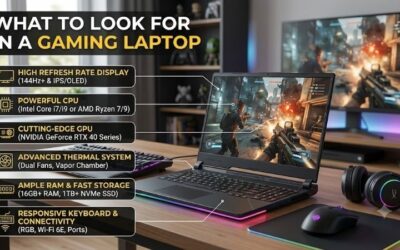
- The Four Specs That Decide Value Under $1500
- RTX GPU Tiers You Will Find at This Price
- Worked Example: Why TGP Matters as Much as the GPU Name
- VRAM Per Resolution: Is 8 GB Enough?
- Screen, RAM and Storage Priorities
- Battery and Portability: Set Realistic Expectations
- Decision Matrix: Picking the Right Configuration
- Red Flags to Avoid
- Bottom Line
Quick answer: For most people in 2026, the best gaming laptop under $1500 is the RTX 5060 laptop — our #1 rated choice. See the full ranked comparison, alternatives and buying advice below.
The Four Specs That Decide Value Under $1500
- GPU tier and VRAM. RTX 5060 and RTX 5070 laptop GPUs both carry 8 GB of VRAM; the RTX 5070 Ti laptop GPU has 12 GB.
- GPU power limit (TGP). The same GPU name can run anywhere from roughly 60 W in a thin chassis to 115 W or more in a thicker one, and the gap in frame rate is large.
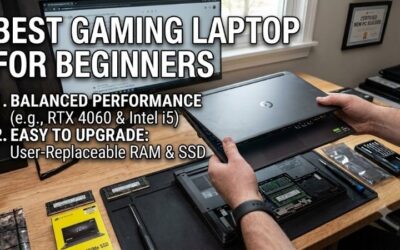
- RAM amount and upgradability. 16 GB is the minimum for modern games; 32 GB avoids stutter in large open worlds and when you keep a browser and Discord open.
- Cooling and chassis thickness. A 2.2–2.5 kg laptop with a thicker body sustains higher power than a slim 1.8 kg model with the same parts.
RTX GPU Tiers You Will Find at This Price
| Laptop GPU | VRAM | Typical TGP range in this price band | Realistic target | Typical laptop price range |
|---|---|---|---|---|
| RTX 5060 laptop | 8 GB | about 75–115 W | 1080p high, 1440p medium | usually $1,000–$1,300 |
| RTX 5070 laptop | 8 GB | about 75–115 W | 1440p/1600p high with DLSS | usually $1,250–$1,600 |
| RTX 5070 Ti laptop | 12 GB | about 100–140 W | 1440p/1600p high to ultra with DLSS | usually $1,500–$2,000, sometimes lower on sale |
For an RTX gaming laptop in the mid-range, the RTX 5070 is the natural target at $1,500. The RTX 5060 makes sense if you play at 1080p or mainly esports titles and want to keep money for a better screen or more RAM.
Worked Example: Why TGP Matters as Much as the GPU Name
GPU performance in laptops scales with power, though not linearly. As a rough guide, raising an RTX 5070 laptop GPU from about 75 W to about 115 W typically lifts frame rates by around 15–25% in GPU-heavy games, because the chip can hold higher clocks under load.
- Imagine a game running at 60 fps on a 75 W RTX 5070.
- At about 115 W, a 20% gain puts it near 72 fps.
- A well-cooled RTX 5060 at 115 W can land close to a starved 75 W RTX 5070 in the same game.
The lesson: an RTX 5060 at full power can be a better buy than an RTX 5070 squeezed into a thin chassis at a low limit, especially if it costs a few hundred dollars less. Look for the “maximum graphics power” figure in the spec sheet or the manufacturer’s detailed specifications page before you buy.
VRAM Per Resolution: Is 8 GB Enough?
| Resolution | Typical VRAM use, high settings | With ray tracing or ultra textures | 8 GB GPU verdict |
|---|---|---|---|
| 1920 × 1080 | 6–8 GB | 8–10 GB | Comfortable at high, trim textures in a few heavy titles |
| 2560 × 1440 / 2560 × 1600 | 7–10 GB | 10–12 GB | Use high textures, not ultra; DLSS helps |
| 3840 × 2160 (external monitor) | 9–12 GB | 12 GB+ | Not a good fit; choose a 12 GB GPU |
An 8 GB card is workable at the 1440p and 1600p resolutions most laptop screens use, provided you keep texture quality one step below the maximum in the heaviest games. If you plan to connect a 4K monitor or keep the laptop for four or more years, the 12 GB RTX 5070 Ti is worth stretching for.
Screen, RAM and Storage Priorities
Display
A 16-inch, 2560 × 1600, 165–240 Hz IPS panel is common at this price and is the right match for an RTX 5070. OLED panels appear in some configurations and look excellent, but check for a matte finish and confirm the refresh rate. Avoid 1080p panels on RTX 5070 machines unless you specifically want very high frame rates for competitive games.
RAM
Prefer two SO-DIMM slots over soldered memory, so you can go from 16 GB to 32 GB later for roughly $60–$100. Dual-channel memory matters: a single 16 GB stick can cost noticeable frame rate in CPU-heavy games.
Storage
Modern games often need 80–150 GB each, so 1 TB fills quickly. A second free M.2 slot is one of the best value features a gaming laptop under 1500 dollars can have, since adding a 2 TB drive later usually costs $100–$150.
Battery and Portability: Set Realistic Expectations
Gaming laptops in this class typically carry batteries of 70–90 Wh. A quick runtime estimate:
- Light use on the integrated GPU at about 12 W: 80 Wh ÷ 12 W = about 6–7 hours.
- Video playback at about 9 W: roughly 8–9 hours.
- Gaming unplugged at 70–90 W with reduced GPU power: about 1 hour, with lower frame rates than when plugged in.
Gaming at full performance requires the power adapter, which in this class is often a 200–280 W brick weighing 0.6–0.9 kg. Factor that into the travel weight.
Decision Matrix: Picking the Right Configuration
| Your priority | Best configuration under $1500 |
|---|---|
| Best frame rate per dollar | RTX 5070 at 100 W+ in a thicker chassis, 16 GB RAM, upgrade later |
| Longevity and 4K monitor use | RTX 5070 Ti on sale, even with a smaller SSD |
| Esports at high refresh rates | RTX 5060 at full TGP with a 240 Hz panel |
| Carrying it daily | RTX 5060 or 5070 in a 14-inch or slim 16-inch body, accepting lower TGP |
| Streaming and editing too | RTX 5070 with 32 GB RAM and a second M.2 slot |
Red Flags to Avoid
- No published GPU power figure, which often signals a low limit.
- Single-channel RAM or a single soldered 16 GB configuration with no free slot.
- A 512 GB SSD with no second slot.
- A 1080p 144 Hz panel on an RTX 5070 machine, which wastes the GPU’s headroom.
- A display with poor color coverage listed as around 45% NTSC, which looks washed out.
Bottom Line
The best value gaming laptop at this budget is the one with an RTX 5070 running near full power, dual-channel RAM, a free M.2 slot and a 1440p-class high-refresh screen. Check the TGP and upgrade paths first, and the brand badge second.
Ready to decide? Our #1 pick for 2026 is the RTX 5060 laptop.
Live price & availability on Amazon.