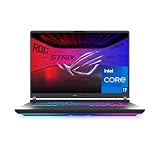
If you are looking for a gaming laptop, start with the games you want to play and the places you will use it. A good purchase balances graphics performance, cooling, screen quality, portability and the complete price. A familiar brand name or a dramatic discount cannot tell you whether a particular configuration is right for your workload.
- Choose the experience before choosing the hardware
- Three useful buying profiles
- Read the complete GPU description
- Balance the processor, memory and storage
- Judge the screen as a daily-use component
- Check cooling, noise and practical ownership
- Compare offers using the exact configuration
- What to check when the laptop arrives
- Frequently asked questions
This guide explains how to compare complete gaming laptops. The buying profiles below are editorial starting points, not benchmark results or claims that a particular model is the fastest. Check the exact configuration and current offer before ordering; a product-family name can cover several substantially different machines.
Choose the experience before choosing the hardware
Write down three games you expect to play regularly. Add your preferred resolution, whether you value competitive responsiveness or visual detail, and whether you will connect an external monitor. Someone playing strategy games on the built-in display has different priorities from someone driving a high-resolution monitor while streaming.
Also decide how often the laptop will leave your desk. A larger chassis may offer a more spacious keyboard and room for cooling, but its charger and carrying bag add to the travel load. Compare the combined kit you will actually carry. If you need quiet lecture-room or office use, look for information about ordinary browsing and video calls as well as gaming performance.
Three useful buying profiles
Your priority / What to compare first / What can justify paying more
- Competitive games and everyday study
-
What to compare first: Results in your games, display responsiveness, keyboard, network connectivity
What can justify paying more: Consistent performance and a screen you enjoy using
- Visually demanding single-player games
-
What to compare first: GPU configuration, cooling, graphics memory, display resolution
What can justify paying more: Better image quality at the settings you actually intend to use
- A portable work-and-play machine
-
What to compare first: Total carrying weight, battery-use reviews, ports, charger, screen
What can justify paying more: A practical balance that avoids needing a second computer
Treat these profiles as a shortlist filter. They are not promises that one specification guarantees a particular frame rate. A balanced, well-documented configuration is usually easier to judge than a listing that highlights one impressive component and leaves the rest unspecified.
Read the complete GPU description
Record the full graphics processor name, graphics memory and any manufacturer-published power information. Do not assume a laptop GPU performs like a desktop graphics card with similar branding. Compare independent results for the actual laptop chassis and configuration, ideally using the same game settings and power mode.
Cooling and system settings also matter. ASUS documents that supported Armoury Crate systems can change GPU power behavior through their operating modes and related controls. That illustrates why a benchmark without its test settings tells an incomplete story. Consult the ASUS operating-mode documentation for the supported features of the particular machine rather than assuming every laptop provides the same controls.
Balance the processor, memory and storage
Choose a processor that fits your games and other applications, but avoid paying for a headline CPU while accepting a graphics configuration that misses your main gaming target. Intel’s gaming-laptop selection guide identifies the CPU, GPU and display as connected purchasing decisions. Use that relationship to compare the complete system instead of ranking isolated component names.
For a practical shortlist, 16 GB of system memory is a reasonable editorial starting point for a mixed gaming and everyday-use machine; heavier multitasking may justify considering more. Check the requirements of your actual games and applications. Confirm whether memory is replaceable, how many slots exist and whether the advertised capacity describes the installed configuration.
Storage needs depend on your library. Add up the games you want installed simultaneously, then leave room for the operating system, updates and personal files. Verify whether an additional SSD slot exists and what it supports. Do not count an upgrade as easy or inexpensive until you have checked the service manual and the cost of the required parts.
Judge the screen as a daily-use component
A high refresh-rate label is only one part of the display. Compare resolution, brightness information, finish, color specifications and independent observations about response behavior. If you work with photographs or video, your priorities may differ from those of a player who mainly wants a responsive competitive display.
Consider scaling and screen size together. Text that looks comfortable on an external monitor may feel cramped on a smaller built-in panel. If possible, inspect a comparable screen in person. For an external display setup, confirm the laptop’s specific video-output capabilities and the monitor’s required connection rather than assuming any USB-C socket will do the job.
Check cooling, noise and practical ownership
Read reviews that discuss sustained sessions, fan noise and surface temperatures, not only a short performance chart. A brief burst can conceal the experience of an hour-long game. Look for consistency between the review configuration and the listing you are considering.
Check port placement, webcam, keyboard layout and the supplied charger. A machine can be fast yet awkward if its ports interfere with your mouse space or it requires several adapters for your desk. Read the support manual before buying if access to the SSD, memory or battery matters to you.
Compare offers using the exact configuration
Create a simple comparison sheet containing the model number, CPU, GPU, memory, SSD, display, condition, seller and delivered cost. Include shipping, required upgrades and any accessories you actually need. A lower advertised price can lose its advantage when you add missing storage or a suitable charger.
For refurbished or open-box offers, ask what has been inspected, what condition is guaranteed, which charger is supplied and what return options apply. These are listing-specific questions. A discount is not enough information to infer battery condition or warranty coverage.
What to check when the laptop arrives
Before moving all your files, confirm the model and installed specifications against the order. Check the screen, keyboard, ports, Wi-Fi and charging behavior. Install updates from the operating system and manufacturer, then try your normal applications and games at the settings you intend to use.
Keep the packaging until you are satisfied with the purchase and understand the return procedure. Save the order description and configuration details. If something differs, documenting the mismatch promptly is more useful than trying to compensate with additional purchases.
Frequently asked questions
Is the most expensive graphics option always worthwhile?
No. Its value depends on your games, screen and intended settings. Compare complete configurations and relevant performance evidence. Spending more on graphics can be sensible, but not if it forces unacceptable compromises elsewhere.
Should I buy a laptop with upgradeable memory?
It can improve flexibility, but it is not a substitute for choosing enough memory at purchase. Verify the actual service documentation; upgrade options vary within product families.
Is a gaming laptop suitable for ordinary work?
It can be, provided its weight, keyboard, noise, battery behavior and connections suit your routine. Judge those characteristics separately from gaming performance.
What is the best final buying rule?
Choose the least expensive complete configuration that meets your documented requirements, with a seller and return process you understand. That is a more dependable decision than buying by brand, marketing label or percentage discount alone.