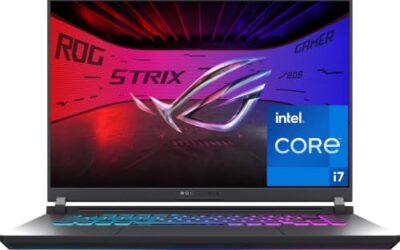
- Top Pick: ASUS ROG Strix G16 (2025) Gaming Laptop, 16” FHD+ 16:10 165Hz/3ms, NVIDIA® GeForce RTX™ 5060, Intel® Core™ i7 Processor 14650HX, 16GB DDR5, 1TB Gen 4 SSD, Wi-Fi 7, Windows 11 Home, G615JMR-AS74
- Best Value: ASUS TUF Gaming F16 Gaming Laptop, 16” FHD+ 144Hz IPS-Level 16:10 Display, Intel® Core™ 5 210H, NVIDIA® GeForce RTX™ 4050, 16GB DDR5, 512GB PCIe Gen4 SSD, Wi-Fi 6, Win11 Home, FX607VU-SS53
- Premium Choice: GIGABYTE – Gaming A16 Gaming Laptop – 165Hz 1920×1200 WUXGA – NVIDIA GeForce RTX 5060 – Intel i7-13620H – 1TB SSD with 16GB DDR5 RAM – Windows 11 Home AD Gaming A16 CVHI3US894SH
Black Friday is the one time of year when gaming laptops that normally sit stubbornly above budget actually drop into reach, but the flood of listings makes it easy to overpay for underwhelming specs or get talked into a “deal” that isn’t. Retailers rotate discounts fast, bundle in accessories nobody needs, and bury the actual GPU tier in fine print, so knowing what to look for matters more than ever during the sales rush.
- Watch: Best Black Friday Gaming Laptop Deals — Video Review
- How to Choose a Black Friday Gaming Laptop Deal (2026)
- The Best Black Friday Gaming Laptop Deals (2026)s Reviewed
- Reading a Gaming Laptop Spec Sheet Before the Sale
- Timing and Return Windows
- Which Deal Fits Which Buyer?
- Common Mistakes With Black Friday Laptop Deals
- Related Guides
- Frequently Asked Questions
- Final Thoughts
- Related Articles
- Related Guides
This guide breaks down six of the strongest gaming laptop deals worth watching this Black Friday, covering everything from RTX 5060-equipped powerhouses to budget-friendly Ryzen builds, so you can match your budget and use case to the right machine without second-guessing the purchase.


As an Amazon Associate we earn from qualifying purchases at no extra cost to you.


🎮 Get More From Your Setup — Free
Prime Gaming gives you free PC games every month, in-game loot, and a free Twitch channel sub — plus fast free shipping on all the gear above. New members get a 30-day free trial.
Watch: Best Black Friday Gaming Laptop Deals — Video Review
How to Choose a Black Friday Gaming Laptop Deal (2026)
- GPU generation: Prioritize current-gen GPUs like the RTX 5060 over older RTX 4050/4060 cards when the price difference is small; newer architectures deliver better efficiency and longevity for upcoming titles.
- Display refresh rate: Look for at least 144Hz with an IPS or FHD+ panel; competitive and fast-paced games benefit far more from a high refresh rate than from raw resolution.
- RAM and storage headroom: 16GB DDR5 is the practical minimum for modern games and multitasking, and a 512GB-1TB Gen4 SSD avoids the constant juggling that comes with smaller drives.
- CPU-to-GPU balance: Pair a capable CPU (Core i7, Core 5, or Ryzen 7) with a matching GPU tier so one component doesn’t bottleneck the other, especially in CPU-heavy strategy or simulation titles.
- Thermals and build quality: Read for real-world cooling performance, not just spec sheets; a thinner chassis with weaker cooling will throttle under sustained load and undercut the GPU you paid for.
The Best Black Friday Gaming Laptop Deals (2026)s Reviewed
ASUS ROG Strix G16 (2026)
The Strix G16 pairs an RTX 5060 with a 14650HX and a 165Hz 16:10 panel, making it one of the most complete packages on this list for players who want high frame rates without stepping up to a premium chassis. It’s the pick for anyone treating this as a multi-year investment rather than a stopgap.
ASUS TUF Gaming F16
The TUF F16 trades top-tier GPU power for a more attainable price point, sticking with an RTX 4050 and Core 5 210H alongside a 144Hz display. It’s a sensible middle-ground choice for players who want ASUS build quality and a durable chassis without paying for specs they won’t fully use.
GIGABYTE Gaming A16
Gigabyte’s A16 matches the Strix G16’s RTX 5060 with a 165Hz WUXGA display and a 13th-gen i7-13620H, landing it firmly in the same performance class at what’s typically a more competitive price. Worth prioritizing if you find it discounted below the ROG models.
Acer Nitro V
The Nitro V keeps things simple with an RTX 4050, i5-13420H, and 165Hz 15.6″ display, making it one of the more approachable entry points into 1080p gaming with a genuinely fast panel. The 8GB RAM is a real limitation, so budget for a memory upgrade if multitasking matters to you.
NIMO 15.6″ AMD Gaming Laptop
Built around a Ryzen 5 6600H and Radeon 660M graphics, the NIMO is aimed squarely at students and light gamers who want a laptop that handles esports titles and everyday work rather than AAA releases at high settings. The 180° lay-flat hinge and fast charging are nice extras for a machine in this price bracket.
Reading a Gaming Laptop Spec Sheet Before the Sale
The GPU Name Is Only Half the Story
Laptop graphics chips that share a name can run at very different power limits, usually listed as TGP (total graphics power). A thick chassis with a generous limit can outrun a slim machine carrying the same GPU name, so look for the TGP figure on the manufacturer page rather than the retailer summary. Video memory matters too: entry and mid-range laptop GPUs commonly carry 8 GB of VRAM, which is workable at 1080p but can get tight with high texture settings in newer titles.
Decode the Processor Suffix
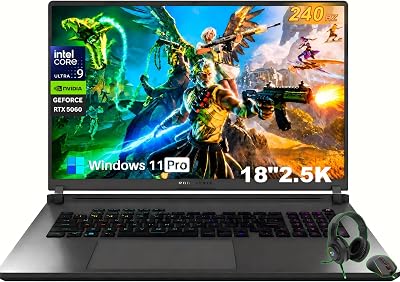
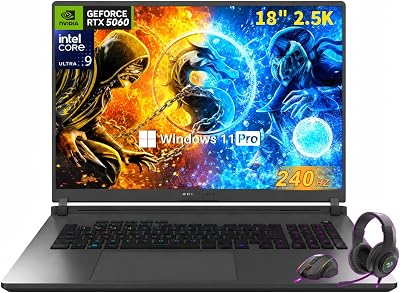
The letters after a processor number signal its power class. HX parts such as the Core Ultra 9 275HX (24 cores, per the ROG Strix G18 listing) are built for sustained gaming and creative loads. H parts, like the Core i5-12450H in the HP Victus, are mainstream and a few generations behind current silicon. Low-power U-series chips, which is what the Ryzen 4300U wording on the KAIGERR listing suggests, are designed for battery life and light work and typically rely on integrated graphics. Confirm on the listing whether a dedicated GPU is present before treating any machine as a true gaming laptop.
Memory, Storage, and Screen
- RAM: 16 GB is the practical floor for modern games. A single 8 GB stick also runs in single-channel mode, which can cost frame rates on integrated or entry-level graphics, so check for a free SO-DIMM slot.
- Storage: Look for an NVMe SSD of 512 GB or more. Many current games exceed 100 GB each, so a small drive fills quickly.
- Display: A 144 Hz or higher IPS panel is the usual target. Listings that say only “FHD” without a refresh rate may be 60 Hz.
Timing and Return Windows
Thanksgiving falls on November 26 in 2026, which puts Black Friday on November 27 and Cyber Monday on November 30. Many retailers open their sales days earlier, and discounts on popular laptops often rotate in short windows. Compare a listing against its own recent history rather than the crossed-out reference number, which can be inflated. Before buying, confirm the return period: some retailers extend holiday returns into January, but policies differ by seller and product category.
Which Deal Fits Which Buyer?
| If you… | Choose… |
|---|---|
| Want a big screen and a top-tier CPU for demanding games and streaming | ASUS ROG Strix G18 |
| Want a 16-inch balance of power and portability | ASUS ROG Strix G16 (2026), ASUS TUF Gaming F16, or GIGABYTE Gaming A16 |
| Play mostly esports and mainstream titles at 1080p | HP Victus 15.6-inch or Acer Nitro V |
| Need a light machine for everyday use and older games | KAIGERR 17.3 Inch or NIMO 15.6 AMD, after confirming the graphics on the listing |
Common Mistakes With Black Friday Laptop Deals
- Buying on the CPU alone. The GPU tier decides most gaming performance, so read that line first.
- Ignoring the model year. Older stock gets deep discounts for a reason, and a 2022 processor may not be the bargain it looks like.
- Skipping cooling and power limits. Thin chassis designs can throttle during long sessions.
- Forgetting the charger. High-power gaming laptops ship with large power bricks, which matters if you travel. Airlines also cap spare lithium batteries, and a built-in battery above 100 Wh needs airline approval.
- Assuming bundles add value. Mice, bags, and trial subscriptions are often padding on top of the same hardware.
Related Guides
- Good Laptop For Home Use Guide
- Cheap OLED Gaming Laptop (2026)
- Portable Keyboard For Laptop (2026)
- Laptop Power Meter (2026)
Frequently Asked Questions
Is Black Friday actually the best time to buy a gaming laptop?
Generally yes — Black Friday and the following Cyber Monday window typically bring the deepest discounts of the year on gaming laptops, though prices can dip again slightly around major CPU/GPU generation launches.
Should I prioritize GPU or CPU when comparing deals?
For most gaming workloads, prioritize the GPU first since it drives frame rates directly, but don’t pair a strong GPU with a weak CPU, as bottlenecking will limit real-world performance in CPU-intensive games.
Is 8GB of RAM enough for gaming in 2026?
8GB is workable for lighter titles but tight for modern AAA games and background multitasking; 16GB is the safer baseline, and it’s worth checking whether a laptop’s RAM is upgradeable before buying.
Do integrated graphics chips like the Radeon 660M compete with dedicated GPUs?
No — integrated graphics like the Radeon 660M are fine for esports titles and less demanding games at lower settings, but they can’t match a dedicated GPU like the RTX 4050 or 5060 in AAA titles or higher resolutions.
Final Thoughts
If budget allows, the ASUS ROG Strix G16 and GIGABYTE Gaming A16 are the strongest picks this Black Friday thanks to their RTX 5060 GPUs and high-refresh displays, while the ASUS TUF Gaming F16 offers the best balance of price and performance for shoppers who don’t need top-tier specs.