- Top Pick: Logitech Brio 101 Full HD 1080p Webcam for Streaming and Meetings – Black
- Best Value: 1080P HD Webcam with Microphone, Noise Cancellation, Privacy Cover, Wide-Angle Lens, Auto Light Correction, Plug & Play USB Webcam for Laptop, Desktop, PC, Mac, Zoom, Skype, Streaming (Black)
- Premium Choice: Logitech C920x HD Pro PC Webcam Full 1080p/30fps Video – Black
Affiliate disclosure: As an Amazon Associate we earn from qualifying purchases. This post contains affiliate links — we may earn a small commission at no extra cost to you. This never affects our picks. Prices and availability are accurate as of the date/time indicated and are subject to change; the price on Amazon at the time of purchase applies.
- Top 5 at a Glance
- Builder’s Checklist
- Quick Comparison Table
- 1. Logitech Brio 101 Full HD 1080p Webcam for — Pick 1
- 2. Logitech MX Brio Ultra HD 4K Webcam for Co — Pick 2
- 3. Logitech C920x HD Pro PC Webcam — Pick 3
- 4. Logitech Brio 4K Webcam — Pick 4
- 5. EMEET C960 4K Webcam for PC — Pick 5
- Builder’s Buying Guide: Fitting It Into Your Rig
- Related Guides
- Related Articles
- Frequently Asked Questions
- Related Articles
Quick answer: For a 2026 build, the Logitech Brio 101 Full HD 1080p Webcam for is the webcam we would build around, while the EMEET C960 4K Webcam for PC is the budget-friendly choice.
Choosing the best webcams for a 2026 rig comes down to picking parts that play well together. Below we run through five webcams, judging each on compatibility, real-world fit, and value for gaming and everyday performance.
🛒 Best Price Today on Amazon
Prime members get fast, free shipping on everything above, plus member-only deals. New members get a 30-day free trial — cancel anytime.
Start 30-Day Prime Free Trial →See Today’s Amazon DealsTop 5 at a Glance
As an Amazon Associate we earn from qualifying purchases at no extra cost to you.




Builder’s Checklist
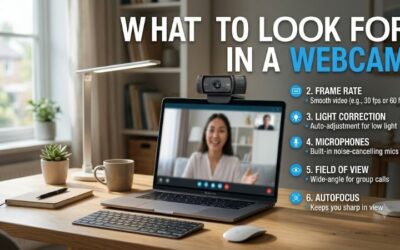
We size these up the way a builder does: compatibility, real-world fit, and how cleanly each one drops into a balanced 2026 rig. Every pick above suits a different build and budget for gaming and everyday performance.
Quick Comparison Table
| Pick | Webcam | Best For | Price |
|---|---|---|---|
| 1 | Logitech Brio 101 Full HD 1080p Webcam for | Pick 1 | Check on Amazon |
| 2 | Logitech MX Brio Ultra HD 4K Webcam for Co | Pick 2 | Check on Amazon |
| 3 | Logitech C920x HD Pro PC Webcam | Pick 3 | Check on Amazon |
| 4 | Logitech Brio 4K Webcam | Pick 4 | Check on Amazon |
| 5 | EMEET C960 4K Webcam for PC | Pick 5 | Check on Amazon |
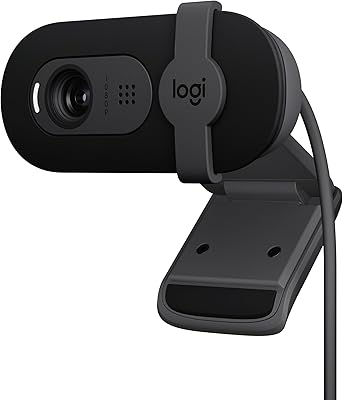
1. Logitech Brio 101 Full HD 1080p Webcam for — Pick 1
If you are speccing a rig, the Logitech webcam slots in as the natural backbone of the build for gaming and everyday performance. Its 1080p, Built-in Mic slot in neatly alongside the rest of your parts. Drop it on the shortlist if you want components that cooperate out of the box.
- Pros: 1080p spec
Pairs well with common parts
Great compatibility - Cons: Commands a flagship cost
May exceed modest budgets

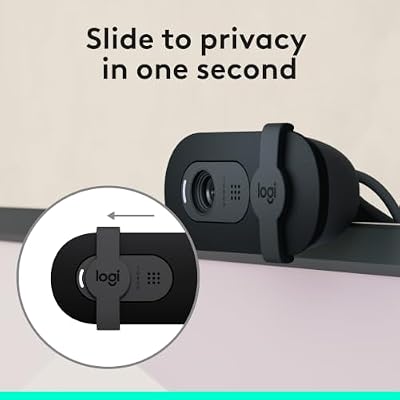
Logitech Brio 101 Full HD 1080p Webcam for PC, Built-in Mic, Black | Full HD 1080p resolution, auto-light balance, privacy shutter, USB plug-and-play setup for Zoom, Teams, Google Meet




As an Amazon Associate we earn from qualifying purchases. Product prices and availability are accurate as of the date/time indicated.
2. Logitech MX Brio Ultra HD 4K Webcam for Co — Pick 2
If you are speccing a rig, the Logitech webcam slots in as a step up when the budget allows for gaming and everyday performance. Its 4K, 1080p, 60 FPS slot in neatly alongside the rest of your parts. Drop it on the shortlist if you want components that cooperate out of the box.
- Pros: 4K spec
Great compatibility
Builder-friendly - Cons: Mid-tier peak performance
Verify compatibility

Logitech MX Brio Ultra HD 4K Webcam for Streaming and Collaboration | Computer camera, 1080p 60 FPS, Show Mode, Works with Microsoft Teams, Zoom, Google Meet, Nintendo Switch 2, Graphite


As an Amazon Associate we earn from qualifying purchases. Product prices and availability are accurate as of the date/time indicated.
3. Logitech C920x HD Pro PC Webcam — Pick 3
Looking at it from the builder’s bench, the Logitech webcam lands as a solid mid-build pick for gaming and everyday performance. Its 1080p, 30fps slot in neatly alongside the rest of your parts. Drop it on the shortlist if you want components that cooperate out of the box.
- Pros: 1080p spec
Great compatibility
Builder-friendly - Cons: Not class-leading
Check current pricing

Logitech C920x HD Pro PC Webcam with Microphone, Full HD 1080p/30fps Video | Stereo Audio, HD Light Correction, Works with Microsoft Teams, Google Meet, Zoom, Nintendo Switch, Mac/Tablet- Black


As an Amazon Associate we earn from qualifying purchases. Product prices and availability are accurate as of the date/time indicated.
4. Logitech Brio 4K Webcam — Pick 4
Looking at it from the builder’s bench, the Logitech webcam lands as a dependable jack-of-all-trades for gaming and everyday performance. The 4K keep compatibility and the install fuss-free. Drop it on the shortlist if you want components that cooperate out of the box.
- Pros: 4K spec
Easy to fit in a build
Great compatibility - Cons: Not class-leading
Check current pricing
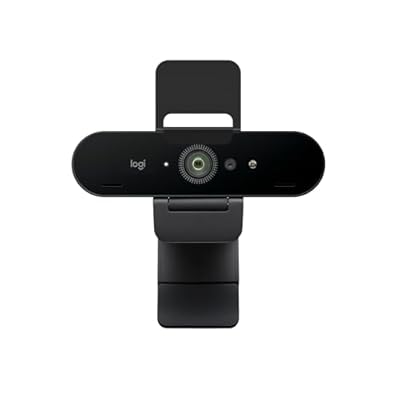
Logitech Brio 4K Webcam, Ultra HD Web Camera with Autofocus 5x Digital Zoom | Ultra 4K HD Webcam for PC with dual Noise-cancelling mic, HD light correction, wide field of view, Windows, Mac, or ChromeOS


As an Amazon Associate we earn from qualifying purchases. Product prices and availability are accurate as of the date/time indicated.
5. EMEET C960 4K Webcam for PC — Pick 5
If you are speccing a rig, the EMEET webcam slots in as the money-saver for gaming and everyday performance. In practice, its 4K, Auto Focus fit a real build without any wrestling. It is the sort of part that keeps a build free of headaches.
- Pros: 4K spec
Easy to fit in a build
Great compatibility - Cons: Not the fastest option
Check long-term needs

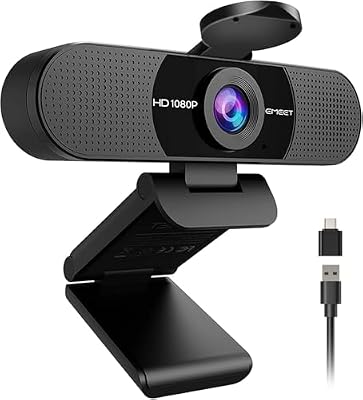
EMEET C960 4K Webcam for PC, PDAF Auto Focus, Dual Omni Mics, 73° FOV | Auto Light Correction, USB-A, Plug&Play, Web cam 4K with Privacy Cover, Webcam 4K Works for Zoom/Teams/Google Meet, Laptop/PC


As an Amazon Associate we earn from qualifying purchases. Product prices and availability are accurate as of the date/time indicated.
Builder’s Buying Guide: Fitting It Into Your Rig
Check Compatibility First
Before checkout, make sure the webcam lines up with your platform and the rest of your 2026 build — sockets, sizes, connectors, and clearances all have to match.
Match It to Your Budget
Work out how much of the budget this slot deserves by how hard gaming and everyday performance leans on the webcam, then choose the tier that weighs cost against headroom.
Plan for Upgrades
A sensible webcam pick leaves headroom to grow, so go with one that won’t choke a later upgrade and keeps the build relevant for years to come.

Related Guides
Related Articles
Want to dig deeper into this topic? Have a look at the hand-picked guides below — each one runs on the same scoring rubric used in this review.
Frequently Asked Questions
How do I choose between 1080p and 4K?
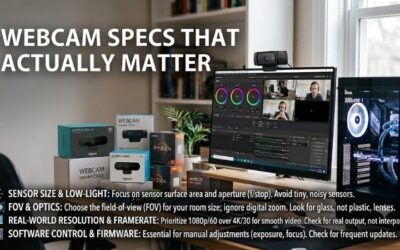
Pick 1080p60 if you stream or take calls, since platforms rarely deliver more and 60fps looks smoother. Pick 4K30 only if you want to crop into the frame during editing or auto-framing. Sensor size and aperture matter more than either number; a big sensor at 1080p beats a tiny one at 4K.
What power and USB requirements should I plan for?
Webcams are bus-powered and draw roughly 0.5W to 2.5W, so no external supply is needed. Bandwidth is the real constraint: 1080p30 fits USB 2.0, 1080p60 prefers USB 3.0, and 4K30 MJPEG needs USB 3.x. Connect to a rear port on its own controller rather than sharing a hub with a capture card.
Will it work with my operating system and apps?
Any UVC-compliant camera is plug and play on Windows 10/11, macOS, Linux and ChromeOS, and appears as a source in Zoom, Teams, Meet, Discord and OBS. Vendor utilities add framing and presets but are optional. Verify OS support before relying on a feature that only exists inside the manufacturer software.
What mounting clearance and weight limits apply?
Bezel clips fit panels around 0.4 to 1.2 inches thick and struggle on very thin or curved screens, or where a monitor light bar occupies the top edge. Every serious model includes a 1/4-20 thread; check your arm or tripod is rated for the camera weight, commonly 100 to 250 grams, so it does not sag.
What warranty and upgrade path should I expect?
Expect one year on budget cameras and two years from Logitech and Elgato. There are no user-serviceable parts, and cable strain relief usually fails first. The natural upgrade path is lighting, then a larger-sensor webcam, then a mirrorless body with clean HDMI feeding a capture card for shallow depth of field.