Affiliate disclosure: As an Amazon Associate we earn from qualifying purchases. This post contains affiliate links — we may earn a small commission at no extra cost to you. This never affects our picks. Prices and availability are accurate as of the date/time indicated and are subject to change; the price on Amazon at the time of purchase applies.
- Top 5 at a Glance
- Builder’s Checklist
- Quick Comparison Table
- 1. Logitech MX Brio Ultra HD 4K Webcam for Co — Pick 1
- 2. Logitech Brio 101 Full HD 1080p Webcam for — Pick 2
- 3. Logitech C920x HD Pro PC Webcam — Pick 3
- 4. Logitech Brio 4K Webcam — Pick 4
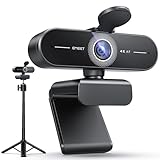
- 5. NexiGo N680E Pro 4K Webcam with Ring Light — Pick 5
- Builder’s Buying Guide: Fitting It Into Your Rig
- Related Guides
- Related Articles
- Frequently Asked Questions
- Related Articles
Quick answer: For a 2026 build, the Logitech MX Brio Ultra HD 4K Webcam for is the webcam we would build around, while the NexiGo N680E Pro 4K Webcam with Ring Light is the budget-friendly choice.
Settling on the best webcams for podcasting for a 2026 build is all about parts that play nicely together. We run five webcams through the lens of compatibility, how they fit in the real world, and the value they bring to gaming and everyday performance.
🛒 Best Price Today on Amazon
Prime members get fast, free shipping on everything above, plus member-only deals. New members get a 30-day free trial — cancel anytime.
Start 30-Day Prime Free Trial →See Today’s Amazon DealsTop 5 at a Glance
As an Amazon Associate we earn from qualifying purchases at no extra cost to you.




Builder’s Checklist
Our angle is a builder’s one: compatibility, real-world fit, and how cleanly each option drops into a balanced 2026 build. Every pick above suits a different build and budget for gaming and everyday performance.
Quick Comparison Table
| Pick | Webcam | Best For | Price |
|---|---|---|---|
| 1 | Logitech MX Brio Ultra HD 4K Webcam for Co | Pick 1 | Check on Amazon |
| 2 | Logitech Brio 101 Full HD 1080p Webcam for | Pick 2 | Check on Amazon |
| 3 | Logitech C920x HD Pro PC Webcam | Pick 3 | Check on Amazon |
| 4 | Logitech Brio 4K Webcam | Pick 4 | Check on Amazon |
| 5 | NexiGo N680E Pro 4K Webcam with Ring Light | Pick 5 | Check on Amazon |
1. Logitech MX Brio Ultra HD 4K Webcam for Co — Pick 1
From a builder’s seat, the Logitech webcam slots in as the obvious anchor part for gaming and everyday performance. Its 4K, 1080p, 60 FPS keep part-matching and setup painless. If you want components that simply cooperate, drop it on the list.
- Pros: 4K spec
Builder-friendly
Easy to fit in a build - Cons: Premium price
May exceed modest budgets

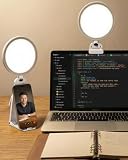
Logitech MX Brio Ultra HD 4K Webcam for Streaming and Collaboration | Computer camera, 1080p 60 FPS, Show Mode, Works with Microsoft Teams, Zoom, Google Meet, Nintendo Switch 2, Graphite


As an Amazon Associate we earn from qualifying purchases. Product prices and availability are accurate as of the date/time indicated.
2. Logitech Brio 101 Full HD 1080p Webcam for — Pick 2
From a builder’s seat, the Logitech webcam slots in as a higher-tier alternative for gaming and everyday performance. Its 1080p, Built-in Mic keep part-matching and setup painless. It’s the sort of part that keeps a build drama-free.
- Pros: 1080p spec
Easy to fit in a build
Builder-friendly - Cons: Not class-leading
Check current pricing

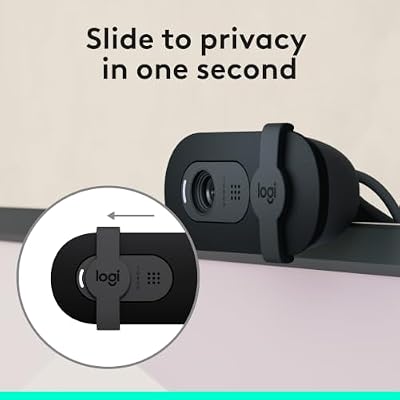
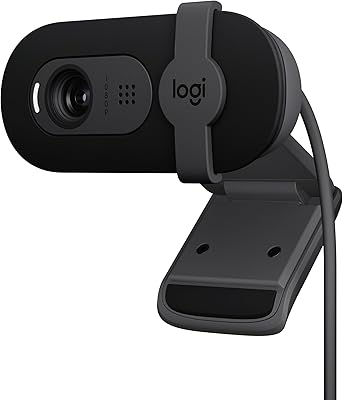
Logitech Brio 101 Full HD 1080p Webcam for PC, Built-in Mic, Black | Full HD 1080p resolution, auto-light balance, privacy shutter, USB plug-and-play setup for Zoom, Teams, Google Meet




As an Amazon Associate we earn from qualifying purchases. Product prices and availability are accurate as of the date/time indicated.
3. Logitech C920x HD Pro PC Webcam — Pick 3
From a builder’s seat, the Logitech webcam slots in as a solid middle-of-the-build pick for gaming and everyday performance. Its 1080p, 30fps keep part-matching and setup painless. If you want components that simply cooperate, drop it on the list.
- Pros: 1080p spec
Great compatibility
Builder-friendly - Cons: Not class-leading
Check current pricing

Logitech C920x HD Pro PC Webcam with Microphone, Full HD 1080p/30fps Video | Stereo Audio, HD Light Correction, Works with Microsoft Teams, Google Meet, Zoom, Nintendo Switch, Mac/Tablet- Black


As an Amazon Associate we earn from qualifying purchases. Product prices and availability are accurate as of the date/time indicated.
4. Logitech Brio 4K Webcam — Pick 4
From a builder’s seat, the Logitech webcam slots in as a dependable all-rounder for gaming and everyday performance. Its 4K keep part-matching and setup painless. If you want components that simply cooperate, drop it on the list.

- Pros: 4K spec
Easy to fit in a build
Great compatibility - Cons: Not class-leading
Check current pricing
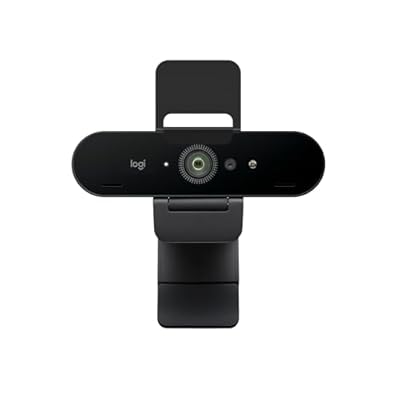
Logitech Brio 4K Webcam, Ultra HD Web Camera with Autofocus 5x Digital Zoom | Ultra 4K HD Webcam for PC with dual Noise-cancelling mic, HD light correction, wide field of view, Windows, Mac, or ChromeOS


As an Amazon Associate we earn from qualifying purchases. Product prices and availability are accurate as of the date/time indicated.
5. NexiGo N680E Pro 4K Webcam with Ring Light — Pick 5
From a builder’s seat, the NexiGo webcam slots in as the cost-saver for gaming and everyday performance. Setup stays painless and it gets along with the usual components. It’s the sort of part that keeps a build drama-free.
- Pros: 4K spec
Easy to fit in a build
Builder-friendly - Cons: Fewer premium extras
Check long-term needs

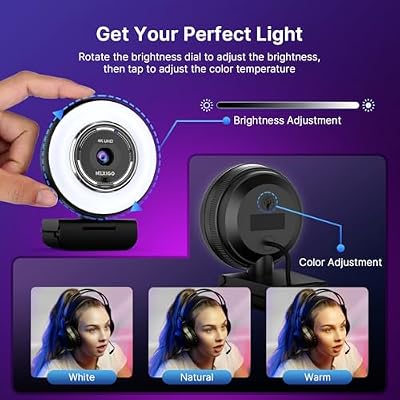
NexiGo N680E Pro 4K Webcam with Ring Light, PDAF Autofocus, 1080p 60FPS, Dual Noise-Canceling Mics, Privacy Shutter, USB Plug-and-Play for Zoom, Teams, Twitch, Google Meet




As an Amazon Associate we earn from qualifying purchases. Product prices and availability are accurate as of the date/time indicated.
Builder’s Buying Guide: Fitting It Into Your Rig
Check Compatibility First
Before you check out, make sure the webcam lines up with your platform and the rest of your 2026 build — sockets, sizes, connectors, and clearances all have to agree.
Match It to Your Budget
Work out how big a slice of the build budget this deserves based on how hard gaming and everyday performance leans on the webcam, then settle on the tier that weighs cost against headroom.
Plan for Upgrades
A sensible webcam pick leaves headroom, so go with one that won’t choke a later upgrade and keeps the build relevant for years.
Related Guides
Related Articles
Want to dig deeper on this? Have a look at the hand-picked guides below — each runs the same scoring rubric we used in this review.
Frequently Asked Questions
Should I use the webcam microphone for a podcast?
No. Even the better dual-mic webcams sit two feet away and capture room reflections, HVAC and keyboard noise that no post-processing fully removes. Use a dynamic XLR or USB microphone four to six inches from your mouth. Treat the webcam purely as the video source and sync audio in your editor or record both in OBS on separate tracks.
How do I frame two people at one desk?
Either use a single wide 90 to 120 degree camera placed centrally, or give each host their own webcam and switch sources in OBS. Two separate cameras look far more professional because each person is framed head-and-shoulders instead of both floating in a wide shot. Cameras like the Insta360 Link and Obsbot Tiny 2 can also auto-track a moving host.
Does the webcam need to record continuously for long sessions?
Check for thermal throttling and USB stability rather than a recording limit; UVC webcams have no clip-length cap the way DSLRs do. What fails on long sessions is a marginal USB connection or a shared hub, which drops frames after 30 to 60 minutes. Use a rear USB 3.0 port and a short cable, and record locally rather than relying on the stream.
Where should the camera sit relative to the microphone boom?
Mount the camera at or just above eye level and put the boom arm coming in from below or from the side so it does not cross the lens. A 1/4-inch 20 thread on the webcam lets you mount it on a second light stand or a monitor arm, which is far more flexible than the monitor clip when a boom is already occupying the space above your screen.
What warranty and support should I expect?
Logitech typically offers one to three years depending on region and model, Elgato two years, and Anker up to 24 months. The more practical support question is software: cameras dependent on a companion app for exposure and framing controls lose features if that app is abandoned, whereas a plain UVC camera keeps working with OBS indefinitely.