
🛒 Best Price Today on Amazon
Prime members get fast, free shipping on everything above, plus member-only deals. New members get a 30-day free trial — cancel anytime.
- Top Pcvr Headset Buyer Matching Headsets Picks for 2026
- What a builder should care about (different from what reviewers focus on)
- At-a-glance: builder-perspective ranking
- 1. Bigscreen Beyond 2e — the builder’s endgame comfort + OLED pick
- 2. Meta Quest 3 — the universal builder’s choice
- 3. Pimax Crystal Super — the image-king pick for serious sim builds
- 4. HTC Vive Focus Vision — the hybrid wired/wireless pick
- 5. Pimax Crystal Light — the mid-range builder’s Pimax
- 6. Varjo Aero — the existing-Lighthouse-user pick
- 7. Meta Quest 3S — the budget builder’s entry point
- Setup tips for builders: getting the most out of your headset
- FAQ (builder’s edition)
- Final verdict — the BPG builder’s pick for 2026
- Related Articles
- Frequently Asked Questions
- Related Articles
Top Pcvr Headset Buyer Matching Headsets Picks for 2026
Here are our current top pcvr headset buyer matching headsets picks, compared on real Amazon owner reviews, price, and features. Live prices update below.
As an Amazon Associate we earn from qualifying purchases at no extra cost to you.




Affiliate disclosure: As an Amazon Associate we earn from qualifying purchases. This post contains affiliate links — we may earn a small commission at no extra cost to you. This never affects our picks.
If you’re a PC builder coming to PCVR for the first time in 2026, the headset decision is genuinely tougher than the rest of your build. CPUs and GPUs ship with fairly legible spec sheets, you can compare benchmarks across reviewers, and the value tiers are well-mapped. PCVR headsets, by contrast, bury most of what matters behind subjective terms like “sweet spot,” “lens clarity,” and “pixel density” — and the price range is staggering, from $299 for a Meta Quest 3S to $1,990 for a Varjo Aero. Picking wrong wastes more money than picking the wrong GPU.
This guide is written from a builder’s perspective. We assume you’re either building a PC specifically for VR or upgrading an existing rig to take PCVR seriously, and we lean into the questions builders actually ask: Which headset matches my GPU? What hidden costs are involved (base stations, straps, cables, routers)? How do I avoid dropping $1,799 on a Pimax Crystal Super only to find my RTX 4070 can’t drive it at the resolutions that justify the price? And the perennial builder question: what’s the upgrade path?
The PCVR market in 2026 has settled into a few clear tiers. The premium “image-first” tier is owned by the Pimax Crystal Super ($1,799). The premium “comfort + OLED” tier belongs to the Bigscreen Beyond 2e ($1,219). The “all-rounder value” tier is the Meta Quest 3 ($499–$599). The “budget entry” tier is the Quest 3S ($299–$346). And the mid-range fills in with the Pimax Crystal Light, HTC Vive Focus Vision, and the still-shipping Varjo Aero for SteamVR-equipped buyers.
Below, we’ll work through each headset from a builder’s perspective — what GPU you need, what hidden costs are involved, and what kind of PC build it pairs with sensibly. The order is roughly by “how often we recommend it in real PCVR builds,” not by price.
What a builder should care about (different from what reviewers focus on)
Reviewers tend to lead with image quality and “wow factor” first impressions. Builders need to lead with cost-to-performance integration: how does this headset slot into a PC build that has to hit a specific budget? Here are the five factors we weight heaviest from a builder’s perspective, and the questions you should be asking before you click “buy” on any PCVR headset.
GPU floor and ceiling. Every PCVR headset has a GPU floor — the silicon below which it can’t be driven well — and a ceiling above which you stop seeing benefit. The Quest 3 floor is roughly RTX 3070 / RX 6700 XT, ceiling roughly RTX 4080 Super (you’ll never see more benefit on Quest 3 above that). The Pimax Crystal Super floor is roughly RTX 4070 Super (and only with DFR enabled), ceiling RTX 4090 / RTX 5090. Match your GPU to your headset, not the other way around.
Hidden tracking costs. The Bigscreen Beyond 2e and Varjo Aero require SteamVR Lighthouse base stations. If you don’t own them, that’s another $300–$500. The Pimax Crystal Super, Quest 3, Quest 3S, and Vive Focus Vision use inside-out tracking and need nothing extra. This single factor swings total cost of ownership by hundreds of dollars.
Strap / comfort upgrade costs. The default head strap on the Quest 3 is bad, and most builders end up spending $40–$90 on an Elite Strap or BoboVR S3 Pro. The Pimax Crystal Super’s stock strap is okay but counterweight balancing helps for long sessions. Budget these in.
Network requirements. Wireless PCVR (Quest 3, Quest 3S) effectively requires a Wi-Fi 6E or Wi-Fi 7 router dedicated to the headset, wired to your PC. That’s another $150–$400 if you don’t already have one. Wired PCVR (Crystal Super, Beyond 2e, Vive Focus Vision, Aero) sidesteps this entirely.
Future GPU upgrade path. If you plan to upgrade your GPU in the next year or two, factor it in. Buying a Crystal Super while running an RTX 4060 Ti is reasonable if you plan to move to an RTX 5080 next year — you’re future-proofing. Buying a Crystal Super with no upgrade plan and a stable RTX 3070 build is a mistake.
At-a-glance: builder-perspective ranking
| Headset | GPU Floor | Hidden Costs | Price (Total) | Builder Verdict |
|---|---|---|---|---|
| Meta Quest 3 | RTX 3070 / RX 6700 XT | $40 strap + $150 Wi-Fi 6E router | $700–$800 total | Best value, fits 80% of builds |
| Bigscreen Beyond 2e | RTX 4070 Super | $400 Lighthouse + controllers | $1,600–$1,800 total | Endgame comfort + OLED for SteamVR builds |
| Pimax Crystal Super | RTX 4070 Super (with DFR) | $0 (inside-out) but pricey strap upgrades | $1,800–$1,900 total | Image king for serious sim builds |
| HTC Vive Focus Vision | RTX 4060 Ti | $40 DisplayPort cable for wired mode | $1,200 total | Hybrid wired/wireless, niche |
| Pimax Crystal Light | RTX 4060 Ti | Same as Crystal Super | $900–$1,100 total | Mid-range Pimax, decent value |
| Varjo Aero | RTX 4070 | $400 Lighthouse + controllers | $2,400 total | Only if you own SteamVR setup already |
| Meta Quest 3S | RTX 3060 / RX 6600 XT | $40 strap + Wi-Fi 6E router | $500–$600 total | Budget entry, will outgrow within a year |
1. Bigscreen Beyond 2e — the builder’s endgame comfort + OLED pick
From a builder’s perspective, the Bigscreen Beyond 2e earns the top spot in this guide because of how cleanly it folds into a serious PCVR build. The 108-gram weight changes the math on session length — you’re not stopping after 90 minutes because your forehead aches, which means the rest of your build (the high-refresh monitor that doubles as a desktop display, the comfortable office chair, the room with proper ambient temperature for VR) actually gets used. Comfort is the silent multiplier nobody talks about.
The micro-OLED panels are the second reason it tops the builder list. 2560×2560 per-eye micro-OLED with a 90 Hz refresh and instant pixel response delivers something no LCD headset (Crystal Super included) can: true inky blacks. For sim builders running cockpit titles in dark environments — night flight in MSFS 2024, the late stages of Le Mans 24h in iRacing, space sims, horror VR — the OLED contrast is genuinely jaw-dropping and makes LCD-based rivals look washed out by comparison.
The hidden cost story is the catch. The Beyond 2e requires SteamVR Lighthouse base stations and Index-style controllers — another $300–$500 on top of the $1,219 headset. For builders who already own a Lighthouse setup (from an Index, Vive Pro 2, or earlier Beyond), this is a non-issue and the Beyond 2e becomes a $1,219 upgrade. For new buyers, total cost lands around $1,600–$1,800, putting it in the same neighborhood as the Crystal Super.
The custom-fit gasket process is the other consideration. Bigscreen scans your face from your phone and 3D-prints a custom interface that mates to the headset. When it works, the fit is glove-like — total light seal, high comfort, and the headset stays put through head motion. If your face shape is unusual or you wear glasses without contacts, it can be more involved. The 2e revision streamlines the gasket process meaningfully over the original Beyond.
GPU requirements are moderate by premium-headset standards. An RTX 4070 Super or better is the practical floor for native-resolution rendering across most modern PCVR titles. With DFR enabled (the Beyond 2e supports eye tracking), even RTX 4060 Ti builds can drive it acceptably for many titles. It doesn’t punish your GPU the way the Crystal Super does.
Who should build around it: PCVR-focused builders with an existing Lighthouse setup, builders who prioritize long-session comfort, builders running RTX 4070 Super or better, and builders chasing OLED contrast over raw pixel count. Skip it if you don’t own SteamVR base stations and don’t want to budget for them.

2. Meta Quest 3 — the universal builder’s choice

Meta Quest 3 512GB, VR Without Wires, Gorilla Tag Cardboard Monkenaut Bundle, Amazon Exclusive, 3-Month Trial of Meta Horizon+ Included


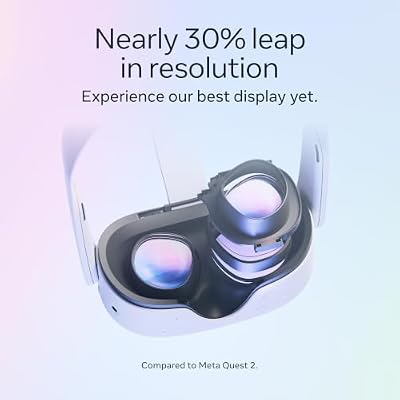


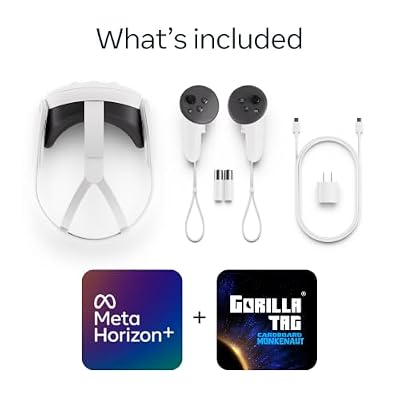
As an Amazon Associate we earn from qualifying purchases. Product prices and availability are accurate as of the date/time indicated.
The Meta Quest 3 is the headset we recommend most often in builder consultations because of how cleanly it pairs with the widest range of PC builds. The pancake lenses are excellent. The native 120 Hz refresh, 2064×2208 per-eye pancake-lens display, and PCVR-via-Wi-Fi-6E pipeline deliver a credible experience across the entire mid-to-high-end GPU market. And the dual-use standalone capability means you’re not buying a single-purpose peripheral.
From a builder’s perspective, the Quest 3 cost story is uniquely friendly. $499 (128 GB) or $599 (512 GB) for the headset, $40–$90 for a proper head strap (Elite Strap or BoboVR S3 Pro), $25 for Virtual Desktop, and $150–$300 for a Wi-Fi 6E router if you don’t have one — total cost lands around $700–$1,000. That’s less than half what the Beyond 2e or Crystal Super total to.
GPU integration is the second builder win. The Quest 3 plays well with everything from RTX 3070 / RX 6700 XT at the floor up to RTX 4080 Super at the ceiling. Above RTX 4080 Super you stop seeing meaningful benefit on the Quest 3 — you’ve hit the PPD ceiling and the wireless codec ceiling. That’s a fair upper bound for a $499 headset paired with a $1,000+ GPU.
The wireless PCVR pipeline has matured a lot. Virtual Desktop with the AV1 codec (RTX 40-series or RX 7000-series GPU required) delivers near-wired image quality on a properly configured Wi-Fi 6E network. Steam Link is now a credible no-extra-software alternative. Air Link works but is generally outpaced by Virtual Desktop. Wired USB-C link is also on the table with a $20 cable and delivers effectively wired image quality.
Mixed reality passthrough is the unique-to-Meta differentiator. Being able to see your desk, keyboard, mouse, and surroundings while wearing the headset transforms long PCVR sessions — you can sip coffee, check messages, or just see your dog without breaking immersion. The Crystal Super, Beyond 2e, and Aero are blind-box headsets by comparison.
Where the Quest 3 gives ground from a builder’s perspective: the PPD ceiling is real (text-heavy sims like DCS show it), Wi-Fi-dependent wireless PCVR can stutter on imperfect networks, battery life is 2–2.5 hours wireless, and the default head strap is unusably bad. Budget the strap upgrade in from day one.
Who should build around it: any builder with a mid-range to high-end GPU, any builder who also wants standalone gaming, any builder putting together a family-sharing VR setup, and any first-time PCVR buyer.
3. Pimax Crystal Super — the image-king pick for serious sim builds

Pimax Crystal Super VR Headset, 3840x3840 per Eye, Ultrawide, 140° FOV, Eye- Tracking, Ultra-Sharp for Flight & Racing Simulators & Gaming, DP Connection with PC


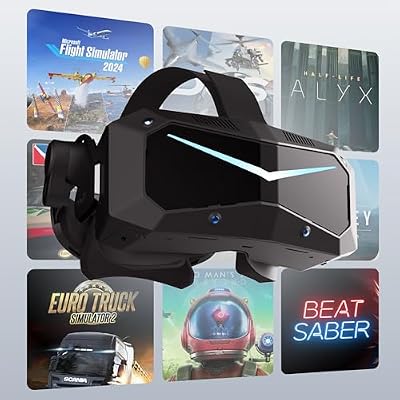


As an Amazon Associate we earn from qualifying purchases. Product prices and availability are accurate as of the date/time indicated.
The Pimax Crystal Super is the headset for builders designing a PC specifically around sim racing or flight sim with the budget to chase the highest-fidelity PCVR experience going. 3840×3840 per-eye QLED panels with local dimming, 140° FOV, 120 Hz refresh, and pancake lenses combine into the closest thing PCVR has produced to “forgetting you’re in a headset.”
The GPU story is the key builder consideration. The Crystal Super is genuinely punishing to drive — you’re rendering 30+ megapixels per frame at native resolution. The practical floor is RTX 4070 Super with DFR (eye-tracking-based dynamic foveated rendering) enabled, and that’s only for moderate settings in moderately demanding titles. For comfortable high-detail flight or racing sim use, you’re looking at RTX 4080 Super minimum, with RTX 4090 / RTX 5080 the comfortable home.
The 140° FOV is the builder’s genuine “wow.” After years of 110° headsets, the extra horizontal real estate on the Crystal Super materially changes cockpit-sim experiences. You can see your wingman, peripheral motion cues land correctly, and immersion is measurably higher. Combined with the QLED color science (punchy, accurate color, OLED-adjacent contrast in dark scenes), the Crystal Super delivers a sim experience no other PCVR headset matches in 2026.
The software story is the friction. Pimax Play has improved dramatically through 2025 and into 2026, but it still needs more setup involvement than Meta’s stack. Expect the occasional log dive, manual configuration, and rare firmware refresh. For builders, that means you should be the kind of person who actually enjoys tinkering — if you want a turn-key plug-and-play headset, the Quest 3 fits better.
Tracking is inside-out — no Lighthouse base stations required. That keeps total cost of ownership below the Beyond 2e or Aero for new buyers. Stock controllers are decent. The stock strap is functional but a counterweight balance kit improves long-session comfort.
Who should build around it: serious sim racers and flight sim pilots, builders with RTX 4080 Super or better GPUs (or a near-term plan to upgrade to one), builders comfortable spending time in headset configuration software, and builders who can articulate specifically what the Quest 3 fails to deliver for their use case.
4. HTC Vive Focus Vision — the hybrid wired/wireless pick

HTC Vive Focus Vision — Mixed Reality and PC VR Headset + Controllers — Consumer Edition


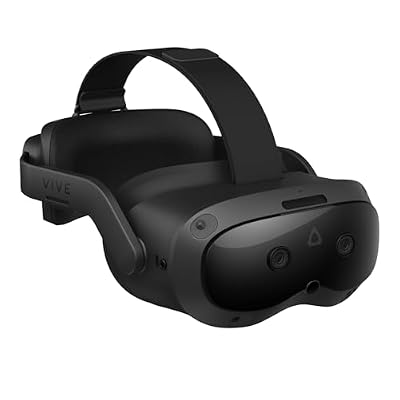


As an Amazon Associate we earn from qualifying purchases. Product prices and availability are accurate as of the date/time indicated.
The HTC Vive Focus Vision is the niche-but-legitimate hybrid pick for builders who specifically want wired-DisplayPort PCVR quality plus occasional standalone wireless freedom in one device. At $1,149 you get 2448×2448 per-eye LCD panels, inside-out tracking, pancake lenses, integrated audio, and an optional wired DisplayPort PCVR mode.
The DisplayPort wired PCVR is the builder differentiator. Wireless PCVR (Quest 3) always introduces some codec compression, even at maximum bitrate. DisplayPort wired PCVR (Vive Focus Vision) delivers an uncompressed signal — what your GPU renders is exactly what hits the panels. For sim racers running fine HUD detail in fast-moving cockpit titles, that matters. For most other use cases, the Quest 3 over Wi-Fi 6E is close enough that the gap doesn’t justify the Vive Focus Vision’s price.
From a builder’s perspective, the cost-of-ownership story is mixed. The headset is $1,149, the DisplayPort cable is another $40, and inside-out tracking means no Lighthouse base stations. Total cost lands around $1,200, comfortably below the Beyond 2e or Crystal Super. Standalone mode runs on a Snapdragon XR2 Gen 2 with a Viverse content library that is meaningfully smaller than the Meta store — so treat standalone use as a convenient demo mode rather than a primary library.
The GPU floor is reasonable — RTX 4060 Ti or better drives the Vive Focus Vision well across most modern PCVR titles. The pancake lenses are good (not Quest 3 level but close), the inside-out tracking is solid, and the integrated audio beats the Pimax or Beyond 2e (which have effectively none).

Who should build around it: builders who specifically want wired DisplayPort PCVR plus occasional wireless freedom, builders who don’t already own a Quest 3, and builders who don’t need a large standalone content library. For most other use cases, the Quest 3 or Crystal Super are smarter buys.
5. Pimax Crystal Light — the mid-range builder’s Pimax
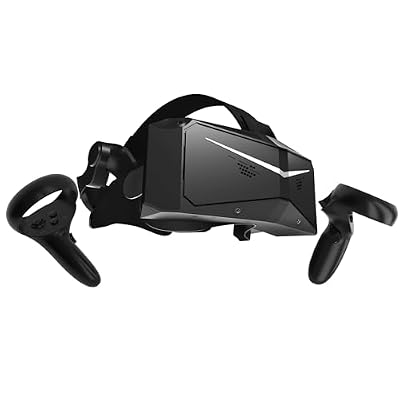
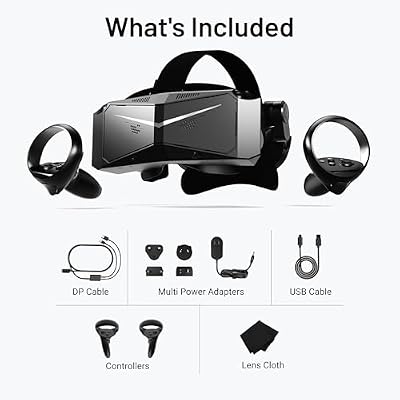
Pimax Crystal Light VR Headset for PC, 2880x2880 per Eye, 8K QLED Display with Local-Dimming, Inside-Out Tracking, PC VR Headset for Flight Sims, iRacing & Gaming (Full Payment Version)


As an Amazon Associate we earn from qualifying purchases. Product prices and availability are accurate as of the date/time indicated.
The Pimax Crystal Light at $899–$1,053 is the mid-range builder’s Pimax — the headset for builders who want the Pimax FOV and pancake-lens experience without the Crystal Super GPU and price commitment. You get 2880×2880 per-eye QLED panels, 120 Hz refresh, 130° FOV, and the same software stack as the Crystal Super.
From a builder’s perspective, the value proposition is real. The 130° FOV is a meaningful step up from 110° headsets (Quest 3, Vive Focus Vision), the QLED color science is similar to the Crystal Super, the pancake lenses deliver edge-to-edge clarity, and the GPU floor is gentler — RTX 4060 Ti is the practical floor for most titles, with RTX 4070 / RX 7800 XT a comfortable home.
The hidden cost story mirrors the Crystal Super: inside-out tracking means no Lighthouse base stations, no integrated audio worth mentioning (budget off-ear headphones), and the same Pimax Play software learning curve. The stock strap is okay but counterweight upgrades help.
The catch: the Crystal Super is often only $700 more on promotion. For builders weighing Crystal Light versus Crystal Super, the question is whether you’re willing to spend more now to avoid feeling resolution-limited later. If your GPU is RTX 4080 Super or better and the budget allows, the Crystal Super is usually the better long-term buy.
Who should build around it: builders running mid-range RTX 40-series or RX 7000-series GPUs, builders who want the Pimax FOV story but not the Crystal Super premium, and builders who are PCVR-only with no standalone use case.
6. Varjo Aero — the existing-Lighthouse-user pick
The Varjo Aero is the headset for builders who already own a SteamVR Lighthouse setup, want aspheric-lens center clarity, and don’t need standalone capability or inside-out tracking. At roughly $1,990, it’s a serious investment for a five-year-old headset, and it’s getting harder to source new as Varjo focuses on enterprise XR.
From a builder’s perspective, the Aero story is “if you know, you know.” Center lens sharpness is still genuinely excellent — among the sharpest in PCVR. The Mini-LED panels deliver good color and contrast. Integrated automatic IPD is a great comfort touch. SteamVR Lighthouse tracking is rock-solid. And for cockpit-focused sim work, the center clarity is hard to beat.
The catches: a 90 Hz refresh ceiling, no integrated audio, a requirement for Lighthouse base stations and Index-style controllers, aspheric lenses with measurable sweet-spot hunting that pancake-lens rivals have eliminated, and a question mark over future software support as Varjo pivots to enterprise. Total cost of ownership including base stations and controllers lands around $2,400 for new buyers.
Who should build around it: builders who already own a Lighthouse setup, builders who value center clarity above all else, and builders who can find an Aero at a discount. Skip it if you’re starting fresh — the Crystal Super or Beyond 2e are better starting points.
7. Meta Quest 3S — the budget builder’s entry point

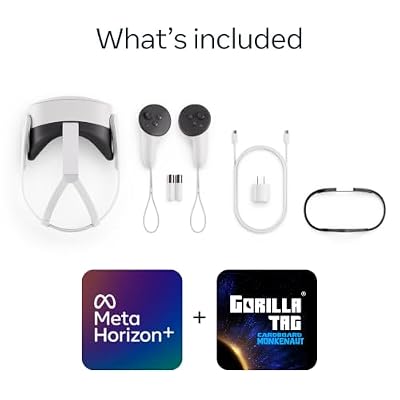
Meta Quest 3S 128GB | Virtual Reality — VR Headset — Gorilla Tag Bundle





As an Amazon Associate we earn from qualifying purchases. Product prices and availability are accurate as of the date/time indicated.
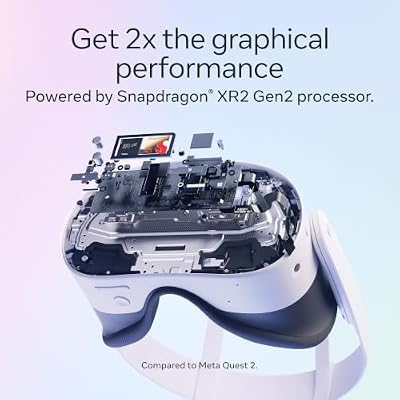
The Meta Quest 3S is the budget-builder’s entry into PCVR in 2026, and as long as you go in with realistic expectations, it’s a reasonable buy. $299–$346 gets you a headset with the same Snapdragon XR2 Gen 2 as the Quest 3, the same software ecosystem, the same Steam Link / Virtual Desktop / Air Link PCVR pipeline. The cost-cutting hits in two places: Fresnel lenses instead of pancakes (smaller sweet spot, more glare) and 1832×1920 per-eye resolution with a 96° FOV.
From a builder’s perspective, the Quest 3S is best understood as a “test the waters” buy. The GPU floor is gentle — RTX 3060 / RX 6600 XT will drive it acceptably for most titles. Total cost of ownership including strap upgrade and Wi-Fi 6E router lands around $500–$600. If you decide VR is for you and stick with it, you’ll likely outgrow the Quest 3S inside a year and move up to the Quest 3 or higher.
The Fresnel lenses are the part most builders need to be honest with themselves about. After hours with pancake-lens headsets (Quest 3, Beyond 2e, Crystal Super), going back to Fresnel feels like a step backward — sweet-spot hunting is noticeable, glare is present, and edge clarity is meaningfully worse. If you’re sure you want VR long-term, just buy the Quest 3 — you’ll appreciate the pancake lenses immediately and dodge the eventual upgrade cost.
Who should build around it: VR-curious newcomers, family / kid setups, gift purchases, and builders on a strict budget who want to dip into PCVR before committing more.
Setup tips for builders: getting the most out of your headset
Buying the right PCVR headset is only half the build. The other half is calibration, networking, and accessory budgeting. Here’s the short list of what we do to every PCVR build we work on — the steps that separate “VR is okay” from “VR is incredible” in a typical builder consultation.
Sort out Wi-Fi 6E for wireless PCVR before you buy the headset. A dedicated Wi-Fi 6E or Wi-Fi 7 router, wired to your gaming PC, sitting in the same room as the headset, on a clean 6 GHz channel — that’s non-negotiable. The TP-Link Archer AXE75, Asus RT-AXE7800, and Netgear Nighthawk RAXE300 are the widely recommended options in the $200–$400 tier.
Budget the strap upgrade from day one. The Quest 3’s stock strap is the most common “why does my forehead hurt” complaint in PCVR forums. The BoboVR S3 Pro ($89) or Meta Elite Strap ($79) are the two consensus picks. Don’t skip this.

Set IPD both physically and digitally. Measure your interpupillary distance in millimeters, dial in the headset’s physical slider, then confirm the runtime IPD inside SteamVR. A mismatched IPD is the silent culprit behind most “VR makes me sick” complaints.
Lock the refresh rate. Choose the highest stable refresh your GPU can actually hold, then lock it there. A variable framerate with reprojection is more nauseating than a locked lower refresh.
Use foveated rendering wherever supported. The Crystal Super, Crystal Light, and Beyond 2e all support DFR with eye tracking. The Quest 3 supports fixed foveated rendering in many titles. The performance lift is substantial and often makes the difference between a 90 Hz lock and a stuttering 75 Hz reprojection.
Plan cable management for wired PCVR. A ceiling pulley system or over-the-shoulder cable routing heads off the worst PCVR moment there is — ripping the cable out of your headset port mid-game.
FAQ (builder’s edition)
What GPU do I actually need for serious PCVR in 2026?
For the Quest 3 over PCVR, RTX 3070 / RX 6700 XT is the practical floor and RTX 4080 Super is the ceiling above which you stop seeing benefit. For the Crystal Super, RTX 4070 Super with DFR is the floor and RTX 4090 / RTX 5080 is the comfortable home. For the Beyond 2e, RTX 4070 Super is the floor and RTX 4080 Super is the comfortable home. Match your GPU to your headset — don’t buy a $1,799 headset for an RTX 4060 build.
Do I need SteamVR base stations?
Only for the Bigscreen Beyond 2e and Varjo Aero. The Quest 3, Quest 3S, Pimax Crystal Super, Crystal Light, and HTC Vive Focus Vision all use inside-out tracking and need no base stations. If you don’t already own Lighthouse and don’t want to budget another $300–$500, stick with inside-out headsets.
Wireless or wired PCVR — which is better for a serious build?
Wired (DisplayPort or USB Link) always delivers an uncompressed signal — the image-quality ceiling is higher. Wireless via Wi-Fi 6E + Virtual Desktop is close enough for most titles that it’s the more flexible choice for most builders. If you’re running detail-critical sims with fine HUD work, wired is worth it. For everything else, wireless is the better experience overall.
How much should I budget for a complete PCVR setup in 2026?
For a value-tier setup (Quest 3 + accessories + Wi-Fi 6E router), budget $700–$1,000 on top of your existing PC. For a premium-tier setup (Crystal Super or Beyond 2e + accessories + base stations if needed), budget $1,800–$2,500. For an endgame-tier setup (Crystal Super + RTX 5080-class GPU upgrade + premium peripherals), budget $4,000+. Size the budget to your use case, not to what you saw on YouTube.
Final verdict — the BPG builder’s pick for 2026
For builders shopping with comfort, OLED contrast, and long-session usability as priorities, the Bigscreen Beyond 2e is our top pick for 2026. The 108-gram weight transforms how often the headset actually gets used, the micro-OLED panels deliver contrast LCD-based rivals can’t match, and the SteamVR Lighthouse tracking is rock-solid for buyers who already own (or are willing to invest in) base stations. It’s the headset that wins when you optimize for “wear it forever” over “peak pixel count.”
For first-time PCVR builders or anyone working with mid-range GPUs, the Meta Quest 3 is the universally-correct buy. Its pancake lens quality, Wi-Fi 6E PCVR pipeline, mixed reality capability, and $499–$599 price tag make it the headset that drops into the widest range of builds with the least friction. Pair it with a BoboVR strap, Virtual Desktop, and a Wi-Fi 6E router for a complete sub-$1,000 PCVR setup.
For serious sim racers and flight sim pilots with the GPU and budget to chase the image-quality ceiling, the Pimax Crystal Super remains the headset to graduate to — but only after you’ve outgrown the Quest 3 and can describe specifically what you need more of.
To match your PCVR headset to the right complete PC build, see our best gaming PC for VR May 2026 builds guide and our trending VR headset reviews. For Quest 3 accessory budgeting (Elite Strap, BoboVR S3 Pro, charging dock), our Meta Quest 3 accessories guide walks through every component worth budgeting. For PCVR network planning, our Wi-Fi 6E routers for VR roundup covers what we compared. Sim-racing builders should also reference our VR sim racing rig guide, and flight sim builders can pair their headset with the right CPU and GPU using our flight sim PC builds.
Related Articles
Want to dig deeper? The hand-picked guides below all run on the same scoring rubric we used here.
Frequently Asked Questions
What GPU do I need to run a high-resolution PCVR headset in 2026?
For modern headsets pushing 2000-plus pixels per eye, aim for at least an RTX 4070 Super or 4080-class GPU. High-refresh panels at 90Hz and above demand strong rasterization and VRAM, so 12GB or more keeps demanding titles smooth without heavy reprojection artifacts or dropped frames.
Do I need a dedicated Wi-Fi 6E router for wireless PCVR?
Yes, wireless streaming benefits enormously from a dedicated 6GHz band. A Wi-Fi 6E router placed in the same room, connected to your PC by Ethernet, minimizes latency and congestion. This delivers cleaner high-bitrate video than sharing a busy 5GHz network with phones and smart-home devices.
Is a tethered or standalone-with-link headset better for PC gaming?
Tethered headsets like Valve-style rigs give the lowest latency and most consistent frames, ideal for competitive sim gaming. Standalone headsets running over Link or wireless add convenience and portability but introduce compression. For a dedicated PC build, tethered still delivers the cleanest, most reliable experience.
How much VRAM does PCVR actually use?
PCVR renders two high-resolution viewpoints simultaneously, so VRAM demand runs well above flat gaming. Many titles comfortably exceed 8GB at high supersampling, and mods or flight sims can push past 12GB. Buying a card with generous VRAM headroom protects you from stutter and future titles.
Does controller tracking quality vary between headsets?
Absolutely. Inside-out camera tracking has improved but can lose controllers behind your back or in dark rooms. External base-station tracking remains the gold standard for precision-heavy games like rhythm and shooters. Consider your lighting, play space, and game genres before committing to a tracking system.
Ready to decide? Our #1 pick for 2026 is the Meta Quest 3.
Live price & availability on Amazon.
Top picks from this guide
MetaMeta Quest 3S 128GB | Virtual Reality — VR Headset…$350 \xc2\xb7 99/100PimaxPimax Crystal Light VR Headset for PC, 2880x2880 per Eye,…$1,053 \xc2\xb7 99/100 KIWI designKIWI design K4 Head Strap for Quest 3/3S, Adjustable &…$40 \xc2\xb7 98/100MetaMeta Quest 3 512GB, VR Without Wires, Gorilla Tag Cardboard…$598 \xc2\xb7 98/100








