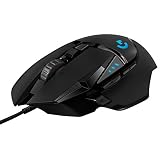
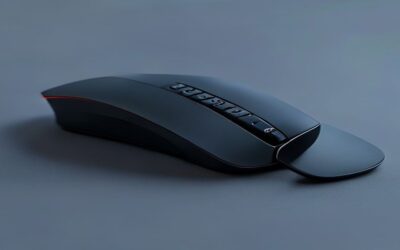
The right mouse for work is one you stop noticing, comfortable enough to use all day, precise enough to keep you productive, and quiet enough not to distract. Whether you spend your hours in spreadsheets, documents, or design tools, upgrading from a basic mouse to one built for comfort and efficiency pays off in less fatigue and smoother workflow.
This roundup gathers the best work mice across budgets, from affordable wireless everyday options to ergonomic vertical designs and feature-rich productivity flagships. Each pick balances comfort, precision, and connectivity to suit different desks and hands.


![[ Grip Upgrade ] HOTLINEGAMES 2.0 Plus Anti Slip Grip Tape Compatible with Endgame Gear XM1 / XM1 RGB Gaming Mouse Skins, Sweat Resistant, Cut to Fit, Easy to Apply, Professional Mice Upgrade](https://m.media-amazon.com/images/I/71aG8hZs75L._AC_SL400_.jpg)
As an Amazon Associate we earn from qualifying purchases at no extra cost to you.


🎮 Get More From Your Setup — Free
Prime Gaming gives you free PC games every month, in-game loot, and a free Twitch channel sub — plus fast free shipping on all the gear above. New members get a 30-day free trial.
Watch: Best Mice For Work — Video Review
How to Choose the Right Work Mouse
- Ergonomics: A shape that fits your hand and grip style, whether standard or vertical, prevents wrist and hand strain during long days.
- Connectivity: Choose 2.4GHz USB, Bluetooth, or both depending on how many devices you switch between.
- Adjustable DPI: Multiple sensitivity levels let you match cursor speed to precise or fast tasks.
- Quiet clicks: Silent or dampened switches keep shared offices and video calls distraction-free.
- Battery type: Rechargeable saves on batteries, while replaceable cells offer convenience on the go.
The Best Work Mice Reviewed
Logitech MX Master 3S
The MX Master 3S is the productivity flagship, with a sculpted ergonomic shape, quiet clicks, and an ultra-fast scroll wheel. Bluetooth connectivity and precise tracking on nearly any surface make it ideal for professionals who want the most refined, feature-rich work experience.
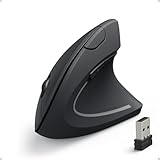
Anker Vertical Ergonomic Mouse
This affordable vertical mouse positions your hand in a natural handshake grip, reducing wrist strain during long sessions. With a 2.4GHz wireless connection and adjustable DPI, it is an excellent, budget-friendly choice for anyone experiencing discomfort with traditional mice.
TECKNET Wireless Bluetooth Mouse
Packing dual Bluetooth and 2.4GHz connectivity, six adjustable DPI levels, quiet clicks, and seven buttons, the TECKNET is a versatile, value-packed option. Its wide compatibility and rechargeable design make it a flexible pick for multi-device workflows.
Logitech M510
The full-size ambidextrous M510 offers all-day comfort with a contoured shape suitable for left or right hands. Reliable 2.4GHz wireless and convenient side buttons make it a dependable, no-fuss mouse for everyday office work.
Logitech M185
Compact and dependable, the M185 is a plug-and-play 2.4GHz wireless mouse ideal for laptops and travel. Its ambidextrous shape, long battery life, and low price make it a reliable everyday performer for basic productivity.
Related Guides
- Good Computer Mouse For Gaming (2026)
- Best Computer Mouse For Travel (2026)
- Best Gaming Mice For Mac (2026)
- Best Gaming Mice Brands (2026)
Frequently Asked Questions
Is a vertical mouse better for my wrist?
For many people, yes. A vertical mouse keeps the wrist in a neutral handshake position, reducing the forearm twist that can cause strain during long work sessions.
Do I need adjustable DPI for office work?
It helps. Higher DPI speeds cursor movement across large or multiple monitors, while lower DPI aids precise tasks. Adjustable DPI lets you switch as needed.
Bluetooth or USB receiver, which is better?
Bluetooth frees a USB port and suits tablets and modern laptops, while a 2.4GHz receiver offers rock-solid, low-latency connection. Mice with both give you maximum flexibility.
Are quiet-click mice worth it?
If you work in shared spaces or take frequent video calls, yes. Dampened switches reduce distracting noise without sacrificing the tactile feel of a click.
Final Thoughts
For the best all-around work experience, the Logitech MX Master 3S leads with its ergonomic design and rich features, while the Anker vertical mouse is the top pick for anyone prioritizing wrist comfort on a budget. The TECKNET is the versatile value choice for multi-device workflows.