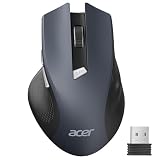
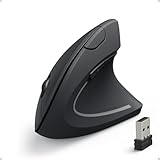
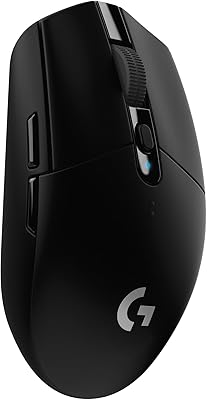
- Top Pick: Logitech G305 Lightspeed Wireless Gaming Mouse – Black
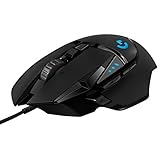
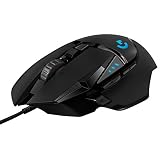
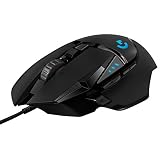
- Best Value: Logitech G502 Hero Wired Gaming Mouse – Black
- Premium Choice: Logitech G203 Wired Gaming Mouse – Black
Mac gaming has quietly grown into a legitimate pastime, and the trusty Apple mouse simply wasn’t built for it. Gamers need precise sensors, responsive buttons, and ergonomic shapes that survive hours of clicking, and thankfully most top gaming mice work beautifully on macOS with little more than a USB port or dongle.
The key is choosing a mouse whose sensor, weight, and software play nicely with your Mac and your grip. Below we explain what to look for when picking a gaming mouse for macOS, then review five proven performers, from featherweight wireless models to feature-rich ergonomic favorites, that pair perfectly with any Apple machine.



As an Amazon Associate we earn from qualifying purchases at no extra cost to you.





🎮 Get More From Your Setup — Free
Prime Gaming gives you free PC games every month, in-game loot, and a free Twitch channel sub — plus fast free shipping on all the gear above. New members get a 30-day free trial.
Watch: Best Gaming Mice For Mac — Video Review
How to Choose a Gaming Mouse for Mac
- Sensor accuracy: A high-quality optical sensor with adjustable DPI ensures precise, consistent tracking for both gaming and productivity.
- Connection: Wired mice offer zero-latency reliability, while Lightspeed and other 2.4GHz wireless options provide freedom without lag.
- Grip and weight: Match the mouse’s shape and weight to your hand size and grip style for lasting comfort.
- macOS compatibility: Most gaming mice work plug-and-play on Mac, though check whether the configuration software supports macOS if you want custom settings.
- Programmable buttons: Extra buttons add convenient shortcuts for games and creative apps alike.
The Best Gaming Mice for Mac Reviewed
Logitech G305 Lightspeed
This lightweight wireless mouse delivers Lightspeed 2.4GHz performance, a reliable HERO sensor, and long battery life. Its compact shape and plug-and-play simplicity make it a superb Mac companion.
Logitech G502 Hero
The feature-packed G502 Hero offers a precise sensor, adjustable weights, and eleven programmable buttons. It’s ideal for Mac gamers who also want productivity shortcuts and deep customization.
Razer Basilisk V3
With an ergonomic shape, customizable RGB, and a smart scroll wheel, the wired Basilisk V3 is a comfortable powerhouse. Its numerous buttons and refined sensor suit long gaming and work sessions.
Logitech G203
The affordable, wired G203 provides a classic ambidextrous shape, crisp sensor, and LIGHTSYNC RGB. It’s a fantastic budget entry point for Mac users stepping up from a standard mouse.
Logitech G305 Lightspeed (White)
Identical in performance to its black sibling but in a clean white finish, this G305 pairs beautifully with Apple’s aesthetic. It’s the stylish, lightweight wireless pick for Mac setups.
Related Guides
Frequently Asked Questions
Do gaming mice work on Mac?
Yes, the vast majority work plug-and-play on macOS via USB or a wireless dongle. Basic clicking and tracking function immediately, even if advanced software is Windows-focused.
Can I customize a gaming mouse on macOS?
Sometimes. Some brands offer Mac software, while others require Windows for configuration. Many mice store settings on-board, so you can program them once and use them anywhere.
Is wireless or wired better for Mac gaming?
Wired mice guarantee zero latency, while modern Lightspeed wireless models are effectively lag-free and clutter-free. Choose based on whether you prefer absolute reliability or a tidy desk.
What DPI do I need for gaming?
Most gamers use between 800 and 3200 DPI depending on sensitivity preference. Any quality gaming mouse offers adjustable DPI, so you can fine-tune it to your play style and screen resolution.
Final Thoughts
The Logitech G305 Lightspeed is our top Mac pick for its lightweight wireless convenience and reliable sensor. Power users should consider the G502 Hero for its extra buttons, while the G203 offers unbeatable wired value.