🛒 Best Price Today on Amazon
Prime members get fast, free shipping on everything above, plus member-only deals. New members get a 30-day free trial — cancel anytime.
The Best Budget Gaming Computer in 2026
A budget gaming computer proves that you do not need to spend a fortune to enjoy smooth, modern gaming. In 2026, affordable pre-built desktops and value-focused components deliver crisp 1080p performance, and often 1440p, thanks to efficient new graphics cards and processors. The key is understanding where a low price comes from, so you can pick a machine that balances GPU power, memory, storage, and cooling instead of one that cuts a corner you will regret later.
This roundup gathers eight of the best budget gaming computers you can buy as complete systems, from tight starter towers to configurations ready for high-refresh play. Each has been chosen for balanced components, dependable cooling, and genuine upgrade potential, so your first gaming PC can grow alongside your ambitions rather than holding you back.
As an Amazon Associate we earn from qualifying purchases at no extra cost to you.


As an Amazon Associate I earn from qualifying purchases.
| Product | Key Spec | Best For | Rating |
|---|---|---|---|
| Skytech Chronos Mini | RTX 4060, Ryzen 5 7600 | Best overall value | 4.6/5 |
| CyberPowerPC Gamer Xtreme | RTX 4060, Core i5 | 1080p high settings | 4.5/5 |
| iBUYPOWER SlateMR | RTX 4060, 16GB DDR5 | Balanced build | 4.4/5 |
| ABS Cyclone | RTX 4060, Core i5 | Clean presentation | 4.3/5 |
| Skytech Azure | RTX 4060 Ti, Ryzen 5 | 1440p entry gaming | 4.5/5 |
| HP Victus 15L Desktop | RTX 4060, compact tower | Small spaces | 4.2/5 |
| Lenovo LOQ Tower | RTX 4060, tool-less case | Easy upgrades | 4.3/5 |
| MSI Codex R2 | RTX 4060, roomy airflow | Cooling headroom | 4.3/5 |
What makes a great budget gaming computer
The best budget gaming computer offers the most playable performance per dollar without a crippling weakness. That means a capable GPU backed by enough RAM, fast storage, and cooling that holds performance steady through long sessions. The systems above avoid the classic budget traps of underpowered graphics, only 8GB of RAM, and cramped cases, delivering a smooth experience today with room to upgrade tomorrow.
The graphics card drives your experience
In any budget gaming computer, the GPU matters more than any other part. An RTX 4060 is the sweet spot in 2026, running modern games at 1080p on high settings and reaching into 1440p with DLSS enabled. Stepping up to an RTX 4060 Ti, as in the Skytech Azure, opens comfortable 1440p gaming and stronger ray tracing, keeping the machine capable for several years to come.
Balanced CPU and memory prevent bottlenecks
A budget gaming computer should pair its graphics card with a capable but sensible processor. A Ryzen 5 7600 or Intel Core i5 supplies plenty of frames without bottlenecking the GPU or inflating the price. Insist on 16GB of DDR5 RAM as the baseline, since modern games increasingly expect it, and skimping here causes stutters that no graphics card upgrade can cure.
Storage and power supply quality
Budget pre-builts sometimes economise on storage and the power supply. Look for at least a 512GB NVMe SSD, though 1TB is far more comfortable given today’s enormous game installs, and confirm the power supply carries an 80 Plus rating with enough wattage to support a future GPU upgrade. A reliable power supply protects your components and leaves headroom to grow the system later.
Cooling and case airflow
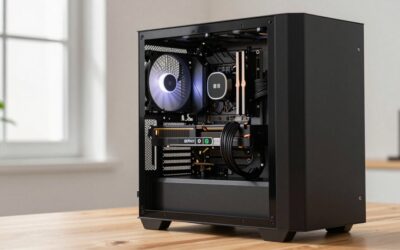
Even a budget gaming computer needs adequate airflow to sustain performance and protect components. Systems with mesh front panels and multiple fans, like the MSI Codex R2, keep temperatures in check during long sessions and stay quieter under load. A roomy case also makes upgrades easier and accommodates a larger graphics card down the road, so airflow and interior space are worth prioritising.
Upgrade potential extends the value
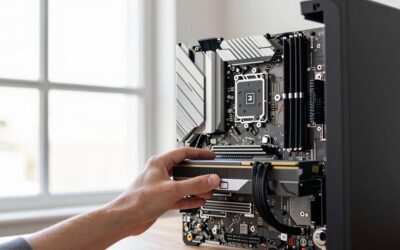
The greatest strength of a budget gaming computer is its ability to grow. Choose a system with a case that fits a longer GPU, free RAM and storage slots, and a power supply with spare wattage. The Lenovo LOQ Tower and iBUYPOWER models offer tool-less access that makes adding parts simple. Buying with headroom now spares you from a full replacement later and stretches your investment for years.
How to choose the best budget gaming computer
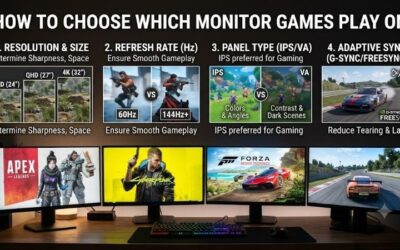
Begin with your target resolution and refresh rate. For fast, competitive 1080p gaming, an RTX 4060 system with a Ryzen 5 or Core i5 is ideal and leaves budget for a good monitor. If you want 1440p play, prioritise the RTX 4060 Ti tier. Confirm the build includes 16GB of DDR5 RAM and an NVMe SSD of at least 512GB. Then weigh upgrade potential, since a roomy case and a robust power supply let you add a stronger GPU later. Finally, factor a 1080p 144Hz monitor and peripherals into your total budget so the sticker price does not surprise you.
Frequently Asked Questions
Is a budget gaming computer good enough for modern games?
Yes, a budget gaming computer with an RTX 4060 runs virtually every 2026 title smoothly at 1080p on high settings, and many at 1440p with DLSS enabled. You may lower a few settings in the most demanding games, but the experience stays fluid and enjoyable. Affordable gaming has never delivered more genuine performance for the money than it does today.
How much does a good budget gaming computer cost?
The best budget gaming computers sit in the budget to lower-mid price range, where you get an RTX 4060, a Ryzen 5 or Core i5, 16GB of DDR5, and an NVMe SSD. Spending slightly more for the RTX 4060 Ti tier buys 1440p headroom. Going too cheap risks weak GPUs, only 8GB of RAM, and skimpy power supplies that disappoint quickly.
Should I buy a pre-built or build my own budget gaming computer?
Building your own can save money and teaches useful skills, but pre-built budget gaming computers offer warranty coverage, tested reliability, and no assembly stress. Pre-builts have become very competitively priced, so if you value convenience and support, buying is a strong choice. If you enjoy tinkering and want maximum value per dollar, building your own remains rewarding.
Can a budget gaming computer be upgraded later?
Yes, one of the biggest advantages of a budget gaming computer is upgradability. You can add RAM, install more storage, and later drop in a stronger graphics card, provided the case has room and the power supply has spare wattage. Choosing a system with tool-less access and free slots, like the Lenovo LOQ Tower, makes future upgrades simple and affordable.
What monitor should I pair with a budget gaming computer?
Pair a budget gaming computer with at least a 1080p 144Hz monitor to feel the benefit of the higher frame rates the system produces, especially in competitive games. This resolution matches what an RTX 4060 drives best. If you choose an RTX 4060 Ti build aimed at 1440p, a 1440p high-refresh monitor makes an excellent, future-ready companion.
Related guides
Explore more of our recommendations: best budget gaming desktop, budget friendly gaming laptop, best budget gaming notebook, best power supply, best PSU, and most expensive gaming PC.