Finding a capable gaming desktop under $1000 used to mean settling for outdated parts and disappointing frame rates. Today’s market tells a different story. Prebuilt systems from brands like ZOTAC, Skytech, and HP now deliver respectable 1080p gaming performance at price points that would have been unthinkable just a few years ago. The challenge is no longer whether budget desktops can game — it’s cutting through the noise to identify which configurations actually deliver value and which cut corners where it matters most.
- How to Choose a Budget Gaming Desktop Under $1000
- The Best Budget Gaming Desktops Under $1000 Reviewed
- Budget gaming desktop comparison table
- The 8GB vs 16GB graphics memory warning
- Which CPU is enough at this budget?
- First-week setup tips for a budget prebuilt
- How we compared
- Frequently Asked Questions
- Final Thoughts
- Related Articles
This guide covers the best budget gaming desktops available on Amazon right now, focusing on systems that balance GPU power, CPU performance, and upgradeability. Whether you’re eyeing an RTX 5060 tower from ZOTAC, a Skytech system with an RX 9060 XT, or a big-brand HP OMEN, this guide explains exactly what you’re getting for your money. We’ve prioritized systems with dedicated graphics cards capable of handling modern titles at medium-to-high settings, adequate RAM out of the box, and cases that leave room for future upgrades.
How to Choose a Budget Gaming Desktop Under $1000
- Graphics Card: The GPU is the single most important component for gaming performance. At this budget, look for at least an NVIDIA RTX 3050, RTX 4060, or AMD Radeon RX 6600. Anything below these cards will struggle with modern titles at reasonable settings.
- Processor Pairing: Avoid bottlenecking your GPU with an underpowered CPU. Aim for at least an Intel Core i5 (12th or 13th gen) or AMD Ryzen 5 5500 and above. Beware of listings that pair a strong GPU with a weak processor to hit a price point.
- RAM and Storage: 16GB of RAM is the minimum for comfortable modern gaming — 8GB builds are false economy. For storage, prioritize NVMe SSDs over SATA drives, and ideally look for 1TB since modern games regularly exceed 100GB each.
- Upgrade Path: Check the power supply wattage and motherboard layout. A system with a decent PSU (500W or above) and standard ATX components gives you room to swap in a stronger GPU later. Proprietary motherboards and low-wattage units can trap you.
- Warranty and Support: Budget prebuilts vary widely in after-sales support. Confirm the warranty length, whether it covers parts and labor, and whether the brand has a reliable return process through Amazon if the unit arrives with issues.
The Best Budget Gaming Desktops Under $1000 Reviewed
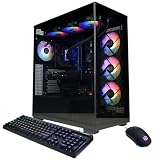
ZOTAC MEK Gaming PC (Ryzen 5 5500, RTX 5060 8GB)
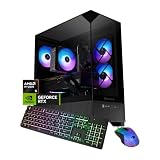
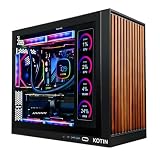
Best value. The RTX 5060 is the GPU most budget gaming desktops are built around in 2026, and ZOTAC’s MEK is one of the cleaner ways to get it. Because ZOTAC makes its own graphics cards, the GPU in this tower is a ZOTAC Twin Edge model rather than an unnamed OEM board. The MEK platform uses a six-core Ryzen 5 5500 on a B550 microATX board, 16GB of dual-channel DDR4-3200, a 1TB NVMe SSD, a 650W 80 Plus Gold power supply and Wi-Fi 6E. Those details come from ZOTAC’s spec sheets for the MEK line, so check the exact listing for your unit.
The RTX 5060 has 3,840 CUDA cores, 8GB of GDDR7 and full DLSS 4 support, including Multi Frame Generation. In independent reviews it is a clear step above the RTX 4060 and far ahead of the RTX 3050 that older budget prebuilts used. Expect high or ultra settings at 1080p in most current games, with DLSS doing the heavy lifting in demanding titles like Cyberpunk 2077 and Alan Wake 2.
Strengths: a branded GPU and a quality 650W Gold power supply, standard mATX parts that are easy to upgrade later, and dual-channel memory from the start.
Drawbacks: the Ryzen 5 5500 is a budget AM4 chip with a small cache and PCIe 3.0. It’s fine at 1080p 60 to 144 fps, but it limits very high frame rates, and AM4 is a dead-end platform. The 8GB of VRAM is the other compromise (see the 8GB vs 16GB note below).
Compared with the other picks, this is the most balanced option for general 1080p gaming. Choose the Arc B580 system if VRAM matters more to you than DLSS.
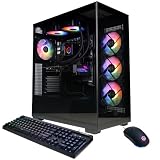
Skytech Chronos 3 (Core i5-14400F, RX 9060 XT 8GB)
Best AMD graphics. Skytech is one of the most consistent budget prebuilt brands, and the Chronos 3 pairs AMD’s RDNA 4 RX 9060 XT 8GB with Intel’s ten-core Core i5-14400F. According to Skytech’s listing, it comes with 16GB of DDR5-5200 (some versions ship with DDR5-6000), a 1TB NVMe SSD, a 650W 80 Plus Gold power supply, an air tower cooler, ARGB fans and Wi-Fi. Skytech notes the graphics card brand can vary from unit to unit.
The RX 9060 XT is AMD’s mainstream RDNA 4 card. It brings far better ray tracing than previous Radeon generations and supports FSR 4, AMD’s machine-learning upscaler. In rasterized games the 8GB version trades blows with the RTX 5060. The i5-14400F is noticeably faster than the Ryzen 5 5500 in CPU-heavy games and runs on a DDR5 platform, so the system has a better base for a future GPU upgrade.
Strengths: a stronger CPU than most systems at this tier, DDR5 memory, a 650W Gold power supply with headroom, and Skytech’s one-year parts and labor warranty.
Drawbacks: it’s the 8GB version of the RX 9060 XT. The 16GB version is the better long-term buy but usually costs more than this budget allows in a full system. The 802.11ac Wi-Fi is a generation behind the Wi-Fi 6E in the ZOTAC.
Choose this over the ZOTAC if you play CPU-heavy games (strategy, simulation, large multiplayer maps) or plan to upgrade the graphics card within a couple of years.
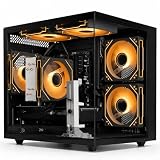
HELLOLAND Gaming PC (Ryzen 7 5700X, Arc B580 12GB)

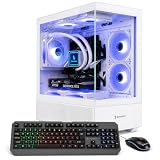
HELLOLAND Gaming PC Desktop - AMD Ryzen 7 5700X 3.4 GHz, Intel Arc B580 12GB, 16GB DDR4 RAM, 1TB PCIe SSD, WiFi + BT, Windows 11 -ARGB Fans with Software Control-White
Included for '13 Best Budget Gaming Desktops Under $1000 on Amazon' as a representative home product in this roundup; selection reflects the product set returned for this topic.
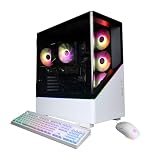
View on AmazonBest Intel graphics. Intel’s Arc B580 has become a popular budget card because it gives you 12GB of VRAM where most rivals at this tier have 8GB. HELLOLAND pairs it with an eight-core Ryzen 7 5700X, 16GB of DDR4, a 1TB PCIe SSD, Wi-Fi and Bluetooth, and a white case with software-controlled ARGB fans, per the listing.
In independent reviews, the B580 performs roughly in line with an RTX 4060 in rasterized games. Its extra memory helps in newer titles that ship with large texture packs. The 5700X is a step above the Ryzen 5 5500 found in many budget towers, with twice the L3 cache and two more cores, which helps with streaming and background tasks. Intel’s XeSS upscaler covers a wide range of games.
Strengths: 12GB of VRAM, a strong eight-core CPU for the tier, AV1 hardware encoding for streaming, and an attractive white build.
Drawbacks: HELLOLAND is a smaller system builder, so check warranty terms and the power supply model before buying. Arc drivers are much improved but still less consistent than NVIDIA’s in older DirectX 11 games. Arc also requires Resizable BAR, which these systems normally ship with enabled.
Choose it over the ZOTAC RTX 5060 if you play newer AAA games where VRAM matters and don’t depend on DLSS.
HP OMEN 16L Gaming Desktop (Ryzen 5, RX 7600)

HP OMEN 16L Gaming Desktop PC AMD Ryzen 5 16GB RAM 1TB SSD RX 7600 Windows 11 Home
Included for '13 Best Budget Gaming Desktops Under $1000 on Amazon' as a representative home product in this roundup; selection reflects the product set returned for this topic.
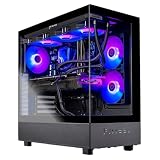
View on AmazonFor buyers who prefer a major brand with retail support, HP’s OMEN 16L is a compact 16-liter tower built on AMD’s AM5 platform. In HP’s RX 7600 configuration, the spec sheet lists a six-core Ryzen 5 8400F, a B650 motherboard, DDR5-5200 memory, 2.5GbE networking, Wi-Fi 6 and Bluetooth 5.4. This listing comes with 16GB of RAM and a 1TB SSD.
The Radeon RX 7600 (8GB) is a previous-generation card. It’s a solid 1080p performer at high settings, but it’s slower than the RTX 5060 and RX 9060 XT and has weaker ray tracing. Its advantages are the platform and the build. AM5 supports current and upcoming Ryzen CPUs, so you can drop in a faster processor later. The chassis is quiet and compact enough for a desk or a TV cabinet.
Strengths: HP’s support network, a modern AM5/DDR5 platform, compact size and 2.5GbE networking.
Drawbacks: HP’s spec sheet lists a 400W 80 Plus Platinum power supply for this configuration, which limits GPU upgrades to efficient cards. HP’s 16L also uses some proprietary parts, and the RAM may ship as a single 16GB stick. Add a second matching module for dual-channel performance.
Choose the OMEN if brand support and a compact case matter more to you than the last few frames per second. Choose the ZOTAC or Skytech for more performance at this tier.
ZOTAC MEK Gaming PC (Ryzen 5 5500, RTX 5050 8GB)
Lowest entry price. If the RTX 5060 systems push past your budget, the RTX 5050 version of the same ZOTAC MEK is the cheapest way into NVIDIA’s current generation. ZOTAC’s spec sheet lists a Ryzen 5 5500, a ZOTAC RTX 5050 Twin Edge OC with 8GB of GDDR6, 16GB of dual-channel DDR4-3200 RGB memory, a 1TB PCIe Gen4 NVMe SSD, a B550 microATX board, a 650W 80 Plus Gold power supply and Wi-Fi 6E.
The RTX 5050 has 2,560 CUDA cores and slower GDDR6 memory, so expect performance roughly a tier below the RTX 5060. It’s comfortable at 1080p on medium-to-high settings and fast in esports titles, and DLSS 4 Multi Frame Generation helps in heavier games. It is still a big step up from the RTX 3050 and GTX-era cards that fill the bottom of the prebuilt market.
Strengths: the same quality 650W Gold power supply and upgrade-friendly layout as the RTX 5060 model, so you can swap in a faster GPU later.
Drawbacks: the weakest GPU among the new picks, 8GB of VRAM, and the same Ryzen 5 5500 limits as its sibling.
Buy this if your main games are Fortnite, Valorant, Rocket League or Minecraft, or if you plan to upgrade the graphics card within a year or two.
Budget gaming desktop comparison table
Here are the current-generation picks side by side. Price tiers are relative within this budget class and change with sales.
| System | CPU | GPU (VRAM) | RAM / storage | Power supply | Label | Price tier |
|---|---|---|---|---|---|---|
| ZOTAC MEK (RTX 5060) | Ryzen 5 5500 | RTX 5060 (8GB GDDR7) | 16GB DDR4 / 1TB NVMe | 650W Gold | Best value | Upper budget |
| Skytech Chronos 3 | Core i5-14400F | RX 9060 XT (8GB GDDR6) | 16GB DDR5 / 1TB NVMe | 650W Gold | Best AMD graphics | Upper budget |
| HELLOLAND Arc B580 | Ryzen 7 5700X | Arc B580 (12GB GDDR6) | 16GB DDR4 / 1TB NVMe | Check listing | Best Intel graphics | Upper budget |
| HP OMEN 16L | Ryzen 5 (8400F per HP spec) | RX 7600 (8GB GDDR6) | 16GB DDR5 / 1TB NVMe | 400W Platinum | Best big-brand option | Budget |
| ZOTAC MEK (RTX 5050) | Ryzen 5 5500 | RTX 5050 (8GB GDDR6) | 16GB DDR4 / 1TB NVMe | 650W Gold | Lowest entry price | Budget |
The 8GB vs 16GB graphics memory warning
Most systems in this price class use an 8GB graphics card. That includes the RTX 5060, the RTX 5050, the 8GB RX 9060 XT and the RX 7600. For 1080p gaming in 2026, 8GB still works, but it is now the minimum rather than a comfortable amount. Several recent AAA releases need texture quality turned down a notch on 8GB cards to avoid stutter, especially with ray tracing on. Independent reviewers including TechSpot and Hardware Unboxed have repeatedly shown the 16GB RX 9060 XT and RTX 5060 Ti 16GB pulling well ahead of their 8GB versions in memory-heavy games.
- 8GB is fine if: you mainly play esports titles (Fortnite, Valorant, CS2, Rocket League), you play at 1080p, and you’re happy to use High rather than Ultra textures in the newest games.
- Look for 12GB or 16GB if: you want to keep the PC for four or more years, play new single-player AAA releases, or plan to move to a 1440p monitor. The Arc B580 (12GB) is the most affordable way to get there. Systems with an RTX 5060 Ti 16GB or RX 9060 XT 16GB are worth the stretch when they go on sale.
Which CPU is enough at this budget?
The GPU decides most of your frame rate, but the processor sets the ceiling. At this budget you’ll usually see four CPU tiers:
- Ryzen 5 5500: the most common budget chip. It’s adequate for 60 to 144 fps at 1080p with an RTX 5050 or 5060, but it has a small cache and sits on the end-of-life AM4 platform.
- Ryzen 7 5700X: a better AM4 option with eight cores and double the cache of the 5500. Good for streaming alongside games.
- Core i5-14400F: ten cores (six performance, four efficiency) and usually DDR5. It handles CPU-heavy games well.
- Ryzen 5 7600 or Ryzen 5 8400F (AM5): modern DDR5 platforms with a real upgrade path. AMD has kept AM5 compatible with newer Ryzen chips, so you can later drop in something like a Ryzen 7 9800X3D without changing the motherboard.
If two systems have the same GPU, pick the one with the newer platform (AM5 or Intel 14th gen with DDR5). It costs little extra and makes later upgrades much easier.
First-week setup tips for a budget prebuilt
- Check the memory configuration. Open Task Manager and go to Performance, then Memory. Confirm the RAM runs in dual channel (two sticks) and at its rated speed. If it shows a single 16GB stick, adding a matching second module can noticeably raise frame rates.
- Enable XMP or EXPO in the BIOS. Some systems ship with memory at its default slower speed.
- Update the graphics driver from NVIDIA, AMD or Intel directly. The factory image is often months old.
- Plug the monitor into the graphics card, not the motherboard’s video outputs. Then set the refresh rate to its maximum in Windows display settings.
- Remove preinstalled trial software and check that Resizable BAR is enabled (Intel Arc depends on it, and it helps on other cards too).
- Register the warranty and keep the original box for the first month in case you need to return the system.
How we compared
We chose and ranked these systems on published specifications: GPU generation and VRAM, CPU and platform, memory type and channel setup, storage, and power supply rating and efficiency. We used manufacturer spec sheets from ZOTAC, Skytech and HP, and independent GPU and CPU benchmark data from TechSpot, GamersNexus, Tom’s Hardware and Hardware Unboxed. We also factored in owner reports on build quality and support. We did not bench-test these systems ourselves. Because prebuilt listings change configuration often, always confirm the exact parts in the listing before buying.
Frequently Asked Questions
Can a gaming desktop under $1000 run modern AAA games?
Yes, but expect to adjust settings. Systems with an RTX 5060, RX 9060 XT or Arc B580 can handle most current titles at 1080p on high settings, typically at 60 FPS or better. Demanding games like Cyberpunk 2077 may require dropping to medium for smooth performance.
Are budget prebuilt desktops hard to upgrade later?
It depends on the brand. Systems using standard ATX motherboards and off-the-shelf power supplies are straightforward to upgrade. Some manufacturers use proprietary parts — particularly HP and Dell — which can limit your options for swapping components down the line.
How much RAM does a budget gaming desktop really need?
16GB is the practical minimum for gaming in 2026, and 32GB adds headroom for streaming and heavy multitasking. Some budget listings still ship with 8GB, which will cause stuttering in memory-heavy titles. Factor the cost of adding another 8GB stick into your purchase decision if a system comes up short.
Is it better to build a PC or buy a prebuilt under $1000?
Building your own can stretch your dollar further, but prebuilts save time, include warranties, and reduce the risk of incompatible parts. At this budget, sale prices on prebuilts often close the gap significantly, making them a practical choice.
Is the RTX 5060 or the RX 9060 XT better in a budget gaming PC?
In 8GB form, they’re close in rasterized games. The RTX 5060 has the edge in ray tracing and in the number of games that support DLSS 4. The RX 9060 XT is a strong alternative, especially in systems with a better CPU, like the Skytech Chronos 3. If you can find a system with the 16GB RX 9060 XT at a similar price, it’s the better long-term buy.
Is the Intel Arc B580 a good choice for a prebuilt?
Yes, especially if VRAM matters to you. Its 12GB of memory outlasts 8GB cards in newer games. Arc drivers have improved a lot, but older DirectX 11 titles can still be less consistent than on NVIDIA or AMD cards. The B580 also depends on Resizable BAR, which modern systems support.
What power supply should a budget gaming desktop have?
For an RTX 5050, 5060, RX 9060 XT or Arc B580 system, a quality 550W to 650W 80 Plus Bronze or Gold unit is ideal and leaves room for a GPU upgrade. Be cautious with unbranded supplies. Compact systems with 400W units, such as the OMEN 16L, are fine as shipped but limit future upgrades.
Should I wait for prices to drop?
Memory prices pushed many prebuilt configurations up in 2026, but discounts on major sale events are common. If your current PC still runs your games, tracking prices for a few weeks often lands an RTX 5060 or RX 9060 XT system inside this budget.
Final Thoughts
The best value in this roundup is the ZOTAC MEK with an RTX 5060 for balanced 1080p gaming, followed by the Skytech Chronos 3 for its stronger Core i5-14400F and DDR5 platform, and the HELLOLAND Arc B580 system when 12GB of VRAM matters most. Each brings something different to the table, so weigh your priorities — raw frame rates, upgradeability, or brand reliability — before committing.