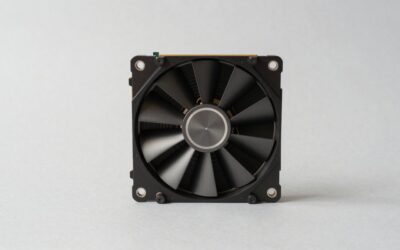
Best budget case fans can make a noticeable difference in temperatures, noise, and airflow without forcing a larger cooling budget. This guide compares four proven 120mm options, explains the specifications that actually matter, and shows which fan makes the most sense for quiet builds, value-focused systems, or high-airflow gaming PCs.
How to Choose Case Fans
A cheap case fan is not automatically a good buy. The right choice depends on airflow, static pressure, speed control, bearing design, and how many fans your case can use. The goal is to match the fan to its position instead of paying for specifications your build cannot use.
Airflow And Static Pressure
Airflow describes how much air a fan can move, while static pressure indicates how effectively it pushes air through resistance such as filters, restrictive mesh, heatsinks, or radiators. A case with open mesh benefits from airflow, while restricted positions need stronger pressure characteristics. The ARCTIC P12 PWM PST and Phanteks M25-120 are especially flexible choices.
The numbers should not be viewed independently because maximum CFM does not automatically mean better real-world cooling. A 66.17 CFM Thermalright TL-C12C can be attractive for open intake positions, while the 56.3 CFM ARCTIC P12 has 2.20 mmH2O of static pressure and a wider control range. That makes both practical picks for different layouts.
RPM And Noise
Maximum RPM tells you how quickly the blades can spin, but it also helps explain why two fans with similar airflow can sound very different. Higher speeds create more cooling headroom, yet they can become noticeably louder when a motherboard runs them near maximum. The be quiet! Pure Wings 3 is a sensible option when controlled noise matters.
Pure Wings 3 120mm PWM reaches 1,600 RPM, 49.9 CFM, and 25.5 dBA according to the manufacturer, giving it a more conservative balance than aggressive high-speed models. For a quiet gaming PC, that makes it easier to maintain useful airflow without constantly running the fan at its upper limit.
Bearing And Fan Control
Bearing type affects durability, operating character, and how consistently a fan behaves over time. PWM control is equally useful because it lets the motherboard vary fan speed according to temperature instead of leaving the fan at one fixed speed. The ARCTIC P12 uses a fluid dynamic bearing and PWM PST, while Thermalright uses an S-FDB bearing in the TL-C12C.
For multiple fans, connector design can matter almost as much as the bearing. The ARCTIC P12 PWM PST includes both a 4-pin connector and 4-pin socket, allowing compatible fans to share a control connection. That makes it particularly convenient for builders adding several intake and exhaust fans without immediately needing a separate hub.
Size, Layout And Value
Most mainstream cases support 120mm fans, but you should still check the mounting positions before buying. A three-fan front intake setup may provide more useful coverage than buying one premium fan, while a rear exhaust position may only require a single unit. The Thermalright TL-C12C is compelling when you need several inexpensive fans.
The Cooler Master SickleFlow 120 also makes sense when you want a conventional 120mm PWM fan with stronger headline airflow than some basic models. It reaches 62 CFM and 2.5 mmH2O at up to 1,800 RPM, although its rifle bearing and two-year warranty make it a different value proposition from the ARCTIC P12.
Top Picks
The four choices below cover different priorities rather than pretending one fan is perfect for every case. The ARCTIC P12 PWM PST is the Best Overall, Thermalright TL-C12C is the Best Value, be quiet! Pure Wings 3 is Best For Quiet Builds, and Phanteks M25-120 is Best For High-Airflow Builds. Each has a clear reason to choose it.
| Product | Best For | Key Spec | Watch Out For |
|---|---|---|---|
| ARCTIC P12 PWM PST | Best Overall | 56.3 CFM, 2.20 mmH2O, 200–1800 RPM | No lighting |
| Thermalright TL-C12C | Best Value | 66.17 CFM, 1550 RPM | Fixed 1550 RPM maximum |
| be quiet! Pure Wings 3 120mm PWM | Best For Quiet Builds | 49.9 CFM, 25.5 dBA, 1600 RPM | Lower airflow |
| Phanteks M25-120 | Best For High-Airflow Builds | 84.26 CFM, 2.67 mmH2O, 2000 RPM | 35.7 dBA at maximum |
ARCTIC P12 PWM PST
The ARCTIC P12 PWM PST is the Best Overall choice for a typical gaming PC that needs dependable airflow, useful static pressure, and easy motherboard control. Its 200–1800 RPM range, 56.3 CFM airflow, and 2.20 mmH2O pressure make it versatile enough for intake, exhaust, and restrictive cooling positions.
Its biggest practical advantage is the PST connector, which can simplify multi-fan installations by allowing compatible fans to share a PWM connection. The downside is straightforward: there is no lighting, so builders focused on a highly visible RGB interior may prefer another option. For function-first systems, however, that omission is hardly a problem.
Thermalright TL-C12C
The Thermalright TL-C12C earns Best Value because its specification sheet is unusually strong for a basic 120mm fan. It reaches 1,550 RPM, 66.17 CFM airflow, and 1.53 mmH2O pressure, while using an S-FDB bearing and a standard 4-pin PWM connector. That combination makes it attractive for filling several case mounts.
The main limitation is its lower static-pressure figure compared with the ARCTIC P12, so it is not automatically the best choice for every restricted position. It is particularly appealing for open mesh intake and general exhaust duties where raw airflow matters. If you need multiple fans on a tight budget, this model deserves serious consideration.
be quiet! Pure Wings 3 120mm PWM
The be quiet! Pure Wings 3 120mm PWM is Best For Quiet Builds where moderate airflow and restrained acoustics matter more than maximum cooling numbers. It reaches 1,600 RPM, produces 49.9 CFM, and is rated at 25.5 dBA at full speed. Its rifle bearing is specified for an average 80,000-hour lifespan.
The tradeoff is performance headroom. Its airflow is lower than the Thermalright and ARCTIC options, so it makes less sense when a high-power GPU is pushing substantial heat through a restrictive case. For a balanced desktop or quiet-focused gaming build, though, the lower maximum output can be a worthwhile compromise.
Phanteks M25-120
The Phanteks M25-120 is Best For High-Airflow Builds that need substantial cooling capacity without stepping into oversized fan formats. Its nine-blade design reaches 2,000 RPM, with manufacturer-rated airflow of 84.26 CFM and static pressure of 2.67 mmH2O. It also supports daisy-chained PWM connections.
That performance comes with a clear cost: Phanteks rates maximum noise at 35.7 dBA, considerably higher than the Pure Wings 3. The M25-120 therefore makes more sense for a mesh-front gaming case, high-power components, or users willing to trade acoustic restraint for stronger cooling headroom.
Frequently Asked Questions
Buying case fans often raises a few practical questions that specifications alone cannot answer. The most important issue is matching the fan to the case rather than chasing the highest CFM number. Once size, mounting position, control method, and noise expectations are clear, choosing among these four becomes considerably easier.
Are 120mm Case Fans Still Good?
Yes. 120mm fans remain a practical standard because many PC cases support several mounting positions in that size. They can provide strong airflow while fitting behind common front, top, rear, and radiator mounts. The best choice depends more on the case layout and cooling target than on fan diameter alone.
A 140mm fan can move more air at lower speeds in cases designed for it, so it may be preferable when the chassis supports both sizes. However, replacing a 120mm mount with a larger fan is not always possible. Always check the case mounting pattern before choosing between formats.
How Many Case Fans Do I Need?
A typical gaming PC does not automatically need six or eight fans. Two or three well-positioned fans can establish useful intake and exhaust airflow, especially in a mesh-front chassis. Adding more fans becomes worthwhile when the case has additional mounts or when a powerful GPU creates enough heat to benefit from greater air exchange.
The important point is airflow direction and balance rather than simply filling every mounting position. Once the basic intake and exhaust pattern works, additional fans should solve a specific cooling or noise problem instead of being installed merely because empty mounts are available.
Are PWM Case Fans Worth It?
PWM fans are generally worth choosing because a compatible motherboard can adjust their speed according to temperature. That means the system can remain quieter during light desktop use and increase airflow when CPU or GPU heat rises. The four-pin connection also makes fan management more flexible than a fixed-speed design.
This is especially useful when several fans are installed because fan curves can reduce unnecessary noise. The ARCTIC P12 PWM PST goes a step further with its additional PWM socket, while the Phanteks M25-120 provides daisy-chain PWM connectivity. Both are convenient when expanding a multi-fan setup.
Do More Expensive Fans Cool Better?
Not necessarily. Premium fans can offer better bearings, acoustic tuning, materials, motors, or control features, but a well-designed budget fan can already provide enough airflow for a normal gaming system. Spending more only makes sense when the specific advantage solves a problem in your build.
For example, the Phanteks M25-120 provides much higher rated airflow than the Pure Wings 3, but its maximum noise rating is also higher. Meanwhile, the ARCTIC P12 offers strong pressure performance and convenient PWM PST connectivity at a much more practical feature set for many mainstream systems.
Final Thoughts
The best budget case fans are not necessarily the cheapest models or those with the highest CFM rating. ARCTIC P12 PWM PST is the safest all-around choice, Thermalright TL-C12C is ideal for value-focused multi-fan builds, Pure Wings 3 favors quiet operation, and Phanteks M25-120 suits users who prioritize airflow headroom.