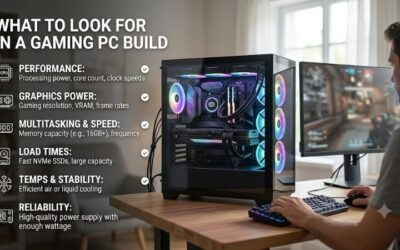
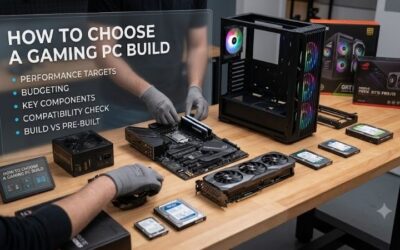
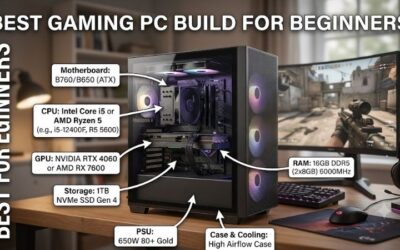
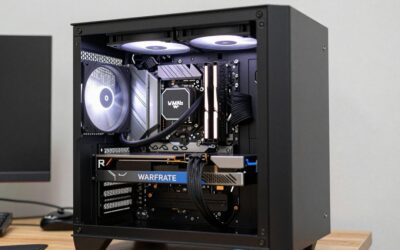
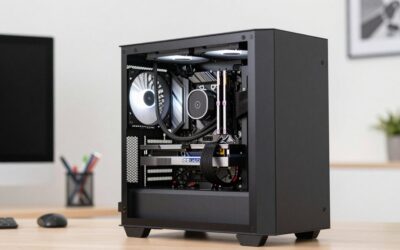
Building the best 1080p gaming PC in 2026 means balancing frame rates that saturate a 165Hz or 240Hz monitor with enough headroom to push into 1440p when you eventually upgrade your display. The RTX 5070 is more graphics card than 1080p strictly needs, but pairing it with a Ryzen 5 9600X creates a system that delivers triple-digit frames in competitive titles and holds 100+ FPS in demanding AAA games at high settings. This build leans aggressive on the GPU because NVIDIA’s Blackwell architecture makes the 5070 the sweet-spot value pick for anyone who wants to game at 1080p today and comfortably shift to 1440p without a hardware swap.
- Parts List
- Parts the List Above Leaves Out, Plus Smart Alternates
- Compatibility Check
- Expected Performance
- Upgrade Path
- Build Tiers at a Glance
- Which Monitor Matches Which GPU
- Selection Rules With Concrete Thresholds
- Assembly Order That Saves Headaches
- Common Mistakes on a 1080p Gaming Build
- Who Should Skip This Build
- FAQ
- Sources and Methodology
Parts List
| Part | Model | Price | Why |
|---|---|---|---|
| CPU | AMD Ryzen™ 5 9600X 6-Core, 12-Thread Unlocked Desktop Processor | Check current price | Strong single-thread for gaming, efficient Zen 5 cores |
| GPU | ASUS Prime GeForce RTX 5070 12GB GDDR7 OC Edition Gaming Graphics Card | Check current price | Overkill for 1080p Ultra, ideal for 1440p high-refresh |
| Motherboard | MSI B650 Gaming Plus WiFi Gaming Motherboard | Check current price | AM5 socket, WiFi 6E, solid VRM for 9600X |
| RAM | G.SKILL Trident Z5 Neo RGB Series DDR5 32GB (2x16GB) 6000MT/s CL36 | Check current price | AMD EXPO validated, sweet-spot frequency for Zen 5 |
| Storage | WD_BLACK SN850X 2TB NVMe SSD with Heatsink | Check current price | PCIe 4.0 x4, fast enough to make load times irrelevant |
| PSU | CORSAIR RM750x Shift Fully Modular ATX Power Supply (Renewed) | Check current price | 80 Plus Gold, ATX 3.1, ample headroom for this combo |
| Case | CORSAIR 4000D RS ARGB Frame Modular Mid-Tower ATX PC Case | Check current price | High airflow, fits the 5070, tool-free side panels |
AMD Ryzen™ 5 9600X
The 9600X delivers the best price-to-performance ratio in AMD’s Zen 5 lineup for pure gaming. Six cores and twelve threads handle modern titles that lean heavily on single-core IPC, and its 65W TDP means thermals stay tame even under extended sessions. For this build it is the ideal partner to the RTX 5070 because the GPU is the bottleneck at 1080p Ultra, making additional cores unnecessary.
ASUS Prime GeForce RTX 5070 12GB GDDR7
The 5070 is where this build spends its budget, and for good reason. The 12GB GDDR7 buffer future-proofs you for titles that are already pushing past 8GB at 1080p Ultra. The OC Edition sits a few megahertz above reference clocks, which typically translates to only a two to three percent real-world gain. The ASUS Prime cooler is adequate but not the quietest under sustained load.
MSI B650 Gaming Plus WiFi
This board is a workhorse. The AM5 socket guarantees CPU upgrade paths through at least the next two AMD generations, and the VRM is more than capable of sustaining the 9600X boost clocks without thermal throttling. MSI includes WiFi 6E and Bluetooth 5.3 onboard, eliminating a separate adapter. The M.2 slots support PCIe 4.0, which matches the SN850X perfectly. There is no reason to spend on X670 for a 65W six-core chip.
G.SKILL Trident Z5 Neo RGB DDR5 32GB
DDR5 at 6000MT/s with CL36 timings hits the frequency-to-latency sweet spot that AMD’s Zen 5 memory controller can sustain in 1:1 fabric mode. The EXPO profile loads cleanly without manual tuning, and 32GB covers every current title with headroom for background tasks. Swapping down to 16GB is tempting on a budget, but several 2026 releases already exceed that threshold at Ultra settings with high-resolution texture packs.
WD_BLACK SN850X 2TB
Two terabytes of fast storage means you install every game without agonizing over which titles to uninstall. The SN850X saturates the PCIe 4.0 x4 interface on this board, and the integrated heatsink ensures sustained write speeds even when the drive is tucked under a GPU. Published storage reviews report that this drive holds its peak performance longer than most competitors under heavy sequential workloads. A cheaper Gen 3 drive works fine for gaming but you lose the load-time edge in titles like Starfield that stream assets aggressively.
CORSAIR RM750x Shift
The Shift design relocates connectors to the side, simplifying cable routing in cases like the 4000D RS. 750 watts provides comfortable headroom: the 5070 has a rated board power of about 250W, and the 9600X peaks near 90W, leaving the PSU at roughly 45 percent load — its efficiency peak. If you want a brand-new unit without the side-mount quirk, the RM750e is a solid alternative.
CORSAIR 4000D RS ARGB
Three pre-installed RS fans on an InfiniRail system give you a positive-pressure airflow layout out of the box. The mesh front panel and high-roof design accommodate the 5070’s roughly 304mm length with room to spare, and the case supports a 360mm AIO if you swap in a higher-TDP CPU later. The tool-free side panels make reconfiguring internals quick. The 4000D RS ARGB simply removes the guesswork from fan placement.
Parts the List Above Leaves Out, Plus Smart Alternates
The seven parts above cover the core of the build, but a complete 1080p PC also needs a CPU cooler and a monitor that can use the frame rates, and many readers want lower-cost swaps. These additions fill those gaps.
Thermalright Peerless Assassin 120 SE CPU Cooler
The Ryzen 5 9600X in this build does not ship with a bundled cooler, so a separate cooler is a required purchase, not an optional upgrade. This one is a well-known value choice: the listing describes six heat pipes with AGHP technology, dual 120mm PWM fans running at up to 1550RPM and a dual-tower design that supports AMD AM5 and modern Intel sockets.
Who it suits: anyone building this PC who wants quiet, effective cooling without spending on a liquid cooler. A 65W processor like the 9600X sits comfortably within what a dual-tower air cooler can handle, so fan speeds stay low during gaming.
Strengths: low cost tier, high cooling capacity for its size, and two fans for balanced airflow across the fin stack. It is also simple to maintain, with no pump to fail and no coolant to replace.
Drawback: a dual-tower cooler is tall and heavy. Check that your case allows the height (the Corsair 4000D RS in this build has plenty of clearance) and that tall memory heat spreaders do not block the front fan. Cooler height and weight are not listed in the details used here, so check the maker’s specification page.
How it compares with existing parts: it is not a replacement for anything in the list; it is the missing part. A compact AIO would also work but costs more and adds a pump as a failure point.
ASUS Dual GeForce RTX 5060 Ti 16GB (GPU Alternate)
The RTX 5070 in the main list is generous for 1080p. This ASUS Dual RTX 5060 Ti with 16GB of GDDR7 is the sensible step down. The listing mentions a 2.5-slot design, PCIe 5.0, HDMI 2.1b and DisplayPort 2.1b outputs, and an OC edition.
Who it suits: players who want strong 1080p performance with headroom for 1440p and who prefer to keep the savings for storage or a better monitor. The 16GB of video memory also protects against newer texture-heavy games that already push past 8GB at high settings.
Strengths: large memory buffer for its class, DLSS support, modern display outputs, and a lower power draw than the RTX 5070, which makes the 750W power supply even more comfortable.
Drawback: it delivers noticeably lower frame rates than the RTX 5070 in demanding games at 1440p with ray tracing on. If you plan to move to a 1440p monitor soon, the 5070 is the safer choice.
How it compares with existing parts: it replaces the ASUS Prime RTX 5070 at a lower cost tier. Everything else in the build, including the PSU and case, works without changes.
ASUS Dual Radeon RX 9060 XT 16GB (AMD GPU Alternate)
If you prefer AMD graphics or want to avoid NVIDIA pricing, the RX 9060 XT with 16GB is the closest match. The listing describes 16GB of GDDR6, PCIe 5.0, HDMI 2.1b, DisplayPort 2.1a and a 2.5-slot design with axial-style fans.
Who it suits: 1080p gamers who prioritise raw rasterised performance, prefer open-source Linux drivers, or want 16GB of memory without paying the premium for NVIDIA. It pairs naturally with a Ryzen CPU because Smart Access Memory support is built in.
Strengths: 16GB buffer, current RDNA 4 architecture, and FSR upscaling support. It is a strong 1080p to 1440p card for the tier.
Drawback: ray tracing and upscaling quality trail NVIDIA in some titles, and certain creator tools favour CUDA. Power connector details are not listed in the details used here.
How it compares with existing parts: it undercuts the RTX 5070 in cost tier and matches the 5060 Ti on memory. Pick it if you play mostly rasterised games.
AMD Ryzen 5 7600X (CPU Alternate)
The listing describes a 6-core, 12-thread unlocked processor on the AM5 platform. It is the previous-generation sibling of the 9600X and a smart way to cut cost without leaving the platform.
Who it suits: builders on a tighter budget who still want an upgradeable AM5 board. At 1080p, the 5070 or 5060 Ti is the limiting factor, so the frame-rate gap between the 7600X and 9600X is small in most games.
Strengths: same socket and DDR5 memory, strong single-thread performance, and a lower cost tier. Any B650 board in this guide accepts it.
Drawback: older Zen 4 architecture and slightly lower efficiency. The 7600X is also sold without a bundled cooler, so keep the Peerless Assassin in the budget.
How it compares with existing parts: it replaces the 9600X one-for-one and leaves everything else unchanged.
CORSAIR RM750e ATX 3.1 Power Supply (New PSU Alternate)
The main list uses a renewed RM750x Shift. If you want a new unit with a full warranty, the RM750e is a straightforward alternative. The listing describes a 750W ATX 3.1, PCIe 5.1-ready power supply with a native 12V-2×6 cable, low-noise operation and full modularity.
Who it suits: buyers who would rather avoid renewed parts entirely and want a native high-power GPU cable that avoids adapters. It also suits cases where the Shift side-connector layout is awkward.
Strengths: modern connector standard, fully modular cables for clean routing, and enough wattage for an RTX 5070 plus a 65W CPU with plenty of headroom.
Drawback: the 80 Plus tier and warranty length are not listed in the details used here, so check the product page. It is not the quietest supply in its class under heavy load.
How it compares with existing parts: it replaces the RM750x Shift directly. The cost difference is small, and a new unit removes any doubt about condition.
Acer Nitro KG241Y 23.8-Inch 180Hz Gaming Monitor
A fast GPU is wasted on a 60Hz display. The listing describes a 23.8-inch Full HD (1920×1080) monitor with a 180Hz refresh rate, which matches the frame rates this build produces in competitive and AAA games.
Who it suits: anyone who does not already own a high-refresh monitor. At this size, 1080p looks sharp enough for gaming and keeps frame rates high.
Strengths: high refresh rate, modern adaptive sync support on this class of panel, and a compact size that fits most desks.
Drawback: panel type, brightness and colour coverage are not listed in the details used here. If you plan to upgrade to 1440p within a year, consider buying that monitor now instead.
How it compares with existing parts: it is the only display in the guide and the piece that makes the build’s performance visible.
Compatibility Check
The Ryzen 5 9600X uses the AM5 socket, which the MSI B650 Gaming Plus WiFi supports natively. DDR5 is mandatory on this platform, and the G.SKILL kit is validated for EXPO on AMD boards. The RM750x Shift provides an ATX 3.1 PCIe 5.1 12VHPWR cable that matches the RTX 5070’s power connector without an adapter. The 5070 measures roughly 304mm, well under the 4000D RS ARGB’s 360mm GPU clearance. The B650’s two M.2 slots both accept the 2280-form-factor SN850X with heatsink. No clearance conflicts exist between the cooler, RAM, or GPU in this configuration.
Expected Performance
The ranges below are ballpark estimates based on the kind of results published in launch reviews for the RTX 5070 paired with a Ryzen 5 9600X-class CPU. They are not measurements taken by this site, so treat them as rough figures, not guarantees.
1080p — Ultra / High Settings
Call of Duty: Black Ops 7: approximately 160 to 195 FPS (High). Cyberpunk 2077 with Ultra settings and no ray tracing: roughly 120 to 150 FPS. With ray tracing and DLSS Quality: around 85 to 110 FPS. Hogwarts Legacy at Ultra: about 110 to 135 FPS. Baldur’s Gate 3 in Act 3 at Ultra: near 100 to 125 FPS.
1440p — High / Ultra Settings
Call of Duty: Black Ops 7 (High): approximately 120 to 150 FPS. Cyberpunk 2077 Ultra with DLSS Quality: roughly 75 to 95 FPS. Hogwarts Legacy High: about 85 to 110 FPS. Starfield Ultra with DLSS Balanced: near 70 to 90 FPS.
4K — High Settings with DLSS
Cyberpunk 2077 High with DLSS Quality: approximately 50 to 65 FPS. Call of Duty: Black Ops 7 (Normal) with DLSS: roughly 75 to 95 FPS. The 12GB buffer becomes a constraint at 4K Ultra in texture-heavy titles, so this build is best treated as a 1440p-capable system rather than a true 4K platform.
Upgrade Path
The AM5 socket keeps CPU upgrades open through at least two more AMD generations, so dropping in a future Ryzen 9 or a 9800X3D is plug-and-play. The 750W PSU headroom supports jumping to an RTX 5080-class card if you move to a 1440p or 4K display. The B650 board has a second M.2 slot ready for another Gen 4 drive. RAM at 32GB covers current needs; a future 64GB kit would only matter if you add content creation workloads. The case accommodates a 360mm AIO for higher-TDP chips.
Build Tiers at a Glance
| Tier | CPU | GPU | RAM | PSU | Best for |
|---|---|---|---|---|---|
| Value | Ryzen 5 7600X | RTX 5060 Ti 16GB or RX 9060 XT 16GB | 32GB DDR5-6000 | 650W to 750W | High refresh 1080p |
| Main build | Ryzen 5 9600X | RTX 5070 12GB | 32GB DDR5-6000 | 750W | 1080p ultra, 1440p ready |
| Stretch | Ryzen 7 9700X | RTX 5070 Ti | 32GB DDR5-6000 | 850W | 1440p high refresh |
Which Monitor Matches Which GPU
| GPU | Monitor target | Notes |
|---|---|---|
| RTX 5060 Ti or RX 9060 XT | 1080p 144Hz to 240Hz | Great for e-sports and AAA at high settings |
| RTX 5070 | 1080p 240Hz or 1440p 144Hz | Main build target |
| RTX 5070 Ti | 1440p 165Hz and up | Overkill for 1080p |
Selection Rules With Concrete Thresholds
- GPU memory: choose 12GB or more for a build you want to keep three years; 8GB cards already struggle at high texture settings in newer games.
- RAM: 32GB of DDR5-6000 CL30 to CL36 is the target; 16GB is the floor.
- PSU: pick 750W for an RTX 5070 class card; 650W is the minimum for a 5060 Ti class card; always choose a recognized brand with an 80 Plus Gold rating.
- Storage: 1TB is the minimum; 2TB prevents deleting games.
- Cooling: a dual-tower air cooler is enough for a 65W CPU.
- Case: mesh front panels and three intake fans keep temperatures lower than a closed front.
Assembly Order That Saves Headaches
- Install the CPU, RAM and M.2 SSD on the motherboard outside the case.
- Mount the CPU cooler and apply thermal paste if it is not pre-applied.
- Install the power supply and route cables before placing the motherboard.
- Mount the motherboard, then install the graphics card last.
- Connect front-panel cables, boot, update the BIOS and enable the RAM profile.
Common Mistakes on a 1080p Gaming Build
- Forgetting a CPU cooler: the Ryzen 9000 series processors do not include one.
- Leaving RAM at default speed: enable EXPO or XMP in the BIOS.
- Plugging the monitor into the motherboard: use the graphics card ports.
- Using a single memory stick: two sticks give dual-channel bandwidth.
- Overspending on the CPU: at 1080p the GPU matters far more than extra cores.
- Skipping the monitor refresh setting: set it to the maximum in Windows display settings.
Who Should Skip This Build
Skip this build if you only play older or less demanding games, where an RTX 5060 or RX 9060 XT class card is enough. Also skip it if you plan to play at 4K, since a stronger GPU and a higher-wattage supply are better starting points. If you want a small-form-factor PC, choose a micro-ATX board and a shorter case.
FAQ
Is the RTX 5070 overkill for 1080p gaming?
At Ultra settings in the most demanding titles, the 5070 produces 120 to 150 FPS at 1080p, which fills a 165Hz monitor but does not consistently saturate 240Hz. In competitive shooters with reduced settings, frame rates exceed 200 FPS. The card is overpowered for casual 1080p but appropriately specced if you want Ultra visuals without compromises.
Can I use a cheaper GPU and still get the best 1080p gaming PC build?
Yes. An RTX 5060 Ti 16GB or RX 9060 XT 16GB still handles 1080p well. The trade-off is less headroom for a later move to 1440p and for ray tracing.
Do I need 32GB of RAM for gaming?
Several recent releases exceed 16GB during gameplay with high-resolution textures and background processes. 32GB eliminates that concern entirely and is the comfortable baseline for a build intended to last three years.
Is a renewed PSU reliable?
Renewed units are inspected and refurbished, but their warranty and return terms usually differ from new stock, so read the listing terms before buying. The RM750x Shift is a well-reviewed platform. If you want no doubt about condition, the new RM750e covered above is the alternative.
What GPU do I need for 1080p at 240Hz?
An RTX 5070 or similar class card reaches 240Hz in most competitive games at high settings. For demanding AAA titles at ultra settings, expect lower frame rates and use DLSS or FSR.
Is 12GB of VRAM enough for 1080p in 2026?
Yes. 12GB is comfortable at 1080p and gives room for 1440p later. 16GB gives extra safety for texture-heavy releases.
Do I need a CPU cooler with a Ryzen 5 9600X?
Yes. Ryzen 9000 series X processors ship without a bundled cooler, so buy an air cooler or AIO separately.
Should I choose DDR5-6000 or faster for Ryzen 5 9600X?
DDR5-6000 is the sweet spot. Faster kits add cost and often give no gain in games.
Is AMD or NVIDIA better for a 1080p gaming PC?
Both work well. NVIDIA offers DLSS and strong ray tracing, while AMD often provides more video memory per cost tier.
How big should the power supply be?
750W is a good match for an RTX 5070 and a 65W CPU. Step up to 850W if you plan to upgrade to a more powerful card.
Sources and Methodology
All performance ranges in this guide are ballpark estimates based on the kind of results hardware outlets publish in launch and follow-up reviews of the RTX 5070 on comparable platforms. No figure in this article represents a measurement taken by this publication. Product specifications come from the manufacturers’ listings, and availability and pricing change often, so check current listings.