Using a television as a desktop display can give you a much larger workspace, immersive gaming visuals, and better entertainment flexibility than a conventional monitor. However, screen size alone does not determine whether a TV works well with a PC. The best tv that can be used as a computer monitor should combine 4K resolution, reliable 4:4:4 chroma support, responsive input handling, suitable pixel density, and convenient HDMI connectivity. Among current options, the LG C6 OLED 42-inch stands out as the strongest overall choice, while the Samsung S90H, TCL QM7L, and Hisense U7SG serve different viewing environments and budgets.
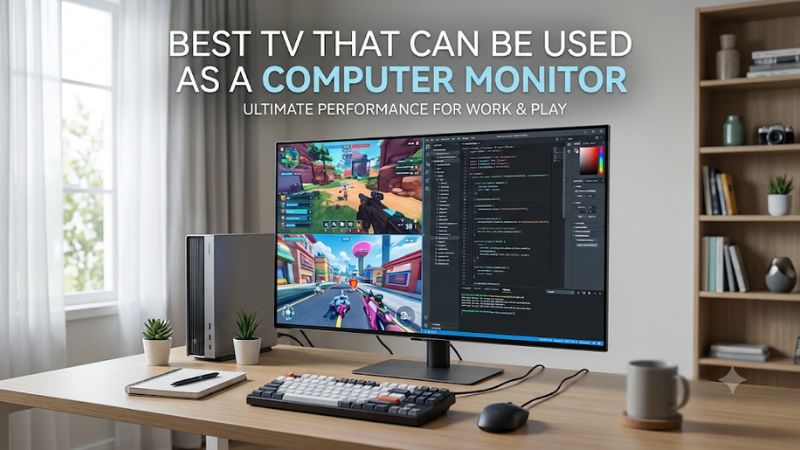
The best TV that can be used as a computer monitor overall
The LG C6 OLED 42-inch is the strongest all-around recommendation for most desktop gaming setups. Its combination of 4K resolution, a 165Hz maximum refresh rate, four HDMI 2.1 connections, VRR support, and nearly instantaneous pixel response makes it particularly attractive for PC gaming. Its 42-inch screen also offers a more manageable physical footprint than larger living-room televisions.
RTINGS identifies the LG C6 OLED as its leading TV for PC monitor use in 2026. Independent testing highlights its low input lag, support for 4:4:4 chroma, and compatibility with modern variable refresh rate technologies. However, its nonstandard RGWB subpixel arrangement does not produce text as cleanly as a conventional RGB monitor.
The alternatives below address specific needs rather than pretending every television is equally suitable for desktop work.
Quick verdict
| TV model | Best suited for | Resolution and refresh rate | Main drawback |
|---|---|---|---|
| LG C6 OLED 42-inch | Best overall | 4K, 165Hz | OLED text clarity limitations |
| Samsung S90H OLED 42-inch | Bright rooms | 4K, 165Hz | No Dolby Vision |
| TCL QM7L 55-inch | Large LCD desktop | 4K, 144Hz | Large physical footprint and motion blur |
| Hisense U7SG 55-inch | Bright-room gaming | 4K, 165Hz | BGR subpixel layout |
| Vizio Mini LED Quantum 4K 43-inch | Basic desktop productivity | 4K, 60Hz | Limited 4K gaming refresh rate |
| LG B5 OLED 48-inch | Larger OLED workspace | 4K, 120Hz | Older generation and imperfect text rendering |
These recommendations are based on published specifications and independent third-party testing, not detailed research by Build-PC-Guide. Prices are intentionally excluded because comparable, current US retailer prices for every exact variant have not been established.
How we selected TVs for computer monitor use
A TV designed primarily for watching movies does not automatically make a good desktop display. A computer sends different types of visual information, including small fonts, interface elements, spreadsheets, static windows, and rapidly changing game frames.
For that reason, the selection process emphasizes desktop compatibility instead of relying on television marketing claims.
Resolution and pixel density are important starting points. A 4K television provides 3,840 × 2,160 pixels, but the same resolution looks different at 42 inches and 65 inches. A smaller screen generally produces sharper text at typical desktop distances because more pixels are concentrated within each inch.
Refresh rate is another major consideration. A 60Hz television can handle everyday office work, browsing, and video playback, but a 120Hz, 144Hz, or 165Hz model provides smoother cursor movement and gaming motion. Higher refresh rates are particularly useful when paired with a graphics card capable of producing corresponding frame rates.
We also considered HDMI bandwidth, VRR compatibility, input lag, chroma subsampling, panel technology, and reflection handling. A television can advertise excellent gaming specifications yet remain frustrating for everyday productivity if its text looks blurry or its screen reflects every light in the room.
Independent evaluations from RTINGS were particularly useful because they examine PC-specific characteristics, including 4:4:4 chroma handling, supported input resolutions, panel subpixel layouts, and game-mode responsiveness.
Best TVs for use as computer monitors
LG C6 OLED 42-inch – Best overall
The LG C6 OLED 42-inch is the most balanced choice for someone who wants one large display for desktop work, PC gaming, and entertainment. Its relatively compact size makes it easier to position on a conventional desk than a 55-inch television, while its OLED technology delivers the contrast that makes games and movies especially immersive.
The OLED42C6PUA features a native 4K resolution and supports a refresh rate of up to 165Hz for compatible PC hardware. LG also advertises NVIDIA G-SYNC compatibility, AMD FreeSync Premium, and a 0.1ms response time. Four HDMI 2.1 ports provide flexibility for connecting a desktop, laptop, and additional entertainment devices.
Its independent testing results are particularly relevant to PC users. RTINGS reports very low input lag, nearly instantaneous pixel transitions, and proper 4:4:4 chroma support. This means small colored text and desktop interface elements can retain more detail than they would on a television that applies chroma subsampling.
However, the C6 is not a perfect substitute for a dedicated productivity monitor. Its RGWB subpixel structure differs from the standard RGB arrangement used by conventional monitors. Windows ClearType is not optimized perfectly for this structure, so fine lettering can show some unusual edges.
There is another distinction worth understanding: RTINGS tested the 65-inch version and notes that the 42-inch model lacks Brightness Booster technology. Consequently, its brightness should not be assumed to match the larger tested configuration. The smaller version remains attractive for desktop use, but buyers should consider room lighting before choosing it.
Buy if you want a 42-inch OLED display with premium gaming performance, excellent black levels, and broad GPU compatibility.
Skip if your work involves reading tiny text for long periods, you need an RGB subpixel display, or your desk receives strong direct sunlight.
Samsung S90H OLED 42-inch – Best for bright rooms
The Samsung S90H OLED is a strong alternative to the LG C6, particularly for users who cannot completely control the lighting around their desk. Its matte screen coating is the defining feature that separates it from many competing OLED televisions.
Samsung’s 42-inch S90H combines 4K resolution with a high-refresh-rate gaming platform. The model family supports up to 165Hz, VRR, and four HDMI 2.1 inputs. Its matte finish is designed to reduce reflections, making the display more practical in a room with windows, overhead lighting, or other ambient light sources.
RTINGS independently describes the S90H’s matte treatment as particularly effective at eliminating reflections. Its WOLED technology also helps maintain deeper blacks in bright environments than earlier Samsung QD-OLED implementations with raised black levels under ambient lighting. This makes it an interesting option for people who use their television throughout the day rather than primarily at night.
Gaming responsiveness is another strength. The independent review identifies low input lag, almost instantaneous pixel response, and support for 4K at 165Hz across all four HDMI 2.1 inputs. It also supports proper 4:4:4 chroma, which is important for PC desktop use.
There are some compromises. Samsung does not support Dolby Vision, so users who prioritize that particular HDR format should consider an LG alternative. Additionally, RTINGS tested the 65-inch version and notes that the 42-inch model is likely less bright. The tested panel’s RGWB layout can also affect small-text clarity compared with standard RGB displays.
Buy if your PC setup sits in a relatively bright room and you prefer a reflection-reducing OLED screen.
Skip if Dolby Vision is important to your entertainment setup or you want the cleanest possible text rendering.
TCL QM7L 55-inch – Best for a large LCD display
Exact US model: 55QM7L | 2026 generation | 55-inch SQD-Mini LED LCD
The TCL QM7L is worth considering when a 42-inch television does not provide enough screen area. Its 55-inch size makes it better suited to a deep desk, wall-mounted PC workstation, or gaming area where the viewer can sit farther away.
Unlike the OLED options, this television uses SQD-Mini LED technology with an LCD panel. That distinction matters for desktop users because LCD does not have the same permanent image-retention concerns associated with OLED. You can leave static desktop windows visible for extended periods without having to manage OLED-specific burn-in precautions.
TCL lists a 4K resolution, a native 144Hz refresh rate, VRR, and support for Game Accelerator 288. Its official specifications identify HDMI inputs 1 and 2 as supporting 4K at 144Hz, so these are the connections to prioritize when attaching a gaming PC.
RTINGS confirms that the QM7L supports 4K at 144Hz through two HDMI inputs and 1080p at up to 288Hz. It also handles 4:4:4 chroma correctly across supported formats. Its RGB subpixel arrangement makes it an interesting alternative for people who care more about desktop text clarity than OLED’s near-instant pixel response.
The downside is motion performance. Despite its impressive refresh-rate specifications, RTINGS reports relatively slow pixel transitions, which can produce noticeable blur behind moving objects. That makes it less attractive for competitive FPS gaming than an OLED television with faster transitions.
The 55-inch panel also deserves careful consideration before purchase. Its physical size can overwhelm a shallow desk, and it has a lower pixel density than a 42-inch 4K display. You may need to increase your viewing distance and adjust Windows scaling.
Buy if you need a large LCD display, prefer avoiding OLED burn-in concerns, and have enough room for a 55-inch television.
Skip if you sit close to your screen, play competitive games where motion clarity matters, or need high-refresh connectivity across several HDMI inputs.
Hisense U7SG 55-inch – Best for bright-room gaming
Exact US model: 55U7SG | 2026 generation | 55-inch Mini LED LCD
The Hisense U7SG is another strong LCD alternative, especially for users who want a bright television for gaming, productivity, and daytime entertainment. Its Mini LED backlight and matte screen coating are useful characteristics when a desk is positioned near windows or other strong light sources.
Hisense offers the U7SG in several sizes, beginning at 55 inches. Its official product information highlights Mini LED technology, gaming-oriented features, and an anti-reflective screen treatment. The model also belongs to a broader family that includes multiple large-screen configurations.
Independent testing provides a clearer picture of its PC compatibility. RTINGS reports a maximum refresh rate of 165Hz at 4K and 330Hz at 1080p, alongside VRR support and HDMI 2.1 bandwidth across all four inputs. It also handles chroma 4:4:4 correctly, allowing compatible PC signals to display desktop text without chroma-related detail loss.
Its high refresh rate and low input lag make it attractive for gaming. However, the review identifies sluggish pixel transitions that create visible motion blur during fast gameplay. More importantly for office users, its VA panel uses a BGR subpixel arrangement. This can reduce text clarity on Windows compared with an RGB-layout panel.
The size of the tested unit is another important qualification. RTINGS tested the 65-inch model, while this recommendation concerns the 55-inch version. Although the review covers the wider product family, buyers should verify the precise panel characteristics of their chosen size rather than assuming every specification transfers perfectly.
Buy if you want a large, bright LCD television with high-refresh-rate PC gaming support and useful reflection handling.
Skip if small desktop lettering is your highest priority or you have limited space between your chair and the screen.
Vizio Mini LED Quantum 4K 43-inch – Best for basic desktop productivity
Exact US model: VQM43C-1001 | 2026 generation | 43-inch Mini LED LCD
The Vizio Mini LED Quantum 4K 43-inch is a practical option for people who want a relatively affordable television for everyday computer use without paying for premium OLED gaming technology. It offers a large 4K workspace, Mini LED backlighting, and an RGB subpixel layout that is particularly relevant to desktop text.
The exact VQM43C-1001 model has a 43-inch screen with a native 3,840 × 2,160 resolution and a 60Hz refresh rate. Vizio lists three HDMI connections and HDMI VRR support. It also advertises 120fps gaming at 1080p, which is different from offering 120Hz at native 4K resolution.
That distinction is essential. A PC connected to this television should not be expected to deliver 4K gaming at 120Hz. Its primary use case is everyday productivity, web browsing, document editing, streaming, and casual gaming where 60Hz is acceptable.
There is a meaningful desktop advantage, however. RTINGS identifies the tested model’s IPS panel and standard RGB subpixel layout. It also confirms correct 4:4:4 chroma handling, which supports clear text reproduction from a PC. In practical terms, that makes it potentially more comfortable for spreadsheets, browser windows, and general desktop interfaces than an OLED with a nonstandard pixel structure.
The limitations include slower motion handling than high-refresh-rate gaming televisions and less impressive contrast than OLED. The official Vizio specifications also list an input-lag figure below 30ms, so competitive players should compare independent results and responsiveness carefully rather than assuming it performs like a premium gaming display.
Buy if you want a 43-inch 4K television primarily for productivity, entertainment, and occasional casual gaming.
Skip if you need 4K at 120Hz or higher, competitive gaming performance, or OLED-level black reproduction.
LG B5 OLED 48-inch – Best for a larger OLED setup
Exact US model: OLED48B5PUA | 2025 generation | 48-inch OLED
The LG B5 OLED 48-inch remains an option for buyers who prefer an OLED television with a larger viewing area and do not necessarily need the latest 165Hz specification. It is a previous-generation model, but its core gaming capabilities remain relevant for many desktop and entertainment setups.
The OLED48B5PUA features 4K resolution, a 120Hz refresh rate, and support for NVIDIA G-SYNC. LG also includes its webOS smart TV platform, Dolby Vision, and Dolby Atmos. For PC users, the more important capabilities are its high-refresh HDMI inputs and support for modern gaming features.
RTINGS confirms that the B5 supports 4K at 120Hz with VRR, four HDMI 2.1 bandwidth ports, and proper 4:4:4 chroma handling. Its Game Optimizer mode also delivers low input lag. The independent review measured 12.8ms at 4K/120Hz in HDR Filmmaker Mode with Game Optimizer enabled and the input label set to PC. That figure reflects the review’s specific test setup rather than a guaranteed result for every connection or setting.
Its OLED panel provides excellent black levels and fast pixel transitions. However, its RWBG subpixel arrangement can create minor text-rendering issues on Windows. This is not necessarily a problem for users who mostly play games, watch movies, or work with larger interface elements, but it matters for people who spend most of their day reading small fonts.
The 48-inch screen also requires more physical space than a standard desktop monitor. Before purchasing, measure the available desk width and viewing distance. It is not automatically the right choice simply because it offers more screen area.
One final consideration is availability. LG’s 2026 B6 generation has replaced the B5 in the product lineup, so the B5 should be treated as a previous-generation option rather than the default new-model recommendation. Its purchase makes most sense when an exact OLED48B5PUA unit remains available at a competitive verified price.
Buy if you want a large OLED screen, 4K/120Hz gaming, and excellent movie performance.
Skip if you need a compact display, the latest refresh-rate capabilities, or particularly sharp small text.
How to choose the best TV that can be used as a computer monitor
Choosing between these televisions requires more than comparing their specifications. A television must fit the physical arrangement of your computer, the type of content you view, and the amount of time you spend using static desktop applications.
Choose the right screen size for your desk
Screen size directly affects viewing distance, pixel density, and comfort. A larger display can improve the entertainment experience but may become inconvenient when positioned too close to your eyes.
The following table provides a practical starting point rather than a strict technical standard.
| TV size | Suggested setup | Main consideration |
|---|---|---|
| 42–43 inches | Conventional desk or compact workstation | Easier to manage at desktop distance |
| 48 inches | Deep desk or wall-mounted workstation | Requires more viewing distance |
| 55 inches | Large desk or room-based gaming setup | Can dominate a conventional workspace |
| 65 inches and above | Couch gaming or distant workstation | Generally too large for close desktop use |
For most people, 42 or 43 inches is a sensible starting point. A 48-inch or 55-inch screen can still work, but it benefits from a deeper desk and careful placement.
Do not assume that a 4K television has monitor-level text sharpness simply because it has the same resolution as a 4K monitor. Pixel density depends on the relationship between resolution and physical screen size.
Understand 4:4:4 chroma subsampling
Chroma subsampling describes how a display signal handles color information relative to brightness information. Television video content can look perfectly acceptable with reduced chroma resolution, but desktop text is more demanding.
A PC monitor benefits from full 4:4:4 chroma because small colored text and fine interface details retain more accurate color information. Without proper handling, text can appear blurry or develop colored edges.
Look for independent confirmation that the television displays 4:4:4 correctly at its intended resolution and refresh rate. This matters especially when using 4K at 120Hz or higher because some televisions have different limitations depending on the active HDMI input and signal mode.
Also check whether the TV needs a dedicated PC input label or a specific picture setting to enable full chroma. For example, RTINGS identifies the LG B5’s PC input labeling and 4:4:4 Passthrough setting as ways to enable proper chroma handling.
Compare OLED and Mini LED for desktop use
OLED and Mini LED televisions solve different problems.
OLED pixels produce their own light, allowing individual pixels to switch off completely. This creates excellent blacks, strong contrast, and very fast pixel transitions. It is particularly attractive for dark-room gaming, cinematic content, and mixed entertainment use.
However, OLED introduces a long-term consideration: burn-in. Static desktop elements, including taskbars, browser tabs, spreadsheets, and application toolbars, can increase the risk of uneven pixel wear over extended periods. Modern OLED televisions have protection features, but those features do not eliminate the underlying risk.
Mini LED uses an LCD panel with a more sophisticated backlight. It cannot produce the same pixel-level black control as OLED, but it avoids OLED’s permanent burn-in mechanism. It can also offer excellent brightness for rooms with substantial ambient light.
For a workstation used eight hours daily for office applications, a suitable Mini LED LCD can be a more practical option. For a PC used primarily for gaming and entertainment, OLED can provide a more compelling visual experience.
Check HDMI bandwidth and supported refresh rates
Do not rely exclusively on the maximum refresh rate printed on a television’s product page.
A model advertised as 144Hz may not support 4K at 144Hz through every HDMI port. Some televisions reserve their highest-bandwidth modes for specific inputs.
For example, the TCL QM7L provides 4K/144Hz support through two HDMI ports, while the other connections should not automatically be assumed to offer the same high-bandwidth capability. By contrast, independent testing identifies all four HDMI 2.1 ports on the LG C6 and Samsung S90H as supporting their maximum 4K refresh rates.
Your graphics card must also support the required output. A television cannot create a 165Hz 4K signal if the graphics card, cable, or connection configuration cannot provide it.
Use a certified Ultra High Speed HDMI cable for suitable HDMI 2.1 connections, and connect directly to the television when troubleshooting bandwidth or refresh-rate problems.
Consider input lag, VRR, and response time
Three specifications are frequently confused when choosing a gaming television.
Input lag measures the delay between receiving a signal and displaying the corresponding image. Lower input lag makes controls feel more immediate.
Pixel response time describes how quickly individual pixels change from one color or brightness level to another. Faster transitions reduce motion blur and ghosting.
Variable refresh rate allows the display to adjust its refresh timing to the graphics card’s output. This helps reduce screen tearing and improves perceived smoothness when frame rates fluctuate.
These features work together, but they are not interchangeable. A television with 165Hz refresh and VRR can still have relatively slow pixel transitions. The TCL QM7L and Hisense U7SG illustrate why buyers should look beyond headline refresh-rate specifications.
Check connectivity and desktop positioning
A television normally uses a remote control and a living-room stand, while a desktop monitor is designed around keyboard and mouse operation. That difference can affect daily convenience.
Check the placement of HDMI ports before buying. A wall-mounted TV with rear-facing connections can make cable changes difficult. You should also confirm its VESA mounting pattern if you intend to use a compatible wall mount or stand.
For a desktop workstation, consider how high the screen sits relative to your eyes. A television that is positioned too high can be uncomfortable during extended computer sessions. A suitable mounting arrangement should allow you to view the center of the display without repeatedly tilting your neck.
Finally, remember that built-in TV speakers are not necessarily a substitute for dedicated desktop audio. Their placement and sound characteristics are designed for broader room listening rather than the near-field listening position of a computer desk.
Common mistakes when using a TV as a computer monitor
One frequent mistake is buying a very large television without measuring the desk. A 55-inch 4K screen can look impressive in a showroom but become overwhelming when positioned less than three feet away.
Another mistake is choosing a 4K television with a 60Hz refresh rate when competitive gaming is a priority. Resolution and refresh rate should be considered together. A 4K/60Hz television may look attractive for productivity and movies but cannot provide the same motion experience as a 4K/120Hz or faster model.
Buyers should also avoid assuming that every HDMI port supports the television’s maximum specifications. Check the manual and identify the ports supporting the required bandwidth.
Ignoring OLED burn-in precautions is another potential problem. A desktop operating system can display fixed elements for many hours, so users should enable available panel-care features, allow automatic maintenance cycles to run, and avoid leaving static content displayed unnecessarily.
Finally, do not overlook scaling. Windows may initially display interface elements that are too small or too large for a particular screen size. Adjusting display scaling and text size can make a television much more comfortable without reducing its native resolution.
Frequently asked questions
Is a TV better than a monitor for computer use?
A TV can be better when you want a large screen for movies, PC gaming, console gaming, and general entertainment. A conventional monitor is usually more practical for close desktop work because it offers more appropriate sizes, greater pixel density, easier height adjustment, and often better text clarity.
The better option depends on your priorities. A 42-inch OLED TV can be excellent for gaming, while a 27-inch or 32-inch monitor may be more comfortable for spreadsheets and long hours of reading.
What size TV is best for use as a computer monitor?
A 42-inch or 43-inch television is a sensible starting point for most users who want to replace a conventional monitor with a larger display. It offers substantially more screen area without becoming as difficult to position as a 55-inch model.
A 48-inch television can work with a deeper desk, while 55-inch models are better suited to room-based workstations or users who sit farther away.
Should I use an OLED TV as a PC monitor?
Yes, an OLED television can work very well as a PC monitor, especially for gaming and entertainment. Its excellent contrast and fast pixel response provide an impressive visual experience.
However, OLED introduces potential burn-in concerns when static desktop elements remain visible for extended periods. Users should enable the manufacturer’s panel protection features and consider an LCD alternative when productivity dominates their daily workload.
Does a TV need HDMI 2.1 to work as a computer monitor?
No. HDMI 2.1 is not necessary for basic computer use. A television with HDMI 2.0 can still display 4K at 60Hz, which is sufficient for browsing, office applications, and ordinary video playback when it supports the appropriate PC signal formats.
HDMI 2.1 becomes more important when you want higher refresh rates at 4K, additional bandwidth for advanced gaming features, or broader compatibility with modern graphics cards.
Why does text look blurry on my TV when connected to a PC?
Several factors can contribute to blurry desktop text, including chroma subsampling, incorrect scaling, oversharpening, and unusual panel subpixel arrangements.
Start by selecting the television’s PC input mode, enabling the appropriate 4:4:4 setting, and checking that Windows outputs the native 4K resolution. Then adjust display scaling and disable unnecessary picture-processing features.
If the problem remains, the panel’s RGB, BGR, or WRGB arrangement may be contributing to the appearance of fine lettering.
Can I use a TV for both work and gaming?
Yes. A television with 4K resolution, proper 4:4:4 chroma support, low input lag, and VRR can serve as a versatile display for both activities.
The LG C6 and Samsung S90H are particularly strong options for mixed gaming and entertainment use. For someone who spends more time working with static desktop windows, an LCD model such as the TCL QM7L may be preferable because it avoids OLED burn-in concerns.
Final verdict
The LG C6 OLED 42-inch is the strongest overall choice for most people seeking a television to replace a gaming monitor. It combines a manageable screen size with 4K resolution, 165Hz refresh, HDMI 2.1 connectivity, VRR, and exceptionally fast pixel response.
The Samsung S90H is a compelling alternative for bright rooms because of its matte OLED screen. The TCL QM7L offers a larger LCD display with strong desktop signal compatibility, while the Hisense U7SG provides another option for high-refresh gaming in brighter environments. For basic productivity, the Vizio Mini LED Quantum 4K 43-inch is worth considering, and the LG B5 remains an alternative when a larger OLED screen is preferred.
Ultimately, the right television depends on how close you sit, how much text you read, and whether gaming or productivity takes priority. Choose the model that fits your actual workstation rather than assuming the largest or most expensive screen will provide the best desktop experience.