A memory card reader is the least glamorous part of a PC build and the one you reach for after every photo shoot, dash cam swap, or trail camera check. Under 75 dollars, the real question is not cost, because every reader in this group sits far below the cap. The question is what is on the other end of the cable: a USB-C laptop, an older USB-A desktop port, an iPhone, or a pile of mixed card types from different cameras.
This guide is for builders and hobbyists who want to offload footage without waiting on a sluggish port or hunting for a dongle. We sorted ten readers by connector layout, slot count, and card formats named in each listing, so you can match the reader to your devices instead of buying the first adapter that looks right in 2026.
Quick Picks

acer SD Card Reader USB C, Dual Slots USB Type C to Micro SD Card Adapter | Memory Card Reader for MicroSD, SDHC, SDXC, Compatible with Laptop, PC, iPhone16/15, MacBook Pro/Air, iPad Pro, Android


As an Amazon Associate we earn from qualifying purchases. Product prices and availability are accurate as of the date/time indicated.

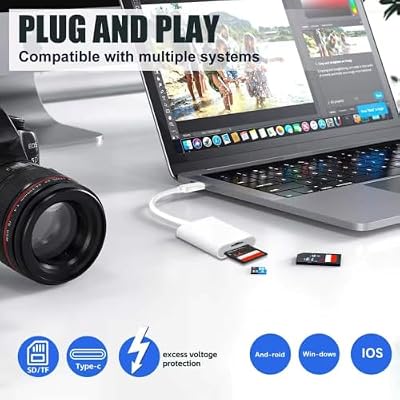
USB C SD Card Reader, Type C SD Card Reader, Supports SD and MicroSD Memory Card Adapters for iPhone 15 16/iPad/MacBook/Mac, Trail Camera Viewer Plug and Play -2 Slots




As an Amazon Associate we earn from qualifying purchases. Product prices and availability are accurate as of the date/time indicated.

Memory Card Reader, BENFEI 4in1 USB 3.0 and USB-C to SD Micro SD MS CF Card Reader Adapter, 4 Cards Simultaneously Read and Write, Compatible with iPhone 15 Series, MacBook Pro/Air 2023, and More


As an Amazon Associate we earn from qualifying purchases. Product prices and availability are accurate as of the date/time indicated.

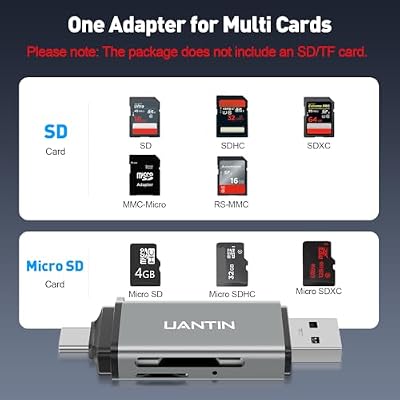
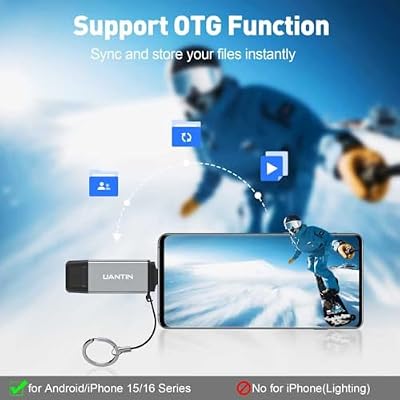
UANTIN SD Card Reader, Dual Slots USB A & USB C to Micro SD Card Adapter | Memory Card Reader for MicroSD, SDHC, SDXC, Compatible with Laptop, PC, iPhone 17, MacBook Neo/Pro/Air, iPad Pro, Android




As an Amazon Associate we earn from qualifying purchases. Product prices and availability are accurate as of the date/time indicated.

USB3.0 Micro SD Card Reader, 5Gbps 2-in-1 SD Card Reader to USB Adapter, Wansurs Memory Card Reader for SDXC, SDHC, MMC, RS-MMC, Micro SDXC, Micro SD, Micro SDHC and UHS-I Cards (1Pack Black)


As an Amazon Associate we earn from qualifying purchases. Product prices and availability are accurate as of the date/time indicated.

SD Card Reader, 5 in 1 USB-C & USB Card Adapter with SD/MicroSD/MS and Dual USB-A Ports Memory Card Reader for iPhone 17/16/15 Pro Max iPad MacBook Pro/Air M4/M3 Android Phone/Tablet PC (White)


As an Amazon Associate we earn from qualifying purchases. Product prices and availability are accurate as of the date/time indicated.
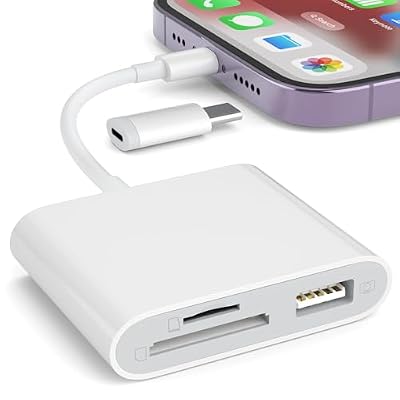
SZHAIYIJIN SD Card Reader for iPhone, Memory Card Reader with USB Camera Adapter Plug and Play Trail Game Camera Viewer Supports SD and TF Card MicroSD Card Adapter for iPad No App Required



As an Amazon Associate we earn from qualifying purchases. Product prices and availability are accurate as of the date/time indicated.

SD Card Reader for iPhone, iPad, USB C SD Card Adapter, Dual Port Memory Card Reader for Camera Adapter, Support SD, Micro SD, USB 3.0, Plug and Play



As an Amazon Associate we earn from qualifying purchases. Product prices and availability are accurate as of the date/time indicated.

uni SD Card Reader,High Speed USB C to Micro SD Memory Card Adapter USB 3.0 | Dual Slots, Memory Card Reader, for SD/Micro SD/SDHC/SDXC/MMC, Card Reader for MacBook Pro/Air, Chromebook, Android Galaxy


As an Amazon Associate we earn from qualifying purchases. Product prices and availability are accurate as of the date/time indicated.

SD Card Reader, USB 3.0 Type C High Speed to SD/TF Card Adapter for iPhone 17/16/15 Pro Max Memory Card Reader with SD MicroSD USB 3 Port for Mac/iPad/MacBook Pro/Air Android Phone Tablet(White)


As an Amazon Associate we earn from qualifying purchases. Product prices and availability are accurate as of the date/time indicated.
| Product | Best for | Key spec from the title |
|---|---|---|
| acer dual-slot USB-C reader | USB-C laptops and PCs | Dual slots, SD, SDHC, SDXC, MicroSD |
| Type-C SD/MicroSD reader (iPhone 15/16 listing) | Trail camera checks on a phone | Supports SD and MicroSD, Mac and iPad |
| BENFEI 4-in-1 | Mixed legacy cards | SD, Micro SD, MS, CF; 4 cards at once |
| UANTIN dual-slot | Mixed USB-A and USB-C hosts | USB A and USB C connectors |
| Wansurs 2-in-1 | Desktop USB-A ports | USB 3.0, 5Gbps, SD and Micro SD |
| 5-in-1 USB-C and USB hub reader | One adapter, many jobs | SD/MicroSD/MS plus dual USB-A ports |
| SZHAIYIJIN iPhone reader | Game camera viewing | Plug and play, SD and TF cards |
| Dual-port iPhone/iPad reader | Camera adapter replacement | SD, Micro SD, USB 3.0 |
| uni USB-C reader | Everyday laptop use | USB 3.0, dual slots, MMC support |
| USB 3.0 Type-C SD/TF reader | Mac and iPad owners | SD/TF with a USB 3 port |
How to Choose
Match the connector to your ports
Look at the port you will plug into most often. A USB-C-only reader leaves a USB-A desktop out in the cold, while a dual-connector design such as the UANTIN covers both. If your build has front-panel USB-C, a pure Type-C reader is cleaner. Phone owners should confirm the listing names their iPhone generation rather than assuming.
Check the interface speed
Listings that state USB 3.0 or 5Gbps are the ones to favor for large 4K clips. A reader that never names its interface may fall back to USB 2.0, which crawls when you move tens of gigabytes. Speed also depends on the card itself, so a fast reader cannot rescue a slow card.
Count slots and formats
Dual slots let you hold an SD and a microSD card at once, useful for copying between them. Single-purpose readers cost less but force card swapping. If you still own Memory Stick or CompactFlash media, only the 4-in-1 and 5-in-1 styles list those formats.
Ignore the compatibility laundry list
Titles that name six device brands add little. Budget models cut corners on cable strain relief and shell material, so favor simple designs with few moving parts over long feature lists. Skip anything that promises capacities beyond what SDXC covers.
The 10 Best Options
acer Dual-Slot USB-C Card Reader
Aimed at laptop and desktop owners with a USB-C port, this reader lists dual slots for SD, SDHC, SDXC, and MicroSD cards. That makes it handy when you need to copy from a full-size camera card to a microSD card used elsewhere, or when you are juggling a drone card and a camera card during one offload session. The layout is simple enough that nobody in the house will need instructions.
- Strength: dual slots cover both common card sizes.
- Strength: a well-known brand name on the listing.
- Trade-off: the title shows only a USB-C connector, so older USB-A machines need a separate adapter.
Skip it if your tower only has USB-A ports on the rear panel, because the listing offers no second connector to fall back on.
Type-C SD and MicroSD Reader (iPhone 15/16 Listing)
This listing is written around trail camera viewing, with Type-C connection and support for SD and MicroSD cards on iPhone 15 and 16, iPad, and MacBook. It suits hunters and wildlife watchers who review footage in the field and would rather not carry a laptop into the woods. Because the same product also names Mac and iPad, it can later double as a desk reader.
- Strength: named support for both phones and Macs.
- Strength: handles the two card types trail cameras use most.
- Trade-off: the title names no USB speed, so large transfers may be slower than a 5Gbps model.
Skip it if you need Memory Stick or CF support, or if you routinely move very large video folders where a stated interface speed would be reassuring.
BENFEI 4-in-1 USB 3.0 and USB-C Reader
BENFEI covers SD, Micro SD, MS, and CF, and the title says four cards can be read and written simultaneously. It fits anyone digging out old camera media, archiving a shoebox of legacy cards, or running a mixed workflow where several formats arrive on the same day. Builders who convert an old family archive to a NAS will find the multi-card behavior useful.
- Strength: CF and Memory Stick support is rare in this group.
- Strength: USB 3.0 plus USB-C connectivity.
- Trade-off: more slots mean a bulkier body than a thumb-sized adapter.
Skip it if you only ever use SD and microSD, since you would pay for slots you never touch and carry a larger body for no reason.
UANTIN Dual-Slot USB-A and USB-C Reader
UANTIN pairs a USB A and USB C connector with dual slots for micro SD, SDHC, and SDXC. It is a sensible pick for a builder who moves between a USB-C laptop and a USB-A desktop, such as someone who edits on a notebook but ingests footage on the workshop PC. One reader in the bag replaces two adapters.
- Strength: both connector types on one body.
- Strength: dual slots for simultaneous card handling.
- Trade-off: a two-connector design adds a small amount of bulk on a keychain.
Skip it if your devices are all USB-C and you prefer a slimmer adapter that does not carry a connector you will never use.
Wansurs USB 3.0 Micro SD Reader
The Wansurs states 5Gbps and a 2-in-1 layout covering SDXC, SDHC, MMC, RS-MMC, Micro SDXC, and Micro SD. It is the straightforward choice for a desktop with spare USB-A ports, especially a tower where the front panel is a short reach away. The wide format list also helps if an old MMC card turns up in a drawer.
- Strength: a stated 5Gbps interface for big folders.
- Strength: unusually broad format list including MMC variants.
- Trade-off: the title mentions no USB-C connector.
Skip it if your main machine is a modern ultrabook with only USB-C, since you would need an extra adapter to use it at all.
5-in-1 USB-C and USB Hub-Style Reader
This one reads SD, MicroSD, and MS cards and adds dual USB-A ports, so it doubles as a small hub. It suits someone who wants one dongle for a card, a mouse, and a flash drive, such as a traveler working from a hotel desk with a single free port. The listing also names several current iPhone models, which suggests phone use was a design goal.
- Strength: extra USB-A ports beyond card slots.
- Strength: iPhone 17, 16, and 15 Pro Max named in the title.
- Trade-off: a hub-style body is larger than a basic reader.
Skip it if you want the smallest possible pocket adapter, because a hub body trades compactness for extra ports.
SZHAIYIJIN iPhone Card Reader
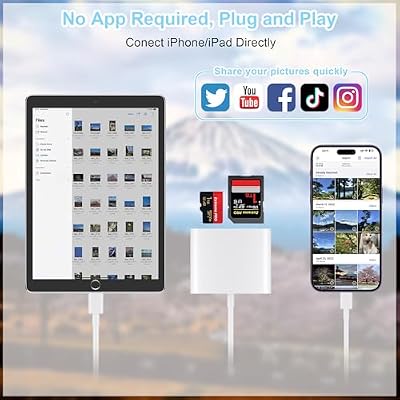
Billed as a USB camera adapter with plug and play behavior, it targets trail and game camera viewing on an iPhone, with SD and TF cards supported. Think of it as a field tool: pull a card, plug it in, and scroll through the daily motion triggers while standing at the tree line.
- Strength: plug and play with no stated app requirement.
- Strength: covers SD and TF media.
- Trade-off: the title says nothing about USB 3.0 speeds.
Skip it if you are moving long 4K recordings to a desktop, where a reader with a stated 5Gbps interface is the safer bet.
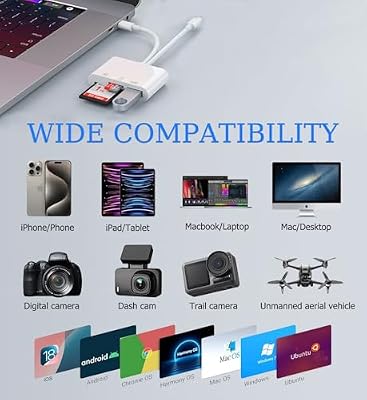
Dual-Port iPhone and iPad SD Adapter
This adapter calls itself a camera adapter with dual ports, supporting SD, Micro SD, and USB 3.0. It is a fit for iPad users who edit photos on the go, such as a photographer who culls a wedding gallery on the train. Two ports mean the tablet can charge or connect a second device alongside the card.
- Strength: USB 3.0 named in the listing.
- Strength: plug and play, no setup language.
- Trade-off: a generic product name makes brand support harder to judge.
Skip it if brand reputation matters more to you than feature count, because the listing leads with specs rather than a recognizable maker.
uni USB-C to Micro SD Reader
The uni lists high-speed USB 3.0 over USB-C with dual slots for SD, Micro SD, SDHC, SDXC, and MMC. It is a tidy daily driver for a laptop bag, the kind of reader that lives permanently in a sleeve pocket for weekly photo dumps. Pairing a USB 3.0 interface with two slots keeps one adapter from becoming a bottleneck.
- Strength: USB 3.0 and dual slots together.
- Strength: MMC support alongside the usual formats.
- Trade-off: no USB-A connector in the title.
Skip it if you plug into older desktops regularly, since there is no USB-A connector to lean on.
USB 3.0 Type-C SD/TF Reader
This model pairs Type-C with a USB 3 port and supports SD and TF cards, with iPhone 17, 16, and 15 Pro Max plus Mac and iPad in the listing. It suits Apple households where a phone, a tablet, and a laptop all need to take turns pulling files from the same card. The pairing of Type-C and a USB 3 port keeps the design flexible.
- Strength: Type-C and a USB 3 port in one design.
- Strength: current iPhone generations named.
- Trade-off: no unusual formats such as CF or MS.
Skip it if you shoot with older cameras that use legacy media, because the listing names only SD and TF cards.
Which One Fits Your Situation
You build and use a desktop with rear USB-A ports
The Wansurs 5Gbps reader or the UANTIN dual-connector design keeps you out of adapter territory and gets the footage onto the drive without fuss.
You check trail cameras in the field
The Type-C iPhone 15/16 listing and the SZHAIYIJIN reader are written for viewing footage on a phone without a laptop, which saves weight on a long walk-in.
You still own CF cards
The BENFEI 4-in-1 is the only listing here that names CF, so it earns the slot in your drawer for the day an old card shows up.
You want one dongle for everything
The 5-in-1 hub-style reader adds USB-A ports next to the card slots.
Common Mistakes
- Buying a USB-C reader for a desktop that has only USB-A ports.
- Assuming a fast reader fixes a slow card; the card sets the ceiling.
- Paying for CF and Memory Stick slots you never use.
- Ignoring whether the listing names your phone or tablet.
- Plugging a long-term storage card into a low-quality reader and skipping a safe eject.
Related guides
- Usb C Kvm Switch For Two Laptops And Two Monitors
- Vertical Laptop Stand For Dual Laptop Desk Setup
- Nvme Enclosure With Active Cooling For Mac Mini
Frequently Asked Questions
Does a dual-slot reader read two cards at the same time?
Listings with dual slots are designed to hold two cards together, which lets you copy between them. Check that the title names both SD and microSD slots.
Do I need USB 3.0 for a card reader?
For large 4K video files it helps a great deal. For small photo batches, a slower interface is tolerable.
Will these work with an iPhone?
Several listings name iPhone generations directly. Pick one that spells out your model rather than relying on general compatibility wording.
Can a reader handle SDXC cards?
Most listings here name SDXC support. Look for SDXC or Micro SDXC in the title if your card is 128GB or larger.