SATA solid state drives are the quiet workhorse upgrade: they turn a sluggish laptop or an aging desktop into something that boots in seconds, and with a limit of under 200 dollars even 1TB models are in range. The interesting part of this shopping job is that the interface itself caps every drive at roughly 550MB/s, so the headline speed hardly separates them. What does separate them is capacity, flash type, cache design, and how clearly the listing describes what you are buying.
This guide is for owners of 2.5-inch laptop bays, older desktops, small-form-factor office PCs, and external-enclosure builders who want a drive without paying for NVMe speed their machine cannot use. Ten SATA drives from the 2026 field are compared, ranging from 120GB boot drives to 1TB bulk options, with attention to the details that matter for a straightforward swap.
Quick Picks

Patriot P210 256GB SATA 3 2.5 Inch SSD | Form factor: 2.5 Inch; Interface: SATA 3.


As an Amazon Associate we earn from qualifying purchases. Product prices and availability are accurate as of the date/time indicated.

PNY CS900 500GB 2.5" SATA III Internal SSD | Up to 550/500MB/s R/W - PC/Laptop/HDD Upgrade for Everyday Users, Creators, Gamers, and more - SSD7CS900-500-RB


As an Amazon Associate we earn from qualifying purchases. Product prices and availability are accurate as of the date/time indicated.
PNY CS900 250GB 2.5" SATA III Internal SSD | Up to 535/500MB/s R/W - PC/Laptop/HDD Upgrade for Everyday Users, Creators, Gamers, and more - SSD7CS900-250-RB


As an Amazon Associate we earn from qualifying purchases. Product prices and availability are accurate as of the date/time indicated.

TEAMGROUP T-Force Vulcan Z 1TB SLC Cache 3D NAND TLC 2.5 Inch SATA III Internal Solid State Drive SSD, PC Upgrade (Read/Write Speed up to 550/500 MB/s) T253TZ001T0C101


As an Amazon Associate we earn from qualifying purchases. Product prices and availability are accurate as of the date/time indicated.

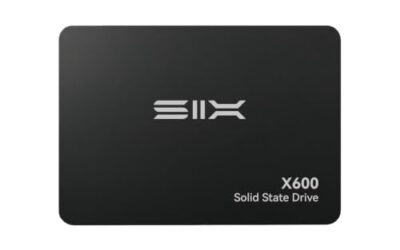
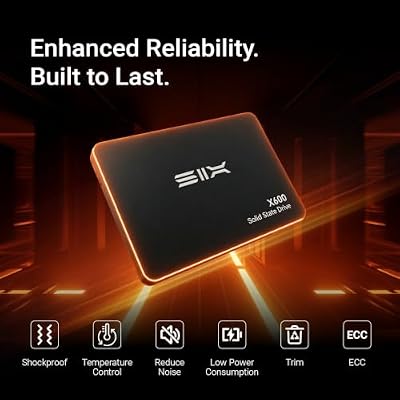
SIX 1TB SATA 2.5 SSD Internal Solid State Hard Drive Read up to 560MB/s | SATA III 6 Gb/s,back compatible 3D NAND SLC Cashe Laptop and PC Storage Upgrade for Gamers, Creators, Everyday Users




As an Amazon Associate we earn from qualifying purchases. Product prices and availability are accurate as of the date/time indicated.

KingSpec 1TB 2.5 SSD SATA III Internal - 550MB/s Read, 520MB/s Write with 3D NAND Flash, for Laptop & Desktop PC Upgrade


As an Amazon Associate we earn from qualifying purchases. Product prices and availability are accurate as of the date/time indicated.

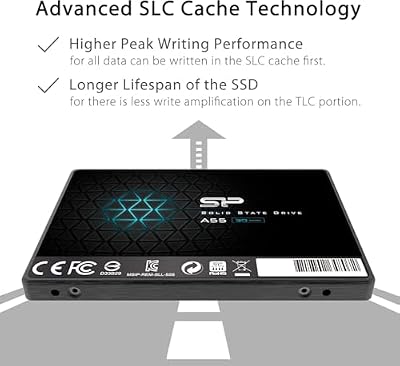
Silicon Power 1TB SSD 3D NAND A55 SLC Cache Performance Boost SATA III 2.5" 7mm (0.28") SSD Internal Solid State Drive (SU001TBSS3A55S25EC)




As an Amazon Associate we earn from qualifying purchases. Product prices and availability are accurate as of the date/time indicated.

Lufasnd Internal 128GB SATA SSD, 2.5 Inch SSD SATA III 6Gb/s, Solid State Drive, Up to 520MB/s Read Speed, 3D NAND Flash, Compatible with Laptop & Desktop PC


As an Amazon Associate we earn from qualifying purchases. Product prices and availability are accurate as of the date/time indicated.

Patriot Burst Elite 120GB SATA 3 2.5 Inch SSD | Form factor: 2.5 Inch; Interface: SATA 3.


As an Amazon Associate we earn from qualifying purchases. Product prices and availability are accurate as of the date/time indicated.

Patriot P220 512GB SATA 3 2.5" SSD | Form factor: 2.5"; Interface: SATA 3.


As an Amazon Associate we earn from qualifying purchases. Product prices and availability are accurate as of the date/time indicated.
| Product | Best for | Key spec from the title |
|---|---|---|
| TEAMGROUP T-Force Vulcan Z 1TB | Gamers and tinkerers | 1TB, 3D NAND TLC, SLC cache, 550/500MB/s |
| Silicon Power A55 1TB | Thin laptops | 1TB, 2.5″ 7mm, SLC cache, SATA III |
| KingSpec 1TB | Capacity on a budget | 550MB/s read, 520MB/s write, 3D NAND |
| SIX 1TB | Highest listed read | Up to 560MB/s, SATA III 6Gb/s |
| Patriot P220 512GB | Mid-size system drive | 512GB, SATA 3, 2.5″ |
| PNY CS900 500GB | Everyday upgrade | 500GB, up to 550/500MB/s |
| Patriot P210 256GB | Light office use | 256GB, SATA 3, 2.5″ |
| PNY CS900 250GB | Small boot drive | 250GB, up to 535/500MB/s |
| Lufasnd 128GB | Basic refresh | 128GB, up to 520MB/s, 3D NAND |
| Patriot Burst Elite 120GB | Cheapest boot drive | 120GB, SATA 3, 2.5″ |
How to Choose
Capacity decides the experience
A 120GB or 128GB drive fits an operating system and little else; updates and a few programs will squeeze it. 250GB to 256GB is workable for office tasks, 500GB gives breathing room for a family laptop, and 1TB is the sensible choice if you also store photos or games. Buy for two years of use, not today’s file count.
Form factor and thickness
All ten are 2.5-inch drives, but thin laptops may accept only 7mm thickness, and one listing states that figure. Check the bay depth before ordering. Desktops with 3.5-inch bays need a mounting bracket, and some ultrabooks use M.2 slots instead of SATA, in which case none of these drives fit at all.
Flash type and cache
Look for 3D NAND, and for TLC where it is named. An SLC cache speeds up bursts of writing, but once it fills, speeds fall back, so large file copies show the difference between drives. Ignore peak numbers: with SATA III topping out near 550MB/s, a quoted 560MB/s versus 535MB/s changes nothing in daily use.
Where budget drives cut corners
The cheapest tiers often use less documented controllers and thinner warranty detail in the title, and the smallest capacities have fewer flash chips to spread the work. None of these titles state endurance ratings, so check the product page for a warranty term and keep a backup regardless of brand.
The 10 Best Options
TEAMGROUP T-Force Vulcan Z 1TB
The most detailed listing in the field: 1TB, 3D NAND TLC, an SLC cache, a 2.5-inch SATA III interface, and 550/500MB/s read and write. It suits a gamer or tinkerer refreshing a desktop who wants a recognizable drive with the flash type stated plainly instead of left to guesswork. A clearly described drive is also easier to compare against rivals, which saves time when several listings look nearly identical on the surface.
- Strength: Flash type and cache design are both named.
- Strength: 1TB capacity at a listed 550/500MB/s.
- Trade-off: The speed is the same SATA ceiling every drive here shares.
Skip it if you need a drive with an NVMe interface.
Silicon Power A55 1TB
Silicon Power lists a 1TB 3D NAND drive with an SLC cache, SATA III, and a 2.5-inch, 7mm body, which is the only listing to state the thickness. That detail matters for slim laptops with shallow bays, where a thicker drive will not seat properly. Measure the old drive or read the laptop manual first, then use this listing as the safe match for a thin chassis.
- Strength: The 7mm thickness is stated clearly.
- Strength: 3D NAND with a performance-boosting cache.
- Trade-off: No read and write speeds appear in the visible title.
Skip it if you want a quoted speed figure in the listing.
KingSpec 1TB
KingSpec lists 1TB with 550MB/s reads, 520MB/s writes, 3D NAND flash, and a role as an internal SATA III upgrade for laptop and desktop PCs. It suits a buyer who wants a terabyte of space and clear speeds without paying a premium for a famous name. Students and home users who care about space per dollar will see why it earns a place, though it is wise to verify the warranty terms on the product page.
- Strength: Both read and write speeds are stated.
- Strength: 1TB capacity for laptop and desktop use.
- Trade-off: A less familiar brand than the memory-company options.
Skip it if brand recognition is a deciding factor.
SIX 1TB
The SIX drive lists up to 560MB/s reads, SATA III 6Gb/s, 3D NAND, an SLC cache, and backward compatibility. It suits upgrade shoppers with older machines who want to confirm the interface works with a legacy SATA port. A decade-old desktop with a SATA II port will still run it, only at the older port’s lower ceiling, so the drive remains a useful upgrade.
- Strength: The highest listed read speed of the group.
- Strength: Backward compatibility is called out.
- Trade-off: The title gives no write speed.
Skip it if you need published write speeds.
Patriot P220 512GB
The Patriot P220 is a 512GB, SATA 3, 2.5-inch drive and fills the middle of the range. It suits a family laptop or an office desktop that needs room for software and documents but not a media library. Pairing it with a cloud or external backup for photos is the easy way to stretch half a terabyte across several years.
- Strength: 512GB is a practical size for everyday computers.
- Strength: Standard 2.5-inch format.
- Trade-off: No speed or flash details in the title.
Skip it if you need detail on flash type or speeds.
PNY CS900 500GB
PNY lists 500GB, a 2.5-inch SATA III interface, up to 550/500MB/s read and write, and a pitch at HDD upgraders, everyday users, creators, and gamers. It suits a straightforward laptop refresh where a known memory brand matters. Its listing speaks to creators and gamers as well, though at 500GB those buyers will want to watch free space closely.
- Strength: Read and write speeds are listed.
- Strength: Well-known brand with broad upgrade framing.
- Trade-off: 500GB gets tight with games and video.
Skip it if you store large media files.
Patriot P210 256GB
The P210 is a 256GB SATA 3 2.5-inch drive, a plain option for a light-duty machine. It suits an office laptop or a family computer that mainly handles browsing, documents, and email. Think of it as a retirement upgrade for a hard-drive laptop that mostly lives on a kitchen counter or in a home office corner.
- Strength: 256GB is enough for a lean operating system and apps.
- Strength: Simple, standard form factor.
- Trade-off: Limited listing detail on speeds.
Skip it if you plan to install games or keep photos.
PNY CS900 250GB
The smaller CS900 lists 535/500MB/s read and write speeds with the same SATA III 2.5-inch design. It is a small boot drive for a secondary machine, a spare, or a home server that only runs an operating system. Parents refurbishing a hand-me-down laptop for a child’s homework often land in this tier, where a fresh install does most of the work.
- Strength: Read and write figures are in the title.
- Strength: Suitable for HDD upgrades.
- Trade-off: 250GB fills fast.
Skip it if the machine is your main computer.
Lufasnd 128GB
Lufasnd lists a 128GB internal SATA SSD with 6Gb/s, up to 520MB/s reads, 3D NAND flash, and laptop and desktop compatibility. It is a bargain refresh for a very basic machine used for web and documents. After the operating system and updates are installed, only a small amount of room remains, so keep downloads on a separate drive or in the cloud.
- Strength: Interface speed and flash type are stated.
- Strength: Low-capacity tier is easy on the wallet.
- Trade-off: 128GB is thin even for Windows with updates.
Skip it if you need space for anything beyond the basics.
Patriot Burst Elite 120GB
This is the smallest drive here: 120GB, SATA 3, 2.5-inch. It suits a thin client, a test machine, or a single-purpose PC where the operating system is the only tenant. A lab bench full of repurposed desktops or a point-of-sale terminal is the realistic home for a drive this small, since regular users will outgrow it quickly.
- Strength: The lowest tier for a boot drive.
- Strength: Standard form factor.
- Trade-off: Almost no space for updates and programs.
Skip it if the computer is your main system.
Which One Fits Your Situation
You are reviving an old laptop
PNY CS900 500GB gives breathing room, while Silicon Power A55 1TB suits a slim chassis where thickness matters. Clone the old drive first, swap the two, and the laptop will boot the same system with far shorter waits.
You are building a game library on a budget
TEAMGROUP T-Force Vulcan Z 1TB or KingSpec 1TB give a terabyte with stated speeds.
You need a drive for a small office PC
Patriot P210 256GB covers documents and email with no fuss.
You are building a media or photo store
SIX 1TB or KingSpec 1TB, with a second copy stored elsewhere. Flash does not warn before it fails, so a mirrored backup matters more than any speed difference.
Common Mistakes
- Paying extra for peak speed when SATA III caps every drive at the same level.
- Choosing 120GB or 128GB for a main computer.
- Forgetting to check whether the laptop has a 2.5-inch bay or an M.2 slot.
- Skipping a cloning tool and reinstalling the system from scratch, or judging drives by one quoted number while overlooking cache design, capacity, and warranty detail.
- Ignoring the 7mm limit in thin laptops, then finding the bay cover will not close over a thicker drive.
Related guides
- Usb C Kvm Switch For Two Laptops And Two Monitors
- Vertical Laptop Stand For Dual Laptop Desk Setup
- Nvme Enclosure With Active Cooling For Mac Mini
Frequently Asked Questions
Will an SATA SSD speed up my old computer?
Yes, boot times and app launches improve noticeably over a hard drive, even though raw speeds stay near 550MB/s.
Is NVMe better?
It is faster, but only if your computer has an M.2 NVMe slot. SATA is the right fit for older machines.
How much capacity should I pick?
500GB for most laptops, 1TB for games and photos. Leave about a tenth of the drive empty, because a nearly full SSD slows down during writes.
Do I need a bracket?
For a 3.5-inch desktop bay, yes. A laptop bay takes the drive directly.