Two drives can share the label “internal SSD” and behave nothing alike: a 2.5-inch SATA model tops out around 550 MB/s, while an M.2 NVMe stick on a fast bus quotes figures more than ten times higher. Shopping for the best internal SSD under 200 dollars therefore starts with a physical question, not a speed one. Does your machine have a free M.2 slot, or only a SATA bay waiting for a cable? The answer narrows the field before capacity or brand even enters the conversation.
This guide is for people replacing a slow hard drive in an older laptop, adding game storage to a desktop, or choosing a drive for a PlayStation 5 expansion slot. Every drive listed sits at or under the cap, and the notes draw on listed specs such as interface, capacity, and quoted speeds. Quoted figures are maximums, so read them as ceilings rather than promises, and confirm slot compatibility before buying a drive in 2026.
Quick Picks

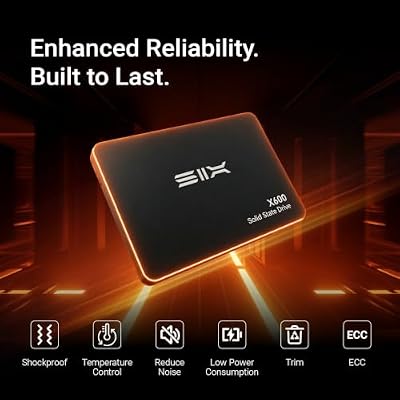
SIX 1TB SATA 2.5 SSD Internal Solid State Hard Drive Read up to 560MB/s | SATA III 6 Gb/s,back compatible 3D NAND SLC Cashe Laptop and PC Storage Upgrade for Gamers, Creators, Everyday Users




As an Amazon Associate we earn from qualifying purchases. Product prices and availability are accurate as of the date/time indicated.
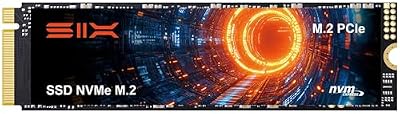
SIX NVME M.2 SSD PCIe 4.0-1TB m.2 2280 ssd, Read UP to 7350MB/s 1TB for Gaming PS5 Memory Storage Expansion with Heatsink, Internal Solid State Hard Drive PCIe gen 4x4 Nvme for Laptop Desktop pc


As an Amazon Associate we earn from qualifying purchases. Product prices and availability are accurate as of the date/time indicated.

PNY CS900 250GB 2.5" SATA III Internal SSD | Up to 535/500MB/s R/W - PC/Laptop/HDD Upgrade for Everyday Users, Creators, Gamers, and more - SSD7CS900-250-RB


As an Amazon Associate we earn from qualifying purchases. Product prices and availability are accurate as of the date/time indicated.

KingSpec 1TB 2.5 SSD SATA III Internal - 550MB/s Read, 520MB/s Write with 3D NAND Flash, for Laptop & Desktop PC Upgrade


As an Amazon Associate we earn from qualifying purchases. Product prices and availability are accurate as of the date/time indicated.

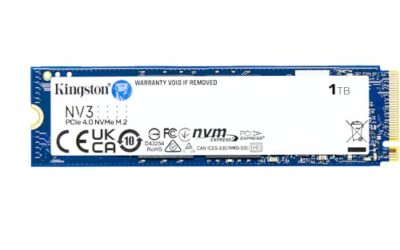
Samsung Internal SSD 990 1TB, Read/Write Speeds Up to 7,150/6,450 MB/s | NVMe Internal Solid State Hard Drive made for Game Collectors, DIY PC Builders, & Digital Archivists (MZ-V9V1T0B/AM


As an Amazon Associate we earn from qualifying purchases. Product prices and availability are accurate as of the date/time indicated.

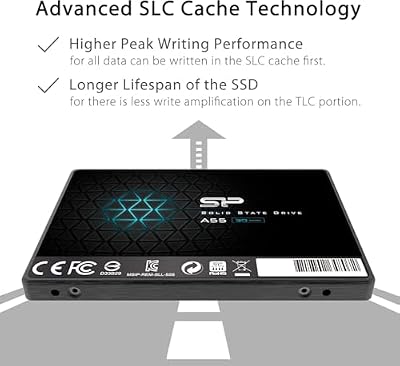
Silicon Power 1TB SSD 3D NAND A55 SLC Cache Performance Boost SATA III 2.5" 7mm (0.28") SSD Internal Solid State Drive (SU001TBSS3A55S25EC)




As an Amazon Associate we earn from qualifying purchases. Product prices and availability are accurate as of the date/time indicated.

TEAMGROUP T-Force Vulcan Z 1TB SLC Cache 3D NAND TLC 2.5 Inch SATA III Internal Solid State Drive SSD, PC Upgrade (Read/Write Speed up to 550/500 MB/s) T253TZ001T0C101


As an Amazon Associate we earn from qualifying purchases. Product prices and availability are accurate as of the date/time indicated.

Fanxiang 1TB NVMe SSD PCIe Gen4 M.2 Internal Gaming SSD for PS5, Up to 4800 MB/s, 3D NAND SLC Cache Solid State Drive Upgrade Storage for PC/Laptops S690Q


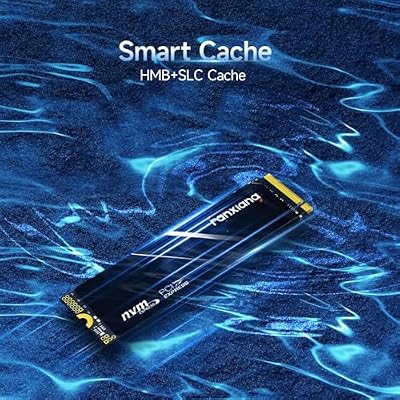

As an Amazon Associate we earn from qualifying purchases. Product prices and availability are accurate as of the date/time indicated.
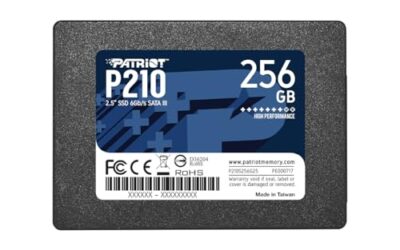
KingSpec 256GB SATA III SSD 6Gb/s, 2.5" SATA SSD with 3D NAND Flash, Internal Solid State Hard Drives, for Laptop and PC Desktop (R/W Speed up to 550/520 MB/s)

As an Amazon Associate we earn from qualifying purchases. Product prices and availability are accurate as of the date/time indicated.
| Product | Best for | Key spec from the title |
|---|---|---|
| SIX 1TB SATA | Aging laptop upgrade | 1TB, SATA III, read up to 560MB/s |
| SIX NVMe PCIe 4.0 1TB | Gaming rig or PS5 | Read up to 7350MB/s, heatsink |
| PNY CS900 250GB | Light boot drive | 250GB, 535/500MB/s read/write |
| KingSpec 1TB SATA | Roomy general-purpose drive | 550MB/s read, 520MB/s write |
| Samsung 990 1TB | Fast NVMe system drive | 7,150/6,450 MB/s read/write |
| Silicon Power A55 1TB | Slim 7mm bays | 2.5″ 7mm, SATA III, SLC cache |
| TEAMGROUP T-Force Vulcan Z 1TB | SATA with TLC flash | 3D NAND TLC, 550/500MB/s |
| Fanxiang 1TB NVMe Gen4 | Budget PS5 storage | PCIe Gen4, up to 4800MB/s |
| KingSpec 256GB SATA | Revive an old PC | 256GB, 6Gb/s, 2.5″ form |
How to Choose
SATA or NVMe
SATA drives use the 2.5-inch format and a data cable, and cap near 550 MB/s because of the interface. NVMe drives plug into an M.2 slot and quote speeds in the thousands. For a laptop built before about 2017 or a machine that only has a SATA port, NVMe is simply not an option. For everyday office work, the difference feels smaller than the numbers suggest; large file copies and game loading show it more.
Capacity Thresholds
256 GB is the floor for a modern operating system and a few programs, and it fills fast. 1 TB is the comfortable point for most people, since games alone can take 100 GB each. If your budget allows, put the operating system on the faster drive and bulk files on the larger one. Capacity affects speed too: bigger drives often sustain writes better than small ones.
Flash Type, Cache, and Heatsinks
Most drives here use 3D NAND with an SLC cache, which absorbs short bursts before slowing down on long transfers. TLC flash, named in one listing, generally offers a good balance of cost and endurance. High-speed NVMe drives run warm, so a heatsink matters in a cramped case, and the PS5 slot normally calls for a cooler. Ignore marketing about gaming accents.
Where Budget Drives Cut Corners
Brand reputation is thin on lesser-known models, and warranty terms differ. Quoted speeds are best-case, endurance ratings often go unlisted, and some low-cost drives lack a DRAM cache. Check the warranty length and whether the seller lists a terabytes-written number before relying on one for important data. Always keep a backup, whatever the brand, and copy irreplaceable photos to a second location before relying on any single drive.
The 9 Best Options
SIX 1TB SATA 2.5 SSD
A 1 TB SATA III drive advertising read speeds up to 560 MB/s, backward compatibility, and an SLC cache on 3D NAND. It is a straightforward fit for a laptop or desktop upgrade where the old hard drive has become the bottleneck.
- Strength: 1 TB capacity at a budget tier gives room for programs and files.
- Strength: backward compatible SATA fits older machines.
- Trade-off: SATA tops out far below NVMe, so large transfers will not feel quick.
Skip it if you have a free M.2 slot and want top speed. Cloning the old drive with free migration software makes the swap easy, and the old hard drive can then serve as a backup disk.
SIX NVMe M.2 PCIe 4.0 1TB
This 1 TB M.2 2280 drive claims reads up to 7350 MB/s and includes a heatsink, aimed at gaming and PS5 expansion. It suits builders who want top-tier speed without paying a premium-brand price. Builders filling a second M.2 slot with game storage often pick drives like this, where raw read speed and capacity matter more than a famous label.
- Strength: PCIe 4.0 and a quoted 7350 MB/s read put it among the fastest options here.
- Strength: the included heatsink helps with thermal management.
- Trade-off: a lesser-known brand means less track record than established names.
Skip it if you need a proven warranty process or only have SATA ports. Check that your motherboard or console slot accepts the M.2 2280 length before ordering, since that size is the common standard but not universal.
PNY CS900 250GB 2.5-Inch SATA III
The CS900 is a modest 250 GB SATA drive quoting 535 MB/s read and 500 MB/s write, pitched at everyday users upgrading from a hard drive. It makes sense as a boot drive for a light-use PC. A pairing with a larger secondary drive is a common approach, keeping the operating system on this unit and moving documents and media elsewhere.
- Strength: a familiar memory brand and a straightforward SATA III design.
- Strength: small size keeps the cost low for a simple boot volume.
- Trade-off: 250 GB fills quickly once updates and apps accumulate.
Skip it if you store games, video, or large photo libraries. Users who keep documents and a browser on the system drive and files in the cloud will find it perfectly adequate, particularly in an older laptop.
KingSpec 1TB 2.5-Inch SATA III
This drive lists 550 MB/s read, 520 MB/s write, and 3D NAND flash for laptops and desktops. The numbers sit at the top of what SATA allows, so it is a reasonable all-rounder. For a laptop that currently runs on a slow hard drive, this type of swap is usually the biggest everyday speed gain per dollar spent.
- Strength: 550/520 MB/s is near the SATA ceiling.
- Strength: 1 TB gives plenty of space for a main drive.
- Trade-off: the listing offers few extras like a stated cache design.
Skip it if you want a mainstream brand name or NVMe speeds. For a secondary drive that holds media or a game library on a desktop, though, that capacity and speed pairing is plenty.
Samsung 990 1TB NVMe
Quoted at up to 7,150 MB/s read and 6,450 MB/s write, this NVMe drive targets game collectors and DIY builders. It is the high-speed pick for someone who wants a recognized name in the fast-drive category. Creators moving large project files and gamers loading big worlds will notice the speed most, while light users may never use its full potential.
- Strength: both read and write figures are quoted in the thousands.
- Strength: a large-brand reputation brings confidence for system drives.
- Trade-off: the listing names no cooling accessory, so check your board for a heatsink.
Skip it if you only have SATA bays or want the cheapest 1 TB option. Write speeds in the thousands mostly show up when moving big files, such as game installs or video projects, rather than when browsing.
Silicon Power 1TB A55 SATA
A 1 TB 3D NAND drive with SLC cache in the slim 7 mm, 2.5-inch format, listed as SU001TBSS3A55S25EC. The 7 mm thickness matters for thin laptops and some small enclosures. Slim ultrabooks and older notebooks sometimes accept only 7 mm drives, so a model built to that thickness avoids an awkward fit.
- Strength: 7 mm form fits slim laptop bays.
- Strength: SLC cache boosts short bursts of activity.
- Trade-off: the title does not state specific read or write speeds.
Skip it if you need the speeds spelled out up front or an M.2 form. Confirm the drive height against the bay, because a 7 mm profile also fits bays designed for thicker drives with a spacer.
TEAMGROUP T-Force Vulcan Z 1TB
This drive pairs SLC cache with 3D NAND TLC in a 2.5-inch SATA III case, quoting up to 550/500 MB/s. It suits gamers on SATA who want TLC flash from a memory specialist. Buyers who like knowing what is under the hood will appreciate a listing that names its flash type, since that detail often goes unmentioned.
- Strength: TLC flash named outright gives clarity on the memory type.
- Strength: speeds sit near the SATA maximum.
- Trade-off: it cannot match NVMe drives for raw throughput.
Skip it if you have a free M.2 slot and want faster loads. Many gamers on older desktops still choose this class of drive because it removes the long boot and level load waits of a hard disk.
Fanxiang 1TB NVMe PCIe Gen4
An M.2 drive listed for PS5, PCs, and laptops at up to 4800 MB/s, with 3D NAND and an SLC cache. It lands between SATA and the very fastest drives, which suits a console upgrade. For console owners, the main goal is simply extra game storage, and a Gen4 drive of this class fits that purpose without paying for the very fastest class of drive.
- Strength: PCIe Gen4 and 4800 MB/s are a large step above SATA.
- Strength: it is marketed explicitly for PS5 and laptops.
- Trade-off: speeds trail the fastest drives listed.
Skip it if you want maximum NVMe throughput or a premium brand. Verify that the console or laptop accepts the M.2 form factor, and install a heatsink if the host does not include one.
KingSpec 256GB SATA III
A small 256 GB 2.5-inch SATA drive with 6 Gb/s interface and 3D NAND, listed for laptop and desktop PCs. It is a cheap way to bring an old computer back to life. It also makes a handy spare for cloning tests, a kids computer, or a media player where capacity is almost irrelevant.
- Strength: easy swap for an old hard drive.
- Strength: 3D NAND at a modest capacity suits a boot drive.
- Trade-off: 256 GB offers little space.
Skip it if you want to install several large games or keep media on the same drive. As a recycled boot drive in a spare machine it is hard to fault, but it leaves no room to grow.
Which One Fits Your Situation
An Old Laptop With a Hard Drive
The SIX 1TB SATA or the KingSpec 1TB SATA are the sensible swaps, and the Silicon Power model is the one to pick if the bay is only 7 mm thick.
A New Gaming PC
Choose the Samsung 990 for a trusted name, or the SIX PCIe 4.0 drive if you prefer the higher quoted read speed and an included heatsink.
A PS5 Expansion Slot
The Fanxiang Gen4 and SIX PCIe 4.0 drives are both listed for the console. Pick the one that offers the heatsink if your slot needs one.
A Barebones Office Machine
The PNY CS900 or the 256 GB KingSpec do the job when storage needs are small.
Common Mistakes
- Buying an M.2 NVMe drive for a machine with no M.2 slot.
- Trusting maximum speeds as everyday performance.
- Choosing 250 GB because it is cheap and running out of space within months.
- Skipping a heatsink in a cramped case with a hot drive.
- Forgetting to back up before cloning an old drive, which leaves no fallback if the migration fails halfway.
Related guides
- Usb C Kvm Switch For Two Laptops And Two Monitors
- Vertical Laptop Stand For Dual Laptop Desk Setup
- Nvme Enclosure With Active Cooling For Mac Mini
Frequently Asked Questions
Will an NVMe drive work in my laptop?
Only if the laptop has an M.2 slot that supports NVMe. Check the manual or the manufacturer’s spec page before buying, and note the slot length, since 2280 is the size most listings here use.
Is SATA still worth buying?
Yes, for older machines and bulk storage. It is much faster than a hard drive, and the jump in boot time and app launches is the main reason to upgrade. Desktop owners often pair a small NVMe system drive with a larger SATA drive for files.
How much capacity do I need?
One terabyte suits most people, while 250 GB works only for light use.
Do I need a heatsink?
For fast NVMe drives in tight cases and the PS5, a heatsink helps prevent slowdowns.