
Choosing white monitors for gaming involves more than matching a white PC case, keyboard, and desk. The strongest options combine attractive finishes with sharp resolutions, responsive panels, variable refresh rate support, and useful connections. For most gamers, a 27-inch 1440p IPS display offers an appealing balance, while competitive players may prefer higher refresh rates and demanding single-player games can benefit from 4K. This guide compares six distinct models using manufacturer specifications, explains their limitations, and helps you choose a display that suits your graphics card and gaming habits.
- Quick verdict: Which white gaming monitor should you choose?
- Quick comparison of white monitors for gaming
- How we selected these white gaming monitors
- ASUS ROG Strix XG27ACS-W: Best balanced 1440p option
- MSI MAG 274QRFW E20: Best 200Hz QHD option
- GIGABYTE M27QA ICE: Best for gaming and productivity
- GIGABYTE M27UP ICE: Best dual-mode 4K gaming monitor
- ASUS ROG Strix XG27ACMES-W: Best for competitive 1440p gaming
- MSI Optix G274RW: Best Full HD alternative
- Buying guide: How to choose white monitors for gaming
- Frequently asked questions
- Final verdict: The right white monitor depends on your gaming priorities
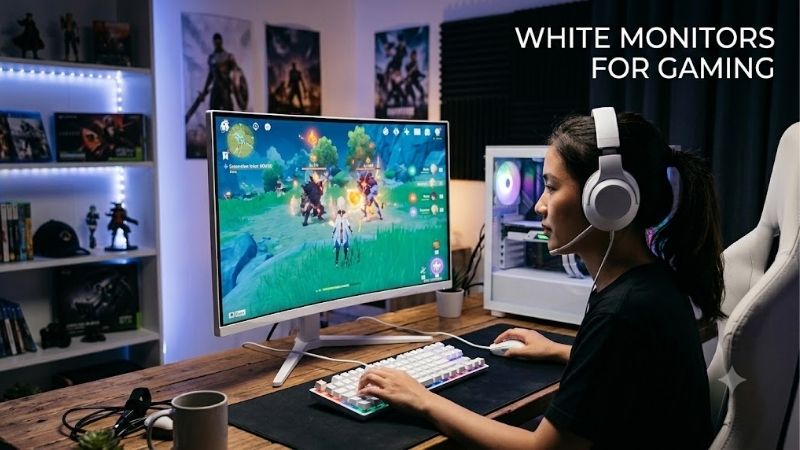
Quick verdict: Which white gaming monitor should you choose?
The ASUS ROG Strix XG27ACS-W is a strong all-around choice for a balanced 1440p gaming setup. Its 180Hz Fast IPS panel, adjustable stand, and DisplayPort, HDMI, and USB-C inputs make it practical for gaming and everyday desktop use.
However, other monitors offer meaningful advantages for particular buyers:
-
ASUS ROG Strix XG27ACS-W: Best balanced 1440p gaming experience.
-
MSI MAG 274QRFW E20: Best for gamers seeking a 200Hz QHD panel.
-
GIGABYTE M27QA ICE: Best for a gaming and productivity setup using two computers.
-
GIGABYTE M27UP ICE: Best for switching between 4K gaming and high-refresh Full HD.
-
ASUS ROG Strix XG27ACMES-W: Best for competitive 1440p gaming at up to 255Hz.
-
MSI Optix G274RW: Best for players prioritizing Full HD gaming with a white finish.
These categories describe technical strengths rather than verified price rankings. Current comparable US prices and Amazon availability were not established, so no model is presented as the cheapest or the best monetary value.
Quick comparison of white monitors for gaming
| Monitor | Resolution | Maximum refresh rate | Main advantage | Important drawback |
|---|---|---|---|---|
| ASUS XG27ACS-W | 2560 × 1440 | 180Hz | Balanced QHD features | USB-C delivers only 7.5W |
| MSI MAG 274QRFW E20 | 2560 × 1440 | 200Hz | Higher QHD refresh rate | HDMI limited to QHD 144Hz |
| GIGABYTE M27QA ICE | 2560 × 1440 | 180Hz | Built-in KVM and USB hub | USB-C power limited to 10W |
| GIGABYTE M27UP ICE | 3840 × 2160 / 1920 × 1080 | 160Hz / 320Hz | Dual-resolution gaming | FHD mode sacrifices 4K detail |
| ASUS XG27ACMES-W | 2560 × 1440 | 255Hz OC | High-refresh QHD gaming | Needs strong PC performance |
| MSI Optix G274RW | 1920 × 1080 | 170Hz OC | Less demanding resolution | Lower pixel density at 27 inches |
All six models are 27-inch LCD monitors. Their listed refresh rates are manufacturer specifications, not independently measured motion-clarity results.
How we selected these white gaming monitors
Our comparison prioritizes identifiable white-finish models with published manufacturer specifications. Each monitor needs a practical gaming reason to appear beyond its appearance.
Resolution and refresh rate are the first considerations. A 1440p monitor displays approximately 1.78 times as many pixels as Full HD, improving detail while increasing GPU workload. A 4K screen displays four times as many pixels as Full HD, potentially demanding substantially more graphics processing.
Panel behavior also matters. The monitors here use IPS-family LCD technology, but similar panel labels do not guarantee identical ghosting, overshoot, contrast, or input latency.
We also consider video-input limitations, variable refresh rate support, adjustable stands, VESA mounting, and USB functionality. These details often determine whether a monitor is convenient to own.
This is a specification-based editorial comparison, not a hands-on laboratory test. Manufacturer response-time claims are not treated as independently verified pixel-transition measurements.
ASUS ROG Strix XG27ACS-W: Best balanced 1440p option
Why the ASUS XG27ACS-W stands out
The XG27ACS-W combines a 27-inch 2560 × 1440 Fast IPS panel with a maximum 180Hz refresh rate. That combination makes sense for gaming systems that can deliver high frame rates at QHD resolution without the additional workload associated with 4K.
ASUS specifies typical brightness of 350 cd/m² and an HDR10-capable display. However, HDR10 signal support should not be confused with the deep blacks and precise local dimming available on more advanced HDR screens.
The monitor provides DisplayPort 1.4, HDMI 2.0, and USB-C with DisplayPort Alternate Mode. DisplayPort and USB-C support up to 180Hz according to ASUS, while HDMI is specified up to 144Hz.
Gaming performance and everyday usability
The 180Hz ceiling provides room above conventional 60Hz and 120Hz gaming, although achieving that frame rate depends on the connected system.
Adaptive-Sync support helps coordinate monitor refreshes with compatible GPU output, reducing tearing when configured correctly.
The stand provides height, tilt, swivel, and pivot adjustments. A 100 × 100mm VESA mounting pattern makes third-party monitor arms another option.
USB-C power delivery is limited to 7.5W, so this port should not be mistaken for a full-powered laptop docking connection.
Buy if: You want a versatile white 1440p display with flexible ergonomics and multiple video-input options.
Skip if: You need laptop charging through USB-C, OLED-level contrast, or a refresh rate substantially beyond 180Hz.
The MSI MAG 274QRFW E20 is an alternative when a higher specified QHD refresh rate matters more than the ASUS feature arrangement.
MSI MAG 274QRFW E20: Best 200Hz QHD option
What makes the MSI E20 different
The MAG 274QRFW E20 is a 27-inch white Rapid IPS gaming monitor offering 2560 × 1440 resolution and a maximum 200Hz refresh rate.
Its manufacturer specifications identify AMD FreeSync Premium and NVIDIA G-SYNC Compatible support, plus VESA DisplayHDR 400 certification.
The white E20 revision matters. MSI also sells the similarly named MAG 274QRFW without E20, which is specified at 180Hz. Buyers should verify the complete model name instead of assuming both versions share identical performance.
Where the 200Hz refresh rate helps
A 200Hz monitor can refresh every 5 milliseconds, compared with approximately 5.56 milliseconds at 180Hz. That is a modest theoretical refresh-interval improvement, not proof of a corresponding reduction in total input latency.
For competitive games that consistently exceed 180 frames per second, the additional headroom may be useful. For visually demanding games running between 70 and 120 FPS, the refresh-rate difference is less consequential.
MSI specifies 200Hz over DisplayPort 1.4a, but the HDMI 2.0b inputs top out at 144Hz at 1440p.
The stand supports height, swivel, pivot, and tilt adjustment, with 100 × 100mm VESA mounting.
Its DisplayHDR 400 designation is useful to identify, but buyers should keep expectations realistic: an IPS LCD with limited local dimming cannot automatically reproduce the deep blacks of an OLED display.
Buy if: You play fast-paced games at 1440p and want refresh headroom beyond 180Hz.
Skip if: You primarily connect over HDMI expecting 200Hz, or you need a built-in KVM switch.
GIGABYTE M27QA ICE: Best for gaming and productivity
The advantage of a built-in KVM switch
The M27QA ICE offers a 27-inch 1440p SuperSpeed IPS display with a maximum refresh rate of 180Hz.
Its defining difference is connectivity rather than raw refresh rate. GIGABYTE includes a KVM feature, allowing compatible computers to share connected USB peripherals through the monitor.
That makes it attractive for someone using a gaming desktop and a work laptop at the same desk.
It also provides two HDMI 2.0 inputs, DisplayPort 1.4, USB-C with DisplayPort Alternate Mode, a USB upstream connection, and two USB downstream ports.
Important limitations to understand
The USB-C connection supports power delivery of up to 10W. This is insufficient to operate or charge many laptops under normal workload conditions.
A laptop may therefore require its original charger even when the monitor handles its video signal.
GIGABYTE specifies 95% DCI-P3 color coverage and VESA DisplayHDR 400 support. These are useful specification references, but neither establishes professional color accuracy or excellent HDR performance without independent verification.
The 1440p IPS panel makes sense for gaming, document work, and general multitasking. Users who mainly edit detailed 4K footage may prefer the higher-resolution M27UP ICE.
Buy if: You regularly switch between a desktop and a laptop and want fewer peripheral-cable changes.
Skip if: You expect one USB-C cable to provide high-wattage laptop charging, or your priority is the highest possible competitive refresh rate.
GIGABYTE M27UP ICE: Best dual-mode 4K gaming monitor
Two gaming experiences on one screen
The M27UP ICE offers a particularly distinctive specification: its dual-resolution mode supports 3840 × 2160 at up to 160Hz and 1920 × 1080 at up to 320Hz.
At 4K, the monitor is suited to games where environmental detail and sharp textures matter. At Full HD, the higher refresh-rate mode targets fast competitive play.
The advantage is flexibility. A gamer can prioritize image resolution in a story-driven title and switch to lower-resolution, higher-refresh operation for a competitive shooter.
GIGABYTE also specifies SuperSpeed IPS technology and a 1ms gray-to-gray response-time claim.
The practical trade-off of dual mode
Switching to Full HD reduces the rendered pixel count substantially. Although Full HD scales evenly into 4K in pixel dimensions, perceived sharpness and actual scaling behavior still depend on the monitor’s processing and settings.
The 320Hz mode is not a 4K 320Hz mode. Treating it as such would substantially misrepresent its capabilities.
At 27 inches, 4K also provides very high pixel density, which is valuable for desktop text and fine visual detail. Windows scaling may be needed for comfortable readability.
A capable GPU is important for native 4K gaming at high frame rates. Lowering graphics settings, using supported upscaling technologies, or accepting lower frame rates may be necessary.
Buy if: You enjoy both detailed single-player games and competitive titles and want one display for both.
Skip if: You always game at 1440p, dislike switching display modes, or cannot benefit from the added 4K resolution.
ASUS ROG Strix XG27ACMES-W: Best for competitive 1440p gaming
Why 255Hz at 1440p matters
The XG27ACMES-W targets gamers who want high refresh rates without dropping to Full HD resolution.
ASUS specifies a 27-inch Fast IPS panel, 2560 × 1440 native resolution, and a maximum 255Hz overclocked refresh rate. It also supports Adaptive-Sync, AMD FreeSync Premium, and G-SYNC Compatible operation.
At 255Hz, a refresh interval lasts approximately 3.92 milliseconds. That provides a theoretical opportunity to display new frames more frequently than a 180Hz panel.
However, a higher advertised refresh rate does not guarantee clearer movement. Pixel response behavior, overdrive settings, overshoot, and system latency also affect what players see.
Connectivity and limitations
The monitor includes DisplayPort 1.4, HDMI 2.1, and USB-C with DisplayPort Alternate Mode and 15W power delivery.
ASUS specifies height adjustment, swivel, tilt, pivot, and 100 × 100mm VESA mounting.
Its claimed 0.3ms minimum response time should not be confused with a typical measured response across all transitions. The manufacturer also specifies 1ms gray-to-gray.
The IPS panel is practical for everyday desktop use, but the 255Hz capability is most meaningful when gaming performance is sufficiently high.
Buy if: You play competitive shooters at 1440p and your PC can sustain high frame rates.
Skip if: You mostly play at 60–100 FPS or would benefit more from OLED contrast or 4K resolution.
MSI Optix G274RW: Best Full HD alternative
A practical option for less demanding gaming systems
The Optix G274RW uses a 27-inch 1920 × 1080 IPS panel with a maximum refresh rate of 170Hz.
Unlike the QHD models, its lower resolution reduces the number of pixels your graphics card must render. This can help when using an older or entry-level GPU, although actual frame rates still depend on the game and hardware.
MSI specifies G-SYNC Compatible support and a 1ms MPRT response-time rating. MPRT is not directly comparable to a gray-to-gray measurement.
The panel’s manufacturer-rated typical brightness is 250 nits, below the stated typical brightness of several QHD alternatives in this roundup.
Why screen size matters at Full HD
Full HD at 27 inches has approximately 82 pixels per inch. A 27-inch 1440p display offers roughly 109 pixels per inch.
The difference can be noticeable in small text, fine game textures, and diagonal edges at normal desktop viewing distances.
The G274RW offers height, swivel, and tilt adjustment with 75 × 75mm VESA mounting.
MSI specifies up to 170Hz through DisplayPort with overclocking, compared with up to 165Hz through HDMI.
Buy if: You have a modest gaming PC, prefer Full HD, and specifically want the white MSI design.
Skip if: You work extensively with text, prioritize fine image detail, or have a GPU capable of comfortable 1440p gaming.
Buying guide: How to choose white monitors for gaming
Choose the right resolution for your graphics card
A high-end display cannot compensate for a PC that struggles to produce playable frame rates.
Full HD is easier to drive and remains useful for competitive gaming. QHD provides a strong balance between image detail and performance, particularly on 27-inch displays.
4K provides substantially more detail, but it also places heavier demands on graphics hardware.
Before purchasing, examine actual gaming performance for your GPU in the titles you regularly play.
Understand refresh rate and response time
Refresh rate describes how frequently a monitor can update its image.
| Refresh rate | Approximate refresh interval |
|---|---|
| 60Hz | 16.67ms |
| 120Hz | 8.33ms |
| 144Hz | 6.94ms |
| 180Hz | 5.56ms |
| 200Hz | 5.00ms |
| 255Hz | 3.92ms |
| 320Hz | 3.13ms |
These figures describe refresh intervals, not total input lag or measured pixel response.
Higher refresh rates can improve motion presentation, but improvements become increasingly dependent on game performance and personal sensitivity.
Independent response-time measurements are especially helpful because manufacturers may use different testing conditions.
Consider IPS contrast and HDR limitations
IPS panels generally offer useful viewing angles and color reproduction, but conventional IPS LCDs cannot independently turn off individual pixels like OLED displays.
Even monitors carrying DisplayHDR 400 certification may have limited HDR contrast.
For predominantly dark games or cinematic HDR content, panel technology and local dimming quality can matter more than modest refresh-rate differences.
Check ports, mounting, and desk space
A monitor’s maximum refresh rate may depend on its connection.
Several models in this comparison support higher refresh rates through DisplayPort than HDMI. Check the monitor’s supported timing table and the output capabilities of your GPU.
USB-C also varies considerably. A monitor supporting USB-C video does not necessarily provide enough charging power for a laptop.
Before buying a white monitor arm, verify the VESA pattern, screen weight without its stand, and the arm’s supported weight range.
Finally, consider whether the monitor itself has a white bezel, white rear housing, white stand, or only some white exterior components. Product photography may not reveal every surface clearly.
Frequently asked questions
Are white gaming monitors more expensive?
Not necessarily. Pricing depends on the panel, refresh rate, specifications, availability, and retailer. White finishes may carry a premium in some product families, but this should be established by comparing otherwise equivalent models at the same time.
Is 1440p better than 1080p for gaming?
At 27 inches, 1440p generally delivers noticeably higher pixel density and finer detail. Full HD remains suitable when maximizing frame rate or minimizing GPU workload takes priority.
Is 180Hz enough for competitive gaming?
Yes, 180Hz can provide a responsive experience for many competitive players. Higher rates such as 240Hz, 255Hz, and 320Hz offer additional refresh opportunities, but their benefits depend on sustained frame rates and actual monitor response behavior.
Can a white gaming monitor work with a PS5 or Xbox?
Potentially, provided the monitor supports the console’s intended resolution, refresh rate, and HDMI features. Console gaming commonly targets up to 120Hz rather than a monitor’s maximum PC refresh rate. Check model-specific console compatibility and supported HDMI timings before purchasing.
Should I buy a white monitor just for aesthetics?
Appearance is a valid consideration for a coordinated desktop setup, but resolution, motion performance, connectivity, and ergonomics should take priority. A slightly different shade of white is generally a smaller compromise than choosing the wrong resolution or missing required features.
Final verdict: The right white monitor depends on your gaming priorities
For a balanced 1440p setup, the ASUS ROG Strix XG27ACS-W is a sensible starting point. Its 180Hz panel and adjustable stand cover a broad range of gaming and desktop needs.
The MSI MAG 274QRFW E20 and ASUS XG27ACMES-W are more appropriate when higher QHD refresh rates are important. The GIGABYTE M27QA ICE stands out for its KVM functionality, while the M27UP ICE serves gamers who want both 4K clarity and a separate high-refresh Full HD mode.
For less demanding systems, the MSI Optix G274RW remains a technically viable Full HD choice, although its lower pixel density is a meaningful compromise.
Choose the monitor that matches your actual GPU performance, desk arrangement, connectivity requirements, and gaming habits rather than purchasing solely for its color.









