
Finding a 240hz gaming monitor white model that delivers both fast performance and clean desk aesthetics requires more than matching the color and refresh rate. Resolution, panel technology, motion clarity, GPU requirements, and ergonomics all influence the experience. The MSI MAG 274QRFW X32 is a compelling all-around option for high-refresh 1440p gaming, while the Pixio PX279 Wave offers a straightforward 240Hz IPS alternative. For buyers interested in OLED contrast and response characteristics, the GIGABYTE MO27Q2A ICE deserves particular attention.
- Quick verdict: Best white 240Hz gaming monitors
- Quick comparison table
- How we selected these white gaming monitors
- Best white 240Hz gaming monitors reviewed
- How to choose a 240hz gaming monitor white setup
- Frequently asked questions about white 240Hz monitors
- Final verdict: Which white 240Hz gaming monitor should you choose?
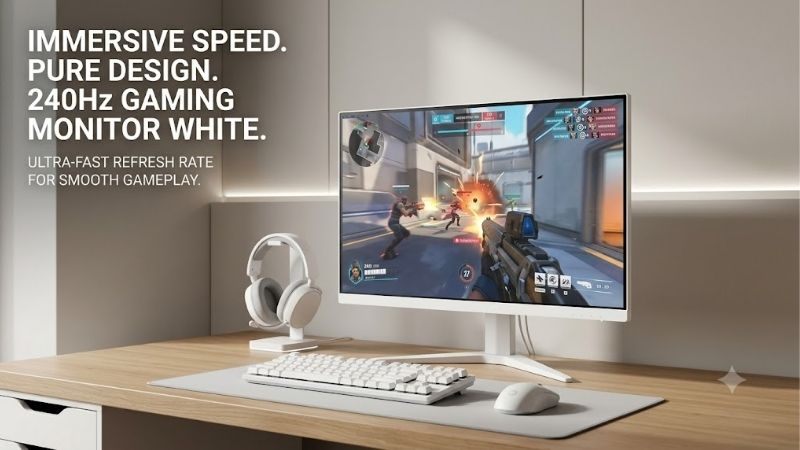
Quick verdict: Best white 240Hz gaming monitors
The following eight monitors have manufacturer-documented white finishes and refresh rates of at least 240Hz. Models faster than 240Hz are included because they meet the performance threshold, although they should not be confused with native 240Hz-only displays.
-
Best overall IPS option: MSI MAG 274QRFW X32 — 27-inch QHD Rapid IPS with a 320Hz refresh rate.
-
Best OLED alternative: GIGABYTE MO27Q2A ICE — 27-inch QHD QD-OLED with 280Hz.
-
Best exact-240Hz QHD OLED: ASRock Phantom Gaming PGO27QSA-W — 27-inch QD-OLED with a white design.
-
Best straightforward 240Hz IPS choice: Pixio PX279 Wave — 27-inch Full HD Fast IPS.
-
Best conventional 240Hz display: ASRock Phantom Gaming PG27FFS2E-W — 27-inch Full HD.
-
Best OLED model with flexible connectivity: ViewSonic XG272-2K-OLED — 27-inch QHD OLED with USB-C.
-
Best 4K curved option: Samsung Odyssey Neo G8 — 32-inch 4K 240Hz with Mini LED.
-
Best white curved Full HD option: Westinghouse 27-inch 240Hz — VA panel with a 1500R curve.
These labels describe distinct hardware strengths rather than measured overall performance rankings. Verified comparable US pricing and complete independent benchmark coverage are not available for every model.
Quick comparison table
| Monitor | Size | Resolution | Panel | Maximum refresh |
|---|---|---|---|---|
| MSI MAG 274QRFW X32 | 27″ | 2560 × 1440 | Rapid IPS | 320Hz |
| GIGABYTE MO27Q2A ICE | 27″ | 2560 × 1440 | QD-OLED | 280Hz |
| ASRock PGO27QSA-W | 27″ | 2560 × 1440 | QD-OLED | 240Hz |
| Pixio PX279 Wave | 27″ | 1920 × 1080 | Fast IPS | 240Hz |
| ASRock PG27FFS2E-W | 27″ | 1920 × 1080 | LCD | 240Hz |
| ViewSonic XG272-2K-OLED | 27″ | 2560 × 1440 | OLED | 240Hz |
| Samsung Odyssey Neo G8 | 32″ | 3840 × 2160 | VA Mini LED | 240Hz |
| Westinghouse 27″ Curved | 27″ | 1920 × 1080 | VA | 240Hz |
The most important difference is not simply 240Hz versus 280Hz or 320Hz. A 1080p monitor demands substantially less GPU rendering work than a 4K display, while OLED and LCD panels have different strengths in motion response, contrast, brightness behavior, and long-term ownership considerations.
How we selected these white gaming monitors
Each featured model was checked against manufacturer information for its white color variant, resolution, panel category, and advertised refresh rate.
The roundup focuses on realistic PC gaming scenarios rather than treating the highest number as an automatic winner. Fast Full HD displays remain useful for competitive games, while QHD models generally provide a more attractive balance of sharpness and performance at 27 inches.
Panel type is another important distinction. IPS displays typically offer practical viewing angles and familiar LCD ownership characteristics. OLED displays provide individually controlled pixels and exceptionally deep blacks, but introduce additional considerations such as image retention and burn-in risk. VA panels can offer stronger native contrast than conventional IPS, although pixel-transition behavior varies significantly between models.
Connectivity, screen positioning, and manufacturer-documented features also inform these recommendations.
No original hands-on tests were conducted for this article. Advertised response times are presented as manufacturer specifications rather than verified average pixel-response measurements.
Best white 240Hz gaming monitors reviewed
MSI MAG 274QRFW X32 — Best overall IPS option
The MSI MAG 274QRFW X32 offers a useful combination of high resolution, fast refresh, and an adjustable white gaming monitor design.
It features a 27-inch 2560 × 1440 Rapid IPS panel with a maximum 320Hz refresh rate. MSI documents an adaptive-refresh range of 48–320Hz and specifies 0.5ms as its minimum gray-to-gray response figure.
At approximately 109 pixels per inch, QHD provides much sharper desktop text than Full HD at the same screen size. The resolution also makes the monitor suitable for users who switch between gaming, browsing, and everyday work.
Its 320Hz capability leaves additional refresh headroom beyond the 240Hz target. That may interest players whose systems regularly generate exceptionally high frame rates in esports titles.
However, achieving 320 FPS at 1440p depends heavily on the game, CPU, GPU, graphics settings, and background workload. The refresh specification should not be interpreted as a promise of matching game performance.
MSI’s US specifications list DisplayPort 1.4a, two HDMI 2.1 connections, height adjustment up to 130mm, swivel, pivot, and 100 × 100mm VESA mounting. The manufacturer also identifies 320Hz support at QHD through the specified video inputs.
The main limitation is contrast. Its conventional IPS technology does not provide the pixel-level black control of OLED. DisplayHDR 400 certification also does not imply OLED-like HDR reproduction.
Buy if: You want sharp QHD gaming, a high refresh ceiling, and practical ergonomics without OLED-specific ownership concerns.
Skip if: Deep black levels and HDR contrast matter more than refresh-rate headroom.
GIGABYTE MO27Q2A ICE — Best OLED alternative
The GIGABYTE MO27Q2A ICE is a compelling white gaming monitor for players who want OLED image characteristics without abandoning competitive refresh rates.
Its 27-inch QD-OLED panel combines 2560 × 1440 resolution with a maximum 280Hz refresh rate. GIGABYTE specifies a 0.03ms GtG response time and 99% DCI-P3 color coverage.
QD-OLED technology uses self-emissive pixels, allowing dark areas to appear black without relying on a conventional LCD backlight. This can improve the perceived depth of nighttime scenes, space environments, and high-contrast game visuals.
OLED pixels also change states rapidly, making the technology attractive for motion clarity. Nevertheless, the advertised 0.03ms figure should not be mistaken for total monitor input lag.
Connectivity includes two full-bandwidth HDMI 2.1 ports, DisplayPort 1.4, USB-C with DisplayPort Alternate Mode, and a USB hub. USB-C power delivery is specified at up to 18W, which is not sufficient to charge many performance laptops at their full operating power.
GIGABYTE also documents factory color calibration and OLED care features. Its listed peak HDR brightness applies to a small highlighted area rather than the entire screen.
The central drawback is OLED ownership. Static interface elements, taskbars, and HUDs can create cumulative uneven wear under certain usage patterns.
Buy if: You prioritize deep blacks, strong perceived contrast, fast pixel transitions, and 1440p gaming.
Skip if: Your primary workload involves persistent static applications for long periods or you prefer avoiding OLED burn-in considerations.
ASRock Phantom Gaming PGO27QSA-W — Best exact-240Hz QHD OLED
The ASRock Phantom Gaming PGO27QSA-W is designed around the balance between OLED image quality and a refresh rate that meets the 240Hz requirement exactly.
Announced in July 2026, the white model features a 27-inch QD-OLED display with 2560 × 1440 resolution, a 240Hz refresh rate, and a manufacturer-advertised 0.03ms gray-to-gray response time.
Its specification combination is particularly relevant to players who find Full HD insufficiently sharp but do not want the rendering demands of 4K.
QHD provides approximately 3.69 million pixels per frame. That represents about 78% more pixels than Full HD, yet less than half the pixel count of 4K UHD.
This makes it an attractive middle ground for modern graphics cards capable of producing high frame rates at 1440p.
The white version is identified by the exact PGO27QSA-W suffix. Buyers should avoid assuming that listings for the black PGO27QSA provide the requested finish.
Its OLED panel is especially relevant for games featuring dark environments, cinematic lighting, or visually complex scenes. However, brightness limits, reflections, automatic brightness management, and long-term pixel wear should be considered when comparing OLED with LCD alternatives.
Buy if: You want a white QHD OLED monitor operating at 240Hz without prioritizing a higher refresh number.
Skip if: You need a primarily office-focused display or would prefer conventional LCD ownership characteristics.
Pixio PX279 Wave — Best straightforward 240Hz IPS option
The Pixio PX279 Wave offers a comparatively simple way to build a white high-refresh gaming setup.
It combines a 27-inch Full HD Fast IPS panel with a 240Hz refresh rate. Pixio also advertises Adaptive Sync support and a 1ms GtG response-time specification.
The most obvious advantage is the lower pixel workload of 1920 × 1080 resolution. This can make high frame rates easier to achieve compared with QHD or 4K when other rendering conditions are similar.
The white color option also belongs to Pixio’s broader Wave design family, making it relevant to buyers coordinating their monitor with matching accessories.
However, the 27-inch Full HD format has a significant sharpness limitation. At approximately 82 pixels per inch, small desktop text and fine image details appear less refined than on 27-inch QHD displays.
This is a reasonable compromise for players who prioritize game responsiveness but less compelling for users spending extensive time with documents or detailed productivity applications.
Pixio’s official US listing identifies the white variant and 240Hz specification.
Buy if: You want an explicitly white IPS gaming monitor, exact 240Hz operation, and relatively modest GPU rendering demands.
Skip if: You expect QHD-like text clarity from a 27-inch screen.
ASRock Phantom Gaming PG27FFS2E-W — Best conventional 240Hz display
The ASRock Phantom Gaming PG27FFS2E-W is a white Full HD gaming monitor introduced in March 2026.
The model features a 27-inch 1920 × 1080 display with a 240Hz refresh rate and a manufacturer-advertised 1ms response-time specification.
ASRock distinguishes the white PG27FFS2E-W from its black counterparts using the final W suffix. This makes checking the exact product name particularly important when comparing retailer listings.
The manufacturer also emphasizes a slim-bezel design, which may appeal to users looking for a visually clean desktop or a multi-monitor arrangement.
At 27 inches, the Full HD resolution gives players a physically large display without requiring their GPU to render QHD or 4K frames.
That is useful for players who run competitive games with reduced graphics settings to prioritize frame delivery.
However, a 240Hz refresh rate does not establish complete motion performance. Pixel transitions, overshoot, input processing, and adaptive-sync behavior need independent evaluation before making precise performance claims.
The main practical drawback is resolution. Full HD on a 27-inch monitor has a visible sharpness disadvantage compared with QHD.
Buy if: You want a white 27-inch monitor with an explicitly documented 240Hz refresh rate and a conventional LCD design.
Skip if: You need a higher pixel density for detailed desktop applications or editing.
The PG27FFS2E-W is worth comparing directly with the Pixio PX279 Wave, especially when seller availability and supported connection modes are confirmed.
ViewSonic XG272-2K-OLED — Best OLED option with flexible connectivity
The ViewSonic XG272-2K-OLED provides another approach to white 240Hz gaming, emphasizing a QHD OLED display and versatile connections.
Its 27-inch panel runs at 2560 × 1440 resolution with a 240Hz refresh rate. ViewSonic identifies a white housing with integrated RGB lighting, alongside HDMI 2.1, DisplayPort, USB-C, and a USB-A hub.
The manufacturer also documents NVIDIA G-SYNC compatibility and AMD FreeSync Premium support.
OLED technology offers individually controlled pixels, allowing exceptionally deep black levels and fast pixel transitions. For games with dark environments or contrasting highlights, that can produce a substantially different visual experience from conventional LCD panels.
Connectivity is a particular strength for users who attach multiple devices to a single desk. However, the exact USB-C power capabilities and applicable refresh-rate modes should be verified before relying on a single-cable laptop connection.
One important support detail is that ViewSonic identifies a firmware-update advisory for units purchased during April and May 2024. Owners of affected units should consult ViewSonic directly rather than assuming that all production batches have identical firmware behavior.
Like other OLED monitors, the ViewSonic requires consideration of image retention, sustained brightness, static content, and the manufacturer’s applicable warranty terms.
Buy if: You want a white QHD OLED display with 240Hz operation and multiple connectivity options.
Skip if: Your work involves extensive static interfaces or you do not need the additional connections.
Samsung Odyssey Neo G8 — Best 4K curved gaming option
The Samsung Odyssey Neo G8 takes a substantially different approach from the 27-inch monitors in this roundup.
Its 32-inch curved display provides 3840 × 2160 resolution at 240Hz. Samsung uses Quantum Mini LED backlighting, combining the higher pixel density of 4K with local dimming capabilities.
This creates an appealing specification set for gamers who prioritize visual detail, larger screens, and high refresh rates.
The 4K resolution contains approximately 8.29 million pixels per frame. Rendering that many pixels at high frame rates places substantial demands on modern GPUs, particularly in graphically intensive games.
The monitor’s curved panel may enhance the sense of immersion for some users, although preference for curvature varies with viewing distance, desk layout, and application type.
Mini LED backlighting can also offer stronger HDR contrast control than a basic edge-lit LCD. However, local dimming does not provide pixel-by-pixel control, so blooming around bright objects remains possible.
Samsung identifies the Odyssey Neo G8 as a 32-inch 4K 240Hz gaming monitor with a white exterior. The US business listing documents model LS32BG852NNXGO.
This is a materially different purchase from a typical Full HD esports monitor. Its large footprint, curved screen, resolution requirements, and price category all deserve consideration.
Buy if: You prioritize detailed 4K gaming, a larger curved display, and Mini LED backlighting.
Skip if: You have a modest GPU, limited desk depth, or mainly play competitive games at reduced settings.
Westinghouse 27-inch curved 240Hz — Best white curved Full HD alternative
The Westinghouse 27-inch Full HD Curved Gaming Monitor provides a VA-panel alternative to the IPS and OLED displays in this selection.
The manufacturer identifies a white 27-inch model with 1920 × 1080 resolution, a 1500R curvature, and a maximum 240Hz refresh rate.
Its specification also includes AMD FreeSync support, dual HDMI connections, DisplayPort, and integrated speakers.
The curved VA design distinguishes it from many flat-screen esports displays. VA technology can offer relatively strong native contrast, making it potentially attractive for users who prefer darker game environments.
However, VA pixel-transition performance varies substantially between monitors. Some panels can display noticeable dark-level smearing, particularly during rapid movement through high-contrast scenes.
Without independent measurements for this exact Westinghouse variant, its advertised response-time figure is not enough to establish whether it competes with the fastest IPS options in motion clarity.
The 27-inch Full HD resolution also provides less pixel density than a 27-inch QHD display.
Westinghouse’s product documentation confirms the white finish and defining features.
Buy if: You prefer a curved white monitor, want 240Hz capability, and are comfortable with Full HD resolution.
Skip if: You prioritize independently verified motion performance or particularly sharp text.
How to choose a 240hz gaming monitor white setup
Choose between Full HD, QHD, and 4K
Resolution directly affects the rendering workload placed on a graphics card.
| Resolution | Pixels per frame | Best suited for |
|---|---|---|
| 1920 × 1080 | 2.07 million | High-FPS competitive gaming |
| 2560 × 1440 | 3.69 million | Balanced gaming and productivity |
| 3840 × 2160 | 8.29 million | High-detail gaming with powerful GPUs |
Full HD is attractive for esports players who prioritize maximum frame rates. QHD offers sharper text and increased detail, especially at 27 inches.
4K provides the highest pixel count among these options but demands significantly more rendering performance.
No resolution automatically guarantees a better experience. The appropriate choice depends on screen size, viewing distance, game selection, and graphics hardware.
Understand whether 240Hz is worth upgrading to
A 240Hz display refreshes once approximately every 4.17 milliseconds. A 144Hz display refreshes approximately every 6.94 milliseconds.
The difference offers additional opportunities to display updated frames, but the improvement is smaller than the transition from 60Hz to 144Hz.
Higher refresh rates are most useful when the PC can produce frames rapidly and consistently.
| Refresh rate | Time between refreshes |
|---|---|
| 60Hz | 16.67 ms |
| 144Hz | 6.94 ms |
| 180Hz | 5.56 ms |
| 240Hz | 4.17 ms |
| 280Hz | 3.57 ms |
| 320Hz | 3.13 ms |
These are mathematical refresh intervals, not measured monitor input lag or pixel-response times.
A well-implemented 240Hz monitor can be preferable to a poorly tuned faster display if its pixel transitions and overdrive behavior produce cleaner moving images.
Decide between IPS, VA, and OLED panels
IPS, VA, and OLED displays use different approaches to displaying images.
IPS panels generally provide consistent viewing angles and are practical for varied desktop use. Their conventional backlights usually limit native black depth.
VA panels can offer higher native contrast, but some models exhibit slow dark transitions that reduce clarity during movement.
OLED panels provide individual pixel control and fast pixel transitions. Their disadvantages include burn-in considerations and potentially different brightness behavior depending on screen content.
The correct technology depends on the intended workload. A gaming-only display and a monitor used for static productivity applications may have different ideal characteristics.
Verify ports and supported refresh rates
Never assume that every HDMI or DisplayPort connection supports a monitor’s maximum advertised refresh rate.
The exact resolution, refresh rate, color depth, compression method, and input configuration determine what is achievable.
Display Stream Compression may be used to transmit high-bandwidth display signals while preserving the intended image format.
Laptop users must also check whether USB-C supports DisplayPort Alternate Mode and whether the graphics output passes through integrated or discrete graphics hardware.
For maximum refresh-rate operation, follow the manufacturer’s supported timing specifications and use an appropriate cable.
Account for adaptive sync and motion clarity
Adaptive synchronization allows a compatible monitor to vary its refresh timing according to delivered frames.
This can reduce tearing and certain kinds of stutter when performance fluctuates.
However, adaptive-sync support does not make low frame rates equivalent to high frame rates, nor does it guarantee perfect motion clarity.
Pixel response times, overshoot, refresh stability, frame pacing, and game-engine behavior still matter.
Independent reviews that examine different refresh-rate ranges and overdrive settings are more informative than a single manufacturer response-time claim.
Consider OLED care and long-term ownership
OLED monitors require particular attention when used for long sessions with static elements.
Desktop taskbars, productivity toolbars, and persistent game HUDs can contribute to uneven pixel wear.
Manufacturers may provide pixel-refresh routines, screen shifting, brightness management, and related protection features. These measures can reduce risk but do not eliminate every possibility of burn-in.
Check the exact warranty coverage and exclusions applicable to the purchased model and region.
LCD alternatives avoid OLED’s particular pixel-wear mechanism, though they have their own panel-quality and backlight characteristics.
Check desk fit, mounting, and white finish
White monitors differ in which parts of the housing are actually white.
A product may feature a white stand and rear housing while retaining dark front bezels. This matters to buyers coordinating a carefully matched desktop.
Before purchasing, check screen width, stand depth, height adjustment, and VESA compatibility.
A 32-inch curved monitor occupies considerably more visual and physical space than a 27-inch flat display.
If a monitor arm will be used, verify mounting dimensions and weight capacity. A matching white arm is useful for aesthetics but should never compromise mechanical compatibility.
Frequently asked questions about white 240Hz monitors
Is a white 240Hz gaming monitor worth buying?
Yes, when your PC can deliver high frame rates and you value responsive motion.
A 240Hz display is particularly relevant to fast-paced competitive games. However, resolution, motion-response quality, and graphics performance should still influence your purchasing decision.
Do you need 240 FPS to benefit from 240Hz?
No. A 240Hz monitor can display frames delivered at lower rates, and compatible adaptive synchronization can help with inconsistent frame delivery.
However, the full advantage of its refresh ceiling becomes more relevant as frame rates approach 240 FPS.
Is 240Hz better than 165Hz for competitive gaming?
A 240Hz display offers shorter refresh intervals than a 165Hz monitor, potentially improving responsiveness and motion presentation.
The practical difference depends on game performance, panel response behavior, and individual sensitivity.
It is not automatically a worthwhile upgrade if your existing 165Hz monitor already meets your needs.
Can a gaming laptop run a white 240Hz monitor?
Yes, provided its graphics output supports the required resolution and refresh rate.
Check the laptop’s HDMI, DisplayPort, or USB-C display capabilities. Gaming performance will depend on the laptop’s GPU, CPU, power configuration, and cooling.
Is OLED better than IPS at 240Hz?
OLED usually offers much faster pixel transitions and significantly deeper black levels.
IPS remains attractive for general-purpose desktop use, sustained brightness requirements, and buyers who prefer avoiding OLED-specific burn-in concerns.
Neither technology is universally superior for every workload.
Can a PlayStation 5 or Xbox use a 240Hz gaming monitor?
Yes, a compatible monitor can be connected to either console, but these systems do not output games at 240Hz. Their supported high-refresh gaming output is limited to 120Hz.
Check the monitor’s HDMI timing modes and console compatibility rather than assuming every advertised PC refresh rate applies to console gaming.
Final verdict: Which white 240Hz gaming monitor should you choose?
The MSI MAG 274QRFW X32 is a strong starting point for buyers who want sharp 1440p visuals, a high-refresh IPS display, and flexible positioning. Its 320Hz specification provides headroom beyond the requested 240Hz threshold.
For OLED gaming, the GIGABYTE MO27Q2A ICE and ASRock PGO27QSA-W offer attractive QHD alternatives with different refresh-rate targets.
The Pixio PX279 Wave and ASRock PG27FFS2E-W make more sense for users who prioritize Full HD competitive gaming and a white exterior.
Buyers wanting significantly higher resolution should consider the Samsung Odyssey Neo G8, provided their desk space and graphics hardware suit a 32-inch 4K display.
Ultimately, the best choice is the monitor that matches your actual frame rates, preferred resolution, desk arrangement, and long-term usage. A well-matched 240Hz display can offer more practical benefit than paying for higher specifications your system rarely uses.









