
A white desk setup should not force you to settle for a slow display or a lower resolution. The best white 1440p gaming monitor combines a clean finish with sharp 2560 × 1440 detail, useful variable refresh rate support, and a refresh rate that matches the games you actually play. This roundup focuses on models with a documented white finish and a current U.S. product or retail listing; the market is narrower than the black-monitor market, so four well-supported choices make more sense than padding the list with doubtful or unavailable models.
- Quick verdict for a white 1440p gaming monitor
- How we selected the monitors
- Best white 1440p gaming monitor for most buyers: Pixio PX278 Wave
- Best for competitive play: MSI MAG 274QRFW X32
- Best curved option: Pixio PXC278 Wave White
- Best feature-rich older design: ASUS ROG Strix XG27AQ-W
- How to choose a white 1440p gaming monitor
- Frequently asked questions
- Final verdict
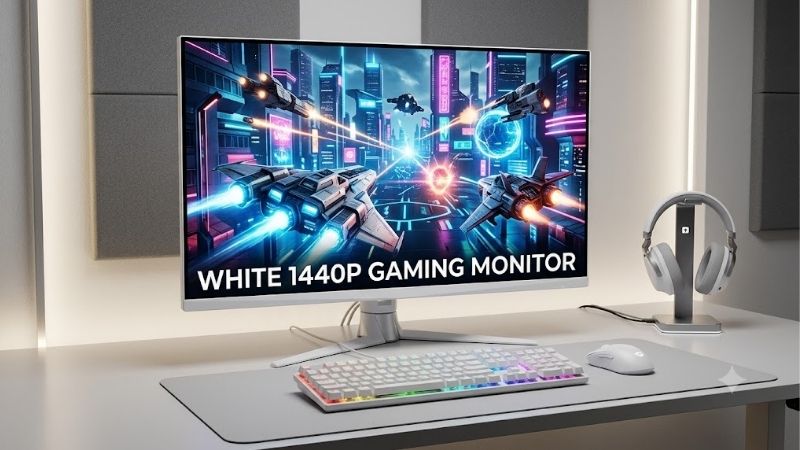
Quick verdict for a white 1440p gaming monitor
For most buyers, start with the Pixio PX278 Wave White if you can get it near $250: its flat 27-inch Fast IPS panel and 180Hz refresh rate are a sensible mix for everyday gaming. Choose the MSI MAG 274QRFW X32 instead if you play competitive shooters and can use frame rates far above 180 frames per second. Pixio’s PXC278 Wave is the curved alternative for people who value the higher stated contrast of a VA panel. The ASUS ROG Strix XG27AQ-W remains a feature-rich option, but its older 170Hz-overclocked design is harder to justify at ASUS’s listed $349 price unless you particularly like its white styling and feature set.
| Model | Best fit | Main specifications | Main drawback | U.S. price reference checked Oct. 19, 2026 |
|---|---|---|---|---|
| Pixio PX278 Wave White | Best balanced choice | 27-inch, 2560 × 1440, Fast IPS, 180Hz | Price differs by retailer; limited independent lab data for this exact revision | $249.99 at Target; $289.99 at Pixio |
| MSI MAG 274QRFW X32 | Competitive gaming | 27-inch, 2560 × 1440, Rapid IPS, 320Hz | High refresh is useful only when your PC can deliver very high frame rates | $289.99 at Best Buy |
| Pixio PXC278 Wave White | Curved-screen preference | 27-inch, 2560 × 1440, Fast VA, 180Hz, 1650R curve | VA dark-transition smearing is a possible trade-off; stand adjustments are limited | $289.99 at Pixio |
| ASUS ROG Strix XG27AQ-W | Premium white styling and features | 27-inch, Fast IPS, 144Hz native / 170Hz overclocked | Older design; HDR is not a reason to buy it | $349 at the ASUS Store |
Prices are observed listings, not guaranteed checkout totals. They can change and generally exclude sales tax; shipping terms vary by seller. The product rankings below weigh the entire package rather than the refresh-rate number alone.
How we selected the monitors
A model had to meet three core conditions: a clearly identified white finish, a native 2560 × 1440 16:9 panel, and a gaming-oriented refresh rate above the standard 60Hz desktop baseline. I checked manufacturer specifications first, then compared available U.S. prices and looked for independent evaluations where the exact model or closely related display had been tested. The article does not claim detailed research, and manufacturer response-time figures are treated as specifications rather than proof of measured pixel performance.
The shortlist is intentionally limited. Some white or silver monitors have another resolution, no confirmed U.S. supply, or prices that are hard to recommend. Samsung’s Odyssey OLED G6 G60SD is a fast 1440p OLED, but Samsung calls its finish silver rather than white. Sceptre’s white C275B-QWN168W showed “Coming Soon” and a $499.99 listed price when checked, so it is not a dependable recommendation here. A short, verified list is better than ranking a model just because its shell is white.
Best white 1440p gaming monitor for most buyers: Pixio PX278 Wave
The Pixio PX278 Wave is the most balanced starting point for a white-themed 1440p setup. Its 27-inch Fast IPS panel runs at up to 180Hz and has a flat screen, which suits a desk used for a mix of shooters, RPGs, strategy games, browsing, and school or office work. IPS viewing angles are also a good fit if you sometimes move around the desk or look at the screen from the side. The white Wave version is sold directly by Pixio, and the maker lists U.S. pricing at $289.99; Target has shown a $249.99 listing, so it is worth comparing sellers before buying.
The main advantage is balance. At 27 inches, 2560 × 1440 gives sharper text and more desktop space than 1080p without imposing the same graphics workload as 4K. A 180Hz ceiling is already a substantial step up from 60Hz and 144Hz, and it is realistic for more gaming PCs to use than a 300Hz-plus target in demanding games. It also leaves room for adaptive sync when frame rates fluctuate, reducing tearing and stutter when supported by the GPU and enabled in the relevant settings.
Pixio lists 1ms GTG, but this is a manufacturer specification, not a guarantee for every pixel transition or overdrive setting. Motion clarity also depends on frame rate and tuning. I did not confirm an independent instrumented review of this exact white Wave revision, so competitive players should treat the response-time figure as a starting point rather than a lab result.
Verify that the cart says PX278 Wave and White: Pixio also sells similarly named curved, Full HD, and 4K models. The listed stand has height, swivel, and pivot adjustments, useful for fine positioning or portrait-mode setups. Two 3W speakers are included for basic system audio, though a headset or dedicated speakers will sound better.
Buy it if you want a flat white 27-inch display that can handle many genres and general computing without overemphasizing esports specs. Skip it if you want OLED blacks, high-end HDR, or independently verified motion-test results before spending money. It is especially attractive near the observed $249.99 retail listing; at $289.99, compare it carefully with the MSI model below.
Best for competitive play: MSI MAG 274QRFW X32
The MSI MAG 274QRFW X32 is the strongest choice here for competitive gaming, primarily because its 27-inch Rapid IPS panel reaches 320Hz at 2560 × 1440. It is a flat, white monitor with DisplayPort 1.4a and two HDMI 2.1 ports, according to MSI’s specification sheet. Best Buy listed it at $289.99 on the verification date, which places it close to the Pixio’s observed manufacturer price while offering a much higher refresh ceiling.
That ceiling matters most in games where a capable PC can render very high frame rates: esports shooters, lighter competitive games, and titles played with tuned settings. A 320Hz display refreshes more frequently than a 180Hz display, so it can show new frame information more often when the GPU is actually producing it. It does not make a game run at 320 frames per second, and it will not turn a graphics-limited single-player title into a 300-fps experience. A midrange GPU playing a demanding game at high settings may spend much of its time well below the monitor’s maximum refresh rate. Variable refresh rate remains valuable in those cases.
MSI advertises a minimum 0.5ms GTG response time and DisplayHDR 400, but these do not imply OLED-like motion or contrast. The response-time figure is a best-case manufacturer specification, not an independent result for every pixel transition. This remains an LCD with a stated 1,000:1 typical contrast ratio and 300-nit SDR brightness; think high-refresh SDR first, not dramatic HDR.
MSI lists two HDMI 2.1 ports and one DisplayPort 1.4a connection. Use a suitable cable and select the maximum refresh rate in Windows or your GPU control panel; the screen may default to a lower mode. If 320Hz is unavailable, check the connection, driver, and monitor settings before assuming a fault.
The value case is strongest for competitive players who can exploit the refresh headroom. For people who mostly play cinematic games, create content, or prefer a lower GPU load, a good 180Hz display is already smooth and may be the more sensible use of the budget. Buy the X32 if esports speed is a real priority, not simply because 320 is a larger number than 180.
Best curved option: Pixio PXC278 Wave White
The Pixio PXC278 Wave is the curved alternative in this shortlist. It uses a 27-inch Fast VA panel with a 1650R curve, a 2560 × 1440 resolution, and a maximum refresh rate of 180Hz. Pixio lists a 5,000:1 contrast ratio and a maximum brightness of 350 nits. Those specifications make it appealing for a player who wants a more immersive feel and stronger stated native contrast than typical IPS panels, while keeping the same white color theme.
VA’s contrast advantage can help dark scenes look less washed out in a dim room. The trade-off is that VA panels can show slower dark-pixel transitions than fast IPS panels, which may appear as smearing behind dark objects in motion. That is a general panel-type consideration, not a claim that every PXC278 Wave unit will exhibit a specific measured amount of blur; independent testing of this exact model is limited. If you play fast tactical shooters and are particularly sensitive to trails in dark areas, the flat IPS Pixio or MSI is the safer starting point.
The curve is a preference, not a performance upgrade. Some players like the wraparound feel of a 1650R screen; others find it unnecessary at 27 inches, especially for spreadsheets, image work, or shared viewing. Try a similarly sized curved monitor before buying this model for the shape alone.
Pixio lists DisplayPort 1.4 at up to 180Hz; HDMI 2.0 is limited to 144Hz at QHD. The included stand is tilt-only, so budget for a VESA arm if height adjustment matters. Pixio listed the white model at $289.99 and advertised contiguous-U.S. free shipping and a three-year limited warranty; confirm the current terms at checkout.
Buy it if you prefer a curved display, want a white finish, and value VA contrast for darker games and media. Skip it if you need a highly adjustable included stand, expect the fastest dark transitions, or want reliable HDR performance as a key feature. The curve is the reason to pick it over the flat PX278 Wave; otherwise, the flat model is the more versatile default.
Best feature-rich older design: ASUS ROG Strix XG27AQ-W
ASUS’s ROG Strix XG27AQ-W is a white 27-inch Fast IPS monitor with a 2560 × 1440 panel and a refresh rate that can be overclocked from 144Hz to 170Hz. ASUS’s U.S. store listed it at $349. The specification includes a 1ms GTG response-time claim, ELMB Sync motion-blur reduction, G-SYNC Compatible support, and DisplayHDR 400 certification. It has the ROG styling that some builders want for a coordinated white gaming PC, including illuminated design elements.
Its gaming fundamentals remain useful: 170Hz is smooth and IPS viewing angles are wide. Igor’sLAB reviewed the white XG27AQ-W and praised its SDR gaming image while noting color-management and edge-lit HDR limitations. RTINGS found the related black XG27AQ responsive with a wide gamut, but limited in contrast and HDR impact. These older reviews provide context, not a new test of every current unit.
Treat this as an SDR gaming monitor, not an HDR purchase. DisplayHDR 400 does not guarantee local dimming or OLED-like contrast, and dark scenes can look gray beside OLED. Its 170Hz mode also requires overclocking; native refresh is 144Hz.
The key question is price. At the listed $349, it is difficult to recommend ahead of the MSI 320Hz monitor or a cheaper Pixio Wave unless you prefer ASUS’s design or need a specific feature. Its older port specification and refresh ceiling provide less headroom than the X32. Buy it if the white ROG look and feature set are worth the premium to you and you mainly play in SDR. Skip it if you want the most refresh rate per dollar or convincing HDR. Check the return policy and the exact suffix before ordering, because the black XG27AQ and white XG27AQ-W should not be treated as interchangeable product listings.
How to choose a white 1440p gaming monitor
Pick the refresh rate for your games and GPU
For story-driven games, RPGs, strategy titles, and general use, 144Hz to 180Hz is already a major step up from 60Hz. A 240Hz or 320Hz panel matters more in competitive games where a fast CPU/GPU can maintain high frame rates. Paying for 320Hz is less compelling if your favorite games sit around 70–120 fps.
QHD renders about 78% more pixels than 1920 × 1080, giving a 27-inch screen sharper detail while increasing GPU workload. Check your typical frame rate at 2560 × 1440 in the games you play before spending extra on refresh rate.
Understand IPS versus VA
Fast IPS is the default recommendation for a general-purpose gaming monitor because it combines wide viewing angles, strong color performance, and generally quick transitions. VA is worth considering if you prefer a deeper stated native contrast ratio and the curved-screen style, but dark-transition smearing can be more noticeable on some models. Neither label guarantees perfect motion; measured response behavior and overdrive tuning vary by product. If motion clarity is critical, seek independent testing of the exact model rather than relying only on “1ms” marketing.
Treat HDR badges realistically
An HDR label does not tell the whole story. Brightness, contrast, local dimming, color volume, and tone mapping all affect the result. DisplayHDR 400 can certify baseline requirements, but a conventional edge-lit IPS display with roughly 1,000:1 contrast will not deliver OLED-level blacks. If you mainly play SDR games, this may not matter. If cinematic HDR is a priority, the limited white-monitor selection may require widening the color requirement or raising the budget for a verified OLED or mini-LED option. Verify the exterior color first: some premium QHD displays use silver or gray rather than white.
Check ports and console limits
Maximum refresh depends on the input as well as the panel. The Pixio PXC278 Wave supports up to 180Hz through DisplayPort but 144Hz through HDMI 2.0; MSI’s X32 lists HDMI 2.1 and DisplayPort 1.4a for its high-refresh mode. PS5 and Xbox Series X|S commonly target up to 120Hz in supported games, so the 180Hz-to-320Hz ceiling is mainly a PC advantage. Check the exact monitor manual and console mode rather than assuming every input supports the same rate.
Budget for the stand, cable, and setup
Measure desk depth and the monitor’s footprint, leave room for the keyboard and mouse, and check VESA compatibility if you plan to use an arm. The PX278 Wave’s more adjustable stand may save an extra purchase compared with the tilt-only PXC278 Wave.
Start with the included cable and select the maximum refresh rate in Windows after connecting. Enable Adaptive-Sync in the monitor menu and GPU driver if needed. A compliant cable and correct port matter more than buying an expensive cable. If the screen flickers or cannot use its advertised mode, test a direct connection, update the graphics driver, and check the manual before buying accessories.
Do not overpay only for the finish
A white enclosure can cost more than a comparable black model. Decide whether the coordinated finish is worth the difference, and remember that the case, cooler, GPU accents, and monitor need not match exactly to look coherent. An extra $50–$100 spent on a GPU, SSD, or adjustable arm may improve the setup more than paying for the same monitor performance in another color.
Frequently asked questions
Is 1440p good for a 27-inch gaming monitor?
Yes. A 27-inch 2560 × 1440 display offers a useful combination of text sharpness, desktop area, and gaming detail. It is often a strong fit for a desk where the screen sits roughly an arm’s length away. A 32-inch QHD monitor makes pixels more visible at the same resolution, while 4K adds detail but requires more GPU performance to maintain similar frame rates.
Is 180Hz enough, or should I buy 320Hz?
For most players, 180Hz is enough. It makes motion look smoother than 60Hz or 144Hz, and its demands are easier to meet in a wider range of games. A 320Hz monitor is most useful for competitive players with a PC that can produce very high frame rates at QHD. The MSI MAG 274QRFW X32 is the pick here for that purpose; the Pixio PX278 Wave is the balanced choice if you value cost and broader everyday use more.
Will a white monitor have a white bezel around the screen?
Not necessarily. White usually refers to the housing and stand, while the active panel is black when off and many displays still have a dark inner bezel. Manufacturer images can hide small color differences under studio lighting. Check front and rear photos of the exact model and confirm that the retailer’s variant says White. Do not rely on a generic title that groups several colors together.
Can I use these monitors with a console?
Yes, but do not assume a console can use the full PC refresh ceiling. PS5 and Xbox Series X|S commonly support up to 120Hz in compatible games and settings. HDMI bandwidth and the monitor’s console mode determine the options available. For a PC, DisplayPort is often the straightforward route to the highest supported refresh rate, though the MSI X32’s HDMI 2.1 ports are also specified for QHD at 320Hz. Verify the manual and source-device output before purchasing.
Final verdict
Start with the Pixio PX278 Wave White if you want an adaptable 27-inch QHD display with 180Hz gaming performance, especially if you find it near $250. Choose the MSI MAG 274QRFW X32 for competitive gaming when your PC can make use of 320Hz. Choose the PXC278 Wave only if you specifically prefer a curved VA screen, and buy the ASUS XG27AQ-W only if its ROG styling and features justify its higher listed price. The right choice is the monitor that fits your games, graphics hardware, desk, and budget—not the one with the biggest refresh-rate number or the whitest product photo.









