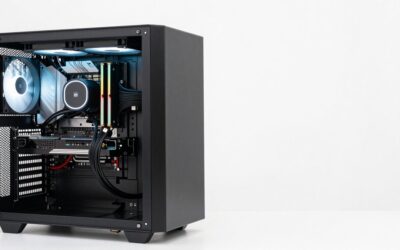
The i7-12700KF is one of the few older-generation chips that can pair with nearly any consumer graphics card without an embarrassing mismatch. Twelve cores, a mix of performance and efficiency cores, and a PCIe 5.0 graphics slot mean the processor is rarely the weak link at 1440p or 4K.
The better question is not whether the chip can keep up, but how to divide a fixed budget. The KF in the name means it is unlocked and has no integrated graphics, and that unlocked power behavior is where this pairing gets interesting: the CPU can pull a lot of watts, and the GPU adds its own spikes on top.
Spending Logic: Where the Money Should Go
With the 12700KF, the argument for stretching to a high-end card is stronger than on older Intel chips. Reviews from Hardware Unboxed and TechSpot on Alder Lake processors showed that the 12th-generation performance cores keep up with top-tier cards well into 4K. The question is how far to go before a cheaper card gives you roughly the same experience at your resolution.
Think of three tiers. Around the 1440p sweet spot, cards like the RTX 5070 or RX 9070 give you strong frame rates without leaning on the CPU. For high-refresh 1440p and 4K, the RTX 5070 Ti and RTX 4070 Ti Super are the tier where the 12700KF is fully used. Beyond that, the RTX 5080 and RTX 4090 push the platform, and the CPU can start to matter in lighter esports titles.
Power and Interface Table
| Card | VRAM | Board power | Launch MSRP | Pairing note |
|---|---|---|---|---|
| RTX 5070 | 12GB | 250W | $549 | Balanced, modest power budget |
| RX 9070 XT | 16GB | See spec page | $599 | Strong raster value for the money |
| RTX 4070 Ti Super | 16GB | 285W | $799 | Older generation, 16GB, no DLSS 4 multi frame generation |
| RTX 5070 Ti | 16GB | 300W | $749 | Best fit for 1440p high refresh and 4K |
| RTX 5080 | 16GB | 360W | $999 | Top end for most builds |
| RTX 4090 | 24GB | 450W | $1,599 | Power-hungry; needs a big supply |
Those are launch MSRPs from each maker. Real listing prices change often, so confirm the current price on the product listing.
The Unlocked-CPU Wrinkle
A 12700KF at stock already has a base power of 125W and boosts much higher under all-core loads. If you enable a motherboard’s “multicore enhancement” or overclock, CPU draw rises further. Add a 300-450W graphics card with brief power spikes, and you can easily exceed what a 650W unit comfortably handles. A sensible approach is to size the supply for the sum of both worst cases plus a margin of roughly 100-150W, then check the GPU maker’s recommended system power on the spec page.
Cooling matters too. The 12700KF ships with no cooler. If you use a tower air cooler or a 240mm liquid cooler, thermal throttling is unlikely at stock; if you tune the chip, plan for heat.
Where the Answer Shifts
The platform quirks to watch are mostly about memory and board choice. A DDR4 build will lose a little in some CPU-heavy games compared to DDR5, but at 1440p and 4K this rarely changes which GPU you should buy. A budget H610 board limits CPU power and may throttle an unlocked chip, which is an argument for a Z690 or B660 model if you intend to feed it a big card. For BIOS, check that you are on a release that supports the latest cards and Resizable BAR; on 12th-gen systems it is generally enabled out of the box.
How to Verify Your Own Build
- Note your motherboard model and look up whether a newer BIOS exists. Update if the release notes mention GPU compatibility or stability.
- Confirm the PCIe slot runs at x16. In a few boards, secondary slots share lanes with M.2 drives.
- Read the power supply’s connector list. If the card uses a 16-pin connector, check whether your supply has a native cable.
- Check case clearance from the back of the slot to the front intake.
- After install, run a long mixed load and watch CPU and GPU temperatures together.
If You Need to Spend Less or Draw Less
A used or older card is not the only way to save. The RTX 5070 at 250W gives you a 12GB card with the newest feature set for far less power than the 5080. For people with a 650W supply, that single decision avoids needing a new unit. If you want 16GB but cannot swap the supply, the RX 9070 and RTX 5070 Ti are the next steps, but confirm their power requirements first.
Why Not Simply Buy the Biggest Card?
It is tempting to treat the 12700KF as a license to buy the RTX 4090 or RTX 5090 and be done. Those cards cost $1,599 and $1,999 at launch, draw 450W and 575W, and are rarely fully used below 4K. If your monitor is 1440p, a card one or two tiers lower usually delivers an experience that feels nearly identical, while leaving money for a better supply, a larger case, or faster storage. Spend on the flagship only when you have a 4K display, a specific workload that needs 24GB or 32GB of VRAM, or a firm reason to chase the highest settings.
FAQ
Is the 12700KF good enough for an RTX 5080?
Yes at 1440p and 4K. At 1080p, expect the CPU to limit a few lighter titles.
Does DDR4 vs DDR5 affect GPU choice?
It affects CPU-bound frame rates slightly, but not which GPU tier to pick for typical resolutions.
Do I need PCIe 5.0 for a new card?
No. Current cards run fine on 4.0, and the 12700KF slot supports 5.0 anyway.
Can I use a 16-pin card with an older supply?
Often through the adapter supplied in the box, but a native cable is cleaner. Check the supply maker’s guidance.
Sources and Methodology
The qualitative statements about Alder Lake scaling and card tiers reflect launch-era reviews from TechPowerUp, Tom’s Hardware, Gamers Nexus, Hardware Unboxed, and TechSpot, as of 2026. No figure is presented as measured by this site. VRAM, power, and MSRP numbers come from the makers’ published launch specifications.