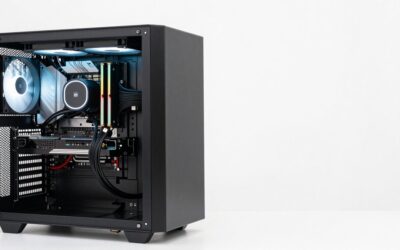
Yes, the i7-10700F can drive a modern RTX card, and for most 1440p builds a mid-to-upper card is the right match. The part that surprises people is not raw speed. It is the platform around the chip: LGA1200, PCIe 3.0 from the processor, and a power supply that was probably sized for a much smaller graphics card.
The 10700F is an 8-core, 16-thread Comet Lake part with no integrated graphics, which is what the F means. That makes the GPU purchase mandatory rather than optional, and it also means the card you choose decides how long this machine stays useful. Below is how to pick one without paying for performance the CPU and slot cannot deliver.
What a Comet Lake Processor Can and Cannot Feed
Eight cores and sixteen threads is plenty for current games at 1440p and 4K, where the graphics card does most of the work. At 1080p with a very fast card, you will see the CPU become the limit sooner than you would on a newer Intel or Ryzen chip. Public CPU-scaling tests from outlets such as Hardware Unboxed and TechSpot have repeatedly shown that older 8-core parts hold back top-tier cards mainly at lower resolutions and high refresh rates. At 1440p and above, the gap narrows noticeably.
The practical rule: the higher the resolution you play at, the more freely you can buy up. If your monitor is 1080p at 144 Hz or more, spending on an RTX 5080 or 4090 class card is wasteful on this platform. If it is 1440p or 4K, a 5070 Ti or 4070 Ti Super class card is a reasonable ceiling.
Card-by-Card Numbers for This Platform
| Card | VRAM | Board power | Launch MSRP | Fit with a 10700F |
|---|---|---|---|---|
| RTX 5060 Ti 16GB | 16GB | 180W | $429 | Good at 1080p/1440p; x8 card, see the PCIe note below |
| RTX 4060 Ti 16GB | 16GB | 160W | $499 | Fine, but x8 as well; older generation |
| RTX 5070 | 12GB | 250W | $549 | Strong 1440p match, little CPU waste |
| RTX 4070 Super | 12GB | 220W | $599 | Comfortable fit, modest power draw |
| RX 9070 | 16GB | See spec page | $549 | Strong 1440p option, 16GB buffer |
| RTX 5070 Ti | 16GB | 300W | $749 | Upper limit that still makes sense |
| RTX 5080 | 16GB | 360W | $999 | CPU-limited at 1080p; only for 4K |
Prices are launch MSRPs, not what a card costs today. Actual listing prices move constantly, so check the current price on the product page before you decide.
The PCIe 3.0 Detail Nobody Mentions
The 10700F talks to the graphics slot at PCIe 3.0, even on a Z490 or B560 board that advertises 4.0 readiness for later processors. For cards with a full x16 connection this costs very little. For cards wired as x8, such as the RTX 4060 Ti and the RTX 5060 Ti, the slot bandwidth is cut in half again compared with a 4.0 system. Reviewers including TechPowerUp have tested PCIe scaling on 8GB and 16GB versions, and the consistent finding is that the 8GB models suffer most when games spill into system memory, while the 16GB models are far less sensitive. If you want an x8 card on this platform, pick the 16GB version.
When the Answer Changes
Three things shift the recommendation. First, a locked 10700F is hard to overclock, so you will not be adding CPU headroom later. Second, if your board is an H410 or B460 model, check whether the maker released a BIOS that enables Resizable BAR, since modern cards expect it. Third, if you run a 650W or smaller power supply, a 300W-class card needs a plan: the CPU can pull well over its rated 65W base under sustained load, and a card with transient spikes will stress an old unit.
If you are also thinking about dropping an 11th-generation chip into the same board later, only some LGA1200 boards support it, and PCIe 4.0 from the processor only appears with that newer chip on a compatible board. Check the board’s CPU support list rather than assuming.
A Fifteen-Minute Compatibility Check
- Open the case and note the power supply label. Write down the wattage and count the PCIe power connectors.
- Measure the clear space from the slot to the front fan or drive cage. Card length varies widely between partner models, so use the maker’s page for dimensions.
- In the BIOS, check the version and look for a Resizable BAR (Above 4G decoding) toggle.
- Check the card’s power connector type. Many higher-end models use a 16-pin 12V-2×6 connector, and some supplies need an adapter.
- Run a CPU load plus a GPU load together once the card is installed and watch for restarts, which indicate the supply is the weak link.
Safer Picks If the Upgrade Doesn’t Fit
If the supply is old or the case is cramped, the lowest-risk move is a 200-250W class card such as the RTX 5070 or RTX 4070 Super. They leave room in a 650W build, they need ordinary power cables, and their performance matches what a 10700F can supply at 1440p. If you cannot replace the supply at all, the RTX 5060 Ti 16GB is the lowest-power card in this list that still gives you a modern feature set and a 16GB buffer.
FAQ
Will an i7-10700F bottleneck an RTX 5070 Ti?
At 1440p and 4K, the effect is small in most reviews. At 1080p with high refresh rates, expect the CPU to cap frame rates in lighter games.
Do I need a new motherboard for a new GPU?
No. Any LGA1200 board with a PCIe x16 slot works. A BIOS update for Resizable BAR is recommended where available.
Is 16GB of VRAM worth it on this build?
For 1440p and above in 2026, yes. It is what keeps newer games from stuttering when textures are set high.
Is the F-series CPU a problem for graphics cards?
No. The F only means the chip has no onboard graphics, so the discrete card is your only video output.
Sources and Methodology
The qualitative CPU-scaling and PCIe-scaling statements reflect launch-era and follow-up reviews from TechPowerUp, Tom’s Hardware, Gamers Nexus, Hardware Unboxed, and TechSpot. This article does not present any figure as measured by this site. VRAM, board power, and MSRP values are the manufacturers’ published launch specifications.