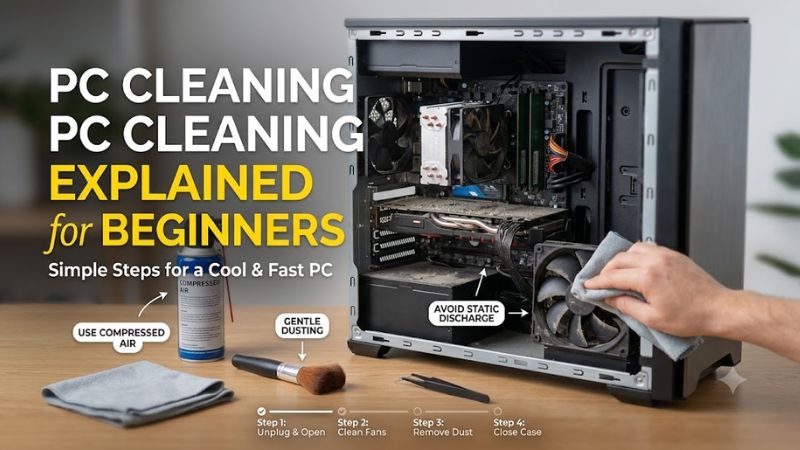
PC cleaning explained for beginners starts with separating dusty cooling vents from fingerprints and keyboard crumbs. Shut down and unplug the computer before cleaning; keep liquids away from internal parts. This roundup matches four practical tools to those jobs, so your first cleanup does not become needless disassembly.
How to Choose PC Cleaning Tools
This guide to pc cleaning explained for beginners compares airflow control, ongoing expense, keyboard access, and screen contact. Each criterion points toward a reviewed product instead of an oversized kit. The selections reflect features and practical limitations, without claiming hands-on tests or measured cooling gains.
Airflow Control and Electronics Compatibility
Airflow control matters because dust removal should not require blasting delicate parts at full strength. Choose equipment intended for electronics and follow your computer maker’s cleaning instructions. Where an electric electronics duster is permitted, adjustable output makes the MetroVac DataVac ED-500-ESDV a useful option for repeat cleaning.
When cleaning accessible desktop fans, restrain the blades and direct controlled airflow through dusty fins without touching circuitry with the nozzle. Avoid household vacuums inside the computer. If adjustable airflow and static-control accessories matter more than minimum purchase cost, choose the MetroVac DataVac ED-500-ESDV.
Purchase Cost and Replacement Expense
Purchase price and recurring expense favor different tools depending on cleaning frequency. Disposable gas makes sense for occasional maintenance because you avoid buying a motorized appliance. Frequent cleaning consumes replacement cans, changing the calculation. For infrequent jobs with minimal equipment, choose Falcon Dust-Off RET10521.
With pc cleaning explained for beginners, value means paying for the maintenance you perform. Compare a single can with an electric duster using current prices, instead of assuming fixed savings. Disposable gas also needs safe storage between sessions. For occasional keyboard and vent dust removal, Falcon Dust-Off RET10521 is practical.
Keyboard Access and Tool Shape
Keyboard access depends on tool shape rather than airflow alone. Crumbs and debris around keycaps often need sweeping, while narrow edges benefit from a slim contact tool. That does not justify probing electrical sockets or scraping circuit boards. For external keyboard details, choose the OXO Good Grips Electronics Cleaning Brush.
A reusable brush avoids propellant consumption during desk maintenance, but it cannot reach deep heatsink passages like directed airflow. Choose it for accessible seams instead of treating it as a complete cleaning kit. For a compact tool with retractable bristles and a capped silicone end, choose the OXO Good Grips Electronics Cleaning Brush.
Screen Contact and Cloth Care
Screen contact requires a clean, soft cloth compatible with the display maker’s instructions. Dust particles trapped in fabric can scratch a surface even when the fabric feels gentle. Keep screen-cleaning fabric separate from greasy case-cleaning supplies. For a dedicated display cloth, choose the E-Cloth Screen Cleaning Cloth.
Display smudges require different treatment from internal dust, so an air duster cannot replace a suitable cloth. Start with dry cleaning and use moisture only where monitor instructions permit it; never spray directly onto a display. For monitor surfaces without buying a chemical cleaner, choose the E-Cloth Screen Cleaning Cloth.
Top Picks
For pc cleaning explained for beginners, these four picks cover different tasks rather than competing as identical cleaners. Choose airflow for dust, a brush for keyboard details, and microfiber for display surfaces. Product specifications establish features, not guaranteed improvements or permission to ignore your computer’s manual.
| Product | Best For | Key Spec | Watch Out For |
|---|---|---|---|
| MetroVac DataVac ED-500-ESDV | Best Overall | 120 V; variable speed; ESD-safe attachments | Upfront cost; requires outlet and proper grounding |
| Falcon Dust-Off RET10521 | Best Value | 10 oz / 283 g compressed gas | Upright use; replacement cans |
| OXO Good Grips Electronics Cleaning Brush | Keyboard Details | Retractable bristles; silicone wiper | Not specified as an ESD-safe circuit-board brush |
| E-Cloth Screen Cleaning Cloth | Monitor Care | 13.5 × 13.5 inches | Must remain clean; follow display instructions |
MetroVac DataVac ED-500-ESDV: Best Overall
The MetroVac DataVac ED-500-ESDV is Best Overall for repeat maintenance where the PC manufacturer permits an electric electronics duster. The US model uses 120 V power and variable-speed control, offering airflow control without replacement propellant. ESD-safe attachments and grounding accessories distinguish it from household blowers.
Its drawback is upfront expense and reliance on an outlet, making it excessive for occasional keyboard crumbs. For pc cleaning explained for beginners, adjustable output is useful but not damage-proof. Follow the supplied grounding instructions, verify the US electrical version, and keep the nozzle away from electronic components.
Falcon Dust-Off RET10521: Best Value
Falcon Dust-Off RET10521 is Best Value for occasional dust removal without investing in a motorized tool. Its 10-ounce can contains 283 grams of compressed gas, with a narrow extension for targeted application. Portability and simple storage suit a household maintaining one computer rather than servicing several dusty desktops.
The drawback is finite capacity, replacement costs, and handling restrictions. For pc cleaning explained for beginners, keep this can upright, never shake it, and use short bursts with ventilation away from ignition sources. Tilting may release liquid propellant. Follow the label and never inhale the contents or use it on powered equipment.
OXO Good Grips Electronics Cleaning Brush: Best For Keyboard Details
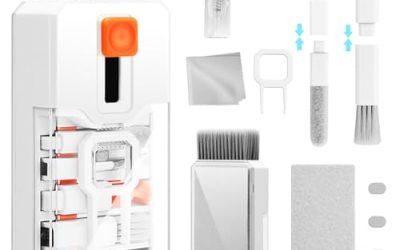
The OXO Good Grips Electronics Cleaning Brush is Best For Keyboard Details because its two-ended design combines retractable bristles with a slim silicone wiper. Buyers dealing with crumbs around keycaps gain a reusable contact tool instead of consuming gas for every cleanup. A protective cap covers the silicone end during storage.
Its limitation is reach: neither end replaces airflow through deeply packed cooling fins, and the product is not advertised as an ESD-safe circuit-board brush. In pc cleaning explained for beginners, reserve it for keyboard seams and casing details. Do not insert the wiper into connectors, switches, or exposed electronic assemblies.
E-Cloth Screen Cleaning Cloth: Best For Monitor Care
The E-Cloth Screen Cleaning Cloth is Best For Monitor Care when used following display instructions. Its 13.5-by-13.5-inch microfiber surface provides useful coverage for screens and folds into smaller sections. A dedicated cloth addresses fingerprints that a blower cannot remove, without requiring a bundled cleaning spray.
Its weakness is contamination: a cloth carrying grit or case residue can transfer debris instead of clearing the display. Keep it dedicated to screens, inspect it before cleaning, and follow its laundering instructions. Screen coatings vary, so microfiber availability never overrides the display maker’s restrictions on pressure or moisture.
Frequently Asked Questions
Questions about pc cleaning explained for beginners concern frequency, liquids, opening the case, and performance changes. These answers separate routine dust maintenance from repair work. A dusty intake deserves attention, but a shutdown or sticky keyboard after a spill may require diagnosis rather than more cleaning products.
How Often Should I Clean My PC?
Check dust buildup monthly at first rather than following a universal cleaning deadline. Pets, carpet, smoking, and floor placement change accumulation rates. Visible filter obstruction or dirt collecting across cooling fins provides a better maintenance trigger than assuming every computer requires the same three-month schedule.
After inspections, adjust the interval to your room and case filtration. Filters may need attention sooner than the motherboard compartment, especially with pets. Wash a removable filter only if its instructions permit it, and reinstall it completely dry. Photographing the intake helps compare buildup without opening the case.
Can I Spray Cleaner Inside My Computer?
No, a beginner should not spray liquid cleaner inside a PC. Routine internal dust removal uses manufacturer-approved dry methods; removing thermal paste or corrosion is a different maintenance task. A generic screen spray does not establish compatibility with circuit boards, connectors, fan bearings, or specialized display coatings.
For stubborn fingerprints, consult the device instructions before selecting moisture or a chemical. Apply any permitted solution to the cloth as directed, with electrical equipment disconnected. If contamination followed a spill, stop normal cleaning and arrange inspection rather than flooding inaccessible areas with solvent.
Do I Need to Open My Computer?
No, basic external cleaning does not require opening the computer. Accessible vents, keyboard surfaces, and displays can receive appropriate maintenance without disturbing components. Opening a desktop side panel may help with internal dust, but laptop access requires model-specific instructions and a safe battery-disconnection procedure.
Do not open the power-supply housing or attempt unfamiliar disassembly just to improve access. If a fan cannot be reached safely, use the manufacturer’s approved external method or seek service. Photographing cable positions before permitted desktop access can help identify an accidentally disturbed connection during your final inspection.
Will Cleaning Make My PC Faster?
Cleaning can improve cooling when dust obstructs airflow, but it does not guarantee higher performance or repair failing hardware. Removing obstruction may reduce overheating-related throttling under sustained workloads. If cooling was already adequate, temperatures or performance might change little, although the computer looks cleaner afterward.
Compare temperatures using the same workload and similar room temperatures rather than relying on an idle reading. Persistent overheating can involve cooler mounting, fan failure, or unsuitable power settings. Crashes require separate diagnosis. Avoid buying stronger cleaning equipment solely because one maintenance session produced no improvement.
Final Thoughts
For pc cleaning explained for beginners, start with the tool matching the mess: Falcon Dust-Off RET10521 for occasional dust, OXO’s brush for keyboard details, and E-Cloth for screens. Choose the MetroVac DataVac ED-500-ESDV for repeat cleaning where permitted. Maker instructions, disconnected equipment, and controlled handling remain essential.