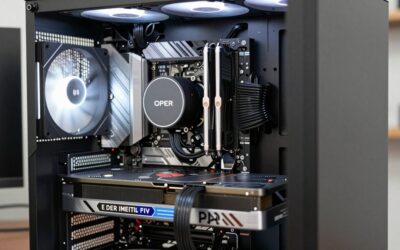
A modern gaming PC can carry a dozen addressable RGB devices: case fans with lit frames, light strips, a lit CPU cooler, a glowing GPU support bracket. Most motherboards offer one or two 5V 3-pin ARGB headers, and that runs out fast. An ARGB controller fixes the shortage by giving your lighting its own hub, with its own power and its own way of setting effects, so the motherboard headers stop being the bottleneck.
This roundup covers lighting-only controllers. That distinction matters. A fan hub powers fans and controls their speed through PWM headers while also passing along the ARGB signal; a lighting-only controller does the second job and nothing else. It cannot power a fan or change fan speed at all. The rule of thumb is simple: if you need fan headers, buy a hub; if your fans already plug into the motherboard and you only need lighting control, buy one of these. Every pick below runs on 5V 3-pin ARGB, takes SATA power from your supply, and works without a motherboard ARGB header.
As an Amazon Associate, we earn from qualifying purchases.
How to choose an ARGB controller
Port count first. Count the ARGB devices you actually own, then add one or two for the next upgrade. A single-channel remote kit suits a rig with two or three lit fans on a splitter, while a 16-port USB controller suits a full-tower build with fans, strips, and a lit cooler. Ports are the hard limit: you can split one port across several devices, but everything on a split shares one signal, so they all show the same effect.
Control method second. Controllers fall into three camps. Remote and button boxes carry their own effects on board: point the remote, press a button, and the lights change, with no software at all. USB controllers hand control to desktop software such as SignalRGB or OpenRGB, which gives per-channel effects, music sync, and game-reactive lighting, but the software is mandatory — without it the controller does nothing. Motherboard-sync boxes sit in between, passing your board software’s signal through to more devices. Decide which camp you want before you shop, because it changes the whole experience.
Power and headers. Every controller here draws power from a SATA connector, which keeps the lighting load off the motherboard. USB controllers also need a free internal USB 2.0 header (9-pin) for the signal cable; if your board’s headers are already taken by a front-panel hub or a cooler, check before you buy. Remote and button boxes skip the USB cable entirely.
LED capacity per channel. Each port supports a maximum number of LEDs, usually stated per channel. A single 120 mm ARGB fan carries roughly 20 to 30 LEDs, so a 126-LED channel covers four or five fans, while a 256-LED channel covers a full strip run plus fans. Stay under the stated limit or the far end of the chain will flicker or go dark.
The 5V and 12V trap. ARGB runs on 5V with a 3-pin connector; older plain RGB runs on 12V with a 4-pin connector. The plugs look similar and the wrong combination can damage the lights. Every controller in this roundup is 5V 3-pin only, and none of them will drive 12V 4-pin strips. Check the connector on your fans and strips before ordering: three pins with one blank position means ARGB.
1. DS Mini ARGB PC Fans Controller Kit

The DS Mini is the simplest controller in this roundup and the easiest to live with if you want lighting without software. A 14-key RF remote runs 215+ dynamic modes plus four static colors, and the one-to-one locking function pairs the remote to the controller so a neighbor’s remote or a second kit in the same room cannot trigger your lights. It operates independently and cannot connect to the motherboard, which is exactly the point: no headers, no USB cable, no app. Despite the “Fans Controller” wording in the listing title, this is a lighting-only device with no fan headers — your fans’ ARGB cables plug into the kit while fan power and speed stay on the motherboard. It suits a small build with a few lit fans on a splitter, or a builder who wants the lights set once and left alone.
Specs
- Brand / model: DS leddess / DS035
- Ports: Single channel, 5V 3-pin ARGB
- Control: 14-key RF remote, 215+ dynamic modes, 4 static colors, one-to-one locking
- Power: SATA, 5 V, 15 W
- Motherboard header needed: No
- Form: Compact inline controller kit, plastic housing
- ASIN: B07JZCNPNV
2. Iesooy Nollie 8 ARGB Controller

The Nollie 8 is the balanced pick: eight independent 5V 3-pin ports, a USB 9-pin signal connection, and dual SATA power so long LED chains stay bright at the far end. Each channel handles 126 LEDs, around 1,000 across the board, which covers eight lit fans with room for strips. Control runs through SignalRGB or OpenRGB, so every channel gets its own effect, and the RISC-V core keeps the signal timing steady. The word “Fan Hub” in the listing title is marketing: fans’ ARGB cables plug into the Nollie 8, but fan power and PWM stay on the motherboard, and the board has no fan headers at all. Dual SATA cables and adhesive mounting are included, and the slim board tucks behind a motherboard tray without a fight.
Specs
- Brand / model: Iesooy / Nollie 8, PC099
- Ports: 8× 5V 3-pin ARGB
- LED capacity: 126 LEDs per channel, about 1,000 total
- Control: SignalRGB, OpenRGB via USB 9-pin
- Power: Dual SATA
- Dimensions: 2.68 × 0.47 × 1.30 in
- Material: FR4 and PETG, adhesive mounting included
- ASIN: B0FQBZBDCS
3. airgoo Magnetic 16-Port ARGB Controller

The DRGB16 is the capacity king of this roundup: sixteen independent 5V 3-pin ports, arranged as two banks of eight, each supporting 256 LEDs with its own effect. That is enough for a full-tower build with every fan, strip, and cooler lit, all driven from one board. A single SATA connector feeds the whole unit at up to 5 A total, a USB 2.0 cable carries the signal, and the magnetic base sticks to any steel surface inside the case. Two things to know before buying. First, this controller has no onboard effect engine and no motherboard-software control, so SignalRGB or OpenRGB is required — without software it does nothing. Second, the ports are female, and several builders note that male-to-male adapters are needed for some ARGB cables, so check your cable ends when you plan the build.
Specs
- Brand / model: airgoo / AG-DRGB16
- Ports: 16× 5V 3-pin ARGB (A1–A8, B1–B8), independent channel control
- LED capacity: 256 LEDs per channel
- Control: SignalRGB, OpenRGB via USB 2.0 (software required)
- Power: Single SATA, 5 A total
- Dimensions: 4.57 × 1.97 × 0.47 in
- Weight: 0.15 kg
- Mounting: Magnetic base
- Warranty: 1 year
- ASIN: B0F3VV65WD
4. airgoo Magnetic 8-Port ARGB Controller

The DRGB08 is the same idea as its 16-port sibling in a smaller package: eight independent 5V 3-pin ports, 256 LEDs per channel, USB 2.0 signal, and a single SATA feed, all on a magnetic base that fits mini-towers and mid-towers where the 16-port board would crowd the cable routing. It is the right size for a build with six to eight ARGB devices and no plans to double that count. The same software rule applies: SignalRGB or OpenRGB is required, there is no onboard effect engine, and motherboard lighting software cannot drive it. The listing’s freshest confirmed offer dates to mid-2026, so check that the listing shows stock before ordering.
Specs
- Brand / model: airgoo / AG-DRGB08
- Ports: 8× 5V 3-pin ARGB (A1–A8), independent channel control
- LED capacity: 256 LEDs per channel
- Control: SignalRGB, OpenRGB via USB 2.0 (software required)
- Power: Single SATA, 5 A total
- Dimensions: 2.66 × 1.39 × 0.47 in
- Weight: 3.87 oz
- Mounting: Magnetic base
- ASIN: B0GTYZCSHZ
5. Cooler Master A-RGB LED Small Controller

The Cooler Master Small Controller is the pick for a board with no ARGB header at all. It is a button box, not a software hub: six preset modes, seven single colors, and a thermal-detection mode that shifts the lighting color with temperature, all switched from the unit itself, with MasterPlus+ software available over the micro-USB connection for deeper control. A 1-to-3 ARGB splitter cable is included, so the single port feeds up to three devices. Be clear on what it is: the listing title calls it a “Fan Controller,” but it controls fan lighting only — there are no fan headers, and fan power and speed stay on the motherboard. One port is the thinnest offering in this roundup, so builders with more than three ARGB devices should daisy-chain or split from it, or step up to one of the multi-port picks above. Do not confuse this small unit with the larger 4-port version sold under the similar MFP-ACBN model number. The freshest archived listing for this controller is several years old, so check that the listing shows stock before ordering.
Specs
- Brand / model: Cooler Master / A-RGB LED Small Controller, MFX-ACBN-NNUNN-R1
- Ports: 1× 5V 3-pin ARGB (1-to-3 splitter cable included)
- Control: On-unit buttons, 6 preset modes, 7 colors, thermal-detection mode; MasterPlus+ via micro USB 2.0
- Power: SATA
- Dimensions: 59.5 × 23.5 × 15 mm
- Accessories: SATA and thermal-detection cable, 1-to-3 ARGB cable, motherboard sync cable, Y cable
- ASIN: B07H241TFT
Which one fits your build
Start from the number of ARGB devices and the control style you want. The airgoo 16-port is the pick for a full-tower build with more than eight lit devices and a taste for per-channel software effects; its 8-port sibling covers the same software experience in a smaller case. The Nollie 8 sits between them on capacity and adds dual SATA power for long LED chains. If you would rather skip software entirely, the DS Mini’s remote and the Cooler Master button box both run standalone: the DS Mini wins on mode count, while the Cooler Master wins on the thermal-detection trick and the included splitter. Whatever you choose, count your devices first, confirm a free USB 2.0 header if you pick a software controller, and keep 5V ARGB and 12V RGB parts strictly apart.
How many ARGB devices can one controller handle?
It depends on ports and LED capacity, not just ports. A port count tells you how many devices plug in; the per-channel LED limit tells you how many LEDs each port can drive. A 126-LED channel covers about four 120 mm ARGB fans, while a 256-LED channel covers eight fans or a long strip run. Splitters add devices to one port, but everything on a split shares one signal and shows the same effect.
Do I need a motherboard ARGB header to use one of these?
No. Every controller in this roundup works without a motherboard ARGB header: the remote and button boxes run standalone, and the USB controllers take their signal from a USB 2.0 header instead. That is the main reason to buy one — a board with no ARGB header, or with its headers already used, still gets full lighting control.
Can an ARGB controller change my fan speed?
A lighting-only controller cannot. These five picks control the lights in your fans and strips only; fan power and speed stay on the motherboard or on a separate fan hub. If you need speed control and lighting from one box, look at a fan hub with PWM headers instead — that is a different class of product from the controllers here.
Why do my lights flicker at the end of a long strip?
Flicker at the far end of a chain usually means the channel is overloaded or underpowered. Check the per-channel LED limit for your controller and count the LEDs on that port, including every fan and strip section. If you are near the limit, split the load across two ports, and make sure the SATA power cable is seated — a loose SATA feed starves the whole board.
Conclusion
ARGB controllers solve a simple problem — too many lit devices, too few motherboard headers — and the right one depends on how many devices you own and how you want to control them. Software controllers give per-channel effects and deep customization; remote and button boxes give lighting without another app. Pick by port count first, control style second, and double-check the 5V 3-pin connector on every device before you order. Any of the five picks above will light a gaming PC properly, with room to grow.