Xmp bios what actually matters starts with a simple truth: XMP is a stored memory profile, not magic RAM speed. This review compares four DDR5 kits and focuses on the settings that affect stability, latency, compatibility, voltage, fit, and real-world value when you enable a profile in BIOS daily.
How to Choose XMP DDR5 RAM
XMP matters because a DDR5 kit can boot at a conservative JEDEC setting and still advertise a much faster profile. In xmp bios what actually matters, the useful question is not simply how high the number goes. It is whether the profile, timings, voltage, and platform match work together without creating a stability problem for your build.
XMP Profile Support
Profile support is the first thing to check because XMP is the preset that tells compatible firmware which memory speed, timings, and voltage to apply. XMP 3.0 is the DDR5 standard and can include several profiles, so a kit with sensible presets is easier to tune than one that only offers an aggressive target for daily use.
That matters most when you want one-click tuning instead of manual memory work. G.SKILL Ripjaws S5 and Kingston FURY Renegade both use Intel XMP 3.0, giving Intel builders a clear starting point. Choose the profile your motherboard can load and sustain, making G.SKILL Ripjaws S5 the clearer pick on a new Intel build today.
Rated Speed and Timings
Rated speed and primary timings should be read together because 6000 MT/s CL30 and 6400 MT/s CL32 make different compromises. Faster transfer rates increase bandwidth, while lower CAS latency reduces the delay represented by the first timing number. Neither figure alone tells you how a kit will behave on every compatible system.
Corsair VENGEANCE 6000 CL30 is a useful reference because it combines a mainstream frequency with tight primary latency, while Kingston FURY Renegade pushes to 6400 CL32. Choose Kingston when higher bandwidth is the goal and your platform is validated; otherwise, the Corsair VENGEANCE balance is easier to justify on a supported Intel board.
Voltage and Compatibility
Voltage and compatibility are linked because an XMP profile may use more voltage than the default JEDEC setting. That is normal for memory overclocking, but the motherboard and CPU memory controller still determine whether the target is stable. Check the board QVL and firmware notes before assuming the profile will train successfully.
G.SKILL Ripjaws S5 specifies 6000 MT/s at 1.35V, while Corsair VENGEANCE 6000 CL30 is rated at 1.40V. The lower figure does not automatically mean better performance, but it can appeal to a balanced setup. For lower-profile tuning, G.SKILL Ripjaws S5 is the pick; for its validated Intel profile, choose Corsair VENGEANCE.
Module Height and Capacity
Module height and capacity become practical buying criteria once performance numbers are close. Two 16GB modules provide 32GB while preserving two-stick operation on boards designed for it, and lower heatspreaders leave more space around large CPU coolers. This is one area where physical specifications can matter more than a tiny speed difference.
TEAMGROUP T-CREATE EXPERT stands out at about 32mm tall, while G.SKILL Ripjaws S5 is 33mm and Kingston FURY Renegade is 39.2mm with its heatsink. Choose TEAMGROUP for clearance, G.SKILL for its compact design, or Kingston FURY Renegade when the higher-speed profile matters most for your build in a compact desktop today.
Performance
The performance question behind xmp bios what actually matters is how much the profile changes your system compared with its default memory settings. A faster kit can raise bandwidth, but gains vary by workload, CPU, game, and application. Good results come from a stable setting that your platform can sustain consistently in daily use.
| Product | Capacity | Rated Speed | Primary Timings | Rated Voltage |
|---|---|---|---|---|
| G.SKILL Ripjaws S5 32GB DDR5-6000 CL30 | 32GB (2x16GB) | 6000 MT/s | 30-40-40-96 | 1.35V (G.SKILL) |
| Corsair VENGEANCE 32GB DDR5-6000 CL30 | 32GB (2x16GB) | 6000 MT/s | CL30 | 1.40V (CORSAIR) |
| Kingston FURY Renegade 32GB DDR5-6400 CL32 | 32GB (2x16GB) | 6400 MT/s | 32-39-39 | 1.40V (Kingston Technology Company) |
| TEAMGROUP T-CREATE EXPERT 32GB DDR5-6000 CL30 | 32GB (2x16GB) | 6000 MT/s | 30-36-36-76 | 1.35V (Teamgroup Images) |
G.SKILL Ripjaws S5 32GB DDR5-6000 CL30 — Best Overall
In xmp bios what actually matters, G.SKILL Ripjaws S5 32GB (2x16GB) DDR5-6000 CL30 is my Best Overall for an Intel-focused desktop. The kit uses XMP 3.0 and is rated for 6000 MT/s at 30-40-40-96 and 1.35V. Its 33mm height helps with large tower coolers today.
The main advantage is balance: 6000 MT/s, CL30, 1.35V, and low-profile modules form a sensible target without chasing an extreme memory ratio. The drawback is platform focus because this kit is designed around compatible Intel systems. That makes it less flexible than a dual-profile alternative if you plan to switch platforms later.
Corsair VENGEANCE 32GB DDR5-6000 CL30 — Best Value
For xmp bios what actually matters, Corsair VENGEANCE 32GB (2x16GB) DDR5-6000 CL30 is the Best Value. The current Intel-optimized kit runs at 6000 MT/s, CL30, and 1.40V, with a 4800 MT/s SPD profile and aluminum heatspreader. Its low-clearance design helps cooler compatibility.
The strength is straightforward performance with no RGB hardware to complicate the build, while the downside is that this exact C30 version is optimized for Intel rather than positioned as a universal dual-profile model. If you move to AMD, check the exact part number instead of assuming an Intel XMP-only kit will provide EXPO support.
Kingston FURY Renegade 32GB DDR5-6400 CL32 — Best For Higher-Speed Intel Builds
In xmp bios what actually matters, Kingston FURY Renegade 32GB (2x16GB) DDR5-6400 CL32 is the Best For Higher-Speed Intel Builds. The kit is rated at 6400 MT/s CL32-39-39 at 1.40V and includes a 6000 CL32 profile at 1.35V as a fallback. That gives you two useful tuning points.
The advantage is flexibility between two XMP performance levels rather than one fixed target. The tradeoff is physical height: Kingston lists the heatsink at 39.2mm, so cooler clearance deserves attention. It is also a more demanding 6400 MT/s choice, meaning the 6000 profile can be smarter when maximum speed does not train cleanly.
TEAMGROUP T-CREATE EXPERT 32GB DDR5-6000 CL30 — Best For Low-Profile Builds
For xmp bios what actually matters, TEAMGROUP T-CREATE EXPERT 32GB (2x16GB) DDR5-6000 CL30 is the Best For Low-Profile Builds with dual-platform profile support. The specification lists 6000 MT/s, CL30-36-36-76, 1.35V for a 2x16GB variant, plus Intel XMP 3.0 and AMD EXPO. The module is only 32mm tall.
The biggest advantage is the combination of tight timings, low height, and both profile standards, which makes the kit easy to reuse across compatible platforms. The caution is that TeamGroup states final operating frequency depends on motherboard, CPU, and BIOS support. So 6000 MT/s remains a target, not a universal guarantee for every build.
Frequently Asked Questions
Understanding xmp bios what actually matters becomes easier once you separate the stored profile from the memory’s default behavior. XMP does not replace the motherboard memory controller, and it does not guarantee every CPU and board will reach the box specification. The questions below cover the confusing parts that affect a purchase.
Is XMP Enabled in BIOS?
Yes, XMP is enabled in BIOS because the profile is stored on the memory module and firmware must read and apply it. Intel describes XMP as predefined combinations of speed, timing, and voltage that can be selected instead of entering values manually. That is why the same RAM can start at a lower default setting.
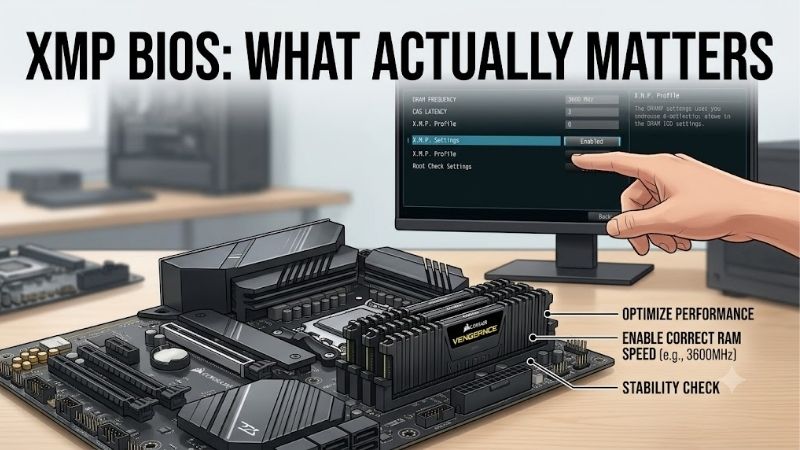
After enabling the profile, save the BIOS changes and allow the system to retrain memory. If the PC fails to boot or becomes unstable, return to the default setting and test again rather than adding several manual changes at once. XMP is an overclocking feature, so stability depends on the complete platform.
Does XMP 3.0 Work With DDR4?
Yes, because XMP 3.0 is designed for DDR5, while DDR4 uses XMP 2.0. Intel states that XMP 3.0 supports up to five profiles, including vendor and user-rewritable profiles. The takeaway is that the version on the RAM should match the memory generation you are buying, not simply the processor brand.
Do not assume every BIOS labels the setting exactly as XMP. Some boards place memory profiles under overclocking or advanced memory menus, and wording varies by manufacturer. Check whether the board recognizes the module’s stored profile and exposes its rated settings. If it does not, update firmware only after confirming the board vendor supports that path.
Is 6400 MT/s Better Than 6000 MT/s?
No, a 6400 MT/s kit is not automatically better for every PC. Higher frequency can increase bandwidth, but the memory controller, motherboard layout, firmware, and workload all influence the result. A stable 6000 CL30 profile can be a more sensible choice than an unstable 6400 setting that repeatedly retrains or forces you back to defaults.
This is why Kingston FURY Renegade is interesting: its kit includes both a 6400 CL32 profile and a 6000 CL32 profile. Start at the higher target, then use the lower profile if your platform does not behave well there. That approach keeps tuning controlled instead of turning memory speed into a daily troubleshooting task on the same PC.
Does Enabling XMP Increase Performance?
No, because enabling XMP does not guarantee a fixed performance increase in every application. Memory-sensitive workloads can benefit more than programs limited by CPU compute or GPU rendering, and the improvement can be modest when the default memory is already reasonably fast. The profile changes memory operating parameters, not the entire system architecture.
The practical test is stability first and benchmark gains second. Run the profile, verify the reported memory speed, and test for errors before judging the result. Intel describes XMP as memory overclocking, so a stable lower profile is preferable to chasing the highest number when faster settings cause crashes.
Final Thoughts
xmp bios what actually matters comes down to four things: profile quality, speed with timings, platform compatibility, and physical fit. G.SKILL is the strongest all-round choice, Corsair offers balanced value, Kingston targets higher-speed Intel systems, and TEAMGROUP wins when low height and profile flexibility matter.