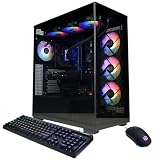
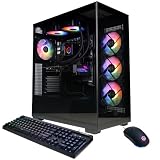
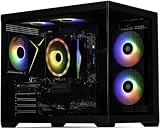
Few games push a gaming PC as hard as Cyberpunk 2077 on Ultra settings. Between hardware-intensive ray tracing, dense neon-drenched crowds, and the demanding Path Tracing update, even high-end GPUs can buckle under Night City’s relentless load. For buyers who want peak performance without dealing with the hassle of part sourcing, compatibility research, and manual building, a prebuilt gaming desktop is often the smarter route—but the market is saturated with options that vary wildly in build quality, cooling, and actual in-game performance.
This guide cuts through the noise and focuses on prebuilt gaming PCs that deliver smooth frame rates at 1440p and 4K with Cyberpunk 2077 cranked to Ultra. We prioritize systems featuring the latest architectures, sufficient VRAM for ray tracing workloads, fast NVMe storage for quick load times, and reputable warranties. Whether you’re chasing 60+ FPS with full path tracing enabled or want a high-refresh 1440p experience without the premium RTX 5090 price tag, these are the systems worth your money.
As an Amazon Associate we earn from qualifying purchases at no extra cost to you.






🛒 Best Price Today on Amazon
Prime members get fast, free shipping on everything above, plus member-only deals. New members get a 30-day free trial — cancel anytime.
How to Choose a Prebuilt Gaming PCs for Playing Cyberpunk 2077 on Ultra
- GPU VRAM and Ray Tracing Cores: Cyberpunk 2077’s Ultra preset with ray tracing demands substantial VRAM—aim for at least 12GB, with 16GB being ideal for 4K and path tracing. Cards like the RTX 5070 Ti and RX 9070 XT strike a strong balance.
- CPU Clock Speeds and L3 Cache: CPUs like the Ryzen 7 9850X3D with massive L3 cache help maintain consistent frame pacing and eliminate stutters, which matters in the dense streets of Night City.
- RAM Capacity: 32GB of DDR5 is the sweet spot for Ultra settings with path tracing enabled, ensuring background tasks and texture streaming don’t impact performance.
- Storage Speed: A Gen4 NVMe SSD is essential for fast loading—Cyberpunk 2077 streams high-resolution assets constantly, and slow storage causes noticeable pop-in and frame drops.
- PSU Quality and Headroom: Path tracing under full load can spike system power draw, so look for an 80 Plus Gold PSU with 200-300W of overhead above your system’s rated draw.
The Best Prebuilt Gaming PCs for Playing Cyberpunk 2077 on Ultras Reviewed
Skytech Gaming Azure 3
Featuring the Ryzen 7 9850X3D and RX 9070 XT, the Azure 3 offers exceptional 1440p Ultra performance with ray tracing enabled. It’s a compelling AMD-centric build that handles Night City’s dense environments without stuttering, making it a top value pick.
Skytech Gaming Shadow 5
The Shadow 5 pairs a Ryzen 7 with the RTX 5060 Ti 8GB and 16GB of RAM, making it a budget-friendly entry point for 1080p Ultra play. While VRAM limits may require turning down texture settings at higher resolutions, it delivers solid baseline performance for the price.
Skytech Gaming King 95
With the Ryzen 7 9850X3D and RTX 5070 Ti, the King 95 hits a premium sweet spot for 1440p high-refresh and entry-level 4K gaming. Frame pacing is exceptionally smooth, and the 5070 Ti’s ray tracing performance keeps Cyberpunk looking stunning without major compromises.
Skytech Gaming O11 Vision
The O11 Vision is a standout premium build, combining the Ryzen 7 9850X3D, RTX 5070 Ti with 16GB VRAM, 32GB DDR5, and a 2TB Gen4 SSD. The 360mm ARGB AIO cooler and 850W Gold PSU ensure sustained performance during extended path-traced sessions at 4K.
CyberPowerPC (General Pick)
CyberPowerPC remains a reliable mainstream option for buyers seeking configurable builds across budget tiers. Look for models with at least an RTX 5070-class GPU and 32GB RAM to ensure Cyberpunk 2077 on Ultra holds up well at 1440p with ray tracing.
Frequently Asked Questions
Can a prebuilt PC handle Cyberpunk 2077 on Ultra with path tracing?
Yes, but only systems with high-end GPUs and sufficient VRAM—ideally RTX 5070 Ti or better with 16GB VRAM—can maintain playable frame rates with path tracing enabled. Expect to use DLSS or FSR upscaling to keep performance smooth at 1440p and 4K.
Is 16GB of RAM enough for Cyberpunk 2077 on Ultra?
16GB is the functional minimum, but 32GB is strongly recommended when playing on Ultra with path tracing. The extra memory headroom prevents stuttering and texture streaming issues, especially if you run background apps alongside the game.
Do I need an NVMe SSD to play on Ultra settings?
Yes. Cyberpunk 2077 streams large amounts of texture data, and a Gen4 NVMe SSD significantly reduces load times, pop-in, and stuttering. Look for at least a 1TB drive, with 2TB being preferable given modern game sizes.
Is it cheaper to build a PC than buy a prebuilt?
Building your own PC is typically less expensive for equivalent specs, but prebuilts from reputable brands offer convenience, warranty coverage, and out-of-the-box testing. For demanding games like Cyberpunk 2077, a well-configured prebuilt saves time and ensures compatibility.
Final Thoughts
For Cyberpunk 2077 on Ultra, the Skytech Gaming O11 Vision stands out as the best all-around pick with its RTX 5070 Ti, 32GB DDR5, and robust cooling. The Skytech Gaming King 95 offers excellent value at a lower price point, while the Skytech Gaming Azure 3 is the top choice for AMD-focused builds that still handle ray tracing with confidence.