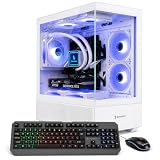
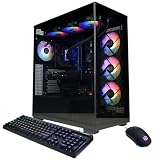
- Top Pick: CyberPowerPC Gaming PC, AMD Ryzen 9 9900X, GeForce RTX 5070 12GB
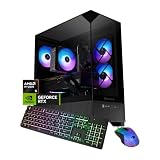
- Best Value: iBUYPOWER Element Gaming PC Desktop Computer AMD Ryzen 9 7900X CPU, NVIDIA GeForce RTX 5070 12GB GPU, 32GB DDR5 RAM, 1TB NVMe SSD, Windows 11 Home, Gamer Keyboard and Mouse – EWA9N5702
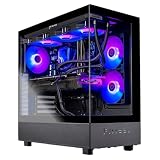
- Premium Choice: msi Aegis ZS Gaming Desktop, AMD Ryzen 9 9900X, GeForce RTX 5080, 32GB RAM, 2TB SSD, Liquid Cooling, Wi-Fi 7, Keyboard & Mouse Included, DIY Friendly, Windows 11 Pro
Finding a prebuilt gaming desktop that handles both high-framerate gameplay and heavy multitasking is harder than it should be. Many systems prioritize the GPU and cut corners on CPU cores, RAM, or storage speed, leaving streamers, content creators, and power users bottlenecked the moment they open a dozen browser tabs, launch OBS, and render video in the background.
This guide cuts through the noise and focuses exclusively on prebuilt desktops powered by AMD Ryzen 9 processors, from the 7900X to the flagship 9950X3D. With 12 or 16 cores and massive L3 cache on the X3D variants, these systems are purpose-built for users who refuse to compromise between gaming performance and serious productivity workloads.
As an Amazon Associate we earn from qualifying purchases at no extra cost to you.




🛒 Best Price Today on Amazon
Prime members get fast, free shipping on everything above, plus member-only deals. New members get a 30-day free trial — cancel anytime.
How to Choose an AMD Ryzen 9 Prebuilt Gaming Desktop for Multitasking
- CPU Generation Matters: The Ryzen 9 9950X3D and 9900X3D dominate multitasking benchmarks thanks to their extra L3 cache, but even the 7900X and standard 9900X offer 12 cores that easily chew through parallel workloads. Prioritize 9000-series if budget allows.
- RAM Capacity and Speed: For multitasking, 32GB is the practical floor, while 64GB or even 128GB makes sense if you run virtual machines, large datasets, or heavy creative software. Look for DDR5 running at 5600MHz or higher for optimal bandwidth.
- Storage Configuration: A fast NVMe Gen4 SSD of at least 1TB is essential for quick game and application loading. Consider models with dual drives, pairing an NVMe boot drive with a high-capacity HDD for bulk media and project storage.
- Cooling Solution: Ryzen 9 chips run hot under sustained multi-core loads. Liquid cooling, especially a 360mm AIO, keeps thermals in check during marathon gaming and rendering sessions, preventing thermal throttling that can tank performance.
- GPU Pairing: Match the GPU to your use case. The RTX 5080 and 5090 excel at 4K gaming and AI-accelerated productivity, while the RTX 5070 is a strong value pick for 1440p gaming that leaves more budget for CPU, RAM, and storage upgrades.
The Best AMD Ryzen 9 Prebuilt Gaming Desktops for Multitasking Reviewed
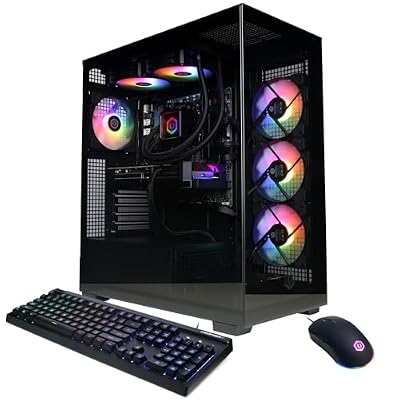
CyberPowerPC Ryzen 9 9900X RTX 5070 Gaming PC
This configuration pairs the 12-core Ryzen 9 9900X with the RTX 5070, striking a balanced price-to-performance ratio that suits gamers who also dabble in content creation. It is a sensible choice for 1440p gaming and moderate multitasking without breaking the bank.
MSI Aegis ZS (Ryzen 9 9900X, RTX 5080)
With a 2TB SSD, 32GB of RAM, Wi-Fi 7, and liquid cooling out of the box, the Aegis ZS is a well-rounded flagship contender. The RTX 5080 handles 4K gaming effortlessly while the 9900X keeps background applications running smoothly.
iBUYPOWER Y70TI (Ryzen 9 9900X3D, RTX 5080)
The standout feature here is the Hyte Y70 case with its touch infinite screen, but the real story is the 9900X3D processor, which offers exceptional gaming performance and serious multitasking chops. This is a showpiece system that backs up its looks with raw compute power.
Panorama XL (Ryzen 9 9950X3D, RTX 5090)
For users who want absolutely everything, the Panorama XL delivers 128GB of DDR5, a combined 10TB of storage, and the top-tier 9950X3D paired with an RTX 5090. This is a no-compromise workstation-grade gaming rig built for the most demanding workloads.
Thermaltake LCGS View 9580S-380XL (Ryzen 9 9950X3D, RTX 5080)
Thermaltake pairs the 16-core 9950X3D with fast 6000MT/s RGB memory and the RTX 5080 in a showcase chassis. It is an excellent pick for users who need top-shelf multitasking and 4K gaming with a visually striking build.
Frequently Asked Questions
Is a Ryzen 9 overkill for gaming alone?
For purely gaming, a Ryzen 9 is more than most games can utilize, as few titles scale beyond 8 cores. However, if you stream, run background apps, or do any content creation, the extra cores keep your system responsive under heavy concurrent loads.
What is the difference between Ryzen 9 X and X3D processors?
The X3D variants feature AMD’s 3D V-Cache, which stacks additional L3 cache onto the processor die. This significantly boosts gaming frame rates and benefits cache-sensitive productivity workloads, though it comes at a higher price than the standard X versions.
How much RAM do I need for multitasking on a Ryzen 9 system?
For most users, 32GB of DDR5 is the sweet spot for gaming alongside general multitasking. If you work with large video files, run virtual machines, or use memory-heavy creative applications, stepping up to 64GB or even 128GB is worth the investment.
Are these prebuilt systems upgradeable?
Most Ryzen 9 prebuilts from brands like MSI, iBUYPOWER, and CyberPowerPC use standard ATX or micro-ATX boards and cases, allowing RAM, storage, and sometimes GPU upgrades down the line. Always check the case dimensions and power supply wattage before planning future component swaps.
Final Thoughts
For pure multitasking dominance, the Panorama XL with the Ryzen 9 9950X3D and 128GB of RAM is the undisputed powerhouse on this list. The MSI Aegis ZS offers the best balance of features and value, while the iBUYPOWER Y70TI stands out for users who want a 9900X3D gaming rig with a distinctive, eye-catching chassis.
Top picks from this guide
 ZYNEEXZYNEEX Prebuilt Gaming Desktop PC, AMD Ryzen 5 5500, GeForce…$960 \xc2\xb7 99/100
 iBUYPOWERiBUYPOWER Element Gaming PC Desktop Computer AMD Ryzen 9 7900X…$2,300 \xc2\xb7 98/100
 CyberpowerPCCyberPowerPC Gaming PC, AMD Ryzen 9 9900X, GeForce RTX 5070…$2,344 \xc2\xb7 96/100
 ThermaltakeThermaltake LCGS View 9580S-380XL Gaming Desktop (AMD Ryzen™ 9 9950X3D,…$4,481 \xc2\xb7 96/100