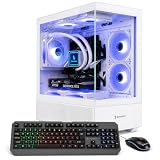
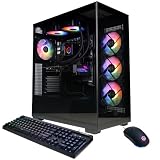
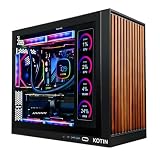
- Top Pick: Qehi Gaming PC Desktop, Ryzen 7 RTX3050 8G for Gaming Live Streaming
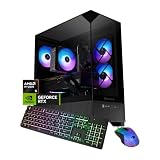
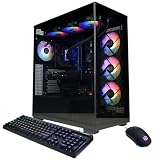
- Best Value: Prebuilt Gaming PC Desktop,Intel Core i5 Business Office Tower Computers PC
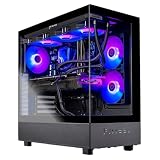
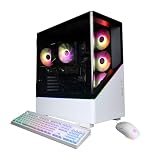
- Premium Choice: NOVATECH Phantom – Prebuilt Gaming PC Desktop Computer – RTX 3050 – Intel i7 Xeon 3.5GHz – 16GB RAM – 512GB M.2 SSD WiFi/BT, Win 11 Pro – Gaming Computer Tower, Pre Built PC Gaming – 1 Year Warranty
Streaming on Twitch demands a PC that can handle gaming at high settings while simultaneously encoding and broadcasting your gameplay. Many streamers struggle with dropped frames, stuttering audio, or compromised in-game performance because their system simply can’t manage both workloads at once. Buying a prebuilt gaming desktop removes the guesswork and gives you a tested, warrantied machine ready to go live the moment you unbox it.
This guide covers the best prebuilt gaming desktops for Twitch streaming across different budgets and performance tiers. We focus on systems with capable multi-core processors, dedicated graphics cards with modern encoders, ample RAM, and reliable cooling. Whether you’re just starting your streaming journey or upgrading to a dual-PC setup, these picks balance price, performance, and long-term value.
As an Amazon Associate we earn from qualifying purchases at no extra cost to you.




🛒 Best Price Today on Amazon
Prime members get fast, free shipping on everything above, plus member-only deals. New members get a 30-day free trial — cancel anytime.
How to Choose a Prebuilt Gaming Desktop for Streaming on Twitch
- CPU Core Count: Look for at least a 6-core, 12-thread processor. Streaming with software encoding (x264) or running OBS alongside your game benefits significantly from extra cores, so an 8-core Ryzen 7 or Intel i7 is ideal for smooth multitasking.
- GPU with NVENC: NVIDIA RTX cards include the NVENC encoder, which handles stream encoding off the CPU. This dramatically reduces in-game performance impact while streaming, making RTX 3050 and above excellent choices for Twitch.
- RAM Capacity: 16GB is the minimum for gaming plus OBS, but 32GB gives you headroom for browser tabs, chat, bots, and scene switching without bottlenecking your system.
- Storage Speed: Prioritize NVMe M.2 SSDs over SATA drives. Fast load times keep your stream professional, and having your OS, streaming software, and games on quick storage reduces stutters when switching scenes.
- Cooling and Noise: Streaming sessions can last hours, so sustained thermals matter. Look for systems with adequate airflow or AIO liquid cooling, and check that fan noise won’t be picked up by your microphone.
The Best Prebuilt Gaming Desktops for Streaming on Twitch Reviewed
Qehi Gaming PC Desktop
Packing a Ryzen 7 and RTX 3050 8GB, this system is purpose-built for live streaming on a budget. NVENC encoding handles your broadcast efficiently, while the 8-core CPU keeps OBS and chat running smoothly alongside your game.
NOVATECH Phantom
With an Intel i7 Xeon at 3.5GHz, 16GB of RAM, and an RTX 3050, the Phantom delivers solid 1080p streaming performance at a competitive price. The 512GB M.2 SSD and built-in Wi-Fi make it a convenient plug-and-play option for new streamers.
Skytech King 95
The Ryzen 7 9700X and RTX 5070 combination makes this a powerhouse for 1440p streaming without breaking a sweat. A 360mm ARGB AIO cooler and 850W Gold PSU ensure stable performance during marathon streams.
Thermaltake LCGS Versa i570S
An Intel Core i9-14900KF paired with 32GB of DDR5 and an RTX 5070 makes this desktop a serious contender for high-bitrate streaming and heavy multitasking. The liquid-cooled design keeps thermals in check even when pushing both game and encode simultaneously.
Skytech Gaming Azure 3
Featuring the Ryzen 7 9800X3D and RTX 5080, this is a top-tier machine for streamers who want maximum headroom for 4K capture, complex scenes, and demanding titles. The 2TB NVMe SSD and 360mm AIO round out a no-compromises streaming rig.
Frequently Asked Questions
Do I need two PCs to stream on Twitch?
No. A single well-configured PC with a modern GPU and multi-core CPU can handle gaming and streaming simultaneously. Dual-PC setups are mainly for streamers running 4K60 capture or heavy production workloads.
Is an RTX 3050 good enough for streaming?
Yes. The RTX 3050 includes NVENC, NVIDIA’s hardware encoder, which handles stream encoding with minimal impact on gaming performance. It is a solid entry-level choice for 1080p60 or 720p60 broadcasts on Twitch.
How much RAM do I need for streaming?
16GB covers gaming plus OBS for most users, but 32GB is recommended if you keep multiple browser tabs, Discord, alerts, and overlays open during your stream.
Can I upgrade a prebuilt gaming desktop later?
Most prebuilts allow RAM and storage upgrades easily. GPU and CPU upgrades depend on the motherboard, power supply, and case clearance, so check those specifications before committing to a system.
Final Thoughts
For most streamers, the Skytech King 95 offers the best balance of streaming power and value, while the Qehi Gaming PC with RTX 3050 is an excellent budget-friendly starting point. If budget is no obstacle, the Skytech Azure 3 with its 9800X3D and RTX 5080 provides the kind of performance that will handle anything Twitch demands for years to come.