Shopping for a 4K gaming monitor used to mean choosing between a sharp panel and a fast one. In 2026 that tradeoff has largely disappeared at the mid-range, but a new problem has taken its place: the sub-$500 shelf is crowded with panels that share similar spec sheets and behave very differently in practice. Refresh rates are quoted at their theoretical maximum, “1ms” response figures rarely reflect real grey-to-grey performance, and HDR badges are handed out to displays that cannot get bright enough to justify them.
This guide cuts through that. We’ve focused on 27-inch and larger displays that deliver genuine 4K sharpness, high refresh rates you can actually reach with a modern GPU, and panel quality that holds up in both games and desktop work. Every pick below is realistically available under $500 at current street prices, and we’ve flagged where a monitor makes sense — and where spending slightly differently would serve you better.
As an Amazon Associate we earn from qualifying purchases at no extra cost to you. Product prices and availability are accurate as of the date shown and are subject to change.






⚡ Save on Your Next PC — Amazon Prime
Prime members get fast free shipping on the systems above, plus early access to Prime Day & Black Friday PC deals. New members get a 30-day free trial.
Watch: Best 4K Monitor Under $500 — Video Review
How to Choose 4K Monitor Under $500
- Refresh rate vs. resolution: A 160Hz 4K panel only helps if your GPU can push those frames. If you’re on mid-tier hardware, look for monitors with strong scaling behaviour at 1440p, or consider whether a lower-resolution high-refresh panel suits your library better.
- Panel type: IPS remains the safest choice at this price for colour accuracy and viewing angles. VA panels offer deeper contrast and are common on curved ultrawide-style models, but expect slower dark-transition response.
- Adaptive sync support: Check for explicit G-SYNC Compatible certification or FreeSync Premium rather than generic “adaptive sync.” Certification means the variable refresh range has been validated, which matters most at the low end of the range.
- Connectivity and ports: DisplayPort 1.4 with DSC is the practical minimum for 4K at high refresh. USB-C with power delivery is worth paying for if you dock a laptop; otherwise treat it as a bonus rather than a requirement.
- HDR expectations: Sub-$500 monitors almost never deliver convincing HDR. Treat DisplayHDR 400 as a marketing line, not a feature, and judge these panels on their SDR performance instead.
The Best Picks Reviewed
Acer Nitro VG270K V4
A strong all-rounder that pairs a 27-inch 4K IPS panel with a 160Hz native refresh and a dual-mode option that drops to 1080p at 320Hz for competitive titles. That flexibility is the headline here — it effectively covers both the “sharp single-player” and “fast shooter” use cases in one display, which is rare at this price.
ASUS ROG XG27UCSR
The most complete package of the group, offering 4K at 162Hz, G-SYNC compatibility, and USB-C connectivity that makes it genuinely useful as a laptop dock. It sits at the upper end of the budget, but the build quality, stand adjustment, and factory calibration are noticeably above the class average.
ASUS TUF Gaming VG27UQ1A
ASUS’s TUF line trades the ROG model’s premium chassis for a lower price while keeping the important parts: 160Hz at 4K, G-SYNC Compatible and FreeSync Premium support, and 95% DCI-P3 coverage that makes it credible for content work as well as gaming. The three-year warranty is a meaningful reassurance at this tier.
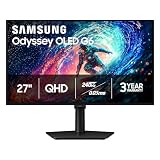
Samsung Odyssey G7 (G75F) 37″
If you want scale rather than pixel density, this curved 37-inch 4K panel delivers an immersive experience that no 27-inch display can match, particularly in racing and flight sims. Be aware that 4K stretched across 37 inches means lower pixels-per-inch than the 27-inch options, and desk depth becomes a real consideration.
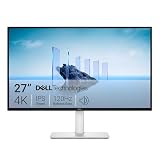
Dell S2725QS
The value pick for buyers who care more about a clean, accurate IPS panel than maximum refresh rate. At 120Hz it won’t satisfy competitive players, but for single-player gaming, productivity, and mixed-use desks it’s an easy recommendation with typically excellent out-of-box colour.
Frequently Asked Questions
Do I need a high-end GPU for 4K gaming in 2026?
For high-refresh 4K at native resolution, yes — but upscaling technologies have narrowed the gap considerably. Mid-range cards can now hit comfortable framerates at 4K with quality upscaling enabled, particularly in titles with good implementation.
Is 27 inches too small for 4K?
Not at all. A 27-inch 4K panel gives roughly 163 pixels per inch, which produces exceptionally sharp text and detail. Some users prefer to run desktop scaling at 125–150% to keep interface elements comfortable.
What about the Samsung Odyssey G5 (G51F)?
It’s a well-regarded gaming monitor and often excellent value, but it’s a QHD (1440p) panel rather than 4K, so it falls outside the scope of this particular guide. If your GPU is mid-range, it’s worth considering as an alternative — you’ll get higher framerates for less money.
Does a curved panel help in games?
On larger displays, yes — curvature reduces the viewing-angle shift at the edges of the screen and improves the sense of immersion. On a 27-inch monitor, the benefit is marginal and largely a matter of personal preference.
Final Thoughts
For most buyers, the Acer Nitro VG270K V4 offers the best balance of resolution, refresh rate, and price, with its dual-mode feature adding genuine flexibility. If your budget stretches to the top of the range and you want USB-C docking with a more premium build, the ASUS ROG XG27UCSR is the better long-term buy — and the Dell S2725QS remains the sensible choice for anyone prioritising panel quality and everyday usability over raw refresh rate.