
Understanding what a normal temperature for a CPU looks like is fundamental to keeping your PC healthy and fast. A processor running within its normal temperature range performs reliably and lasts for years, while one running too hot suffers throttling and instability. This guide explains normal CPU temperature ranges and the factors that influence them in 2026.
As an Amazon Associate I earn from qualifying purchases.

A normal temperature for a CPU is around 30 to 45 degrees Celsius when idle and 60 to 80 degrees Celsius under load. These ranges apply to most modern AMD and Intel processors paired with a decent cooler. Brief excursions above 80 degrees during intense tasks are normal, but temperatures that stay near the 90-to-100-degree limit indicate a cooling problem you should address.
Quick answer: Our top pick in 2026 is the Noctua NH-D15 — our #1 rated choice. See the full ranked comparison, alternatives and buying advice below.
What Is a Normal Temperature for a CPU?
The normal temperature of a CPU depends on how hard it is working. When your computer sits idle at the desktop, a normal temperature reading falls between 30 and 45 degrees Celsius. Under load, such as gaming, editing, or rendering, a normal temperature rises into the 60-to-80-degree band. These figures assume adequate cooling and airflow. If your processor runs consistently hotter, it is worth investigating the cause, which our cooling diagnosis guide helps you do step by step.
Because cooling hardware is the primary driver of CPU temperature, the table below compares reliable coolers and accessories that keep a processor within its normal range.
| Product | Best For | Standout Feature | Rating |
|---|---|---|---|
| Noctua NH-D15 | High-performance air cooling | Keeps hot chips within normal range | 4.9/5 |
| Arctic Liquid Freezer III 360 | Enthusiast liquid cooling | Excellent value thermal performance | 4.8/5 |
| Thermalright Phantom Spirit 120 | Budget builds | Dual-tower cooling at low cost | 4.8/5 |
| be quiet! Pure Loop 2 | Quiet operation | Low noise under sustained load | 4.6/5 |
| Noctua NT-H2 Thermal Paste | Improving heat transfer | Reliable long-lasting compound | 4.8/5 |
Factors That Influence Normal CPU Temperature
Several variables shape what a normal temperature looks like for your specific CPU. The cooler you use is the most significant factor, followed by case airflow, the ambient temperature of your room, and the condition of your thermal paste. A powerful, high-core-count chip under heavy load will naturally run hotter than an efficient one at idle. Recognizing these influences helps you interpret your readings correctly, as our cooler comparison guide demonstrates.
Normal Idle Temperature for a CPU
Idle temperature is the baseline reading taken when your computer is on but not doing meaningful work. A normal idle temperature for a CPU sits between 30 and 45 degrees Celsius. If your idle readings climb well above this, perhaps to 55 degrees or more, it usually signals poor airflow, an inadequate cooler, or degraded thermal paste. Because idle temperatures reveal cooling issues early, they serve as a useful diagnostic, explained further in our temperature monitoring guide.
Normal Temperature Under Load
Under load, a normal CPU temperature ranges from 60 to 80 degrees Celsius. Demanding tasks generate substantial heat, and staying within this band means your cooling is keeping up and the chip can sustain its boost clocks. Occasional spikes above 80 degrees during the most intense moments are normal behavior. However, if your processor is pinned near its thermal limit during typical gaming, it is time to improve cooling, as our cooling upgrade guide recommends.
How Ambient Temperature Affects Normal Readings
Your room temperature sets the floor for your CPU temperature. A processor in a warm 30-degree room will run several degrees hotter than the identical chip in a cool 20-degree room. This means a normal temperature in summer looks different from winter. When evaluating whether your readings are normal, always factor in the current ambient conditions. Improving room ventilation or air conditioning can meaningfully lower CPU temperatures during hot months, a simple fix many overlook.
When CPU Temperature Is No Longer Normal
A CPU briefly touching 90 degrees during extreme load is not automatically abnormal, since modern chips tolerate it. The problem arises when temperatures stay pinned near the thermal limit, triggering throttling that reduces performance. Warning signs include unexpected shutdowns, stuttering, and constant loud fans. If you notice these, check your temperatures and inspect your cooling. Our overheating troubleshooting guide walks through the common causes and fixes step by step.
Keeping Your CPU at a Normal Temperature
Maintaining a normal temperature for your CPU relies on a few dependable habits. Ensure balanced intake and exhaust airflow in your case, clean dust from fans and heatsinks regularly, and use a cooler suited to your chip. Reapply thermal paste when installing a cooler or every few years to preserve heat transfer. Monitor your temperatures periodically so you can catch upward trends early. These practices keep your processor comfortably within its normal thermal range for the long haul.
Frequently Asked Questions
What is a normal CPU temperature at idle?
A normal CPU temperature at idle is between 30 and 45 degrees Celsius. If your processor idles noticeably higher than this with little running, it often indicates poor case airflow, an underpowered cooler, or dried-out thermal paste that needs to be replaced to restore proper cooling.
Is 80 degrees Celsius a normal CPU temperature under load?
Yes, 80 degrees Celsius is at the upper end of the normal range under heavy load and is generally acceptable. Many processors run this warm during demanding tasks. Brief spikes slightly above 80 degrees are normal, but sustained temperatures well beyond it suggest cooling needs improvement.
Does a normal CPU temperature vary between AMD and Intel?
Normal temperature ranges are broadly similar between AMD and Intel, roughly 30 to 45 degrees at idle and 60 to 80 under load. However, specific chips have different rated maximum temperatures, so check your processor’s official specification to know exactly what is normal for your particular model.
How can I keep my CPU at a normal temperature?
Keep your CPU at a normal temperature by ensuring good case airflow, using an adequate cooler, cleaning dust regularly, and reapplying thermal paste every few years. A balanced fan configuration with dedicated intake and exhaust helps maintain steady temperatures during both idle and heavy workloads.
Ready to decide? Our #1 pick for 2026 is the Noctua NH-D15.
Live price & availability on Amazon.
Top picks from this guide
 ThermalrightThermalright Peerless Assassin 120 SE CPU Cooler, 6 Heat Pipes…$35 \xc2\xb7 98/100
 Thermaltake Gravity i2 95W Intel LGA 1200/1156/1155/1150/1151 92mm CPU Cooler…$17 \xc2\xb7 98/100
 ThermalrightThermalright Peerless Assassin 120 Digital ARGB Black CPU Air Cooler,…$46 \xc2\xb7 98/100
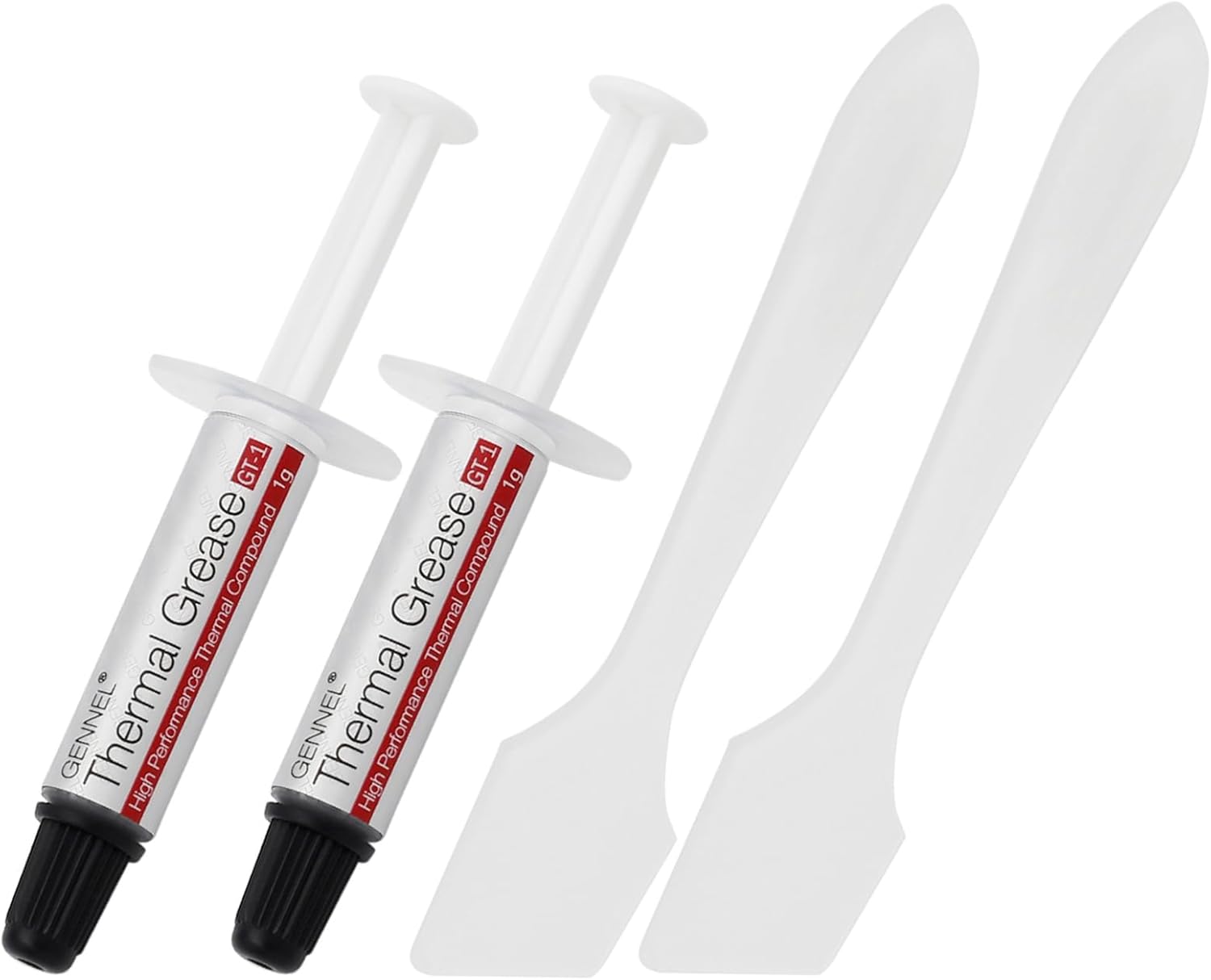 GENNEL2-Pack GT-1 Silver CPU Thermal Paste (1g*2), GPU Heat Sink…$5 \xc2\xb7 98/100

